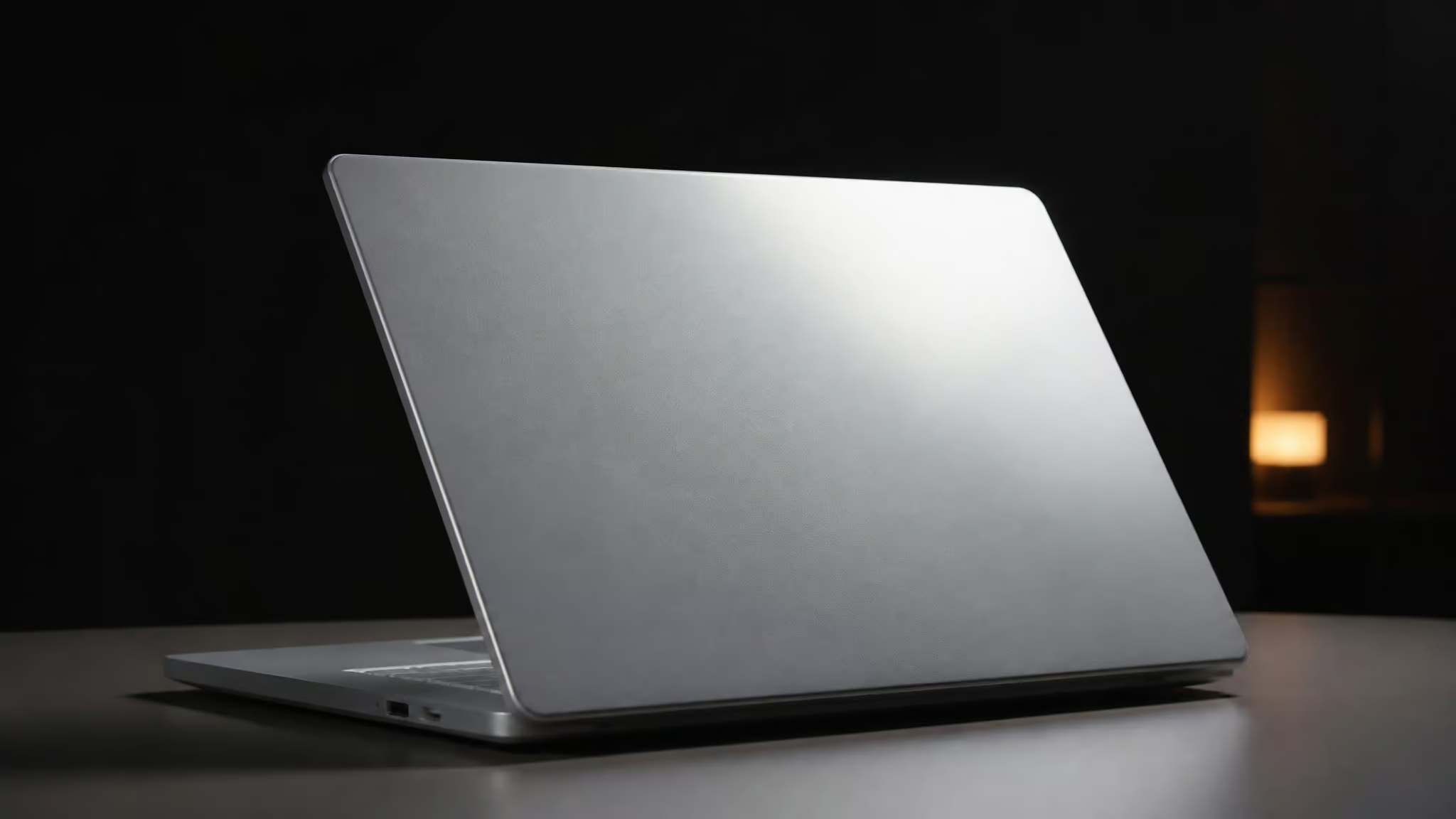
I went looking for a fake laptop for display, half expecting to find nothing but a few dusty eBay listings, and instead fell straight down a rabbit hole. There’s a 17-inch molded plastic laptop shell, sold as a four-pack with a Buy 3 Get 1 FREE deal, that opens and closes like the real thing and lets you pick the color and screen image for each unit individually. It weighs one pound, which matters more than it sounds, more on that in a second. No electronics. No ports that do anything.
Nothing to charge, nothing to wipe down, nothing anyone can walk off with. It just reads as a laptop from across the room, which turns out to be the entire point.
That last part is the inversion I couldn’t stop thinking about: the exact specs that make a good prop are also how you spot one. A one-pound “17-inch laptop” fails the pickup test instantly. Keys that look 3D but have zero travel fail the press test. This article is a configuration-first walkthrough of the real options I found (the Props America 4-pack, Cubiqz cardboard modules, and the Alibaba tier spread from $9.90 imports to $128 aluminum showpieces), organized around the four decisions you actually make: material, color and finish, screen image, and quantity tier.
Key Takeaways
The Props America 17″ Laptop Computer Props 4-Pack (Buy 3 Get 1 FREE) is molded plastic, 1 pound, opens and closes, and gives each of the four units its own color and screen image dropdown, with a 109-option screen catalog at +$5 per image.
For staged photography, the free #AAA non-glare matte screen finish beats every $5 themed image, because glare from lighting rigs and windows is the most common failure mode with the default high-gloss #000.
Sourcing runs in tiers: $9.90, $18 entry plastic props (MOQ ~2), $99, $128 CNC aluminum 1:1 showpieces styled after Surface Laptop Ultra and Dell XPS, and bulk imports like Miss. Millie in Guangzhou at USD 28/piece with a 100-piece minimum.
Table of Contents
Why people buy non-working laptops
Yes, a dummy display model genuinely is the safe alternative: you get touch-and-feel hardware on the shelf without the theft risk, tethers, and maintenance that come with a live unit, and that’s exactly why stores and stagers keep buying them.
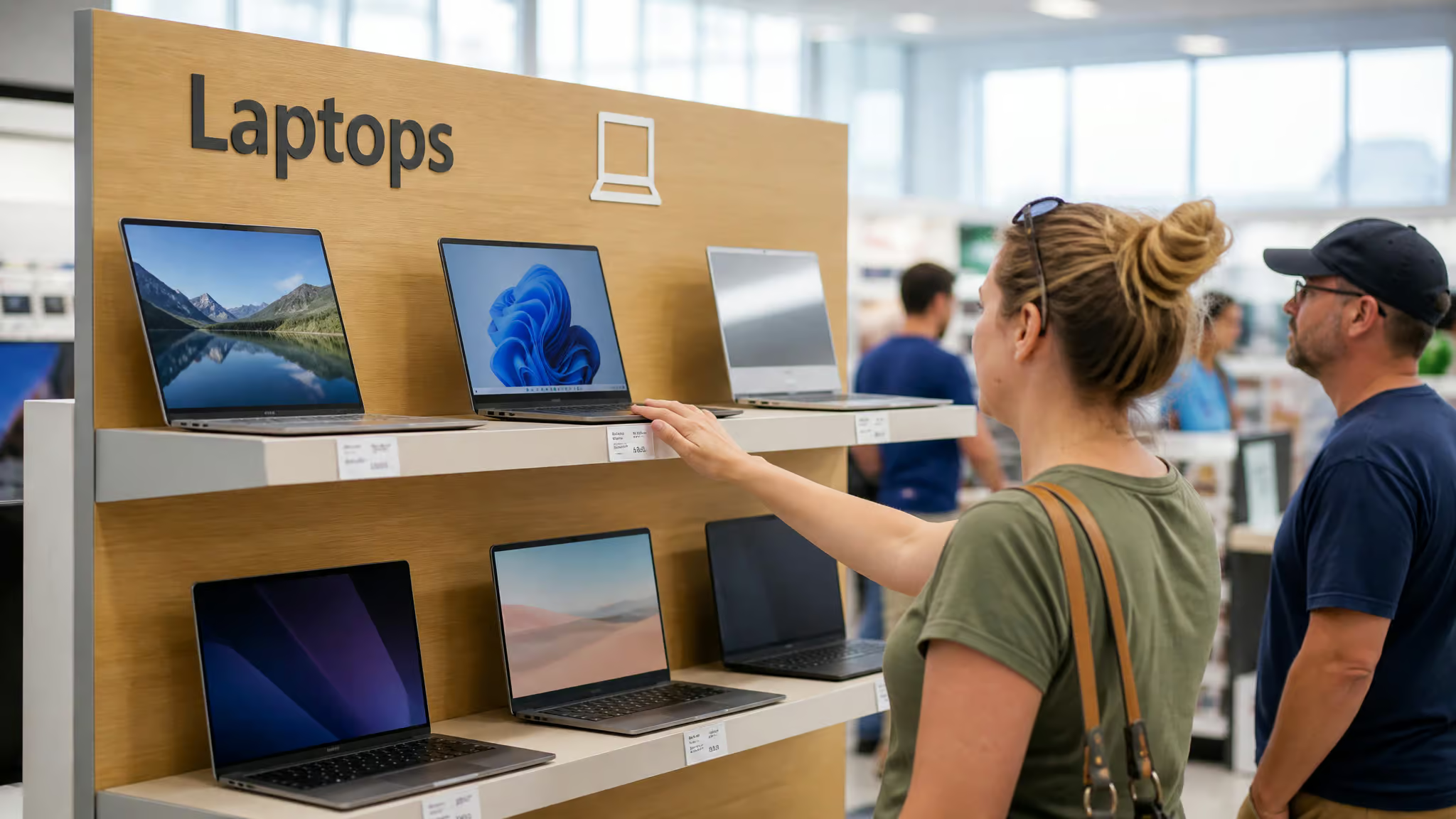
Picture a front end cap at an electronics retailer. An emerging brand wants shoppers handling the new form factor, feeling the hinge, seeing the footprint. Bolt a live $1,200 laptop to the shelf and you’ve bought yourself security cables, wipe-downs after every demo, and a loss-prevention headache. Bolt down a molded shell instead and the worst-case scenario is a fingerprint. LinkedIn’s retail-strategy crowd makes this point constantly: end caps and interactive shelf displays drive real demand for dummies, because shoppers want to touch something before they buy.
Home staging is the other big lane. A model home needs a desk that looks like someone works there. A photo shoot needs a laptop in frame without worrying about screen glare, passwords, or someone walking off with it between setups. Set dressers have known this forever, which we’ll get to in the movie-props section, because fake laptops on camera have a long and occasionally hilarious history.
And there’s a newer demand driver that’s very 2026: AI-ready laptop marketing. Some display dummies now ship with a soft underglow that mimics an active AI session or a charging battery. To be clear about what that is: it’s a light effect. Nothing computes. The prop glows like it’s thinking, which is honestly kind of elegant as marketing goes, and the fact that it’s just an LED is part of the charm.
Props America 17″ molded plastic 4-pack
Yes, this thing opens and closes like a real laptop, and it has 3D molded stationary keys that sell the illusion up close. That hinge and keyboard combo is what separates a believable prop from a folded piece of cardboard on a desk.
The specs, read like a spec sheet
The listing is called 17″ Laptop Computer Props 4-Pack (Buy 3 Get 1 FREE), which is exactly what it sounds like: three purchased, a fourth thrown in. Each unit is durable molded plastic with zero working electrical components. Nothing to charge, nothing to break, nothing for anyone to steal. It opens and closes on a hinge, and the keys are molded in 3D, so from arm’s length the keyboard looks right even though every key is permanently still.
Now the funny part: 17-inch footprint, one pound. Real 17-inch laptops are boat anchors by modern standards. This thing is featherweight, which makes hauling a full staging set trivially easy. The dimensions matter if you’re planning shelf fits or photo layouts:
- Closed, it measures 14.625 inches wide by 10 inches deep, standing 1.125 inches tall.
- Open, the lid raises the height to 10 inches, with the width and depth unchanged.
That’s staging-planning data, not ergonomics. Measure your shelf depth before you order and thank yourself later.
The configurator, or: pick your loadout
Here’s where I nerded out. Each of the four laptops in the pack has its own Color of Laptop dropdown and its own Screen Image dropdown, with the same menu repeated on every unit. You’re not ordering “four black ones with skyline screens.” You’re configuring four independent units, like picking loadout options before a match.
One matte silver with a Chicago skyline for the kitchen desk, three matte black with the default screen for the office. Your call, per unit.
Choosing color and screen finish
For a dummy laptop used in staging photography, a fake laptop for display is easiest to get right by picking the free #AAA non-glare matte screen finish; glossy only works if your lighting is fully controlled.
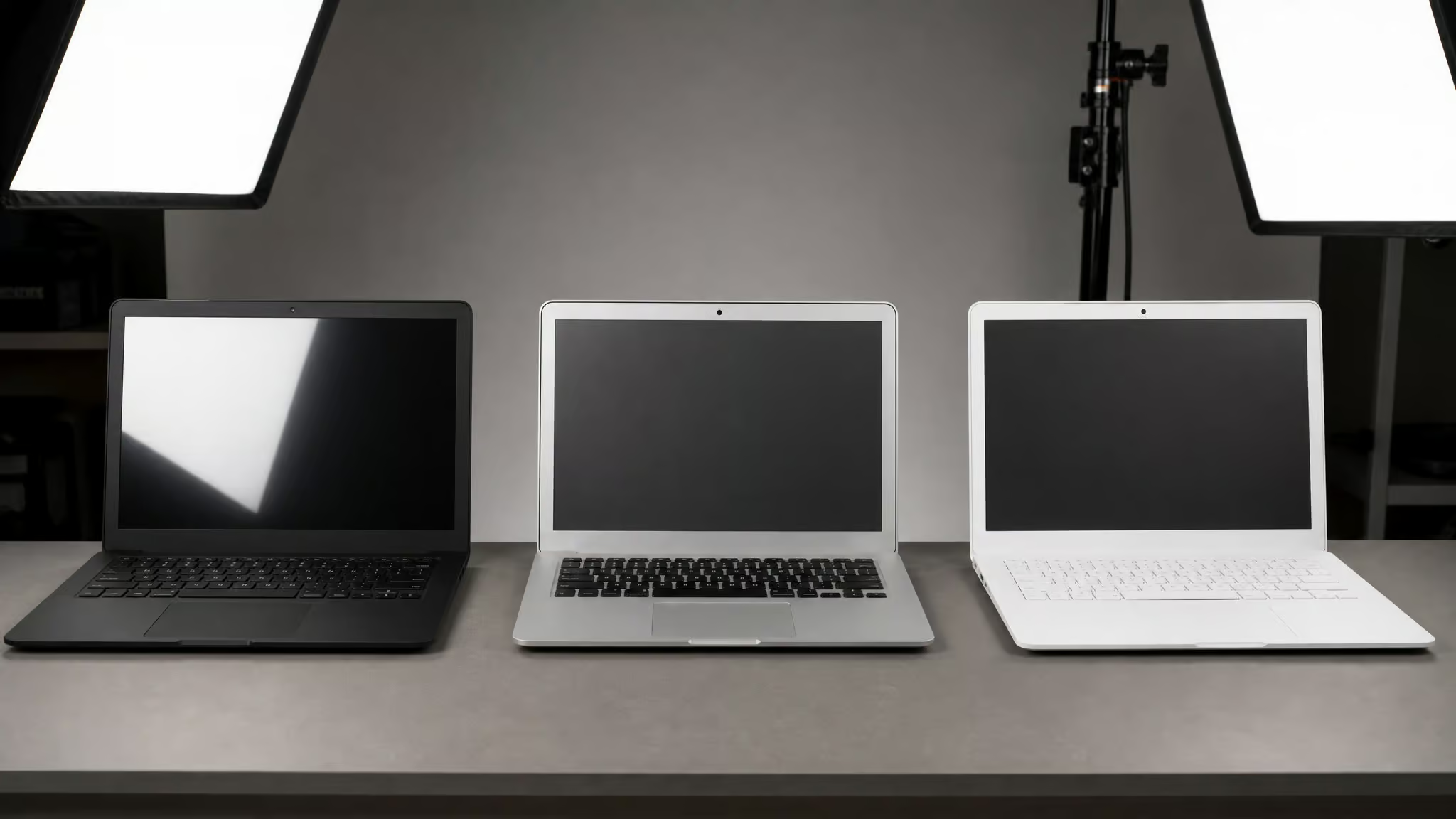
The color choices are Matte Black, Matte Silver, and Matte White, per unit, and they’re the standard laptop color wheel. Matte Silver is the MacBook-adjacent look of the three, said plainly without claiming it copies anything. Matte White is the bright-room-friendly pick and lines up with the ceramic-feel finish trend showing up in 2026 dummy coverage from Alibaba and PCMag, along with seam-free unibody designs. Cubiqz, the cardboard option, comes in Space Black only, because of course it does.
The screen decision is the one that actually matters, and both options are free:
- #000 Standard High Gloss, the default. Dark and glossy, like a sleeping laptop.
- #AAA Non-Glare Matte, no surcharge. The screen-looks-off look that reads best under lighting.
That’s the whole decision: glossy-off look or matte-off look, both $0. The failure pattern I noticed reading listings and buyer guidance is consistent: people default to the free high-gloss, shoot a staged scene near windows or under a lighting rig, catch glare bouncing off the screen like a mirror, and reorder matte. Skip the reordering step and start at #AAA if your shoot involves lights.
And the contrarian take, which I believe: the best screen image is usually the free one. Matte beats every $5 themed image for realism, because a themed image is set context, not realism. More on that in a second.
One sizing note while we’re here: dummy laptops run 13.3-inch and 15.6-inch dominant, because that’s what real laptops are, alongside the 16-inch and 17-inch units covered in this piece.
Quick test: If your shoot involves windows or lighting rigs, pick #AAA matte. Glare off the #000 gloss is the most common re-order reason.
The 109-option screen image catalog, mapped to use case
The Props America screen catalog offers 109 numbered images (#090 through #198 plus the free #AAA matte and #000 gloss), and every paid image runs +$5.00. Same menu on all four laptops, no restrictions.
Framework before menu: neutral or off-position screens suit staging, city skylines suit retail floors, and news or sports imagery suits set context. Pick by scene, not by scrolling.
Free defaults
#000 high gloss is the included default. #AAA non-glare matte is free too. Both off-position, both $0, both usually the right answer.
News and TV, +$5 each
#090 Food TV, #091 Hollywood News, #092 Evening News, #093 Emergency Response News, #094 Top News, #179 Sports News, and #180 Weather Map. These are your news-desk and office staging scenes: a laptop on a desk in a staged newsroom looks wrong without something news-shaped on screen.
Sports, +$5 each
Golf (#095), baseball (#096 and #097), football (#098, #099, #172, #173), hockey (#174, #175), boxing (#191, #192), and horses (#178). Great for bar sets and office break-room context. I appreciate that there are two baseball games and four football games; someone thought about this catalog.
City skylines, +$5 each
The biggest section, and the retail-floor workhorse. Times Square (#100), Manhattan Bridge (#101), NYC at Night (#103), Philadelphia (#109 and #110), Baltimore (#111), Atlanta (#112 and #198), Miami (#115), Chicago (#118 and #120), Dallas (#127 and #128), Houston (#129 and #130), Seattle (#156 through #158), San Diego (#166 and #167), Golden Gate (#168). Match imagery to scene geography: staging a Manhattan apartment? Put a New York skyline on the screens. It’s a small detail that reads as intentional.
Nature and landmarks, +$5 each
Autumn Trees (#104), Chesapeake Bay, Golden Fields, Badlands, Grand Tetons, Crater Lake, Redwood Forest, Big Sur. Plus landmarks: Mt. Rushmore (#125), Hoover Dam (#133), Glacier NP (#155). I spent longer browsing this section than I’d like to admit. The depth of this dropdown menu is genuinely funny to me: somebody sat down and digitized forty-odd American landscapes for fake laptop screens.
Novelty, +$5 each
#171 Space, a solid space shot, and #182 PAC Buddy Video Game, which is the only video-game-themed image in the entire catalog. One gaming option in a sea of news desks and prairie landscapes. Nerd bait, and I respect it. There’s also #113 Fallen Heroes in the catalog, which fits commemorative staging if that’s your use case.
One data honesty note: one of the source menus I read was truncated mid-entry, so if you spot a gap between the numbers I listed, the catalog continues past what made it into the sources.
Custom screen images: the #999 workflow
Yes, Screen #999 (+$5.00) lets you display your own webpage or artwork on the prop screen, and a proof gets emailed for approval before anything ships. For five bucks, this is the best-value nugget in the whole configurator.

The workflow is dead simple. At checkout, either paste a complete URL to put an actual webpage on the prop’s screen (no design skills required, which feels like tiny wizardry) or upload your own artwork through the upload button. Then you wait for the proof email. You see exactly what ships before it ships, which is a nice safety net.
And the documented failure mode is human, not robotic: if no artwork gets uploaded at checkout, a graphics department rep reaches out to help you sort it. Orders routinely hit that step, so it’s not a red flag, it’s the process working. Plan your artwork before checkout and you’ll probably never meet them; either way, there are real people on the other end.
Molded plastic vs. cardboard vs. aluminum
Molded plastic and cardboard dummy laptops are best understood as opposite trades: molded plastic wins on durability and repeated handling, cardboard wins on portability and price, and aluminum wins on showroom fidelity, especially for staged shots like the funniest laptop snap trends. Match the material to the deployment; none of them wins universally.
Molded plastic: the repeat-handling tier
The Props America 4-pack is this tier. Opens, closes, survives being staged, photographed, packed, and restaged. Per-unit configurability means matched or mixed sets. If humans are going to touch your prop more than a few times, this is the tier.
Cardboard: the fold-flat dark horse
The Cubiqz LAPTOP. NOTEBOOK 16-INCH Cardboard 3-D Module is honestly kind of clever. Space Black, with a photo-realistic printed QWERTY keyboard, trackpad, and display. Even the side ports are printed. Printed ports on cardboard delighted me way more than they should have.
It ships as two click-together parts, monitor and keyboard, assembly in seconds, no instructions needed. It folds flat to 35.5 x 26 x 24.5 cm. A laptop that flattens into a sheet is the killer feature for storage and shipping, and it makes this the grab-and-go prop for photo shoots. The disclosed weakness, said straight: cardboard is sensitive to fingerprints and slight surface imperfections. It’s the cheap tool that just works, right up until someone with snack hands handles it.
Aluminum: 2026’s premium tier
This was the “wait, that much for a fake?” moment, and I mean it with amused respect. The 2026 dummy market has shifted from generic plastic shells toward CNC-machined 1:1 mockups styled after the Surface Laptop Ultra and Dell XPS, in titanium-like finishes, running $99 to $128. Fake laptops getting real machining is a sentence I didn’t expect to write this year. Attribution here goes to Alibaba and PCMag trend coverage, and the sourcing data comes from a single compilation, so treat it as medium confidence.
How to spot (or spec) a fake: geek-level inspection tells
Four checks reliably expose a display prop: weight, ports, key travel, and screen reflection under light. Even the fancy ones crack under this battery.
- Weight. The 17-inch prop weighs one pound. Real laptops in that class run multiple pounds, typically several times that. Pick it up and the illusion is over. This is the fastest tell.
- Ports, heat, power LED. The prop has no working electrical components, so there are no real ports, no warmth, no charging light. A sleeping laptop that’s never warm is lying to you.
- The press test. The 3D molded keys have zero travel. They look right from a foot away and feel like sculpted plastic under a fingertip.
- Screen behavior under light. Gloss (#000-style) reflects camera flash like glass. Matte kills the glare and, just as tellingly, kills the OLED-look shine that a real premium screen throws off even when off.
Here’s the counter-trend, and it’s kind of wild: premium dummies now fake the tells. A glow that fakes AI activity or battery status, which is still just an LED to babysit. Color screen inserts mimicking Tandem OLED or 500+ nit HDR, which are printed stand-ins for premium panels. The arms race runs fake-to-real, which means physical tells like weight and key travel remain the last reliable check.
One honest limitation: if you’re trying to spot a fake before buying a used laptop, that’s a related but different question, and the evidence I gathered here doesn’t cover used-market inspection. I’d rather flag the gap than invent a guide.
Prop realism in the wild: famously bad screen fakes
Audiences spot wrong-looking props instantly, and the documented on-screen failures prove why screen imagery and context-matching matter so much.
This thread started, as the best ones do, with a Reddit prompt from Behind_Th3_8_Ball plus r/MovieMistakes submissions, which BuzzFeed compiled into a list of 43 fake-looking movie and TV props. I fell into it at midnight. You’ve been warned.
The laptop-adjacent entries hit closest to home: the fake typing in Men in Black, the fake phones in The Boys and NCIS, the cardboard cutouts doubling as laptops in D2: The Mighty Ducks, and a dummy subbing for Harrison Ford in The Fugitive. Beyond laptops, the all-timers: Qui-Gon’s communicator in The Phantom Menace was a Gillette razor, Independence Day featured a garbage can literally labeled “art department,” and American Sniper‘s fake baby remains the most infamous prop of the era. One line of affectionate disbelief is all that one deserves.
The lesson maps straight back to the configurator: match screen imagery and finish to scene context, or you’re the coffee cup in Game of Thrones.
How many to buy: single, 4-pack, import, and bulk tiers
Bulk pricing for fake display laptops runs from $9.90, $18 entry-level props with a minimum order of about 2, through Props America’s Buy 3 Get 1 FREE 4-pack, up to $99, $128 aluminum showpieces, with full bulk import at Miss. Millie’s 100-piece minimum at USD 28 per piece via wire transfer.
The tiers, compactly:
- Staging 4-pack: Props America’s Buy 3 Get 1 FREE. Three purchased, a fourth included, matched sets, per-unit configuration.
- Entry B2B: $9.90 to $18.00 for lightweight plastic props, MOQ around 2. The “just try one” tier, and it’s genuinely fine for staging and office photography.
- Premium: $99 to $128 for CNC aluminum 1:1 showpieces aimed at high-end retail floors.
- Bulk import: Miss. Millie, based in the Huadu area of Guangzhou, lists a minimum order of 100 pieces at USD 28/piece, payment by T/T (wire transfer). Say it plainly: wiring money overseas carries real risk if the goods don’t show. Taxonomy quirk: the listing is filed under office furniture, which means somewhere a customs database believes fake laptops are chairs. These are supplier listings cited as data points, not vetted recommendations.
One pattern from reading the listings and buyer guidance (not my own fieldwork): home stagers over-buy bulk MOQs they can’t use. Retail buyers under-buy single props when end-cap deployments need consistent sets. Size your order to the deployment, not the per-unit price.
Also useful: Alibaba listings labeled “model notebook non-working fake computer” are the search-term wilderness here, and a heads-up that most “dummy laptop” search results on Alibaba are actually live or refurbished working laptops. Read listings carefully. The real prop listings include MacBook-style factice models by part number (A2337, A2338, and friends), 13.3-inch color-screen office mockups, and 14-inch metal dummies. If you’re hunting for a fake laptop for display nearby or checking Amazon local inventory, that channel guidance isn’t covered by the sources I found; this article covers direct-vendor and B2B options only.
Timing note: laptop search interest peaks in April (index 88), so if you’re sourcing for retail, lock in dummies early in the year. Light market context for scale: the global display market is projected to hit $90.9 billion by 2035, with a big slice going to point-of-purchase and in-store marketing (Futuremarketinsights). And if a prop ever does head out for resale, selling a used laptop has its own quirks, this fake-laptop thing is a bigger deal than you’d think.
Where the market is headed in 2026
The 2026 trend is fakes converging on flagships: CNC-machined aluminum shells, flagship-replica styling borrowed from the Surface Laptop Ultra and Dell XPS, ceramic-feel matte white finishes, and premium panel mimics (attributed to Alibaba and PCMag trend coverage, medium confidence). For anyone tracking where this goes next, TechInsights is running a webinar on the display market on December 9 and 10, 2025.
So the working rule: material by deployment, screen finish by lighting, imagery by scene context, quantity by buyer type. Get those right and your prop reads real from across the room, which is all it ever had to do.
Honest final note: search engines will also surface things like “fake laptop for cat” novelty props and used-laptop reverse inspection. Neither is backed by the evidence here, so I’ll leave those rabbit holes unexplored. For now.
Frequently Asked Questions
What is a fake laptop prop and what is it used for?
A fake laptop prop is a non-working replica shell — molded plastic, cardboard, or aluminum — that looks like a real laptop from across the room but has no electronics, ports, or battery. Stores use them on end caps so shoppers can handle hardware without theft risk, tethers, or maintenance. Home stagers and set dressers use them to fill desks for photos and shoots without worrying about passwords, glare, or someone walking off with a real machine.
Molded plastic dummy laptop vs cardboard display laptop: which is better for staging?
They’re opposite trades. Molded plastic wins on durability and repeated handling — it opens, closes, survives being staged, photographed, packed, and restaged. Cardboard (like Cubiqz modules) wins on price and portability, folding flat for easy storage and shipping, but it’s sensitive to fingerprints and surface imperfections. If humans touch your prop more than a few times, go plastic.
Are dummy laptops a safe alternative to live display units in stores?
Yes — that’s the core reason they exist. A bolted-down live $1,200 laptop means security cables, wipe-downs after every demo, and a loss-prevention headache; a molded shell means the worst-case scenario is a fingerprint. Shoppers still get to touch hardware, feel the hinge, and see the footprint, which is why end-cap and interactive shelf displays keep driving demand for dummies.
