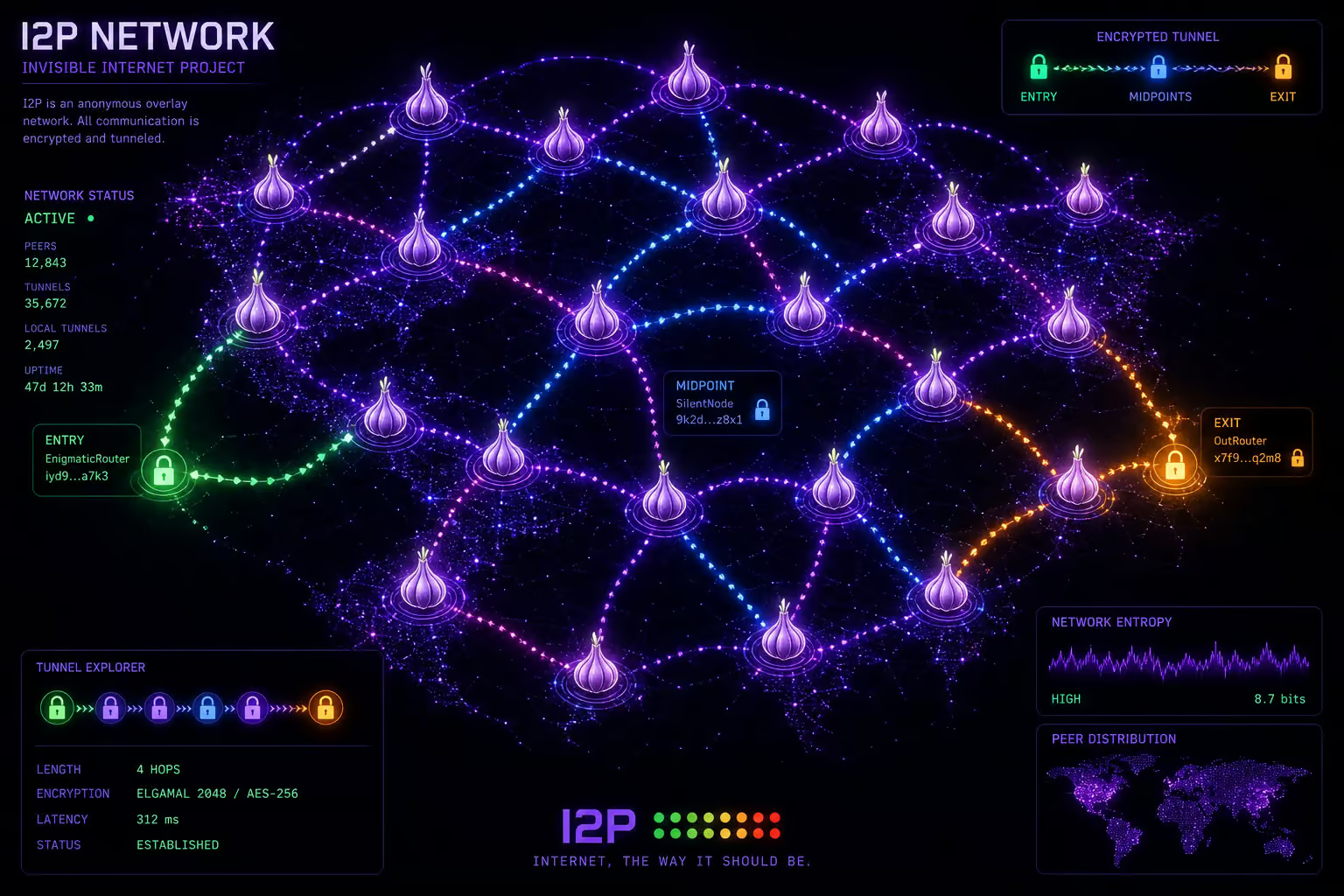
You’ve heard about the “dark web” and probably know Tor. But I2P — the Invisible Internet Project — is a different beast entirely. It’s a peer-to-peer anonymity network purpose-built for hosting hidden services and running applications, not just browsing the clearnet anonymously. And the sites that live there? Those are called eepsites.
Here’s the quick definition: an eepsite is a website that exists exclusively on the I2P network. You can’t reach it from Chrome or Firefox without routing through I2P software. It uses a .i2p pseudo-domain or a cryptographic .b32.i2p address — think of it like a .onion address, but for I2P. You and the person hosting the site both stay anonymous — nobody sees real IP addresses on either end.
A .b32.i2p address is derived from a private key, like a crypto wallet address. No registrar can take it from you, and no central authority can revoke it. Lose the key, lose the address — but nobody else can touch it.
In this article I’m going to walk you through a hand-picked directory of eepsites that work, show you how to access them, how to keep finding new ones as the network evolves, and how to stay safe while exploring. We’ve set up and hosted actual eepsites with the built-in Jetty server, so this is curation from direct experience — not a copy-paste from someone else’s list.
Key Takeaways
Eepsites use the .i2p pseudo-TLD and are only accessible through I2P software; a .b32.i2p address is permanent and tied to your private key — no registrar can revoke it
The curated directory at reg.i2p refreshes every 4 hours and is your best starting point, while identiguy.i2p shows live, recently seen sites without curation
The most common safety mistake is leaving JavaScript enabled in your I2P browser profile — this can leak your real IP; always use an outproxy only for clearnet access, never for visiting eepsites
Table of Contents
What Makes I2P Different From the Clearnet
Most people who search for “I2P sites” are coming from Tor, and the comparison is natural. But eepsites aren’t just “dark web versions” of regular websites. They live in a completely separate namespace with cryptographic addressing built into the network itself.
The engine behind I2P is garlic routing. Instead of sending individual messages through layered encryption like Tor does, I2P bundles multiple messages together into a single “clove.” This makes traffic analysis harder and speeds things up — and it’s one reason I2P handles peer-to-peer applications like BitTorrent better than Tor does.
When you access an eepsite, your traffic goes through short-lived one-way tunnels that expire every 10 minutes. Each tunnel passes through three nodes — gateway, participant, endpoint, and all routing information lives in a distributed hash table called NetDb. There’s no central directory of who’s hosting what. The network discovers it dynamically.
That design means eepsite addresses can be flaky. Human-readable .i2p names need to propagate across the network, and that can take hours. But it also means no single entity can shut down a site by revoking its domain. That tradeoff makes I2P different from the clearnet and Tor’s onion services.
A Curated Directory of Notable I2P Sites
Every list of I2P sites goes stale eventually. Here’s what we know works as of our latest testing, organized by category so you can jump straight to what interests you.
Forums and Social Hubs
Notbob is the long-running general discussion forum on I2P — it’s been around for years and covers everything from tech talk to random conversation. It’s the closest thing I2P has to a town square.
I2P Forum is the official community board. If you have questions about the network itself, this is where you’ll find devs and experienced users.
Inr I2P is another discussion board worth checking out. It’s less active than the main forum but has its own community vibe.
One important caveat: forum addresses can change. If any of these stop resolving, head to reg.i2p to find the current URLs. That’s your fallback for everything.
File Sharing and Torrents
I2PSnark isn’t a website you visit — it’s a BitTorrent client that comes built into every Java I2P install. And it only works with I2P-native torrent files. You can’t just drop in a .torrent file from the clearnet and expect it to work; the network doesn’t talk to the public BitTorrent DHT. What it does do is multi-torrent, magnet links, PEX, and its own DHT within I2P. If you want to trade files inside the network, this is the tool.
Postman is a file storage service that lives alongside the Postman email system. It’s useful for hosting files you want to share within I2P without running your own eepsite.
Safety note: treat downloads from unknown eepsites like any other untrusted source. Malware doesn’t care about network topology.
Search Engines
I2PSearch is basic but effective. It indexes eepsites and returns results. Not fancy, but it works.
Legwork is the one to know. It’s a specialized search engine that only indexes eepsites — no clearnet results, no Tor results, just I2P content. If you’re trying to discover new sites, start here.
For searching the clearnet from within I2P, DuckDuckGo is available at duckduckgo.i2p. It routes your search through an outproxy, so the privacy tradeoffs are similar to using any clearnet search engine through I2P.
Email Services
Susimail is a web-based email client that is pre-installed with the I2P Router. It’s a Java app designed for privacy-focused communication inside the network. You use it with the Postman mail servers.
Postman itself is the primary email server on I2P. You can create an account at hq.postman.i2p. From there you can send and receive email that never leaves the I2P network — no clearnet exposure, no logging by external providers.
Directories for Discovery
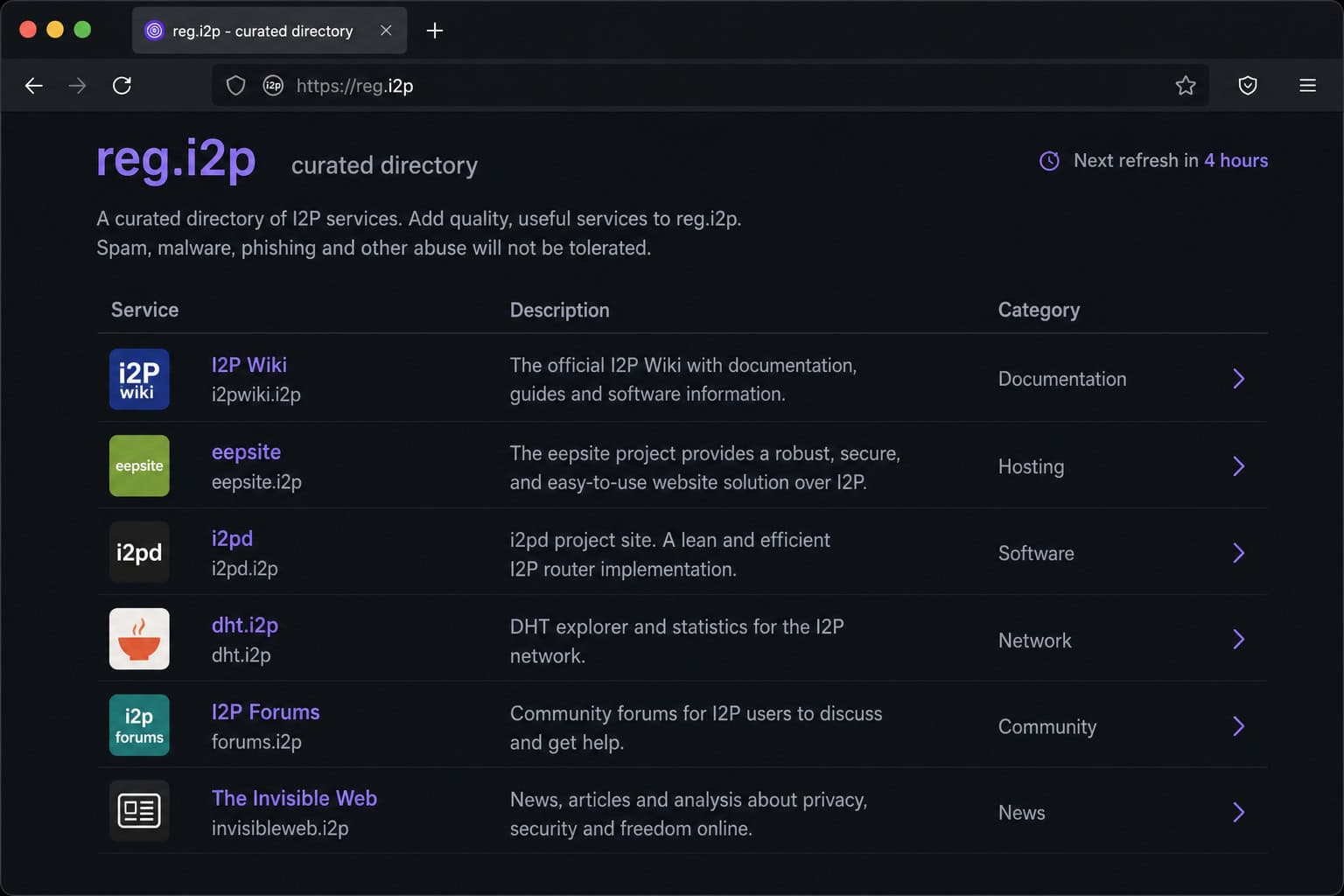
reg.i2p is the curated directory. It updates every 4 hours and is the first place most people visit after setting up I2P. Think of it as the yellow pages.
identiguy.i2p is non-curated. It shows live, recently seen eepsites without editorial filtering. Some of them are weird. Some are dead. But if you want to see what’s actually running right now, this is more honest than any curated list.
These two directories are your lifeline when any blog post — including this one, goes out of date.
How to Access I2P Sites
Getting from zero to browsing .i2p addresses takes about 15 minutes. Here’s the process: How to use I2P.
Choose Your Router
You have two main options. I2P Router is the Java-based default. It includes built-in apps — Susimail, I2PSnark, the Jetty webserver for hosting, plus a web-based admin console. It’s the full experience, but it’s heavier on system resources.
i2pd is the C++ implementation. It’s lighter, starts faster, and uses less memory. The tradeoff: no bundled apps, no plugin support. You get the network client and that’s it. If you just want to browse and don’t care about hosting or built-in tools, i2pd is worth considering.
For installation, Debian and Ubuntu have official packages. You can also do a manual install with wget and java -jar for the Java version. Docker works too — I2P runs fine in a container.
Configure Your Browser
This is where most people mess up. After installing, you need to point your browser at the I2P proxy.
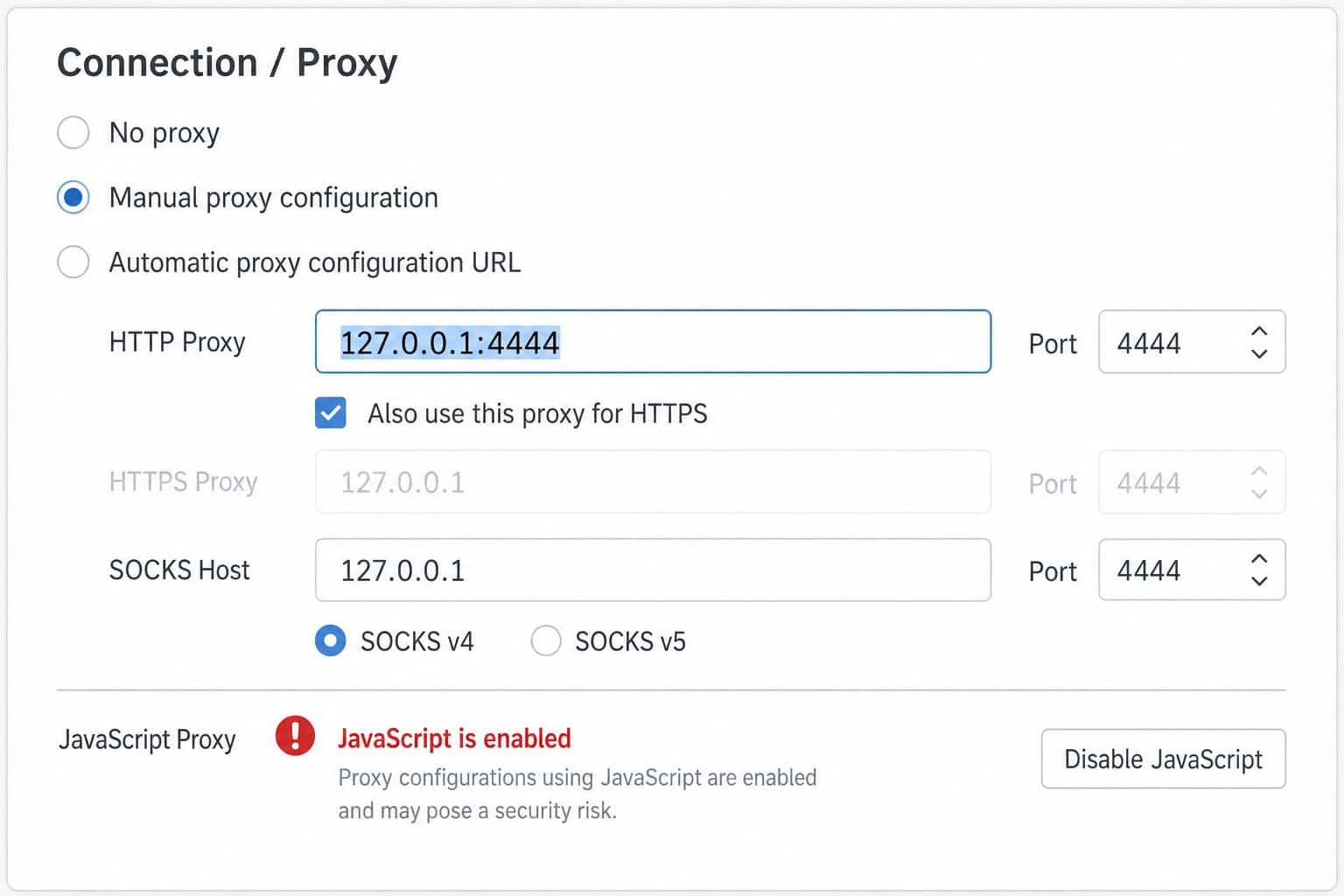
For the Java I2P Router, the default HTTP proxy is 127.0.0.1:4444. For i2pd, it’s the same port by default. Set this in your browser’s proxy settings.
The Router Console lives at 127.0.0.1:7657. That’s your control panel — tunnel status, bandwidth, address book, everything lives here. Memorize that URL.
Disable JavaScript in your I2P browser profile. This is the most common privacy leak. JavaScript can bypass your proxy settings and make direct connections to clearnet servers, leaking your real IP. This raises the question: can ISP see I2P? I2P’s traffic obfuscation, including encryption layers and garlic routing, makes it far harder for your ISP to detect what you’re doing compared to Tor’s visibility.
It’s like wearing a disguise but leaving your front door open. Use a dedicated Firefox profile with JavaScript turned off, or use the Tor Browser with its proxy reconfigured.
Red flag: Leaving JavaScript enabled in your I2P browser profile is the single most common way to leak your real IP — the browser will happily bypass your proxy and phone home directly to clearnet servers.
A Quick Word About Outproxies
Outproxies let you access clearnet sites through I2P — like an exit node in Tor. The officially recommended one since August 2022 is exit.stormycloud.i2p. purokishi.i2p also works.
Here’s the important part: don’t use an outproxy when visiting eepsites. Outproxies are only for clearnet access. Using one while browsing .i2p addresses adds unnecessary exposure and slows things down. Your proxy should just be the plain I2P HTTP proxy at 127.0.0.1:4444 unless you specifically need clearnet access.
How to Find New I2P Sites Beyond Curated Lists
Here’s the real skill: curated lists go stale. A typical failure pattern looks like this — someone saves a list of eepsites from a blog post, returns six months later, and half are dead. Don’t be that person.
Start with reg.i2p and identiguy.i2p. Between the curated 4-hour refresh and the live non-curated feed, you’ll find most active sites. If a site shows up on both, it’s almost certainly active.
Use I2PSearch or Legwork to verify whether a site is actually responding. If it’s listed in a directory but doesn’t load, it may be offline or the address may have changed.
Monitor I2P forums and IRC for announcements of new eepsites. The community is small enough that new sites get discussed. IRC inside I2P is still active.
The address book (SusiDNS) is how I2P manages hostnames locally. There’s no central naming authority — each node maintains its own hosts.txt file. You can add discovered addresses to your address book, subscribe to other people’s address book feeds, and publish your own if you want. This is decentralized DNS in practice, and it works surprisingly well.
Safety Checklist for Browsing I2P
Misconfiguration is the real danger, not the network itself. Here’s what to check before you start exploring.

Disable JavaScript. I’ll say it again because it’s that important. Use a dedicated browser profile with JavaScript off. If a site needs JavaScript, ask yourself whether you trust it enough to turn it on in an anonymous environment. Usually the answer is no.
Verify your proxy configuration. Make sure your browser is set to 127.0.0.1:4444 (or whatever port your I2P instance uses). Test by visiting a site that shows your IP — if you see your real IP, something is wrong.
Don’t use an outproxy for eepsite browsing. This adds risk for zero benefit. Outproxies are for clearnet access only.
Treat downloaded files with standard caution. Malware exists on I2P like anywhere else. The anonymity of the network makes it harder to trace bad actors, not harder to create malicious files.
Understand performance. I2P is peer-to-peer. Your speed depends on your router configuration, bandwidth settings, and network conditions. It’s often slower than Tor because every user is also a node contributing to the network. That’s by design — but it means you shouldn’t expect Netflix-like streaming.
Eepsite Addresses Explained: .i2p vs .b32.i2p
This distinction matters more than most people realize, especially for visitors and anyone thinking about hosting.
A .b32.i2p address is a long cryptographic string that’s permanently derived from your private key (eepPriv.dat). It always works. It cannot be revoked. No registration required. Think of it like a crypto wallet address — it never changes, and nobody can take it from you, and if you lose the private key, you lose the address forever.
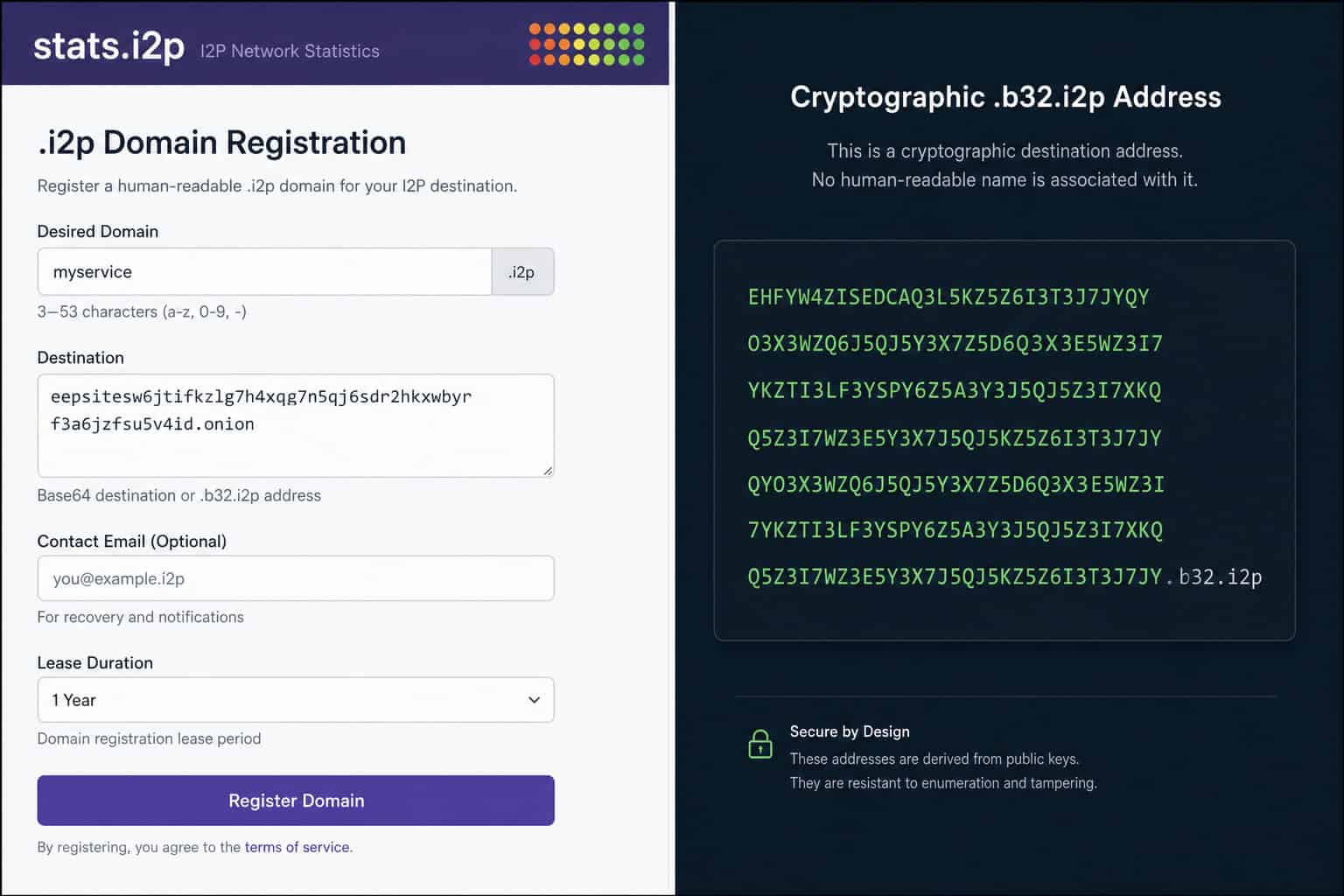
A human-readable .i2p domain is an alias. It’s easier to share and remember, but it requires registration on stats.i2p or reg.i2p. And here’s the catch: after registration, propagation across the network takes several hours to 48 hours. During that window, some users won’t be able to reach your site by its .i2p name. The .b32.i2p address works instantly for everyone.
For visitors: if an eepsite offers both a .i2p name and a .b32.i2p address, use the .b32.i2p address for reliability. The human-readable name may be unavailable during propagation or if the registration lapses.
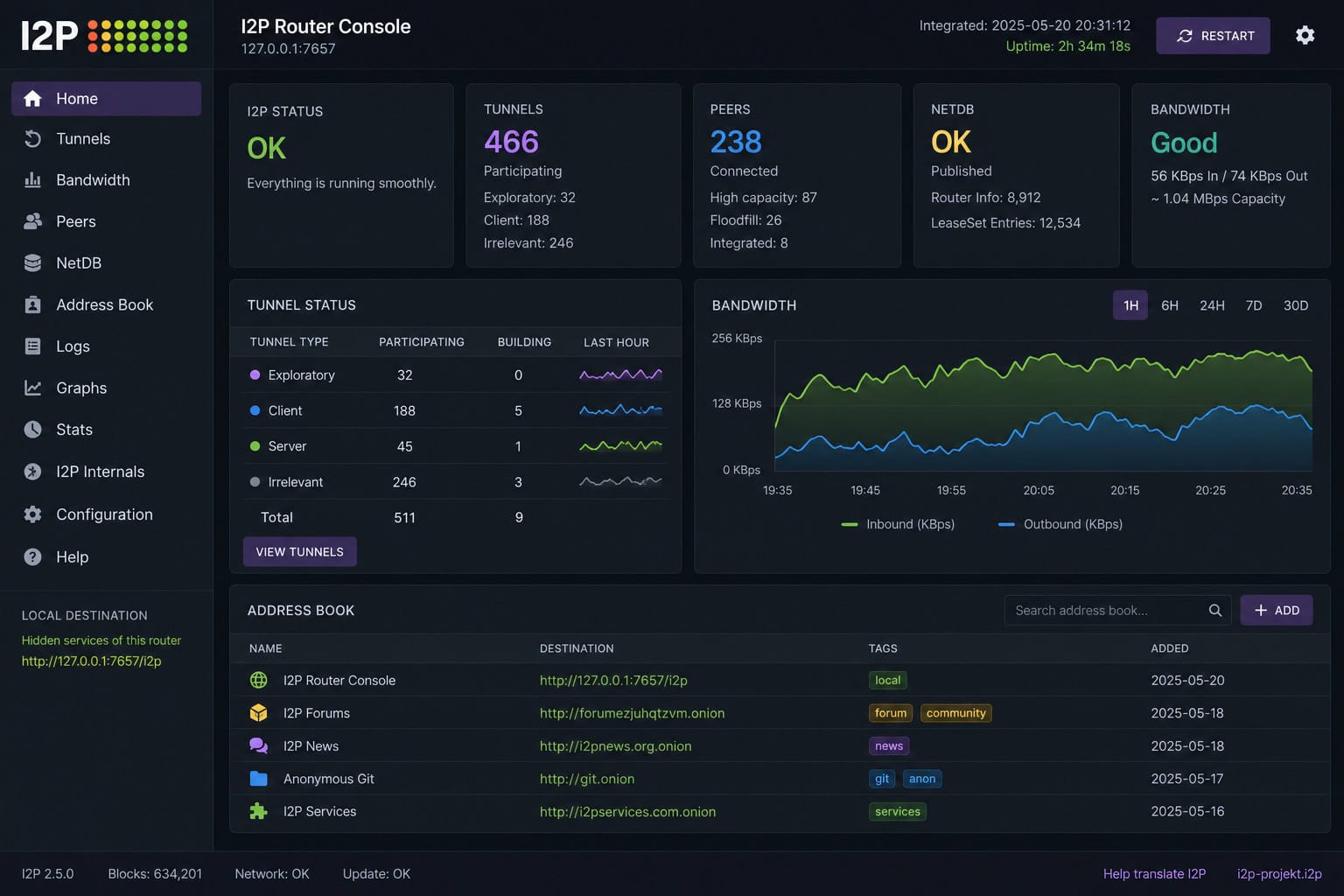
For site operators: back up eepPriv.dat immediately. This file is your identity. Lose it, and your .b32.i2p address is gone permanently. You cannot change which .b32 address a domain registration points to — it’s tied to the key.
No recovery. Treat it like a password.
Bottom line: Bookmark the
.b32.i2paddress, not the human-readable.i2pname — the short names can vanish during propagation or registration lapses, but the cryptographic address works forever unless you lose your private key.
Hosting Your Own Eepsite
This is where I2P really shines. The Java I2P Router includes the Jetty webserver pre-installed and pre-configured. No extra software needed. You can get an eepsite up and running in minutes.
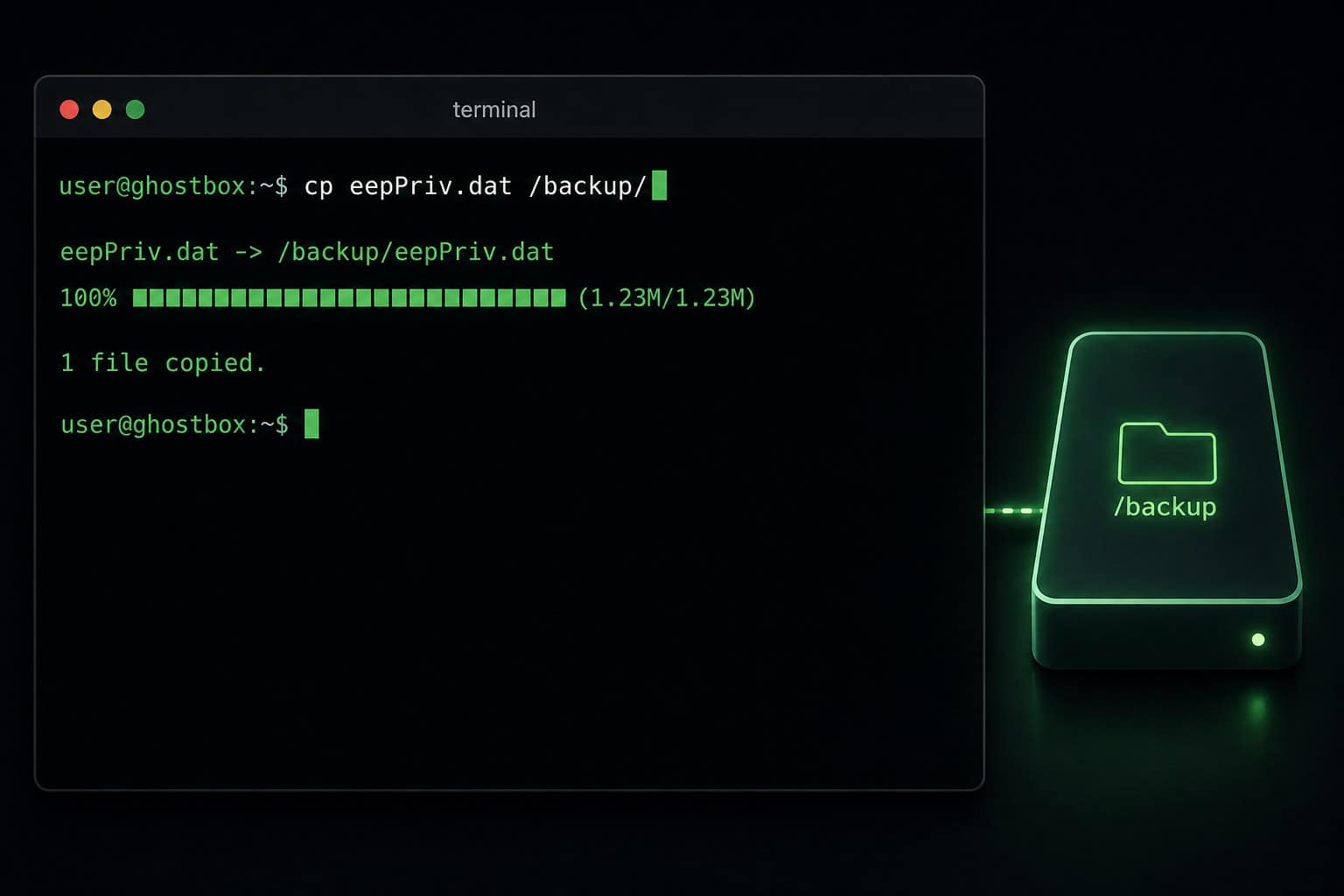
From the Router Console, go to the Hidden Services Manager. Configure your tunnel: set a name (internal label, pick something you’ll recognize), optionally add a description, and check “Auto Start” if you want the site to come up automatically. The target is where your webserver is listening — default is 127.0.0.1:7658 for Jetty. Set your .i2p hostname if you want one.
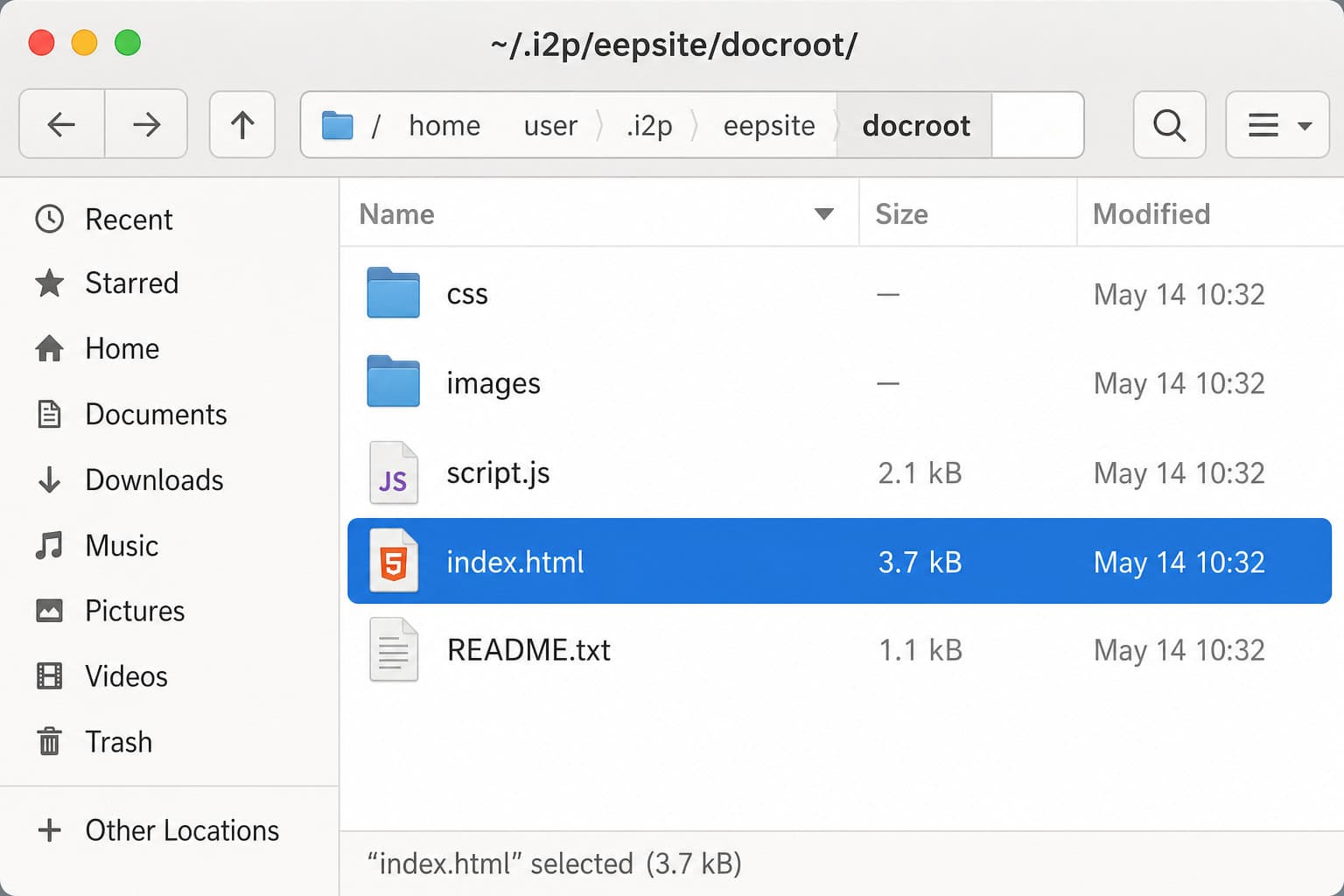
Upload your files to the docroot. The paths vary by OS:
- Linux standard install:
~/.i2p/eepsite/docroot/ - Linux package install (service):
/var/lib/i2p/i2p-config/eepsite/docroot/ - Windows standard:
%LOCALAPPDATA%I2Peepsitedocroot - Windows service:
%PROGRAMDATA%I2Peepsitedocroot - macOS:
/Users/YourUsername/Library/Application Support/i2p/eepsite/docroot/
For i2pd, the paths differ — check your i2pd config.

Drop your files in, create an index.html at minimum, and click Start. Tunnel establishment takes about 30-60 seconds. The status indicator goes red (starting), yellow (partially established), then green (fully operational).
Back up eepPriv.dat before you do anything else. The hardest part of hosting an eepsite isn’t the configuration — it’s remembering that one file. Do it first.
I2P vs Tor: Which Is Better for Hidden Sites?
This is the inevitable comparison, and the honest answer is: they’re different tools for different jobs.

I2P is a peer-to-peer overlay where every user is a node. Tor uses relays run by volunteers. I2P uses garlic routing — bundling multiple messages together, while Tor uses onion routing with single messages through layered encryption. I2P tunnels are short-lived at 10 minutes, which makes deanonymization harder than Tor’s circuit-based model that can persist longer.
The practical difference: I2P was purpose-built for hidden services and peer-to-peer applications. Eepsites are the primary use case. Tor was designed for anonymous clearnet browsing, with onion services as an add-on later. If your goal is to browse regular websites anonymously, use Tor. If you want to explore or host hidden services, I2P is the better fit from the ground up.
Tor’s outproxy infrastructure is more robust — more exit nodes, better performance. I2P outproxies exist but are fewer and less reliable. For anonymous clearnet access, Tor wins decisively.
For hosting a hidden site? I2P’s architecture makes eepsites more resilient and harder to deanonymize than Tor onion services. The network is smaller, which means less traffic but also less attention from adversaries. Different threat models, different tradeoffs. We’ve got a deeper dive on that comparison here if you want the full breakdown.
Your I2P Exploration Roadmap
The internet is full of stale lists. This article gives you the tools to never rely on one again.
Start with the curated directory above to visit known, working sites. Get a feel for how the network responds, how slow it is, how the addresses work. Then branch out — use reg.i2p and identiguy.i2p as your living discovery tools. Keep your safety checklist handy: JavaScript off, proxy set correctly, no outproxy for eepsite browsing.
Prefer .b32.i2p addresses for reliability. Understand that .i2p names are convenient but flaky. If a site is important to you, bookmark the .b32.i2p address instead.
And if you’re feeling ambitious, consider hosting your own. The built-in Jetty server makes it surprisingly easy. The hardest part is remembering to back up one file. Do that, and you’ve got a permanent anonymous presence on a network where nobody can take your address away.
That’s kind of wild when you think about it. For all the complexity of the routing, the garlic encryption, the tunnel management — the part that actually feels like magic is how simple it is to put something permanent on a network that has no central authority at all.
People Also Ask
What are I2P sites?
I2P sites, called eepsites, are websites that exist exclusively on the Invisible Internet Project (I2P) network. They use .i2p pseudo-domains or cryptographic .b32.i2p addresses and cannot be accessed from a standard browser without routing through I2P software. Both the visitor and the host remain anonymous, with no real IP addresses exposed.
Is I2P a darknet?
Yes, I2P is considered a darknet because it’s an overlay network that requires specific software to access and is not indexed by standard search engines. However, unlike some darknets, I2P is purpose-built for hosting hidden services and peer-to-peer applications, using garlic routing and short-lived tunnels to protect anonymity.
Is I2P better than Tor?
It depends on what you’re doing. I2P is better for hosting hidden services and peer-to-peer applications because it was designed from the ground up for that purpose, using garlic routing and short-lived tunnels. Tor is better for anonymous clearnet browsing due to its more robust outproxy infrastructure. For exploring or hosting eepsites, I2P is the stronger choice.
What’s the difference between .i2p and .b32.i2p addresses?
A .b32.i2p address is a permanent cryptographic string derived from your private key — it always works and cannot be revoked, like a crypto wallet address. A human-readable .i2p domain is an alias that’s easier to remember but requires registration and can take hours to 48 hours to propagate across the network. For reliability, bookmark the .b32.i2p address.
How do I find new I2P sites after curated lists go stale?
Use reg.i2p, a curated directory that refreshes every 4 hours, and identiguy.i2p, which shows live, recently seen eepsites without filtering. For search, use Legwork, a specialized search engine that only indexes I2P content. Monitor I2P forums and IRC for announcements, and use the address book (SusiDNS) to manage and subscribe to hostname feeds.
