
Browser fingerprinting collects browser information without user permission to identify devices, and Tor Browser fights this every single day. And the way it does that — the architecture, the trade-offs, the cleverness of making everyone look the same, is a fascinating engineering story. It’s also a story with cracks, because even the best anti-fingerprinting browser on the planet can get tripped up by something as mundane as a hash table iteration order.
Key Takeaways
Tor Browser’s anti-fingerprinting strategy is about standardization, not randomization — it makes all users look identical by rounding screen sizes to 200x100px multiples, spoofing all Windows users to Windows 10, and blocking canvas image extraction with per-execution randomization
A critical IndexedDB vulnerability (fixed in Firefox 150 and ESR 140.10.0) allowed websites to derive a stable, process-lifetime identifier from the deterministic ordering of database names — this identifier survived Tor Browser’s New Identity feature within the same browser process, breaking cross-origin unlinkability
The fix was elegantly simple: canonicalize or sort the results before returning them, removing the entropy that came from nsTHashMap bucket layout — a reminder that anonymity is never binary, it’s a continuous engineering challenge
Table of Contents
Tor Browser’s Anti-Fingerprinting Architecture: More Than an Anonymous Proxy
Tor Browser is built on Firefox ESR — Mozilla’s extended support release. But the modifications go way deeper than slapping on a proxy setting.
The Tor Browser design and implementation document spells it out clearly: the browser’s primary job is to reduce browser fingerprint uniqueness. That’s the whole game. The goal: when you connect, you look exactly like everyone else using Tor Browser.
Tor Browser does the opposite of typical privacy tools: it standardizes, homogenizes, and puts everyone into the same bucket.
The Tor Browser’s anti-fingerprinting combines letterboxing, user-agent spoofing, first-party isolation, Canvas image extraction blocking, and NoScript integration. But it’s not perfect — and the IndexedDB vulnerability that recently got patched in Firefox 150 showed that implementation details can create tracking vectors even here.
The Threat: How Browser Fingerprinting Silently Breeds a Unique ID
Fingerprinting is insidious because it doesn’t ask permission. When you visit a website, any JavaScript running in your browser can quietly collect information about your system — screen resolution, installed fonts, browser version, GPU driver details, timezone, language preferences. No cookie needed. No dialog box. Just a systematic exploitation of the browser’s own API surface.
The combination of these attributes creates a unique identifier. Think of it like a fingerprint in the physical world — no two are exactly alike, but the patterns are consistent enough to identify you across visits. A script can collect your screen dimensions, your user-agent string, your canvas fingerprint, and your list of installed fonts, and then check the same attributes on your next visit. If enough of them match, congratulations, you’ve been identified, even if you cleared your cookies.
Any JavaScript running in the browser can build this fingerprint via APIs like navigator.userAgent, the HTTP header, and Canvas fingerprinting. You don’t need to click a malicious link. You don’t need to install a tracking app. You just need to load a page with a third-party ad or analytics script, and the profiling begins.
The goal of anti-fingerprinting isn’t to make everyone perfectly identical — that’s impossible. It’s to collapse the attack surface into fewer, bigger buckets so no single user stands out.

How Tor Browser Prevents Fingerprinting: A Deep Dive into Key Techniques
Tor Browser employs several distinct techniques to standardize browser attributes and collapse fingerprinting surfaces. Each technique targets a specific vector that fingerprinting scripts commonly exploit.
Letterboxing
Your screen resolution is one of the most fingerprintable attributes out there. A 1920×1080 monitor is common, but what about 2560×1440? Or 3440×1440 ultrawide? Or some weird laptop resolution like 1366×768? Each one creates a smaller bucket of users.
Tor Browser’s solution is letterboxing. The content window is rounded to multiples of 200 pixels by 100 pixels. So your 1920×1080 monitor? Now it’s a 2000×1100 content window.
Your 2560×1440 display? Also 2000×1100. The extra space gets filled with gray bars — the “letterbox”, and the actual content area is standardized.
Letterboxing was developed by Mozilla and presented in 2019, and Tor Browser adopted it early. It’s a perfect example of the standardization philosophy: instead of trying to hide your screen size, make it the same as everyone else’s.
User-Agent Spoofing
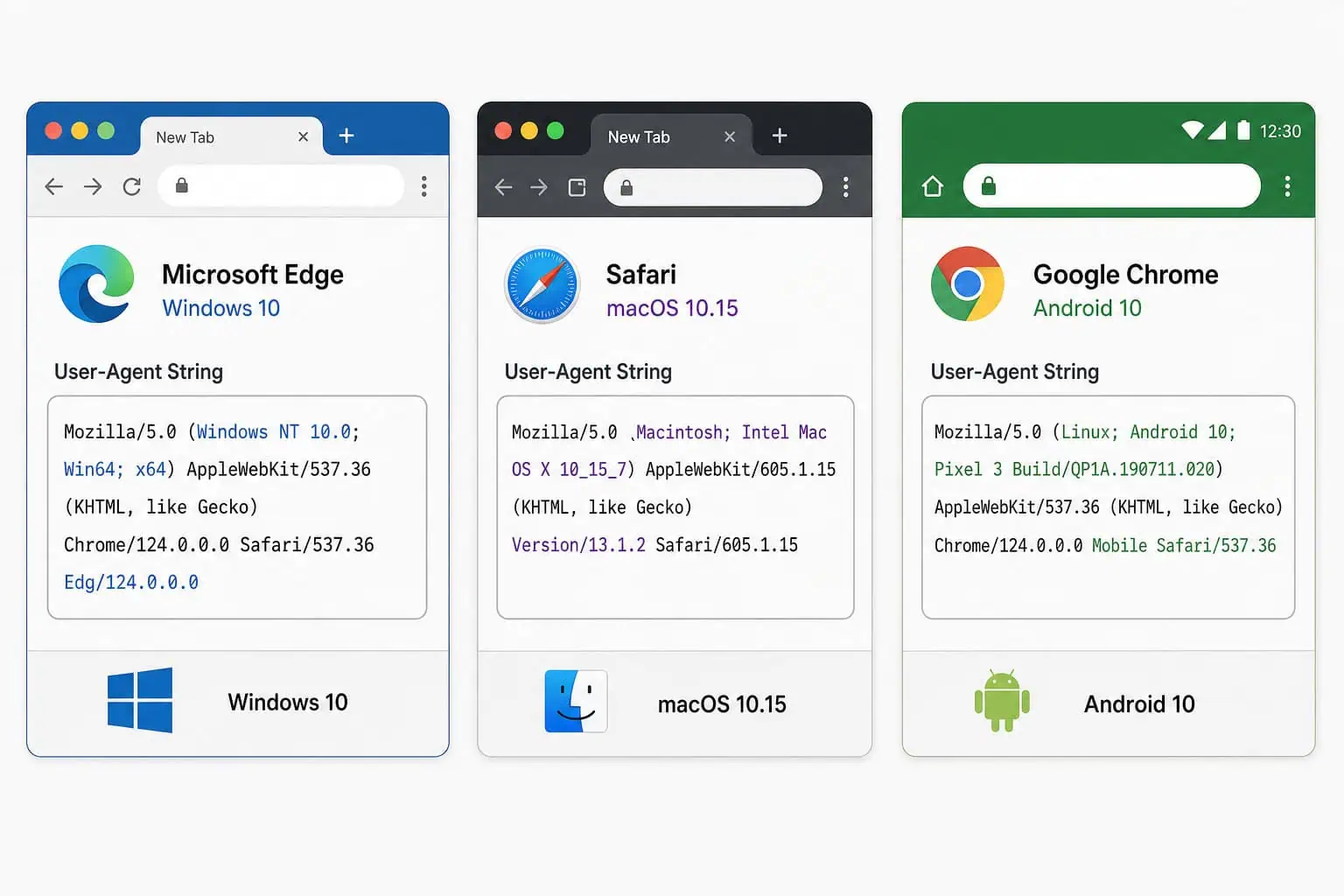
The user-agent string from navigator.userAgent and the HTTP header is a classic fingerprinting vector. It tells websites your browser, operating system, and version in excruciating detail. Tor Browser spoofs the user-agent via navigator.userAgent and the HTTP header:
- Windows users all look like Windows 10
- macOS users all look like OS X 10.15
- Android users all look like Android 10
- Everything else looks like Linux running X11
Tor Browser prevents users from choosing their apparent operating system to avoid increasing uniqueness. This is a hard rule for a reason.
Inconsistent User-Agent values can cause anti-bot and anti-fraud systems to block Tor users’ requests. Some anti-bot and anti-fraud systems flag inconsistent user-agent values — like a browser claiming to be Windows 10 but running on a Linux kernel. So Tor Browser users occasionally get blocked by sites that expect a real, consistent user-agent. That’s a cost, sites may deny Tor users’ requests due to inconsistent User-Agent values.
First-Party Isolation
This is a core privacy boundary that Tor Browser bakes in hard. First-party isolation prevents data from different origins from leaking into each other’s buckets. If you visit site A and site B, they can’t share storage, cookies, or any other data through the browser. Each site gets its own isolated view of the world.
This is critical because fingerprinting often depends on cross-origin data sharing — for example, a script on site A using a third-party ad from t.co linking to Twitter. Without first-party isolation, site A could write a tracking cookie that site B reads. Tor Browser shuts that down completely.
Canvas Image Extraction Blocking
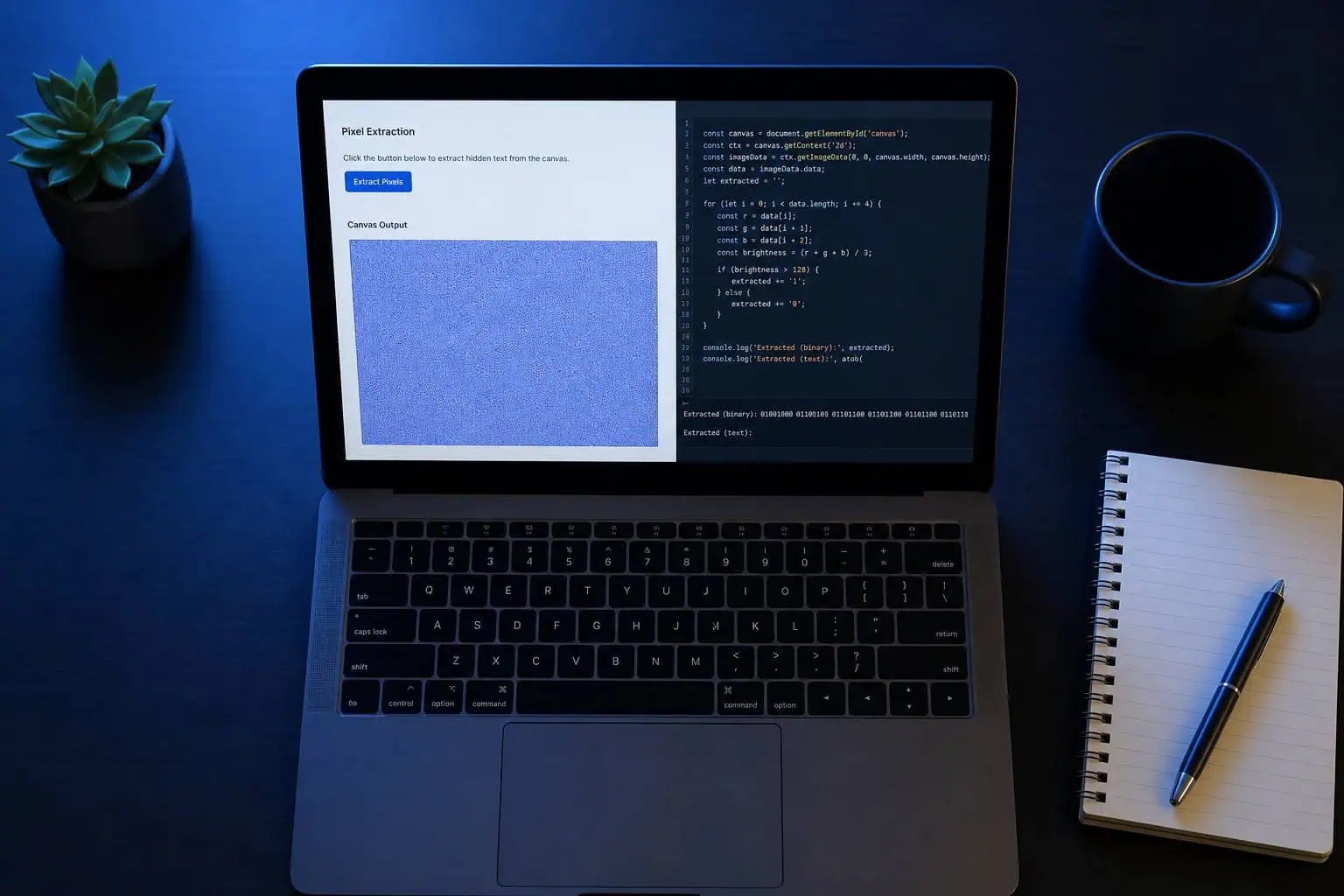
Canvas fingerprinting is one of the classic techniques. A script draws hidden text or images on an HTML5 canvas element, then extracts the pixel data. The resulting hash is unique to your GPU/driver combination — a surprisingly stable identifier.
Tor Browser blocks the extraction part entirely. When a script tries to call toDataURL() or getImageData() on a canvas, the browser says “nope.” But it goes further than that: the canvas output is randomized per execution. So even if two sites could somehow compare canvas hashes, they’d get different results. No linkability.
Font Enumeration Limiting and Language Restriction
The fonts installed on your system are unique. Most people have a standard set of system fonts plus whatever apps they’ve installed. Tor Browser limits font enumeration to a small predefined set and restricts language preferences to a few common ones. This collapses another fingerprinting vector into a bigger bucket.
NoScript Integration
NoScript is built into Tor Browser by default, and it’s aggressive. Scripts are blocked until you explicitly allow them. This breaks a lot of fingerprinting JavaScript — but it also breaks a lot of websites. It’s a deliberate trade-off, and it’s one of the reasons Tor Browser can feel slow or broken on some sites.
Tor Browser vs. Other Privacy Browsers: The Bucket Size Trade-off
Tor Browser’s approach — making everyone look the same, isn’t the only game in town. Other browsers take different strategies.
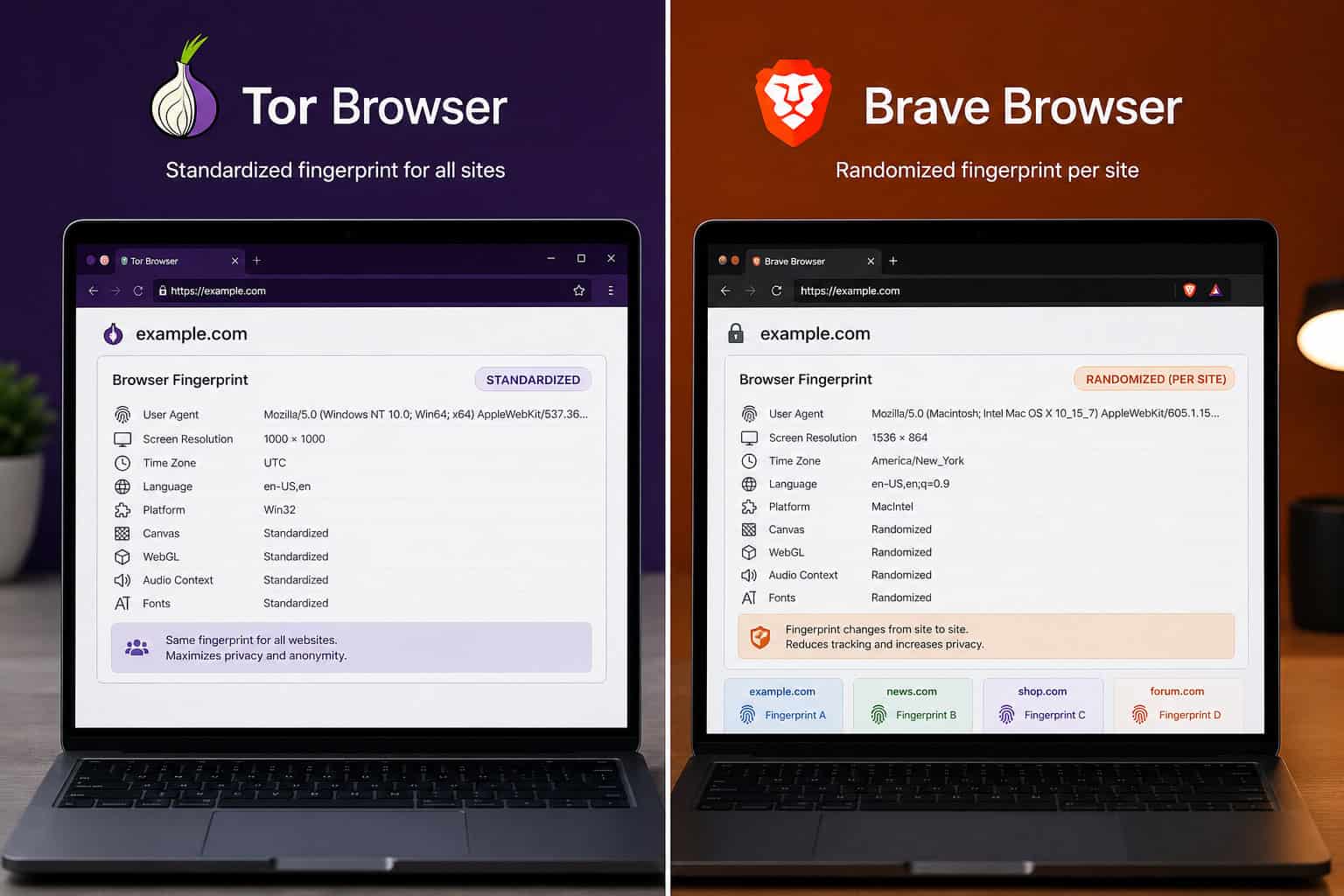
Brave takes a completely different approach. Instead of standardizing, it gives a random fake fingerprint for every site. Your fingerprint on site A is different from your fingerprint on site B, which prevents cross-site tracking. But within a single session on the same site, your fingerprint stays consistent — so a site can still track you across pages within its own domain.
The fundamental contrast is this: Brave randomizes, Tor standardizes. Tor’s approach is generally better for preventing linkability across visits, because the core attributes are consistent — you’re always in the same bucket. With Brave, a site that sees you on two different visits with two different fingerprints might not connect them, but it also might if the randomization isn’t thorough enough.
Firefox with arkenfox user.js and RFP (ResistFingerprinting) is a popular hardened setup. It enables many of the same protections as Tor Browser — letterboxing, first-party isolation, canvas blocking, but it’s still Firefox underneath. The user pool is much smaller, so even with strong protections, you’re in a smaller bucket. Plus, you’re still leaking your real IP address unless you’re behind a VPN, and to further reduce your exposure, clear your information from the internet by using privacy-focused browsers and extensions like uBlock Origin and Privacy Badger.
LibreWolf is a Firefox fork that removes telemetry and DRM and adds anti-fingerprinting patches. It’s a solid alternative for users who want privacy without Tor’s speed penalty. But again, the user pool is smaller than Tor Browser’s.
Mullvad Browser is interesting — it shares Tor’s anti-fingerprinting approach but uses Mullvad VPN instead of the Tor network. So you get the same standardization techniques without the latency of onion routing.
Then there’s the contrarian take: Chrome on Windows 10. Some users argue that the sheer size of Chrome’s user base — hundreds of millions of people, is the best anti-fingerprinting strategy. You’re hiding in a massive crowd. But Chrome exposes WebGL and canvas leaks that Tor Browser blocks, so even in a big crowd, your canvas fingerprint can give you away. It’s not a strategy I’d recommend.
The key insight here is bucket size. A browser with a billion users but no anti-fingerprinting might offer more anonymity through numbers than a browser with strong protections but very few users. For users weighing their options, a deep dive into the architectural and threat-model differences between i2p vs tor can clarify why Tor Browser’s strength is combining a reasonable user pool with strong anti-fingerprinting — the best of both worlds.
Tor Browser Security Levels: Standard, Safer, and Safest
A common mistake new users make: they crank the security level to Safest immediately, thinking more security equals more privacy. Then they visit a clearnet site, it breaks.
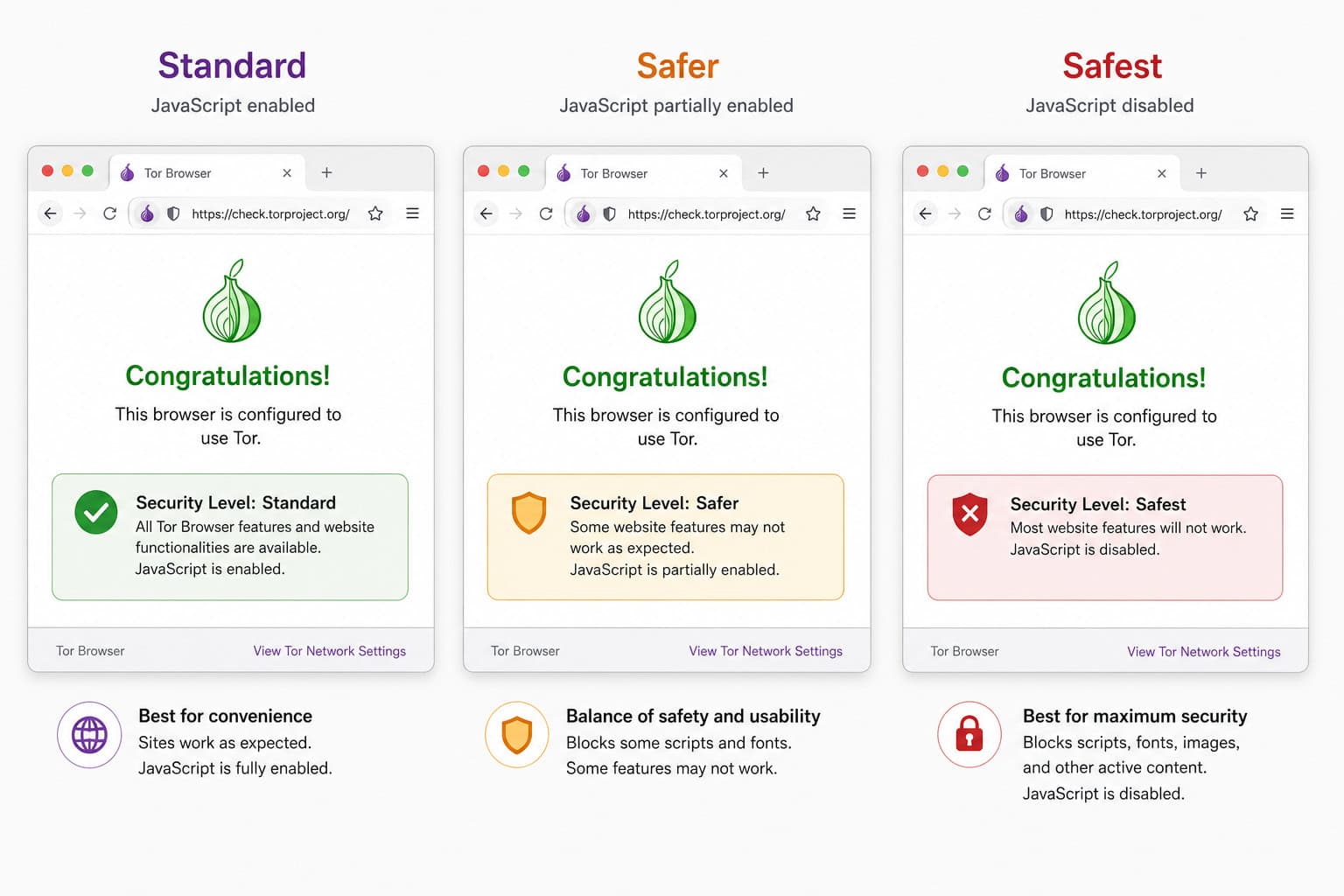
Tor Browser has three security levels, and they’re designed for different situations:
Standard is the default. All features are enabled, including JavaScript. The anti-fingerprinting patches are still active — letterboxing, user-agent spoofing, canvas blocking, first-party isolation, NoScript, but JavaScript is allowed to run. This is the right setting for most browsing.
Safer disables some JavaScript features. It reduces the fingerprinting surface further, but most websites still work. This is a good middle ground.
Safest disables JavaScript entirely. This breaks most clearnet websites — they rely on JavaScript for navigation, form submission, everything. But it’s perfect for onion sites, which rarely need JavaScript and often recommend Safest mode.
The security level itself isn’t a useful fingerprint, because enough users are on each level. So you can switch between them without worrying about standing out. The practical guidance is simple: start with Standard, use Safer or Safest for sensitive sites, and drop down to Standard if a site breaks.
Why Fingerprint Test Sites Disagree (and What That Means)
A frustrating scenario: you download a fresh Tor Browser, test it on two different fingerprinting sites, and get completely different results.
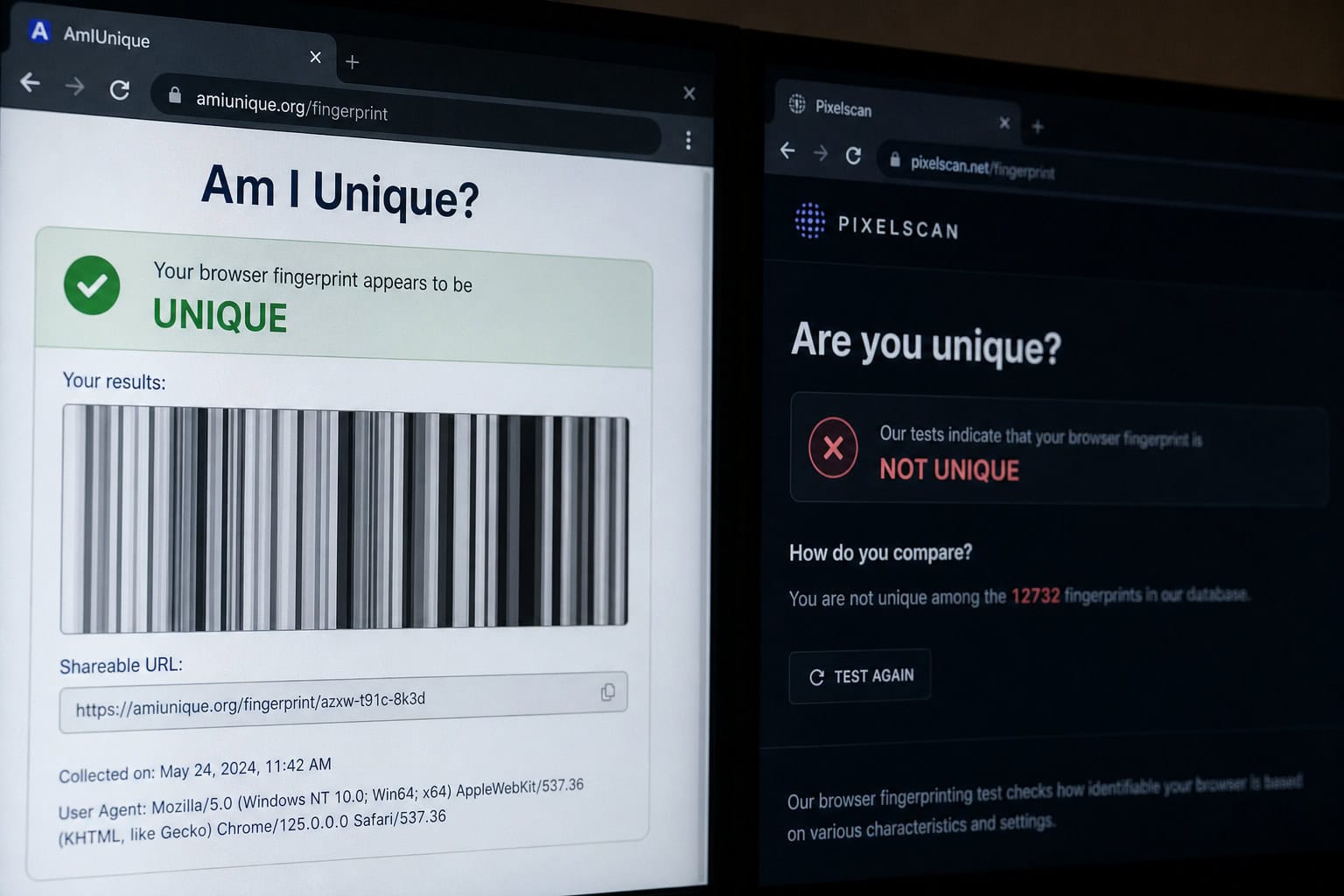
One user reported testing Tor Browser 11.0 on Linux Mint with Safer level and getting fingerprint ID 483f464b. Another user on the same setup got 9799722b. A third user visited amiunique.org with Tor Browser 11.5.2 default settings and found their canvas fingerprint was unique with vertical stripes. But when they tested on EFF’s Cover Your Tracks, the result was “not unique.”
Different test sites use different methodologies and detection thresholds. Some sites measure things Tor Browser doesn’t fully spoof — like canvas rendering, which is deliberately altered but might still produce detectable patterns. The vertical stripes on the canvas, for example, are a deliberate alteration, but they might themselves be a fingerprintable feature.
A “unique” result on one test site doesn’t mean your fingerprint is actually linkable across visits — it might be a false positive from a site that doesn’t account for Tor’s randomization. The real test is whether the fingerprint is consistent across separate visits, and that’s harder to measure.
On amiunique.org, a Firefox setup had a canvas similarity ratio of 3.4% — meaning it was mostly unique. Tor Browser was significantly better, but not perfect. Fingerprinting is hard to measure, and no single test site gives a complete picture.
The IndexedDB Vulnerability: When Implementation Details Defeat Privacy
A vulnerability in Firefox’s IndexedDB code, tracked as Mozilla Bug 2024220, allowed websites to derive a stable process-lifetime identifier that survived Tor Browser’s New Identity feature.

What the vulnerability was
IndexedDB is the browser’s client-side database API. It lets websites store structured data locally. In private browsing mode, Firefox replaces real database names with UUIDs to prevent tracking. Sounds sensible, right?
The problem was in the indexedDB.databases() method, which returns a list of all database names. The order of that list was determined by the internal layout of a hash table — specifically, a global hash table called StorageDatabaseNameHashtable that maps real database names to UUIDs.
This mapping was keyed only by the database name string, persisted for the lifetime of the IndexedDB QuotaClient, and was shared across all origins. When indexedDB.databases() was called, the filenames were collected into an nsTHashSet with no sorting applied. The final order was determined by hash table bucket layout — deterministic given the same UUIDs and insertion history.
The proof of concept
The researchers at Fingerprint.com created a proof of concept with 16 controlled database names. The observed order was: g, c, p, a, l, f, n, d, j, b, o, h, e, m, i, k.
That order is deterministic but not sorted. With 16 database names, the theoretical entropy is about 44 bits — enough to uniquely identify a browser instance among billions of users. Two different origins hosting the same script would observe the same permutation during the same browser process.
The impact on Tor Browser
Tor Browser’s New Identity feature clears cookies, changes your Tor circuit, and is supposed to prevent subsequent activity from being linked to previous activity. But the IndexedDB identifier survived New Identity within the same process.
Why? Because the global hash table persisted for the lifetime of the QuotaClient, which lived as long as the browser process was running. Closing all tabs and using New Identity didn’t reset it. Only a full browser restart cleared the table.
This broke Tor Browser’s unlinkability guarantee during active use. A website could observe your IndexedDB fingerprint, track you across different circuits, and link your activity even after you used New Identity.
The fix
Mozilla fixed this in Firefox 150 and ESR 140.10.0, tracked in Bug 2024220. The fix was elegantly simple: canonicalize or sort the results before returning them. By making the order predictable and non-informative, the entropy is removed entirely.
The cleanest mitigation is to return results in lexicographic order. Simple, effective, and doesn’t break anything. Tor Browser users need to update to a version based on Firefox ESR 140.10.0 or later to be protected.

What this teaches us
The Tor Browser developers patched almost every API that could leak data, but IndexedDB was a blind spot — nobody thought to check whether the iteration order of a hash table could be used for tracking.
The IndexedDB bug wasn’t malicious — it was just a hash table doing what hash tables do. But that’s exactly the kind of thing that makes privacy engineering so hard.
Why You Shouldn’t Add Extensions to Tor Browser (Even Privacy Extensions)
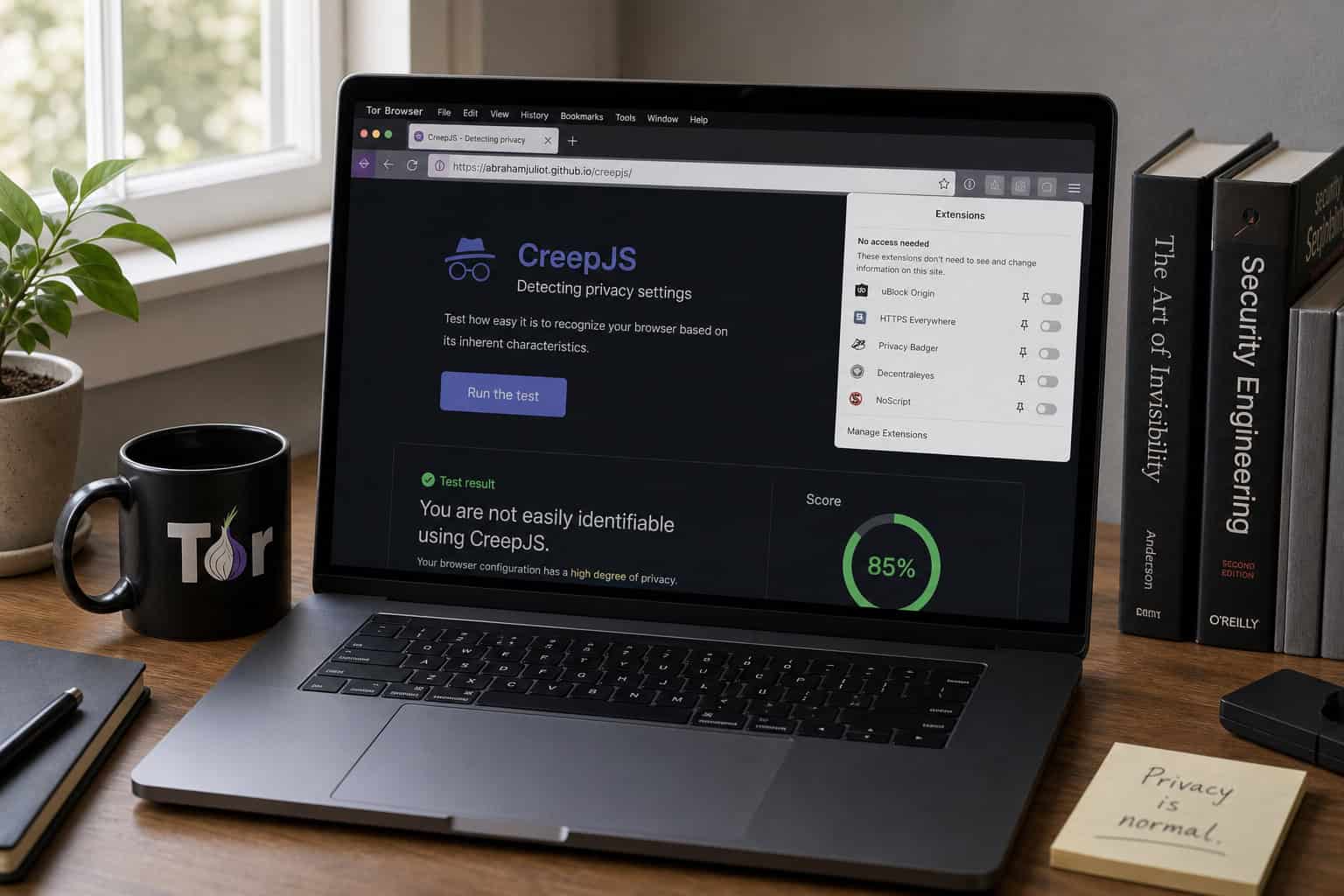
Adding extensions to Tor Browser makes you less private, not more. Every extension you install reduces the pool of users with your exact configuration, making you more fingerprintable.
This includes privacy extensions like JShelter, which attempts to block fingerprinting. The problem is that JShelter provides only minor defense, and it can be bypassed by colluding websites using unique referrer links — like Twitter’s t.co link shortener. A site can embed a unique referrer link, track which extensions block it, and build a profile of your extension configuration.
CreepJS is a tool designed specifically to unmask “lying” browser extensions. It can detect when an extension is trying to spoof fingerprint data, and it’s surprisingly effective. The cat-and-mouse game between anti-fingerprinting extensions and detection tools is real, and the extensions are losing.
TorZillaPrint covers more fingerprint vectors than JShelter, but it’s still an extension. The fundamental issue is that any extension runs in the same browser context as the fingerprinting scripts, and it can be detected through CSS fingerprinting, timing attacks, and referrer-based collusion.
The safest anti-fingerprinting tool is a browser that removes or standardizes APIs at the source. That’s what Tor Browser does. Adding extensions on top doesn’t help — it just makes you stand out.
Staying Anonymous with Tor Browser: Practical Best Practices
Tor Browser is a powerful tool, but it’s not a magic bullet. Here’s what you actually need to know:
Don’t customize Tor Browser beyond the default security levels. The default settings are designed for a reason. Trust them. Every change you make reduces your anonymity set.
Use the highest security level possible, but lower it when a site breaks. Start with Standard for most browsing. Use Safer or Safest for sensitive sites. Drop down to Standard if a site doesn’t work. This is a per-site decision, not a permanent setting.
Understand what New Identity does and doesn’t do. New Identity clears cookies and changes your circuit, but the IndexedDB vulnerability showed that a process-lifetime identifier could persist within the same session. If you’re doing something truly sensitive, restart the browser entirely.
Don’t rely on Tor alone for complete anonymity. It’s one tool in a broader privacy strategy. Use it for what it’s good at — protecting your identity through a combination of network anonymity and anti-fingerprinting, but don’t assume it makes you invisible.
The core rules are simple: trust the defaults, adjust security levels per site, understand the limits of New Identity, and never assume anonymity is binary. It’s an ongoing process, and Tor Browser is one of the best tools we have for it.
People Also Ask
How does Tor Browser prevent browser fingerprinting?
Tor Browser prevents fingerprinting by standardizing browser attributes so all users look identical, not by randomizing them. It uses letterboxing to round screen sizes to 200x100px multiples, spoofs user-agent strings to a common OS version, blocks canvas image extraction, limits font enumeration, and enforces first-party isolation to prevent cross-origin data sharing.
Why shouldn’t I add privacy extensions to Tor Browser?
Adding extensions to Tor Browser makes you more fingerprintable, not less, because you reduce the pool of users with your exact configuration. Even privacy-focused extensions like JShelter can be detected through CSS fingerprinting, timing attacks, and referrer-based collusion. The safest approach is to rely on Tor Browser’s built-in protections, which standardize APIs at the source.
How does the IndexedDB vulnerability break Tor Browser’s privacy?
The IndexedDB vulnerability allowed websites to derive a stable identifier from the deterministic ordering of database names returned by the indexedDB.databases() method. This identifier survived Tor Browser’s New Identity feature within the same browser process, meaning a website could track you across different Tor circuits until you fully restarted the browser. The fix was to sort the results alphabetically before returning them.
