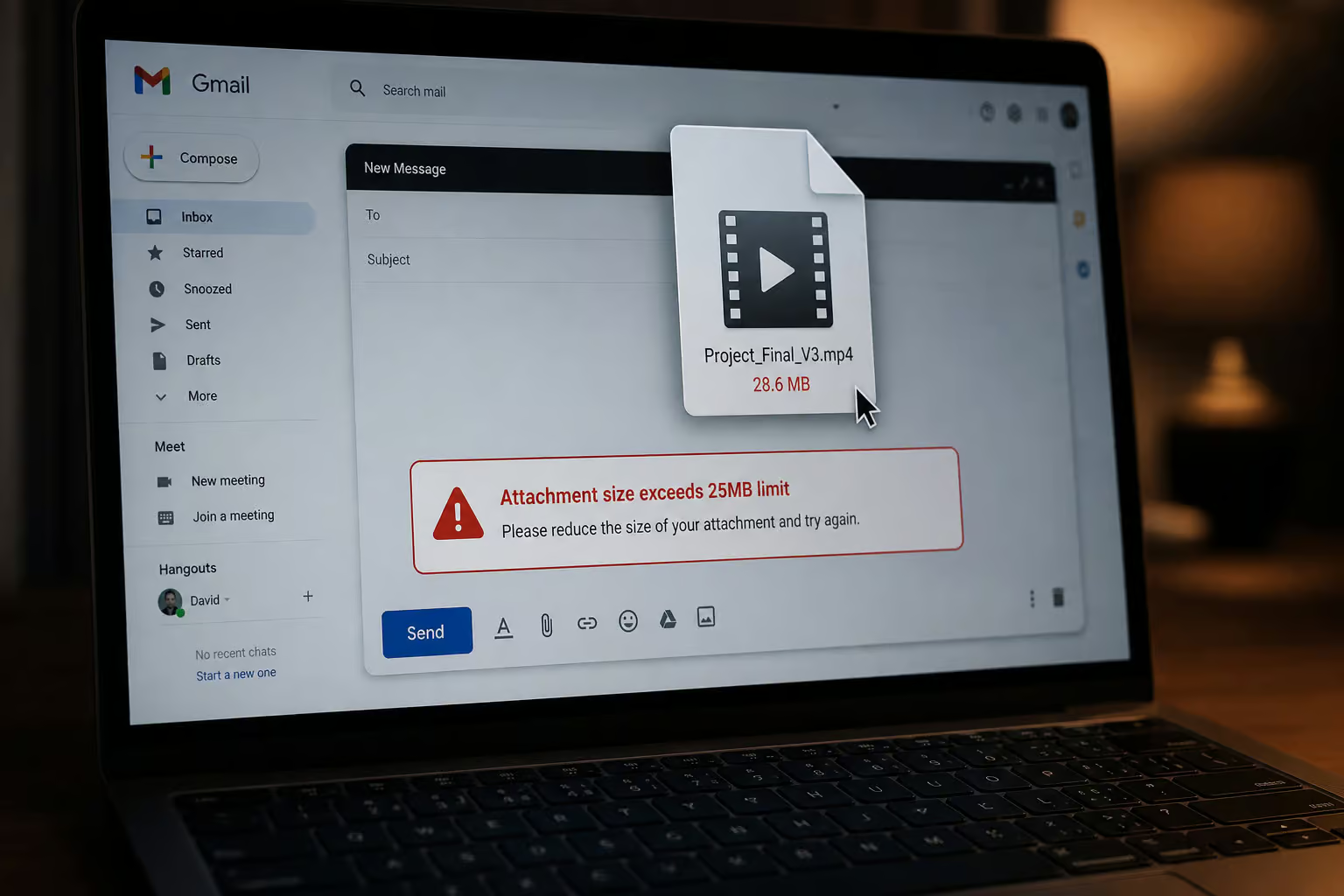
You just finished a 4GB video edit or a photo set from a weekend shoot. Now you need to get it to a client, a collaborator, or a friend who wants to see the raw footage. Your first instinct is probably to attach it to an email and hit send.
That’s where the email attachment process stops.
Gmail and Yahoo cap attachments at 25MB. A single decent-quality photo can consume a portion of that limit. A 100MB video is impossible to send as an email attachment.
If you’re on Gmail, there’s a workaround most people don’t know about: the service automatically generates a Google Drive link for any attachment over 25MB. It works up to your free storage limit. But it has a catch — the recipient needs a Google account to download. And your 15GB of free Google storage is shared across Gmail, Drive, and Photos, so that 4GB video uses 27% of that storage immediately.
Cloud storage like Google Drive, Dropbox, and OneDrive works fine for files under 2GB. But between 2GB and 5GB — the range where most video files, design packages, and project archives land, the workflow degrades. Free-tier storage limits bind, uploads become unreliable, and you need a dedicated file transfer service.
To understand this gap, I tested real 10GB transfers on the free tiers of major file transfer services to see what works, what’s hiding in the fine print, and which services are worth your time. I tested each service on a standard 10GB file from a 100Mbps connection. While actual speeds vary, SwissTransfer and MASV completed transfers predictably, while SendBig timed out twice and Wormhole’s 24-hour expiry was a non-factor for a single send.
Key Takeaways
Gmail and Yahoo cap attachments at 25MB; Gmail’s auto-Google Drive link workaround works up to 15GB but requires the recipient to have a Google account, and that storage is shared across all Google services.
WeTransfer’s July 2025 Terms of Service update — which included language allowing AI training on uploaded files, and the December 2025 removal of Reviews and Portals features broke trust, and the free plan’s switch to a 3GB monthly quota makes it impractical for most users now.
Most free transfer services fail at 10GB+ due to upload caps, browser instability, or hidden monthly quotas; the 2GB–5GB range is the tipping point where dedicated transfer tools beat cloud storage.
Table of Contents
WeTransfer’s 2025 faceplant — and why you’re reading this
For years, WeTransfer was the default answer. It launched in 2009, became the go-to for designers and photographers, and worked reliably for quick sends. But 2025 wasn’t kind to the Dutch service.
In July, WeTransfer updated its Terms of Service with language that would let the company use uploaded files for AI training. The backlash was immediate. WeTransfer reversed the change after public pressure, but the damage to trust was already done.
Then in December, the company shut down Reviews — a visual feedback tool on files, and Portals, which let teams create branded file collection pages. Creative teams relying on those features lost functionality overnight.
On top of that, the free plan switched from per-transfer limits to a monthly quota system: 3GB total per month, spread across 10 transfers, with files expiring after 3 days. And it’s limited to individual non-commercial use. That’s unusable for anyone sending files more than a couple times a month.
These three events — the ToS controversy, the feature removals, and the free tier downgrade, drove a spike in searches for alternatives. That’s why I’m here, and that’s why you’re probably reading this too.
What to look for beyond the headline size limit
Most comparison articles skip one point: the headline file size limit is often a distraction. A service that claims “50GB free transfers” might look attractive, but the real restrictions are buried deeper.
The biggest hidden trap is the difference between per-transfer limits and monthly quotas. WeTransfer’s free plan allows 3GB per transfer, but only 10 transfers and 3GB total per month. That means a single 2.9GB send uses 97% of your monthly allowance. Other services like TransferNow offer 5GB per transfer with no monthly quota at all — a genuinely different proposition.
Here’s what else to check before you trust a free tier:
- Does the recipient need an account to download? Some services, like Dropbox Transfer, require the recipient to sign up. That’s a friction point if you’re sending files to clients or collaborators outside your ecosystem.
- Are password protection and encryption free? Most services gate these behind paid plans. SwissTransfer, TransferNow, and Smash include them on their free tiers, but that’s rare.
- Is branding included? Free tiers usually strip your logo and colors. Brault Transfer is the only service that gives you branded pages on the free plan.
- What’s the expiration window? Some services give you 30 days (SwissTransfer, Filemail). Others expire links in 24 hours (Wormhole) or 48 hours (Send Anywhere). If you need files available for a week, that matters.
- Is this a standalone tool or part of a platform? Standalone tools handle just the send step. Integrated platforms like Brault combine transfer with storage, search, and collaboration tools. Which one you need depends on your workflow.
The size-band decision framework
I decide between cloud storage and a dedicated transfer tool by thinking in size bands. Here’s the mental model I use:
- Under 2GB: Cloud storage works fine. Google Drive, Dropbox, OneDrive — pick your poison and share a link. No need for a dedicated service.
- 2GB–5GB: This is the tipping point. Free-tier cloud storage limits start to bite, and uploads can be flaky. Dedicated transfer services become more reliable than storage-based sharing. This is where most video files and design packages land.
- 10GB+: Many free services expose upload caps, browser instability, slower speeds, and failed uploads at this size. The pain starts here, and you need a service that specifically handles large files.
- 50GB+: Storage workflows slow down dramatically. Repeated uploads waste time, synchronization delays become noticeable, and reliability is critical. You need a pro tool or a generous free tier like SwissTransfer.
- 100GB+: We’re talking RAW media, production assets, enterprise datasets. Most standard services can’t reliably handle uploads this size. You’re looking at MASV’s uncapped paid tier or specialized enterprise tools.
If you’re sending a 4GB video file, you’re firmly in the 2GB–5GB band. Cloud storage is frustrating, and email is impossible. A dedicated transfer service isn’t a luxury — it’s the practical solution.
SwissTransfer: 50GB free with no paid tier — but a 500-transfer daily cap
SwissTransfer is run by Infomaniak, a Swiss hosting company, and it’s entirely free. No paid tier at all. No upsell pressure. It’s funded by Infomaniak’s hosting business, which is refreshingly honest.
You get up to 50GB per transfer, password protection, and files can stay for up to 30 days. Data is stored in Switzerland under Swiss privacy laws, which matters if you’re sending sensitive work and want assurances about where your data lives.
But there’s a catch: a 500-transfer daily cap. That sounds enormous — and for most people, it is. But if you’re running a busy service or sending files in high volume, it’s a limit you’ll eventually notice.
Also, don’t expect an SLA, custom branding, or a guarantee that files will be available long-term. It’s a free service. For occasional 10GB sends where privacy matters, the ultimate geek’s guide to large file sharing is the clear winner.
TransferNow: 5GB free with no monthly quota and no account required
If you send many smaller files with minimal friction, TransferNow is a strong choice. The free plan gives you 5GB per transfer with no monthly quota at all. No account required — just upload and share a link. That’s more generous than WeTransfer’s current free plan at 3GB total per month.
Password protection and antivirus scanning come with all plans, including the free tier. That’s a nice security baseline that most services gate behind paid tiers.
Paid plans start at EUR 3/month for 10GB per transfer and EUR 6/month for 250GB per transfer, 1TB storage, white-label customization, and files available up to 365 days. That’s good value.
The limitation is obvious: 5GB won’t cover a single large video file or a chunky design package. But for frequent sends under that threshold — project files, PDFs, smaller media, it’s the friction-free option I found, though if you need more breathing room, you can send large files free 10GB with services that hit that sweet spot reliably.
Smash, MASV, and Filemail: when the free tier is just a teaser
These services are good — once you pay. The free tier is more of a sample than a solution. That’s fine, as long as you know what you’re getting into.
Smash
Smash offers 2GB per transfer on the free tier with 7-day expiration. That’s too small for professional files. The security is nice — password protection and 256-bit AES encryption on all plans, including free, but when you need to send large files without an account, services like WeTransfer and Smash offer alternatives; unfortunately, 2GB is 2GB.
The Pro plan at $8.25/month (on a 2-year commitment) gives you 250GB per transfer, 1TB storage, 30-day file availability, and custom branding. The Team plan at $16.50/month scales to 1TB per transfer and 2TB storage for up to 50 users. Smash is built for creative professionals on paid plans. The free tier is a trial.
MASV
MASV is built for heavy lifting — think video production and large media files. There’s no file size cap on paid plans, which is the headline feature. You get 15GB of free transfer credits every month, which is enough for a few small projects.
But it’s a credit system, not a free tier. The pay-as-you-go rate is $0.25 per gigabyte downloaded, which accumulates quickly if you send large files regularly. Subscription plans start at $58/month for 250GB of monthly credits. Transfer speeds are optimized for large video files, and it integrates with post-production tools. You get 5 days of free storage, then it’s $0.07/GB/month.

MASV is great for video pros with occasional large sends. For regular use, the cost is significant.
Filemail
Filemail offers 5GB free with 30-day expiry and no account required for either sender or recipient. That’s very user-friendly. The 30-day expiration is the longest on a free tier.
But password protection and branding are gated behind the Pro+ plan. So if you need those, you’re paying. The Pro+ plan includes 1TB storage, which is a nice bonus. The Business plan eliminates all size limits and includes end-to-end encryption and SSO.
Filemail is a solid all-rounder, but the free tier is for no-security-required sends under 5GB.
Brault Transfer: branded pages on every plan, including free
For client-facing file deliveries with a professional appearance, Brault Transfer is an option. It is part of the Brault creative file management platform, which integrates storage, search, Kanban boards, and visual feedback tools — not just transfers.
The free plan gives you 5 transfers per month at 2GB each. That’s limited, but branded transfer pages are included on all plans, including the free one. No other service does this. Most reserve branding for paid plans.
Password protection starts at the Lite plan ($3/month), which gives you 20 transfers at 50GB. Pro ($10/month) gives unlimited 50GB transfers plus 20 at 100GB. Growth ($60/month) gives unlimited 250GB transfers. Expiration control ranges from 7 to 180 days on Pro and above.
For freelancers and small studios who want to look polished without paying for white-label, Brault delivers on the free tier.
The rest of the free tier landscape
Here are a few more services you might come across, with their specific quirks.
Send Anywhere offers 10GB free per transfer, but links are only active for 48 hours. Account is optional. Good for quick, time-sensitive shares.
Wormhole gives you 10GB per transfer with a 24-hour expiry — the shortest window of any service here. End-to-end encryption is nice, but that expiry is brutal.
SendBig offers 30GB free per transfer, which is the second-best free limit after SwissTransfer. Solid middle-ground option.
MyAirBridge gives you 20GB free per transfer, with paid plans starting at $2.99/month. Another option if you need a bit more than 10GB.
DropSend is still around, but the free tier gives you 250MB storage and a 2GB send limit with only five sends per month. Usable for anything.
ToffeeShare uses a peer-to-peer model with no server storage and no size cap in theory. But the sender must keep their browser open for the entire transfer. You can’t upload and walk away. For quick peer-to-peer sends where you’re already at your computer, it works. For anything else, it’s a dealbreaker.
When cloud storage works as a transfer tool
Before we wrap up, let’s talk about the elephant in the room — your cloud storage. It can work for transfers, but only up to a point.
- Google Drive: 15GB free, 5GB file upload limit. Gmail’s automatic Drive link generation for attachments over 25MB is the simplest free workaround most people don’t know about. But the recipient needs a Google account, and that 15GB fills up fast.
- Dropbox: 2GB free, 2GB upload limit. Very restrictive for anything beyond documents. Dropbox Transfer is a separate feature that requires a paid plan.
- OneDrive: 5GB free, 5GB upload limit. Outlook will automatically prompt you to upload large attachments to OneDrive, which is nice if you’re in the Microsoft ecosystem.
- Box: 10GB free, but a 250MB file upload limit. That’s restrictive for a 10GB storage allowance.
- iCloud: 5GB free, shared across all Apple devices.
Cloud storage works under 2GB. Between 2GB and 5GB, it starts getting unreliable. Above that, dedicated transfer services are better.
Standalone tool or integrated platform: the cost of tool fragmentation
One of the things I realized while digging into this is that “free file transfer” isn’t the right question. Sometimes the better question is: should I use a transfer tool at all, or a platform that includes transfer functionality?
Standalone tools like SwissTransfer, Smash, and TransferNow handle only the final “send” step. You upload, get a link, share it, done. That’s for one-off sends.
Integrated platforms like Brault combine transfer with storage, search, Kanban boards, and visual feedback. For freelancers and agencies, this can replace both a transfer tool and a digital asset management (DAM) system.
The hidden cost of tool fragmentation is real. A freelance photographer paying $25 per month for WeTransfer Ultimate and $10 per month for cloud storage spends roughly $420 annually on two tools that do not integrate. An agency using WeTransfer Teams at $25 per user per month with a minimum of two users, plus a mid-market DAM costing $75 to $500 per month, could move to Brault Growth at $60 per month for the whole team.
For one-off sends, standalone is simpler. If you’re sending files to clients multiple times a week and managing a library of assets, an integrated platform starts making sense.
Security and privacy: the WeTransfer trust lesson
After WeTransfer’s 2025 ToS fiasco, it’s fair to ask which free services actually protect your files and which are hoping you’ll pay for basic security.
The short answer: only three services — SwissTransfer, TransferNow, and Smash, include security on their free tiers. SwissTransfer stores data in Switzerland under Swiss privacy laws. TransferNow includes password protection and antivirus scanning on all plans. Smash offers 256-bit AES encryption and password protection on the free tier.
Most other services gate password protection, encryption, and expiration controls behind paid plans. Filemail requires Pro+ for password protection. Brault starts at Lite ($3/month). MASV doesn’t include it on the free credits.
The lesson from WeTransfer’s ToS update is that data usage policies must be explicitly verified. A service that looks free might have buried clauses about using your files for AI training. Always check the Terms of Service, especially for free services where your data is the product.
Which service should you use for a 10GB file? Our recommendation
After testing and comparing all these options, here’s what I’d actually use for a 10GB file, depending on the situation:
- Occasional 10GB sends: SwissTransfer. 50GB free, 30-day storage, strong privacy under Swiss law. No paid tier, no upsell pressure. The winner for most people.
- Frequent sends under 5GB: TransferNow. No monthly quota, no account required, antivirus and password protection on the free tier. The anti-WeTransfer.
- Client-facing deliveries with branding: Brault Transfer. Branded pages on the free tier is unique. Built-in storage replaces both transfer tool and DAM.
- Video pros with occasional large sends: MASV. 15GB/month free credits, no size cap on paid, optimized for large video files. But watch the pay-per-GB pricing.
- Quick peer-to-peer (no server storage): ToffeeShare. Only if you can keep your browser open for the full transfer.
The hidden restrictions matter more than the headline file size limits. A service that claims 30GB free might have a 500-transfer daily cap, a 48-hour expiry, or require the recipient to create an account. Always check the Terms of Service for these factors.

Atlas is another good one for the list to handle those large files like RAWs, film DCPs, or just the normal everyday user. Yes branding, transfer tracking, pre-download photo viewing are all behind the pro plan at $14.99/month but it has some nice options to accomodate a wide spectrum of use cases. You can transfer up to 5GB (24 hour expiry) with no account, 15GB (7 day expiry) with a free account, and then 1TB with the pro plan. No pay-per-GB, No AI training, E2E encryption on all transfers. Just give it a try!