Somewhere in your monthly budget sits a Photoshop subscription you keep paying largely because your own files live inside it. A client sends a PSD, you need it open by Friday, and the only app that opens it reliably bills you again for the privilege. So when a free, open-source Photoshop clone went vertical on GitHub after going public September 30, 2026, the temptation was instant and so was the fear: this thing is weeks old, it’s an alpha, and you’re supposed to hand it client files?
I read it. The README, the roadmap, the license, the release notes, the bug tracker. What I found is a project whose most credible numbers come from itself, and they’re not the numbers getting quoted around social media.
PhotoCraft’s developers published their own parity assessment, and it’s far more sober than the hype.Here’s what those numbers actually say, and whether that means switching now or waiting a release cycle.
Key Takeaways
PhotoCraft’s own roadmap (added October 5) rates the editor at 25-35% of what a professional needs for daily work, with true Photoshop parity “well below 50%”, so the honest verdict is: worth installing now, too early to cancel Creative Cloud.
The structure matches Photoshop almost exactly (16 of 16 adjustment layers, all 10 layer style effects, all 27 blend modes), and PSD round-trips render identically on 307 of 309 files in the public psd-tools test set.
The one row where PhotoCraft beats Photoshop outright is agent-drivable automation: 500+ commands reachable through a CLI, a JSON control channel, or an MCP server, so Claude or Cursor can drive the full editor headlessly.
Table of Contents
Can PhotoCraft replace Photoshop? The honest verdict
PhotoCraft cannot yet fully replace Photoshop for professional daily work, and the most credible evidence for that comes from PhotoCraft’s own developers. Their “Honest parity assessment“, added to the roadmap on October 5, puts the early-alpha editor at 25-35% of what a professional needs to switch for daily work.That’s the number I’d anchor every decision to. It’s a self-assessment rather than an independent benchmark, the developers know the gaps better than anyone, but they also have the least incentive to overstate them.
The tiers, straight from the team:
- 626 of 626 menu items are wired to a command, which the team itself says says nothing about whether the behavior behind them is right.
- 60-70% of the features a typical user touches exist in some form. Keep the qualifier, it’s doing real work.
- 25-35% of what a professional needs daily. This is the paycheck-workflow line, the one your income cares about.
- True Photoshop parity: “well below 50%”, by their own ceiling.
- About twenty missing tools identified as concrete gaps.
The conclusion the data supports: worth installing now, too early to cancel Creative Cloud, and if you work professionally, run PhotoCraft alongside your current tools rather than instead of them.The money frame makes the patience easier. Photoshop runs over $100 per year, every year, against free. You’re not burning cash by waiting a month.
And a month matters here.Given the release pace (more on that below), this verdict has a shelf life of roughly thirty days. The 25-35% figure is a snapshot of a fast-moving alpha, and it’s the number everything below hangs on.
What PhotoCraft is and who built it
PhotoCraft is a free, open-source image editor that replicates Photoshop’s menus, shortcuts, tool layout, and PSD/PSB workflow, written from scratch in Rust under dual MIT/Apache-2.0 licenses, with no subscription, account, or telemetry. The project site is photocraft.im, and the MIT half of the license is the detail that matters for a lot of readers: you can legally use it at work.
A clean-room reimplementation, not stolen code
The build method is the fun part. Nothing came from Adobe source code. The team worked from public file format specifications and observable behavior only, the way you’d reverse-engineer a protocol for fun. That same method is what makes the clone legally defensible, and it’s also what caps how close it can get.A clone can follow the specs faithfully, but it can’t inherit decades of Adobe’s algorithmic tuning, which is why PSD support is strong while deep behavior parity is the hard part.
The ArtCraft team and the Adobe cancellation grievance
ArtCraft is led by Brandon Thomas, formerly CEO of storyteller.ai, and the origin story is the relatable kind: the fees, hurdles, and general contempt involved in cancelling his own Adobe subscription. The Crafting Apps family spans seven Adobe-app clones (PhotoCraft, VectorCraft, FilmCraft, LightCraft, PdfCraft, EffectCraft, DesignCraft), reportedly built with heavy help from Anthropic’s Claude, per Tom’s Hardware and Phoronix. A contributor account named “claude” appears in the repo, identity unconfirmed.Two untangles worth knowing: the ArtCraft site sells separate AI-credit subscriptions that are not part of PhotoCraft itself, and several unrelated iOS apps share the name. The real editor lives at github.com/storytold/photocraft.
PhotoCraft vs Photoshop: feature-by-feature comparison
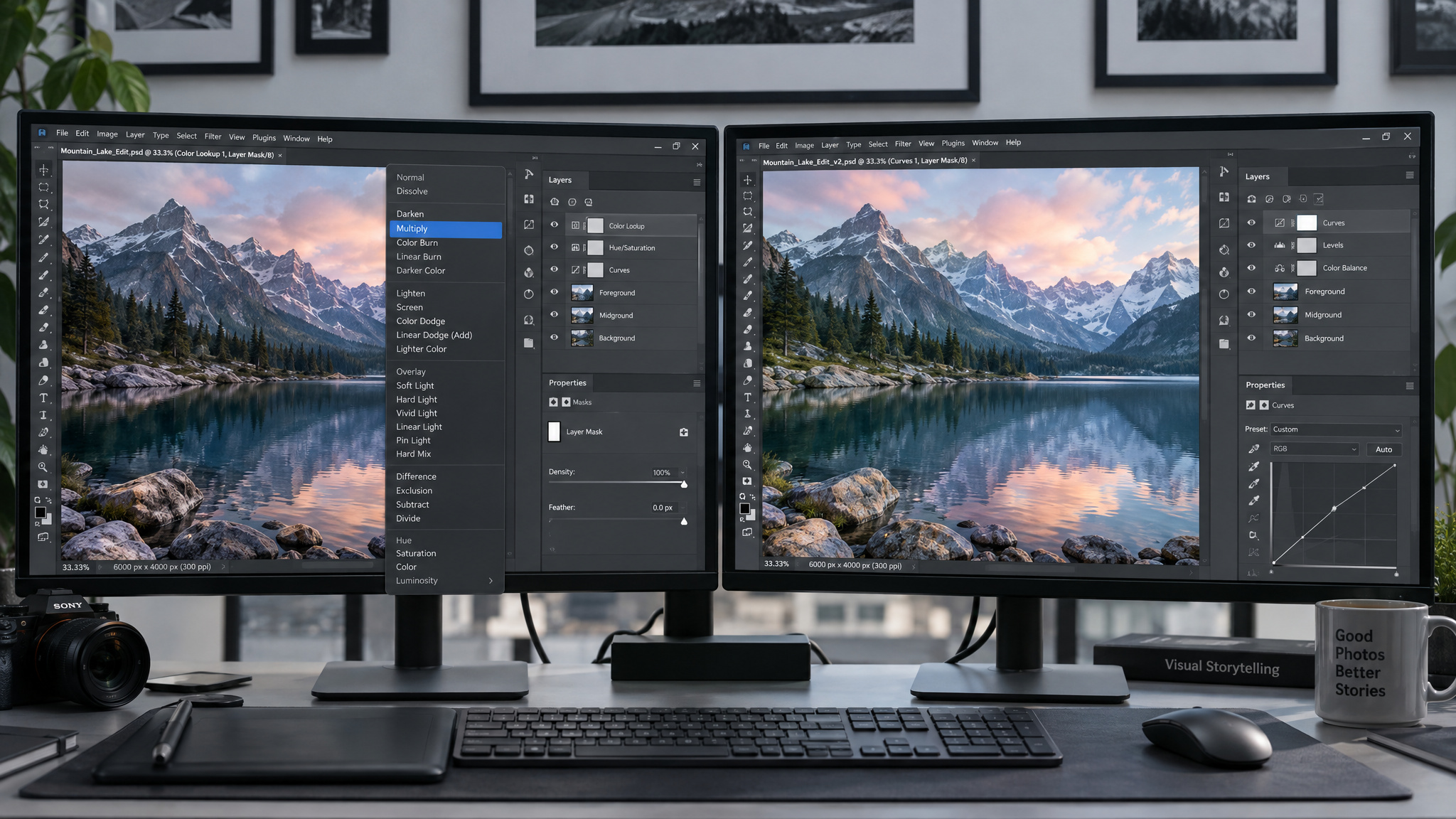
PhotoCraft matches Photoshop’s feature structure almost exactly: 16 of 16 adjustment layers, all 10 layer style effects, all 27 blend modes, while missing its depth. That’s the pattern the whole comparison reduces to, and the counts are the part worth reading closely.
| PhotoCraft | Photoshop | |
|---|---|---|
| Price | Free, MIT/Apache-2.0 | Subscription, over $100/year |
| Adjustment layers | Yes (16 of 16) | Yes (16) |
| Layer style effects | Yes (all 10) | Yes (10) |
| Blend modes | Yes (all 27) | Yes (27) |
| Filters | Partial (70+, with live preview and smart filters) | Yes (full set plus plug-ins) |
| Layers, groups, masks, fill layers, smart objects | Yes (clipping masks, vector masks, live smart objects with smart filters) | Yes |
| Color | Yes (RGB, CMYK, Lab, Grayscale at 8/16/32-bit, ICC management) | Yes (same matrix) |
| Generative AI | No (none in 0.5.0+) | Yes (Firefly-powered Generative Fill) |
| Plug-ins | No (none) | Yes (third-party ecosystem) |
| Selection | Partial (classical algorithms only) | Yes (ML-based Select Subject) |
| Scripting | Yes, different in kind (CLI, JSON, MCP, 500+ commands) | Partial (Actions, UXP) |
That scripting row is the odd one out, and deliberately so: it’s the one place PhotoCraft differs in kind rather than degree, and it gets its own section below.
Even the tool count is disputed, which I find honest in a weird way. The official site says 55 tools; OMG Ubuntu counted 34. Likely tools versus tool modes, and both numbers get to live.
The interpretation isn’t subtle: near-perfect structural match, missing depth.Photoshop’s remaining advantages are the ones that take years, not months: the full filter set plus a plug-in ecosystem, ML-based Select Subject, and Firefly Generative Fill. What PhotoCraft can’t clone is the tuning behind the features, and that’s the gap the hands-on section makes concrete.
Muscle memory in practice: where it matches and where it slips
Gaussian blur at radius 6 comes out near-identical in both apps. So does Liquify at density 50 with a brush size of 150. The friction lives in the secondary dialogs and the missing shortcuts.That’s the shape of the side-by-side testing from the Tech It Before You Wreck It YouTube review, which ran matched edits in both apps on files like great-wave.psd and a copy of Monet’s Impression, Sunrise (1872).
What matched
The pitch is muscle memory, and the obvious layer of it holds. Ctrl+J duplicates a layer, Shift+Ctrl+D reselects (?J / ??D on macOS), and the menus and panels sit where Photoshop users expect them. The team’s slogan is the image editor you already know how to use, which is a bold sentence, and in the first ten minutes it mostly earns it.Filter menus match nearly word-for-word. Text workflows replicate closely too: text layers with toggling, snapping centering guides, and drop shadow FX all behave the way your hands expect.
Where familiarity turns into friction
Then hour two happens. The levels dialog opens with Ctrl+L but lacks the eyedroppers and the alt-key spectrum preview.Selection offers 3 of Photoshop’s 4 options, and the missing one is the selection brush. The magnetic lasso was estimated at roughly 70% as effective and gave up entirely on the left side of a face.
Drop shadow lacks the circular angle dial. Installed fonts like Futura don’t all appear, so Impact got substituted.Right-click zoom has no fit-to-screen. And the filter menus have empty slots where AI denoise and sharpen live in Photoshop.
Interface similarity gets judged in minute one, when the obvious shortcuts land, but the real verdict arrives in hour two of a live task when a secondary option is missing and the edit stalls. That’s why 214 shortcut failures matter more than 626 wired menu items. The first users hit exactly what the team’s 1,700+ automated tests missed: an offset text selection, those 214 shortcut failures, self-resizing panels, an immovable crop frame.The team admitted all of it, dated to the v0.5.0 era, so treat those as a snapshot of the alpha rather than a current bug list.
PSD support: what 307/309 does and doesn’t prove
PSD support in PhotoCraft is measured, not just claimed: 307 of 309 files in the public psd-tools test set render identically after a re-save. That’s the strongest file-compatibility number any clone has put on the table.
That proves fidelity on a named public test set, not across the full universe of Photoshop-generated production files your clients actually send. Re-saved files also aren’t byte-identical, because PhotoCraft rewrites layer records.Same rendering, different bytes. Fine for humans, worth knowing if an automated pipeline checksums your files.
One bit of engineering courtesy matters: blocks PhotoCraft doesn’t understand get carried over rather than dropped, and smart objects, layer styles, adjustment layers, and type layers all survive the round trip. Layered PSD/PSB read and write works, including 16- and 32-bit CMYK and Lab files.
The dangerous moment with an alpha editor isn’t opening a file. It’s saving over the only copy. Someone opens a delivered PSD, edits a layer, hits save, and only notices later what didn’t survive. So: keep a backup of any PSD before letting PhotoCraft save over it.The project’s own guidance says the same thing.
The surprise extra, since October 8: PhotoCraft opens Affinity documents (.afphoto,.afdesign) read-only. Look, don’t save back. It also reads layered TIFF, SVG, WebP, AVIF, OpenEXR, Radiance HDR, HEIC,.cube LUTs,.pat patterns, and more.For anyone migrating off a Creative Cloud bill, that’s a genuine “huh, nice.”
The parity reality check: the team’s own numbers vs the hype
The October 5 “Honest parity assessment” is worth reading as a table, because the caveat is baked into the first row:
| Claim | The team’s own number |
|---|---|
| Menu items wired to a command | 626/626 (which the team says says nothing about behavior) |
| Typical-user features existing in some form | 60-70% |
| Professional daily work covered | 25-35% |
| True Photoshop parity | “well below 50%” |
| Missing tools identified | About twenty |
Now hold the two claims side by side. The stated goal is full parity with Adobe apps within a month, and developers elsewhere are claiming 95-99% parity within months. The team’s own assessment says 25-35% of professional daily work.The 95-99% talk and the 25-35% self-assessment describe the same app, and only one of them comes from people who graded their own homework in public. A team willing to publish “well below 50%” about its own viral product is more credible than either camp quoting it selectively, so the self-assessment gets my trust.
Pair the pace with the ledger: 0.1.0 to 0.5.0 in about five days, 457 open issues.
The generative AI gap, and its privacy flip side
No generative AI exists in PhotoCraft 0.5.0+. There’s no Generative Fill, which is Photoshop’s Firefly-powered answer to the entire “type a prompt, get a plausible patch” workflow. Select Subject, Object Selection, and content-aware fill all run locally on classical algorithms with no ML model involved, and the ML backend is listed as “not started” on the roadmap. That’s the whole status; I’m not going to speculate about a date.
The same absence doubles as a structural privacy guarantee. Fully offline, AI-free selection means no sign-in, no telemetry, no uploads. Your images never leave your machine because there’s no ML backend to send them to, which makes the claim structurally true rather than a policy promise. If your workflow needs Generative Fill, this isn’t the tool yet.If your workflow involves images you’d rather not upload to anyone, the gap is the feature.
An app reportedly built by AI contains no AI, while Photoshop’s AI features require the cloud PhotoCraft refuses to touch.
Where PhotoCraft wins: agent-drivable automation
Yes, Claude, Cursor, or any MCP client can drive PhotoCraft headlessly, and this is the one comparison row where PhotoCraft does something Photoshop can’t. All 500+ commands share one registry, reachable through the UI, photocraft-cli, a JSON control channel, and an MCP server.That’s not a crippled scripting API bolted onto the side. It’s the full editor.
A batch run in practice:
photocraft-cli batch --actions grade.json --in ./raw --out ./graded
One action list, whole folder, done. photocraft-cli mcp starts agent mode. A headless run can chain smartSharpen at amount 80 plus a curves adjustment over a PSD without the editor ever drawing a window.
To be fair to Photoshop: it has Actions and UXP scripts, both mature and useful, but no single unified agent-addressable command surface covering everything. PhotoCraft’s pitch is exactly that surface, and it’s the row where the clone pulls ahead. The clone is the distribution strategy; the automation platform with a Photoshop face is the product.
Performance and footprint: fast, tiny, and sometimes thirsty
PhotoCraft is fast, tiny, and occasionally thirsty. There’s no Electron or web view: it’s native Rust with a GPU canvas via wgpu (Metal on macOS, Vulkan on Linux, DirectX 12 on Windows, WebGPU in the browser build), copy-on-write tiles, and multithreaded filters. Both the engine and the UI compile to WebAssembly. The portable download is about 64 MB (133 MB unzipped) against Photoshop’s 3-4 GB install.OMG Ubuntu’s reviewer found it fast and responsive even on a weak Chuwi m3-8100y laptop, then watched RAM balloon to 5 GB a few minutes after opening a PSD, “just like the real Photoshop.”
Adoption velocity: a dated timeline, not a contradiction
The star counts reconcile cleanly once you carry the dates. The repo went public September 30, 2026, pulled 20,000+ stars in week one and 31,946 by October 9, and stood at 44.6k stars, 708k installer downloads, and 6.9k forks by v0.7.0 on October 11. The Windows 0.5.0 installer alone was downloaded 55,000+ times.The spread started on Reddit, with u/ai_art_is_art’s thread on r/creativecloud.
Releases ran 0.1.0 to 0.5.0 in about five days, with eight further releases after 0.1.0 and v0.7.0 dated October 11, 2026. Snapshots nine days apart, not contradictions.
Is PhotoCraft safe and legal to install?
Yes, with verification: the project ships specific, reader-checkable countermeasures, and the legal picture is a clean-room defense plus Adobe silence as of October 9.
Safety: AI-generated code and the checkable countermeasures
A team generating code mostly with AI raises review and file-parsing questions, and a Sonar survey of 1,100 developers found 96% don’t fully trust AI-generated code (cited via Tom’s Hardware). The answer is that they did the boring responsible things: code-signed Windows installers, an Apple-notarized macOS app and CLI, SHA256SUMS.txt with every release, a security policy, and parser hardening plus fuzzing documentation, which is the relevant security story for a tool that opens untrusted files.
Every download button links only to official GitHub releases, no mirrors. Viral releases attract third-party repackage sites within days, and the tell is a checksum that doesn’t match the release page, so verifying against SHA256SUMS.txt is the practical safety step.
Legality: the clean-room defense and takedown risk
No Adobe code, shaders, or assets went in, PSD support comes from Adobe’s own public specification, and the README carries the trademark disclaimer.GIMP and Photopea have done the interface-style-plus-public-formats thing for years, which is context rather than a legal guarantee. Adobe had not commented publicly or filed anything as of October 9. The takedown worry stays attributed speculation: the YouTube reviewer suggests downloading now because “they could be gone.” That’s one reviewer’s take, not this article’s verdict.
How to download and install PhotoCraft
Download only from getartcraft.com/apps/photocraft or the GitHub releases page. Same files either way, no account, no card, no internet connection required to run it.
- Windows: x64, x86, and ARM64, as MSI or portable. Even x86 survives; someone will appreciate that.
- macOS: universal signed/notarized .dmg for Apple silicon and Intel, plus a separate CLI build.
- Linux: x86_64 and ARM64 as AppImage, deb, rpm, Flatpak, or tarball, plus a RISC-V tarball, which is delightfully extra.
- FreeBSD 14: yes, really.
- Browser: a self-hosted WebAssembly build with documented Docker setup. No hosted web version, and no Android or iOS app, said plainly so nobody goes hunting.
The OMG Ubuntu reviewer went AppImage on Ubuntu, and an unofficial snap later appeared on the Snap Store.Keep “unofficial” attached to that and prefer the official channels. To build from source you need Rust 1.90 or newer, then clone github.com/storytold/photocraft and run cargo run --release -p photocraft. The README and AGENTS.md explain the workspace, and AGENTS.md is itself a quiet tell about how this project got built. One last disambiguation: several unrelated iOS apps share the name, and the desktop editor is the GitHub repo.
PhotoCraft vs GIMP vs Photopea: which failure mode can you live with?
For dependable work today, GIMP or Photopea remain the safer pick. PhotoCraft’s case is Photoshop muscle memory plus offline, open source, and agent control, and it’s a real case, just not the mature one yet.
| PhotoCraft | GIMP | Photopea | |
|---|---|---|---|
| Price | Free | Free | Free (with ads) |
| Open source | Yes (MIT/Apache-2.0) | Yes | No |
| Photoshop layout and shortcuts | Yes | No | Partial (largely) |
| Runs where | Desktop plus self-hosted web | Desktop | Browser |
| Maturity | Early alpha | Stable for years | Stable |
The question isn’t “which is best,” it’s which failure mode you can live with. GIMP fails on familiarity, the exact complaint PhotoCraft exists to fix, though it’s scriptable via Script-Fu/Python and has been stable for years. Photopea fails on open source and offline.PhotoCraft fails on maturity.
The reviewer disagreement is useful data: OMG Ubuntu’s verdict was a “superficial facsimile” closer to Photopea than real Photoshop behavior, because decades of Adobe tuning in blend modes, filters, content-aware tools, and object detection can’t be cloned overnight, and casual users won’t notice while pros will feel it. The YouTube review found near-parity on core operations. Different test depths produce different conclusions, and neither reviewer is wrong. (Paint.
NET sits in this free-editor conversation too, and PhotoCraft will even read its.pat pattern files.) For Linux readers specifically: Affinity already runs well there via Wine as an existing paid-once alternative.
Who should switch now, and who should wait
Try now if you’re:
- Opening occasional PSDs
- Doing retouching or layers/masks work
- Subscription-averse on principle
- Needing offline, fully local processing
- Setting up agent-driven batch work
For that group, the pitch is time saved without relearning anything, and the early evidence backs it: matched Gaussian blur and Liquify edits came out near-identical in both apps.
Wait if your work involves:
- Print-shop workflows
- Plug-in-dependent pipelines
- Generative Fill habits
Waiting on those is the money-and-regret-safe move, not a permanent sentence.
The verdict, both halves: worth installing, too early to cancel Creative Cloud. Professionals should parallel-run it alongside current tools, new tool on the bench, production stays put. And the recheck is operational advice, not a hedge: at eight releases in under two weeks, checking again in a month is what the pace demands.There’s one sustainability caveat worth raising: AI makes creating the clone cheap while maintainer commitment is arguably weaker, and a rival could strip-mine the permissively licensed code and ship something fractionally better. It’s a question the project has to answer over time, not doom today.
Frequently Asked Questions
Is it Adobe Photoshop?
No. PhotoCraft is a free, open-source image editor written from scratch in Rust that replicates Photoshop’s menus, shortcuts, tool layout, and PSD/PSB workflow. It has no affiliation with Adobe, and its README carries a trademark disclaimer.
Which is better than Adobe Photoshop?
No single editor beats Photoshop across the board, but different tools win on different axes. PhotoCraft wins on price (free, no subscription), offline privacy, and agent-drivable automation with 500+ commands via CLI, JSON, or MCP; GIMP and Photopea win on maturity and stability. Photoshop keeps the lead on depth: its full filter set, plug-in ecosystem, ML-based Select Subject, and Firefly Generative Fill.
Is PhotoCraft free and open source or does it need a subscription?
It’s free and open source under dual MIT/Apache-2.0 licenses, with no subscription, account, or telemetry. The MIT half of the license means you can legally use it at work. Note that the ArtCraft site sells separate AI-credit subscriptions for other products, but those are not part of PhotoCraft itself.
Who should switch to PhotoCraft now and who should wait?
Try it now if you open occasional PSDs, do retouching or layers/masks work, want offline fully-local processing, or are setting up agent-driven batch work. Wait if your work involves print-shop workflows, plug-in-dependent pipelines, or Generative Fill habits — and professionals should parallel-run it rather than switch outright.
How much does PhotoCraft cost compared to Photoshop?
PhotoCraft is free, while Photoshop runs over $100 per year, every year, as a subscription. PhotoCraft also has no account requirement or telemetry, and the portable download is about 64 MB against Photoshop’s 3-4 GB install.
