
Open almost any guide on online safety for gaming and it immediately assumes you’re either ten years old or a parent trying to lock down a console before dinner. As an avid adult gamer, I kept noticing a glaring gap: we’re the ones holding the highest-value, most-targeted accounts, and nobody is watching our screens for us. According to the National Cybersecurity Alliance (NCA) and Kaspersky, an estimated 2.5 billion people play video games worldwide and spend billions doing it, with mobile gaming accounting for nearly half of the global games market. That scale connects eSports pros, phone-session casuals, and multi-hour fantasy grinders in the same attack surface.
Racking up points doesn’t mean you can lower your defenses. When you’re an adult, there’s no parental-control layer between your inventory and a scammer, and no trusted adult to call when account theft, payment fraud, harassment, or burnout hits.
Key Takeaways
Lock down every gaming account with a unique password of at least 12 characters (mixing letters, numbers, and symbols via a password manager), turn on multi-factor authentication (MFA) everywhere it’s offered, and link a credit card rather than a debit card for stronger fraud recovery.
Protect younger players with Internet Safety 101’s “Rules ‘N Tools” framework by pairing active behavioral supervision with device-wide parental controls simultaneously, because determined kids use online guides to bypass technical controls alone.
Recognize the World Health Organization (WHO) ICD-11 clinical threshold for gaming disorder, which requires impaired control, gaming taking priority over daily life, and continuation despite negative consequences with significant impairment for at least 12 months.
Table of Contents
Strong passwords for the win
Treat your login like a production server credential, not a sticky note: the strongest passwords are at least 12 characters long, mix letters, numbers, and symbols, don’t read as a recognizable word or phrase, and stay strictly unique for every single online account. Players constantly default to simple, memorable passwords out of convenience, handing attackers predictable patterns to crack. You don’t need to memorize them when password managers are already built into modern smartphones and web browsers, and the best ones automatically generate and store complex strings for you. Your gaming account is a real financial asset that deserves bank-login security because the better your character or skin collection is, the harder thieves will target it.
Changing a password immediately forces anyone else currently logged into the account to enter the new credential, locking out unauthorized squatters. For platform-specific password reset steps, check your gaming service’s official support page, or read our December 2025 companion guide, “What to Do If Your Gaming Account Gets Hacked” (a 6-minute read), if someone already got in.
Research your games before downloading
Because mobile gaming accounts for nearly half of the global games market, phone installs represent an attack surface where an official app store listing does not guarantee a game is safe. It’s easy to assume that if a title made it onto a trusted storefront on your phone or tablet, somebody already vetted the code. Attackers count on that assumption to slip sketchy clones and data-scraping apps past store filters. Before you tap install on any new gaming app, run a quick two-step verification routine.
First, read through the user reviews inside the store to see if early players are flagging weird permissions, broken promises, or sudden crashes. Second, open an external search engine and look up both the game title and the developer’s name. A thirty-second search will tell you whether you’re downloading a legitimate studio release or an opportunistic trap dressed up with stolen screenshots.
Flip on MFA for gaming accounts
Multi-factor authentication (MFA) is a second security layer, also known as two-factor authentication (2FA) or two-step verification (2SV), that you should turn on everywhere it’s offered so a criminal who steals your password still can’t access your gaming account. Staying safe online starts with securing every login using a unique 12+ character password mixing letters, numbers, and symbols inside a password manager, and pairing that credential with MFA locks down both your account security and personal privacy. Because only some games and gaming systems support MFA, you have to check each platform’s security menu manually and activate whichever verification method it offers:
- Biometrics: Face ID or fingerprint scans built into your phone or device.
- Hardware security keys: Physical tokens that plug in or tap to verify your identity.
- Authenticator apps: Apps that generate unique one-time codes on your screen.
Even if a password leaks in a third-party breach or gets phished, the thief hits a wall the moment the game asks for a fingerprint or a rotating six-digit code they don’t possess. The catch is that platform support across the gaming ecosystem is still partial. Big launchers and console accounts usually have it, while smaller standalone game accounts might not, which is why auditing the security tab on every individual service matters.
You configure the extra check once, let your password manager handle the 12-character strings, and go back to playing without worrying that a single leaked credential will wipe out years of progress.
Make gaming updates automatic
Automatic software updates are the simplest way to keep gaming hardware, console firmware, PC operating systems, and game apps patched against security flaws, provided you schedule the required system restarts outside your active play hours. Keeping consoles, PC operating systems, and individual games as current as possible closes known vulnerabilities before attackers can exploit them, and scheduling restarts for the middle of the night prevents an installation from interrupting a live match.
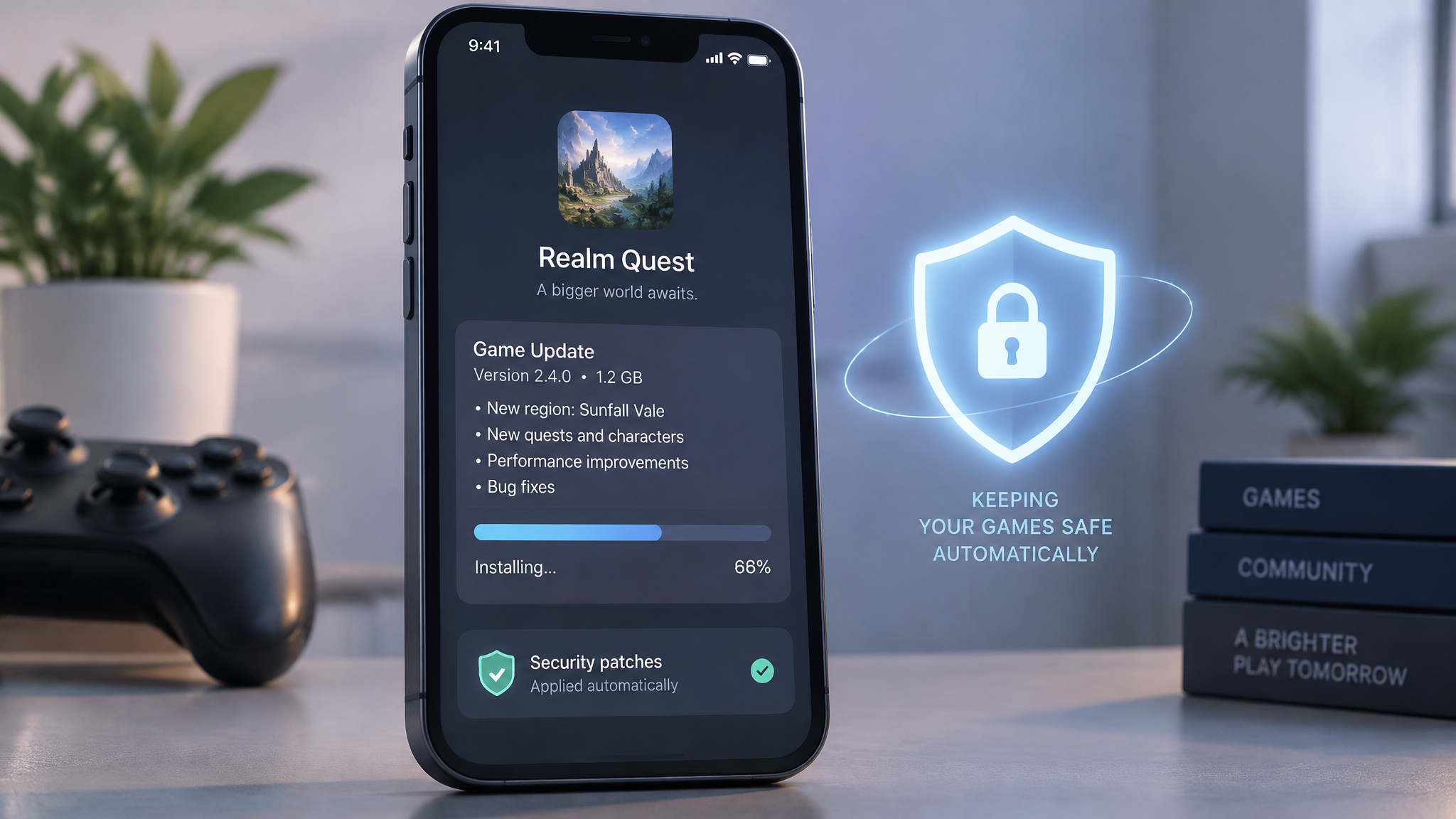
Instead of making a daily ritual out of checking a Settings tab, turn on auto-updates directly from the device, software, or app creator. When the console manufacturer or game studio pushes a patch, your system pulls and stages it as soon as it ships. Because many firmware and OS updates can’t finish installing until the machine reboots, set your device’s active hours window so those restarts happen at 3 a.m. while you’re asleep.
Don’t take the bait: phishing and account takeover
You can protect your gaming account from phishing and account takeover (ATO) with three core habits: using a unique 12+ character password, turning on active MFA, and avoiding unsolicited cheat or hack links from strangers. That’s what stops fraudsters from stealing and reselling your character or inventory. Staying safe requires ignoring messages that promise free currency or gameplay hacks, and you can verify any suspicious link by hovering your cursor over it to inspect the true destination URL before a click drains your skins and unlocked achievements.
How phishing lures gamers
Cybercriminals know nobody wants to spend forty hours grinding for a drop if a shortcut exists, so they bait players with offers for free cheats or hacks. Those messages are classic phishing traps designed to trick you into clicking malicious links or downloading malware straight onto your rig. Treat any unexpected link or file download from a stranger as hostile. Before you click any link in a chat window, forum, or email, hover your cursor over the text to reveal the actual destination address hiding underneath.
What account takeover actually steals
As Kaspersky notes, account takeover (ATO) isn’t an abstract privacy breach; it’s the direct theft of your character or in-game inventory. That inventory includes in-game currencies, unlocked achievements, player status, and avatar skins. The better your account or skin collection is, the more heavily thieves target you. An entire underground economy drives these thefts, made up of impatient new players looking to skip the leveling grind, bot farmers, and fraudsters who strip stolen inventories and resell the assets for real money.
Credit, not debit: payment safety in games
When a gaming system requires you to tie a payment method to your account, always choose a credit card over a debit card. Credit cards carry stronger consumer fraud protections, giving you a much better shot at recovering your money if unauthorized charges hit your statement.
Extra layers for game purchases
Never hand over a credit or debit card number just to access a “free” game. Turn on the purchase password or parent PIN feature inside your Apple, Google Play, or console store settings, which can even gate free store downloads behind the PIN, and check your credit card bills frequently for unapproved charges. Kids should follow one simple rule: always check with a parent before entering any card information.
Teaching spending limits
As Sony Interactive Entertainment recommends, setting a monthly spending limit builds healthy financial boundaries around digital stores. For families, game purchases are a practical way to teach budgeting and decision-making by having kids compare titles for actual value before buying.
Share with care on gaming profiles
Personal identifiable information (PII) exposure on gaming profiles is a direct path to identity theft, financial loss, and stalking, which is why players should share as little personal data as possible. While standard gaming safety advice warns against posting real names, physical locations, schools, or phone numbers in public bios, gaming environments also expose specialized data like login credentials, credit card numbers, bitcoin wallets, and even your home IP address.
The correlation is simple: the more personal details you put on your profile, the easier it is for someone to access your data or track you down. Players frequently slip up and overshare in the middle of a heated match or while trying to bond with a new gaming community. Audit what is currently visible on your public gaming profiles, strip out anything personal, and flatly refuse any stranger who asks for your information in chat.
Game in disguise: safe names and avatars
Strangers in a lobby don’t need to know your real name or anything about your personal life; they only need to find out how good you are at the game. At GeekExtreme, we love a clever handle, and picking a disguised gamertag is one of the easiest privacy wins available. Choose a safe game name like NationalCybersecurityAwesome or DisguisedGamer99 that never includes your first or last name, and skip any handle with real-name similarities or location hints. Pair that disguised name with a custom avatar instead of uploading an actual photograph of yourself to your profile.
Keep the boundary firm during live sessions, too: refuse any request from a stranger to share photos or turn on your webcam. Nobody needs to see your face to play against you.
No shame in a strong blocking game
Blocking and reporting abusive players is the fastest way to stop cyberbullying and harassment while gaming, starting with muting chat, kicking bullies from the match, and filing a platform report the moment someone crosses the line. Using built-in moderation tools immediately shuts down trolls who exploit online anonymity, whether they are slinging insults in voice chat or running targeted griefing tactics like “kill stealing” (capturing another player’s quest targets) and “chaining” (repeatedly blocking low-level players’ progress until they die), as documented by Internet Safety 101.
If someone makes you uncomfortable, mute and block them without hesitation, and younger players dealing with online bullying should tell a trusted adult right away. Hurtful comments in a game lobby, whether in casual multiplayer titles or chat rooms at Jeton online casinos, cause real mental-health damage. If you or someone you know ever feels like hurting themselves because of online harassment or anything else, reach out to someone trusted immediately.
Check your settings on day one
Make configuring your privacy and security menus a day-one install ritual before you ever launch into a match on a new console or game. As a developer and gamer, it’s frustrating how often manufacturers ship hardware and software defaulting to the least secure settings possible. Many games come out of the box configured to share your gameplay behavior and physical location data straight back to the manufacturer unless you manually opt out. Don’t trust the factory setup. The moment you unbox a system or finish downloading a title, open the settings tab, lock down who can see your status or message you, turn off location and behavior tracking, and set the boundaries to your own comfort level before hitting play.
Predators, grooming, and chat-channel risks
The dangers of online gaming for teens and adults are severe interpersonal and technical threats that include cyberbullying, predator grooming across unmoderated chat, remote webcam hijacking, and lasting mental-health harm. Because modern game consoles function as open communication computers where anyone with your game ID can message your screen, predators use anonymity and voice-masking software to execute a calculated four-stage grooming arc.
How consoles become contact channels
Consoles aren’t closed toy boxes; they have full messaging, voice chat, and instant messaging built in. As the FBI’s Chad Gallagher points out, anyone who knows your game ID or screen name can send messages that pop right up on your television or monitor. Beyond text and voice, attackers can also remotely take control of connected webcams and microphones.
How grooming unfolds
Light oversight and anonymity make games prime hunting grounds where predators follow a specific pattern: they befriend a player and build trust, solicit nude photos, videos, or online sexual activity, lure the victim to meet in person to abduct or assault them, or manipulate them into sharing financial info and making in-game purchases. Predators also use sophisticated voice-masking technology that can make an older man sound like a young boy. In a case documented by Internet Safety 101, survivor Harrison Haynes turned to gaming for solace at age 12 during middle-school turmoil and was groomed by a 19-year-old named “Adam,” who sent him pornographic content.
Gaming addiction and gaming disorder
When gaming disorder is suspected in a child, parents should respond with calm empathy first, document any associated online abuse to report to the platform or the National Center for Missing & Exploited Children (NCMEC), gradually reduce play time with replacement offline activities, or consult a licensed mental health practitioner.
What counts as gaming disorder
“Gaming addiction” is an informal term for excessive play that interferes with daily life, while “gaming disorder” is defined in the 11th Revision of the International Classification of Diseases (ICD-11) as a pattern of gaming behavior marked by impaired control, gaming taking priority over other activities, and continuation despite negative consequences, with significant impairment evident for at least 12 months. Excessive play shares patterns with substance abuse and is linked to ADHD, depression, anxiety, mood disorders, autistic-like symptoms (“virtual autism”), sleep deprivation, heightened aggression, and isolation. Per Dr. Andrew Doan, warning signs include agitation when asked to cut back, guilt or lying about play, and gaming dominating every conversation.
Preventing gaming addiction
Build daily routines mixing schoolwork, physical activity, family time, and offline hobbies. Enforce consistent time limits using timers or parental control apps, choose games with natural stopping points over endlessly engaging UI designs, teach kids to notice how gaming affects their mood, and model balanced tech use yourself.
Responding to suspected gaming disorder
Skip anger and involve the child in choosing real-world activities as you step down screen time. You can also use Dr. Doan’s one-month full digital detox to let the brain reset before reintroducing appropriate screen time, and seek a specialist experienced in gaming disorder if it stays unmanageable.
Balance gaming with wellness
Mix gaming sessions with exercise, fresh air, hydration, quality sleep, and regular breaks so you return to the screen refreshed and focused.
The Rules ‘N Tools framework for families
The “Rules ‘N Tools” framework from Internet Safety 101 is a comprehensive child online safety strategy that pairs non-technical behavioral “Rules” (offensive strategy) with technical “Tools” like parental control software (defensive strategy) across every device at the same time. Relying on parental controls alone fails because technical filters are no substitute for active parental supervision when determined kids use online guides to find workarounds. Youth gaming is nearly universal: Pew Research Center reports 90% of teens play video games on a computer, console, or phone and 84% have or can access a console at home, the Entertainment Software Association (ESA) found in 2023 that 76% of US children under 18 play digital games, and 8- to 18-year-olds average 1.5 hours of daily play (Rideout & Robb, 2019).
What Rules ‘N Tools requires
Implementing both strategies together on all digital devices, online platforms and services used by your child will help to ensure a safer online experience for them, and peace of mind for you; one without the other is ineffective.
Rules: the behavioral half
Talk regularly about privacy, build trust early, and teach kids to think before posting. Rules must forbid sharing PII (birth date, address, full name, school), sending explicit images, or meeting online-only contacts in person, while requiring parental permission for third-party apps, warning about predators, traffickers, and anyone moving chat to unmonitored platforms, supervising accounts and browser history, and setting family agreements with advance consequences.
Tools: parental controls on every device
Lock parental controls behind a parent-only password across desktops, laptops, consoles, phones, music devices, and apps (built into Windows/Microsoft accounts, macOS/Apple ID, Chrome OS, Android/Google accounts, app stores, and routers). Set age filters, time limits, parent PINs for purchases, and approved-friend-only chat (especially for K-8), and disable or monitor webcams, web browsing, and voice masking for under-16s.
Why parental controls alone fail
Technical tools are a floor, not a replacement for supervision and modeling, because kids actively look up bypass guides to defeat software locks.
Vetting games and staying involved as a parent
Comparing console safety across systems starts with one rule: every gaming platform builds its own distinct parental-control features, so parents must learn each console’s specific settings, pair them with hands-on game vetting, and actively update restrictions through tools like Sony’s PlayStation Family app as a child matures.
Play and review games with kids
Check Entertainment Software Rating Board (ESRB) ratings, read reviews, explore the content, and play the game yourself. Set clear boundaries on screen time, game types, and online interactions, and establish a family plan that keeps gaming in common areas and out of mealtimes, bedtime, and the school day.
Age-inappropriate content hides in plain sight
Violence like shooting, bombing, and fighting is frequently depicted, explicit sexual content or pornography is embedded in titles like Grand Theft Auto, and virtual sex games exist. As Jill Manning, Ph. D., notes, weak age verification and moderation mean even seemingly age-appropriate games can expose kids to adult themes through avatars, dialogue, or user-generated content.
PlayStation Family app
Sony Interactive Entertainment’s PlayStation Family app lets parents remotely review gaming activity and adjust playtime settings, gameplay restrictions, communication rules, and spending permissions from a phone as schedules and maturity change.
Open conversations about gaming
Ask casual, judgment-free questions about who your kids play with, their favorite games, and anything odd online; steady dialogue makes them far likelier to report interactions that feel wrong.
Emerging risks: AI chatbots and VR
Beyond traditional console and mobile lobbies, artificial intelligence (AI) and virtual reality (VR) introduce new technical and physical hazards to the gaming ecosystem. These technologies amplify manipulative design, data collection, and predatory contact while immersing players in environments that require even stricter safety boundaries.
AI changes the scale of grooming
Artificial intelligence (AI) recommendation algorithms drive addictive play in developing brains, surface age-inappropriate content, and collect personal data without consent, while AI-driven chatbots, fake profiles, and deepfakes impersonate real peers to let predators groom children at mass scale, as Raven CEO John Pizzuro testified to the US Senate on February 19, 2024.
VR’s distinct risk profile
Virtual reality (VR) adds eye strain, headaches, motion sickness, blurred virtual-real boundaries, physical injury from swinging controllers, and intense immersion in violent, sexual, or predatory multiplayer spaces, requiring strict boundaries, content monitoring, and regular breaks.
You’re your own trusted adult
As an adult gamer with no parent watching your screen, I have to run the escalation path myself, and so do you: mute and block toxic players immediately, report abuse through platform tools, document incidents, and reach out for professional support if harassment or compulsive play starts hurting your well-being. Harassment isn’t age-gated, and because adult accounts hold the highest-value skins, currencies, and status, locking in 12+ character unique passwords, MFA, credit-only payments, and day-one privacy settings is how you protect a real financial asset.
Frequently Asked Questions
How do I keep my gaming hardware and software updated for security?
Turn on automatic updates directly in the settings for your consoles, PC operating systems, and individual games so security patches download as soon as the studio or manufacturer ships them. Because firmware and OS patches frequently require a full reboot to finish installing, configure your device’s active hours window so those restarts happen around 3 a.m. while you are asleep. That way, known vulnerabilities get closed immediately without a forced reboot ever kicking you out of a live match.
How can I prevent cyberbullying and harassment while gaming?
The fastest way to shut down abuse—whether it is voice-chat insults or targeted griefing like “kill stealing” and “chaining”—is to mute the player, kick them from the match, block their account, and file an official platform report. You should also lock down your console and game privacy settings on day one to restrict who can see your online status or send messages to your screen. Kids dealing with harassment should tell a trusted adult right away, and anyone experiencing severe distress from toxic lobbies should document the incidents and reach out for support.
