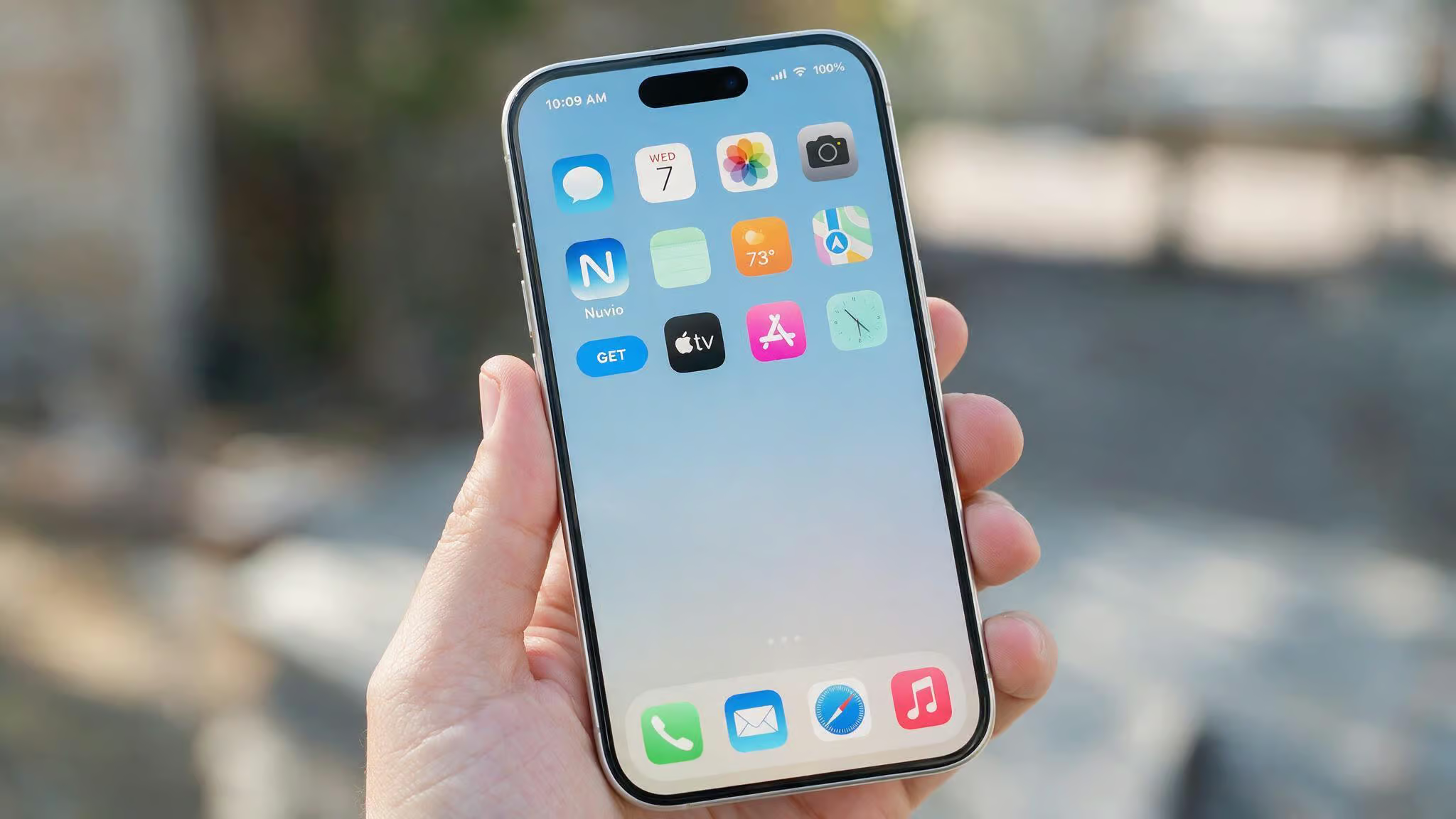
Nuvio is now available in the App Store, a change many guides still haven’t addressed. Nuvio now lives alongside your other apps, works exactly like the TV version, and adds a couple of iOS?exclusive perks. It syncs your profiles, watch progress, and addons across every screen you own — phone, tablet, TV, desktop, even an old WebOS set. This article covers installation, what’s different about the iOS version, how sync actually works, and the one confusing thing with a different Nuvio app you might stumble into.
Key Takeaways
Nuvio is in the Apple App Store — version 1.0, 49.6 MB, requires iOS 12.0+ or iPadOS 12.0+ (also runs on macOS M1 and visionOS). No sideloading needed for the stable release.
Your entire setup follows your account — after signing in on iOS, all third?party addons, collections, profiles, and Continue Watching progress transfer automatically. You don’t reconfigure anything.
Two completely separate apps share the name — the media?center Nuvio (this article’s subject) is open?source and free; the other is a cold?plunge controller by RGN VENTURES LTD that connects to a Recovery Chiller. Know which one you’re grabbing.
Table of Contents
How to Get Nuvio on iPhone and iPad
The fastest path: open the App Store, search “Nuvio,” and tap download. The listing shows version 1.0, a 49.6 MB footprint, and a minimum of iOS or iPadOS 12.0. That’s it — no hoops, no workarounds, no jailbreak. The app also runs on macOS 11.0+ with an M1 chip and visionOS 1.0+, so if you’ve got a newer Mac or an Apple Vision Pro, you’re covered too. English and Simplified Chinese are the current languages, and the age rating is 4+ (meaning it’s safe for kids).
Nuvio was removed from the App Store a while back, which is why older guides still treat iOS like a second?class platform. It’s back now, reinstated, and actively maintained.
App Store installation
Here’s the easiest path — no tools, no workarounds. Just open the App Store, type “Nuvio,” and download. The listing page will show you version 1.0, a 49.6 MB download, and it requires iOS 12.0 or later. iPadOS 12.0+ is the same deal. If you’re on a newer iPhone or iPad, you’re fine.
The app also works on macOS 11.0+ with an M1 chip and visionOS 1.0+ — Apple’s official compatibility list includes those, so don’t be surprised if it shows up on your Mac or Vision Pro too. English and Simplified Chinese are the supported languages, and the age rating is 4+. No subscription, no in?app purchases, a free download.
Beta and sideloading methods
If you’re the kind of person who wants the latest features before they hit the App Store, or if you’re in a region where the app isn’t listed yet, there are alternatives. The beta path uses Apple’s own TestFlight — that’s the official beta distribution platform. You’ll need an invite link from the Nuvio team, but once you’re in, updates come directly through TestFlight just like any beta app.
Beyond TestFlight, there are third?party sideloading tools: AltStore and SideStore. These let you install IPA files directly onto your iPhone or iPad without the App Store. The process is a bit more involved — you’ll need a computer for AltStore, or you can use SideStore which works over Wi?Fi with a helper app. Or go full developer mode: grab the IPA from a GitHub release and push it with Sideloadly or Xcode. The tutorial I followed used an iPhone XS, but these steps work on any iPhone or iPad running iOS 12.0 or later.
Sideloading is not jailbreaking
Sideloading installs an app package directly onto your iPhone without Apple’s store. Jailbreaking removes Apple’s security controls entirely so you can run any code, modify system files, and install things that Apple would never allow. That’s a much bigger deal.
Jailbreaking can mess up your phone’s stability, open security holes, and Apple won’t support a jailbroken device. Sideloading, on the other hand, is just a different installation method — the app still runs inside iOS’s sandbox, and Apple can revoke the developer certificate if they find a violation. It’s not the same level of risk.
Cydia, the most famous jailbreak app store, stopped selling apps in December 2018. Most modern jailbreaks are tethered, buggy, and not worth the trouble. Meanwhile, iOS 17.4 and 17.5 introduced official support for alternate app stores in the European Union, making sideloading safer and more legitimate for users there. If you’re in the EU and want to use a third?party store, you can do that without worrying about revoked certificates.
What You Can Do with Nuvio on iOS
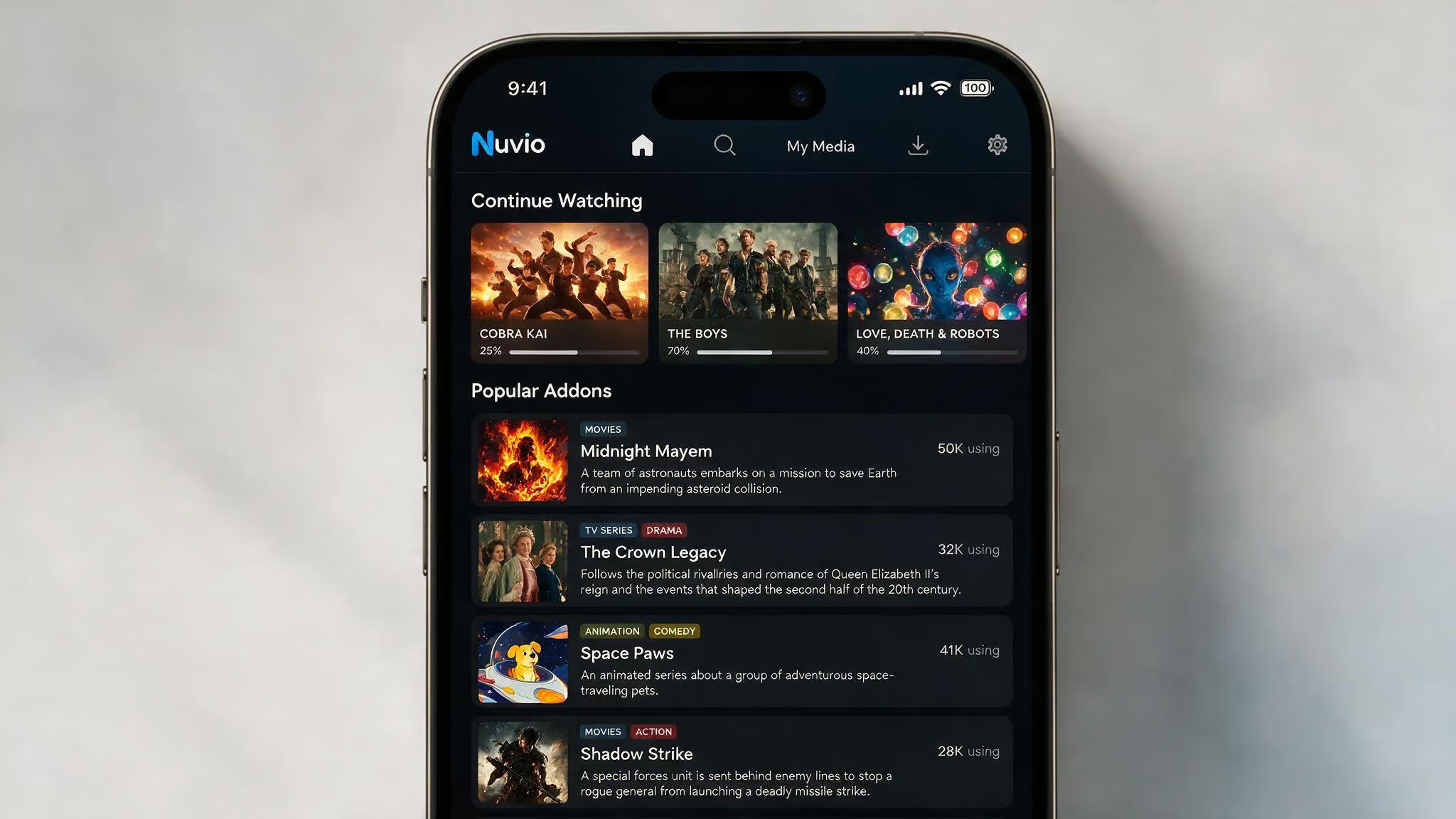
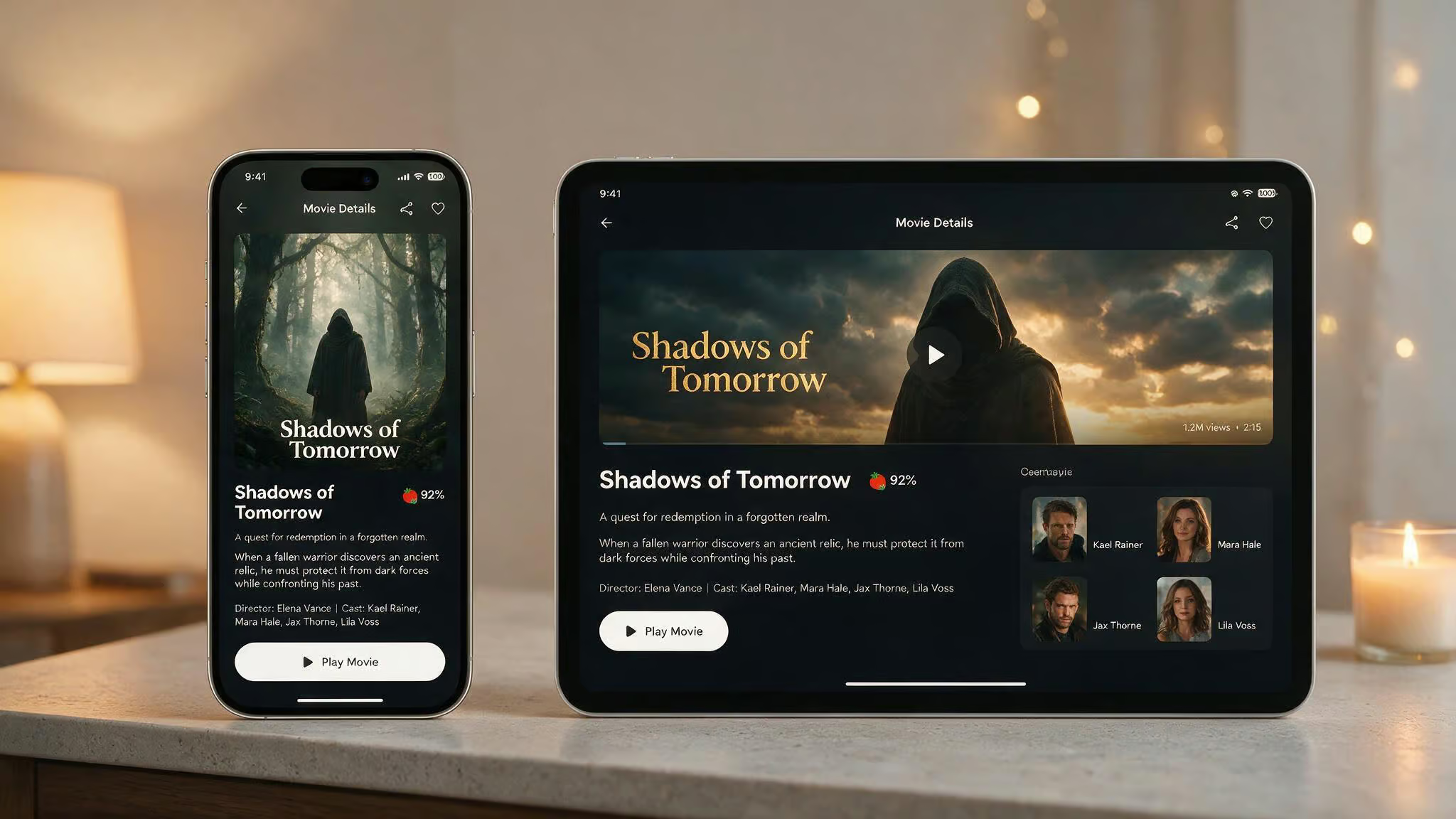
The Nuvio app on iPhone and iPad works exactly like it does on a Fire TV Stick or an Onn 4K Pro. All of your third?party addons, collections, and configurations transfer after you log in. The experience is identical — same interface, same functionality, same search, same detail pages with artwork, ratings, cast lists, seasons, trailers, and recommendations. It’s not a mobile?first redesign; it’s the app in your pocket.
On iPad, the app behaves like a scaled iPhone app — it does not support split-screen multitasking. Background playback is also not supported, so switching apps will pause the stream. Additionally, while the app claims full parity, some Stremio-style addons that rely on Android-specific features may not work on iOS.
Full feature parity with TV versions
Nuvio on iOS gives you everything the TV versions do. I’ve run it alongside my Fire TV Stick setup, and after logging into my account on the iPhone, all my addons were there. Collections I’d created on the TV showed up immediately. My “Continue Watching” queue was populated with the same movies and episodes I’d left halfway through, and the same applies to Nuvio PC, which delivers the same backend, sync, and experience.
You can save titles, manage lists, pick up watch progress from where you left off on any screen, switch between user profiles, and browse the full catalog with polished detail pages. Nothing feels cut down. Your phone’s screen is smaller, but the app scales well on both iPhone and iPad.
iOS-exclusive settings
Apple users get two things that TV owners don’t. First, Remember Last Profile — instead of picking your account every time you open the app, it remembers which profile you used last and auto?launches that one. It’s a small time?saver, but if you share the app with family, it means jumping straight into your own watch history without an extra tap.
Second, notifications for new episodes. Nuvio can send a push alert when a new episode of a show you’re following is available. This isn’t something you get on the TV version — there’s no notification system on a Fire Stick or Android TV box. On your phone, it works like any other app notification. I’ve found it useful for keeping up with shows without checking the app manually.
Standard features on iOS
Everything else you’d expect is here: search, browse by genre, view polished detail pages with high?res artwork and ratings, check cast and season lists, watch trailers, see recommendations based on your history. Pick up progress directly from the home screen. It’s the Nuvio experience on a smaller screen.
How Nuvio Syncs Across Your Devices
Your entire setup follows your account. Here’s how that actually works.
Setting up your account at nuvioapp.space
The single URL you need to bookmark is nuvioapp.space. That’s the hub for your account. You create an account with an email and password — no SMS verification, no social login, and you’re in. The dashboard is your control center: you manage profiles, addons, plugins, and account settings from one place.
You don’t configure that inside the mobile app. The app just consumes what you’ve set up on the web.
What syncs automatically after login
After you sign into the iOS app for the first time, all your third?party addons, collections, and configurations transfer automatically. No manual reconfiguration.
Specifically, the sync includes:
- Addons and plugins — anything you’ve installed through the dashboard shows up instantly.
- Collections — your custom lists and groupings.
- User profiles — each person’s watch history and preferences.
- Watch progress — “Continue Watching” keeps movies, episodes, and next?up progress aligned across every screen.
- Details — save titles, ratings, and recommendations follow you.
You’ll need a stable internet connection. Don’t expect real?time sync — it’s not instant, but it’s reliable. Pausing a show on my TV, opening the app on my iPhone, and seeing the “Continue” option within seconds. It’s not a live stream, but it works for practical use.
Installing Addons and Plugins on Nuvio iOS
Nuvio is a content hub — you bring your own sources via addons or plugins. These are usually Stremio?style manifest URLs. The process is dashboard?driven: log into nuvioapp.space, select the Addons section, tap Add Addon, paste the manifest URL, and hit Save. Then open your iOS app, and the new addon is already there under your sources. No separate iOS installation, no side?loading of addons — the cloud sync handles it, and #planned-nuvio-macos follows the same principle for Mac computers, including M1/M2 compatibility and setup tips.
If you’ve used Stremio before, the concept is identical. If you haven’t, it’s simple: the manifest points to a server that provides content metadata and streams. Nuvio acts as the player. The addon works identically on iOS because it’s just a link.
Nuvio’s Development and Community
Nuvio is open?source, hosted on GitHub, and currently sitting at 6.1k stars with 22 named contributors. That’s an active project. The latest release is NuvioTV 0.7.18, which brought poster depth effects and external player stability improvements. Before that was 0.7.17?beta, adding Samsung Tizen 2019+ support and better WebOS compatibility.
NuvioWeb, the web?based version, is at 0.3.17?beta. So there’s active development happening.
A contributor named tapframe was the one who added the poster depth effects, which adds a small visual touch.
That said, Nuvio’s still in beta. Features and performance improve over time, but you’ll encounter occasional rough edges. The iOS version benefits from the same cross?platform improvements that the TV versions get, so any stability fixes or new features roll out to everyone. The GitHub releases are worth watching if you want to track changes. Contributions are welcome — you can report issues, suggest features, or submit code via the GitHub repository.
For comparison, check out our deeper dives on what Nuvio is and why it’s gaining traction, how it performs on PC hardware, and running it on macOS.
Which Nuvio App Are You Looking For?
The media?center Nuvio (this article’s subject) is the open?source, cross?platform streaming app we’ve been talking about. It’s free, no subscriptions, and it syncs across devices.
The cold?plunge Nuvio is by RGN VENTURES LTD. It connects to a hardware Recovery Chiller — think portable ice bath, and lets you schedule temperature, set purification cycles, and track sessions. It collects no user data. It’s a separate product with no connection to the media?center app.
If you search “Nuvio” in the App Store, you’ll see both. The media?center version’s icon is a stylized “N” on a dark background, while the cold?plunge app has a blue and white design. Download the wrong one, and you won’t be streaming anything. Double?check before tapping that “Get” button.
Sideloading vs. App Store: What You Should Know
Should you download from the App Store, or is sideloading worth the hassle? Here’s how I think about it.
The real risk: beta software, not jailbreaking
Nuvio is beta software. The App Store version has gone through Apple’s review process, which gives you a baseline of stability and safety. Beta versions — from TestFlight or sideloaded, may have bugs, missing features, or crash more often. Certificate revocation is a real downside for sideloaded apps, if Apple revokes the developer certificate, the app stops working until you reinstall it.
The App Store version updates automatically through the normal iOS update system. Sideloaded versions require manual updates. For most people, the convenience of the App Store wins.
Legal and ethical considerations
Nuvio is a legal media player. What you do with it depends on the addons you install. Some addons may access content that isn’t licensed in your region. Users are responsible for making sure their addon usage complies with local laws. Piracy is illegal — jailbreaking specifically to pirate isn’t recommended.
The source website behind this article doesn’t own Nuvio or host any content. We’re just showing you where to get it and how it works. Use it responsibly.
Nuvio on iOS is in the App Store, works like the TV version, and comes with iOS?only touches. Download it, log in, and your entire setup follows you. The beta status means some rough edges, but the project’s alive and actively developed.
Frequently Asked Questions
How to install nuvio app?
The easiest way is to open the App Store, search “Nuvio,” and download the free app. For beta versions, you can use TestFlight with an invite link, or sideload the IPA using tools like AltStore or SideStore.
What’s the difference between the two Nuvio apps in the App Store?
One is the open-source media center app that streams content and syncs across devices. The other is a cold-plunge controller by RGN VENTURES LTD that connects to a Recovery Chiller for ice baths. Check the icon — the media version has a stylized “N” on a dark background.
