
Location-aware features are everywhere in our digital lives. Your food delivery app knows exactly where to bring your dinner, and your map gives you real-time traffic updates. This convenience is powered by data, but it comes with a growing sense of responsibility.
People now expect and demand transparency. They want to know how their location data is used and feel confident that their privacy settings are respected without needing to check them constantly. As builders of these systems, we have to get this right.
This article breaks down the intersection of data, privacy, and location from a technical standpoint. We will explore how to design systems that are not only powerful but also worthy of user trust.
Key Takeaways
Prioritize Granular Control: Boost user trust and opt-in rates by offering “just-in-time” permission prompts and the choice to share “approximate” rather than “precise” location data.
Mitigate the “Mosaic Effect”: Treat location data as highly sensitive immediately, as studies show that just four data points can uniquely identify 95% of individuals in a dataset.
Practice Data Minimization: Reduce liability by collecting only strictly necessary data, using session-based processing for sensitive searches, and enforcing strict data retention schedules.
Secure Secondary Infrastructure: Prevent accidental breaches by rigorously auditing support systems—such as server logs, caches, and API responses—where location data often leaks unnoticed.
Transparent Signal Processing: Users trust systems that acknowledge technical limits; since devices blend GPS, Wi-Fi, and cell signals, visual interfaces should reflect location uncertainty (e.g., a radius) rather than false precision.
Table of Contents
How Location Signals Are Generated at the Device and Network Level
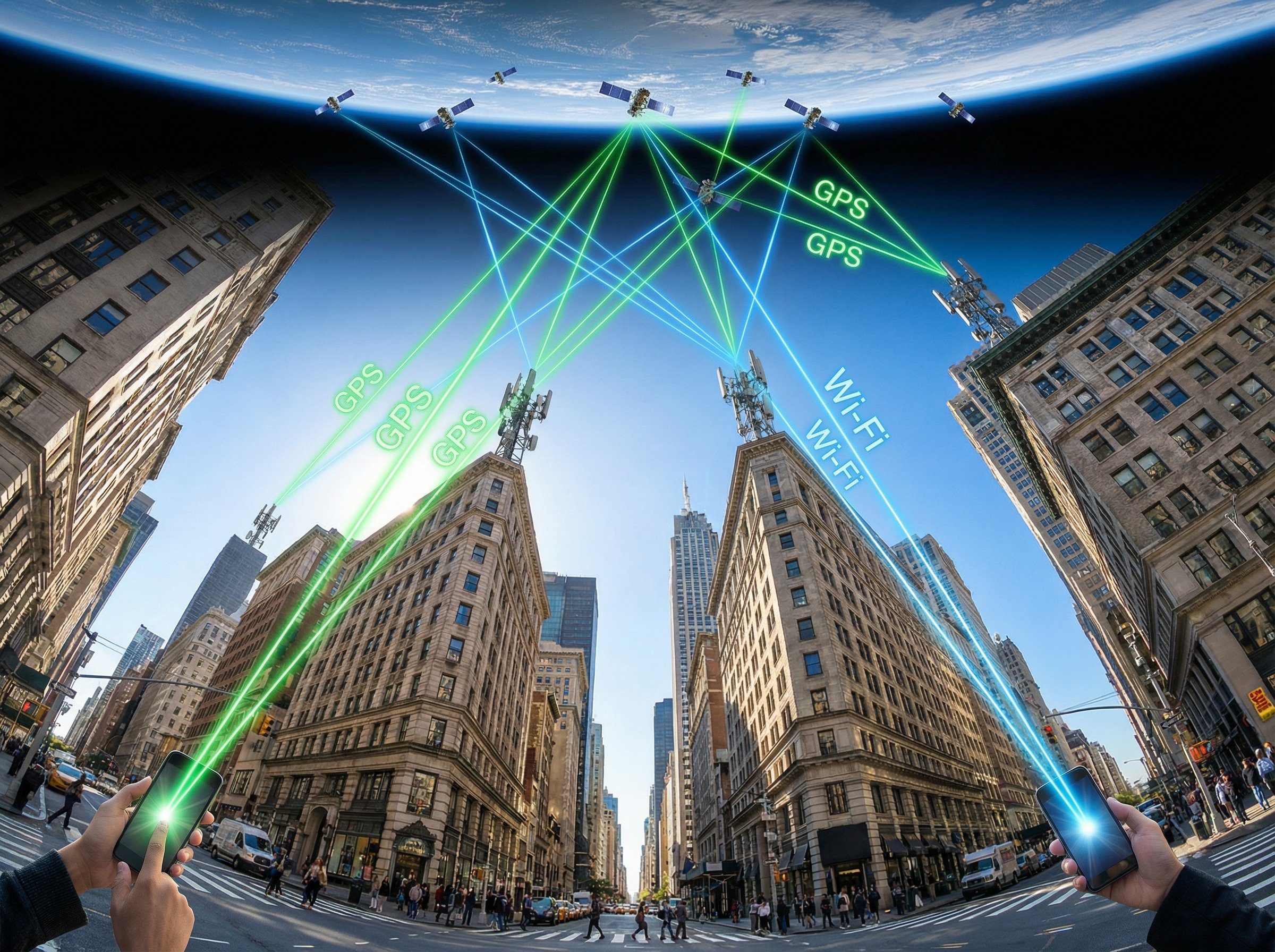
Your phone determines its location by blending information from several sources. Each source offers a different level of precision, and modern systems are designed to choose the best one for the job.
Modern operating systems use sophisticated services, like Apple’s Core Location and Android’s Fused Location Provider, to manage these signals. These services intelligently combine inputs to deliver a location estimate that balances accuracy and battery consumption.
- GPS (Global Positioning System): This is the most accurate, often pinpointing your location within 5 to 10 meters outdoors. It works by receiving signals from satellites orbiting the Earth.
- Wi-Fi Positioning: In dense urban areas, your device can identify its location based on nearby Wi-Fi networks. This method offers accuracy within 5 to 20 meters and works well indoors where GPS signals can’t reach.
- Cell Tower Triangulation: By measuring signals from multiple cell towers, your device can estimate its general area. This is the least precise method, with accuracy typically ranging from 50 to 200 meters, but it’s a reliable fallback when other signals are unavailable.
Because signal quality can vary, it’s best to treat location as an estimate. Presenting this uncertainty to the user, perhaps by showing a radius instead of a single dot on a map, creates a more honest and trustworthy experience.
When Location Context Transforms Low-Risk Data Into Sensitive Data
Seemingly harmless data points can become deeply personal when combined with location. A single timestamp isn’t very revealing, but a timestamp tied to a specific place can expose daily routines, personal habits, and private appointments.
This is often called the “mosaic effect,” where individual, non-sensitive pieces of data are assembled to create a surprisingly detailed and sensitive picture of a person’s life.
A landmark 2013 study from MIT demonstrated this powerfully. Researchers found they could uniquely identify 95% of individuals in a dataset of 1.5 million people using just four location data points.
This is why regulations like Europe’s GDPR (General Data Protection Regulation) often treat location data as sensitive personal information from the start. Under these rules, collecting and processing location data requires a higher level of user consent and security. Thoughtful system design that segments data and establishes clear internal guidelines on how location information can be used is essential to prevent accidental exposure.
How User Privacy Expectations Change When Location Is Introduced

The moment an app asks for location, user expectations for privacy become much higher. People want to understand exactly why you need to know where they are and see that you’ve given them clear, simple controls.
Building trust isn’t about a single, one-time permission prompt. It’s about creating an ongoing sense of control.
- Explain the “Why”: Clearly state the value exchange. Instead of just “Allow access to your location,” try “We need your location to show you nearby restaurants.”
- Ask at the Right Time: The best time to ask for permission is “just-in-time,” right when a user tries to access a feature that needs it. A study from 2016 showed that asking for permissions in context dramatically increases acceptance rates. For example, prompt for location when the user taps the “Find stores near me” button.
- Make it Feel Safe: A 2020 study from the University of Notre Dame found that people’s comfort with sharing location data depends heavily on the context and who is asking. Trust is lowest with third-party data brokers and highest when the purpose is clear and limited.
Short, clear explanations delivered at the moment of need are far more effective than long policies buried in a settings menu. Respecting the user’s attention is a key part of earning their trust.
Permission Architecture and Its Impact on User Trust
The way you design your permission system sends a strong message to your users. A thoughtful approach makes people feel respected and in control, while an aggressive one can raise immediate red flags.
Granular controls are one of the most effective ways to build trust. Instead of a simple “on/off” switch, modern systems offer more nuanced choices that let users match the permission to their comfort level.
A great example is Apple’s “Precise: On/Off” toggle, introduced in iOS 14. This feature allows a user to grant an app access to their general area for something like a local weather forecast without revealing their exact street address.
Giving users this level of control encourages engagement. They are more likely to grant “approximate” location access than to deny the request altogether, which means your features can still function without feeling invasive.
Providing clear feedback is the final piece of the puzzle. When a user changes a setting, a simple visual confirmation, like a checkmark or a status indicator, reassures them that their choice was saved and respected.
Handling Location Sensitive Queries Without Persistent Exposure
Some searches are inherently more sensitive than others because of their connection to a specific location. These queries require a design that prioritizes discretion and minimizes data persistence.
Using session-based processing is a strong approach. This means the location data is used for the immediate search and then discarded, rather than being logged and stored long-term. This reduces risk without compromising the usefulness of the feature.
For example, searches for highly personal or local services, such as finding local Phoenix escorts, benefit from this private handling. The system should deliver relevant, location-based results with minimal logging and without drawing unnecessary attention. Respectful design provides utility while making users feel safe.
Another powerful technique is data obfuscation, where you deliberately reduce the precision of the data. This could involve adding random “noise” to GPS coordinates or converting a precise point into a larger, less specific geographic area, a method known as spatial cloaking.
Applying Data Minimization Principles to Location-Aware Systems
The principle of data minimization is simple but powerful: don’t collect what you don’t need. This approach is a cornerstone of modern privacy regulations like the GDPR, which mandates that data collection must be limited to what is strictly necessary for a specific purpose.
Putting this into practice reduces both risk and complexity. If a feature only needs to know a user’s city, you shouldn’t collect their precise GPS coordinates. This not only protects the user but also simplifies your data storage and security obligations.
- Set Retention Schedules: Establish clear rules for how long you keep location data. For instance, a food delivery app needs your exact address for the driver, but that specific data point can be anonymized or deleted 24 hours after the delivery is complete.
- Aggregate and Anonymize: You can often gain valuable insights without storing individual data points. Aggregating location data into larger, anonymized datasets allows you to analyze trends, like popular delivery zones, without compromising the privacy of any single user.
When dealing with sensitive topics, such as references to Phoenix escort services in broader datasets, the focus should always be on informational use, stripped of any personal identifiers. Necessity should be your guide for every piece of data you collect and store.
How Location Data Influences Ranking and Content Filtering Logic
Location is one of the most powerful signals used to rank and filter content, especially in search results. When you search for something like “best pizza,” search engines use your location to show you pizzerias in your neighborhood, not halfway across the world.
This is driven by the rise of “near me” searches, which have exploded in recent years. Data shows there are over 1.5 billion such searches every month, and 76% of people who make a local search on their phone visit a business within a day.
This shows that local searches have high intent. For businesses, optimizing for location-based queries isn’t just a technical task, it’s a direct driver of real-world sales.
While this filtering is incredibly helpful, transparency builds trust. A simple notice, like “Results shown are based on your location,” can prevent confusion and help users understand why they are seeing certain content. This small design choice reinforces that the system is working for them, which encourages continued engagement.
Common Failure Points in Location-Aware Architectures
Often, the biggest privacy risks aren’t in the main application but in the supporting systems. Things like server logs, data caches, and analytics pipelines can unintentionally capture and store location data, creating a backdoor vulnerability.
Real-world incidents have shown how damaging this can be. For instance, an unsecured database for a family tracking app exposed the real-time location of 238,000 users. In another case, a leaky API in a McDelivery app in India exposed the home addresses and contact information of over 2.2 million users. These situations often happen not because of a malicious feature, but because location data was not properly secured in a secondary system.
- Conduct Regular Audits: The best defense is a proactive one. Regularly perform data flow mapping, which is an exercise to trace where location data goes throughout your entire system. This is the most effective way to find where data might be “leaking” into logs or caches.
- Implement Strong Access Controls: Not everyone on your team needs access to raw location data. Use role-based permissions to ensure that only authorized personnel can view or handle sensitive information.
- Have a Response Plan: Even with the best defenses, incidents can happen. Having a clear, prepared plan for how to respond to a location data breach helps you act quickly to protect users and maintain their trust.
Scaling Location Aware Features Without Expanding Privacy Risk
As your application grows, so does the complexity of managing location data. A feature that was safe and simple with 1,000 users might introduce significant privacy risks at a scale of 10 million. The key is to build with a “privacy by design” mindset.
This framework, developed by privacy expert Ann Cavoukian, argues that privacy should be the default setting, embedded into a system’s architecture from the very beginning, not added as a feature later on.
One of the core tenets of this approach is to favor opt-in consent over opt-out. While forcing personalization might seem like a shortcut to engagement, giving users a clear choice builds a more loyal and trusting audience in the long run.
When discussing topics like PHX escorts in the context of a larger system, the language used should remain neutral and factual, and the data must be rigorously separated from user identities. This commitment to data integrity is crucial as your features and user base expand.
Designing Location-Aware Systems Users Can Trust
Trust isn’t an accident. It’s the result of deliberate design choices that prioritize transparency, user control, and a clear value exchange.
By implementing clear permissions, practicing data minimization, and ensuring your system behaves predictably, you build a strong foundation for user confidence.
Systems that respect user boundaries are the ones that earn lasting engagement. When you handle location data thoughtfully, you create experiences that are not only accurate and helpful but also make people feel comfortable and safe.
