
The moment that started this piece was a shopping cart. I’d picked out a laptop, watched the total cross two grand, and had the familiar cold flash: I want this, but I cannot afford this right now. So instead of closing the tab in shame, I did what I always do: I turned it into a system. What came out is a five-step framework for how to budget for expensive tech: set an exact savings goal, calculate the total cost of ownership, compare prices and time the purchase, check your emergency fund, and honestly assess whether you need the upgrade at all.
The order matters. Each step is a gate, and a purchase either clears it or dies there. If a $2,000 machine fails step five, you saved yourself two grand. If it passes all five, you buy it without the guilt spiral, because you’ve proven the money exists, the real cost fits, and the upgrade is an upgrade.
Along the way you’ll find some satisfying discoveries: the money for your goal is probably already sitting in your recurring subscriptions, a real total-cost-of-ownership worksheet you can build from itemized examples, and a warning that in at least one category, waiting for a sale can now cost you money.
Key Takeaways
A five-step gate system turns “can I afford this gadget?” into arithmetic: exact savings goal, total cost of ownership, price timing, emergency fund check, and an honest upgrade assessment.
The money may already exist in recurring spend: Mint found users averaged $640 per year on subscriptions back in 2019, and cord cutting still saves $700 or more annually even after live-TV price hikes.
The deal calendar broke for storage: the RAM shortage pushed the WD Blue SN5100 from $58 to $120 and the Crucial X10 4TB from $330 to $425. Check current market prices before waiting.
Step 1: Set an exact savings goal in a dedicated account
Pick a dollar figure and a date before you do anything else, because “someday I’ll save up” is the financial equivalent of “someday I’ll ship”, it never happens, and nobody can tell you how long to save without an actual number. The math the sources imply but never show is simple: total cost divided by months to target. Want a $2,000 laptop in ten months? That’s $200 a month.
To be clear, that’s illustrative arithmetic, not a sourced statistic.
Then put that money in a separate online high-interest savings account dedicated to your tech fund. Think of it as a dedicated partition: your everyday spending is the OS, and the gadget fund lives on its own volume. Keeping the money separate makes it easier to leave alone and track against your target. You can see exactly how close you are to that laptop without mentally subtracting next week’s groceries.
Two honest notes. First, the credit card is sitting right there, and swiping feels free until the statement lands. The framework exists precisely so you don’t take that deal. Second, if you budget by rules like 50/30/20 (general knowledge, not something the sources claim), a sinking fund isn’t a violation of the rule. A big one-time buy needs its own line inside your savings allocation, not a guilt-driven raid on rent money.
Fund the goal by killing subscription creep first
Here’s the part that changed how I look at my bank statement: one canceled subscription, plus one stale bill charge, plus one carrier change can free up roughly $500 to $1,000 a year. The money for your savings goal may already exist in your recurring spend. You have to evict it.
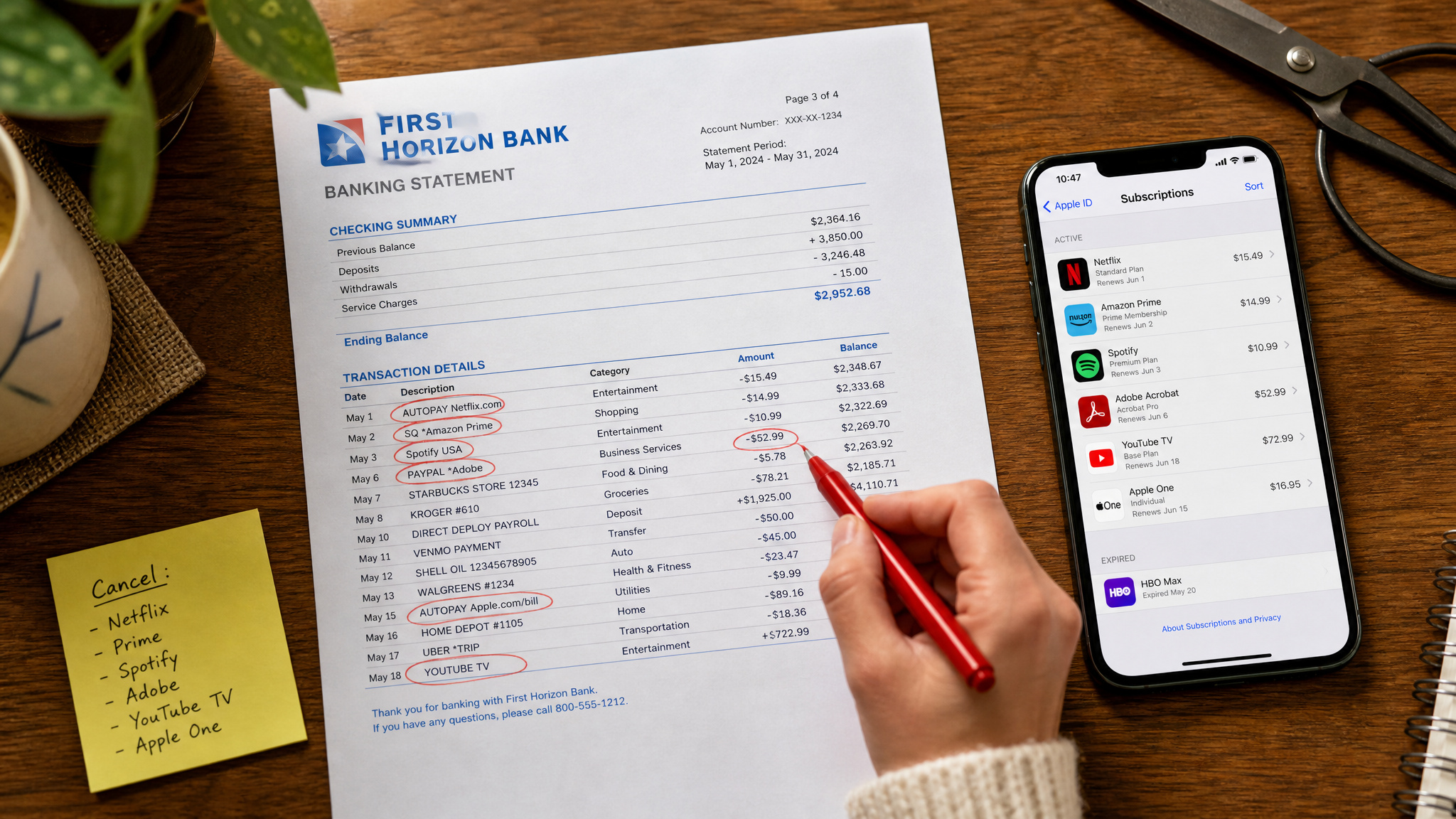
Cancel unwanted app subscriptions
Back in 2019, Mint’s analysis for The New York Times found users averaged $640 per year on subscriptions: cloud storage, music, productivity apps, dating apps. Two flags on that stat. Mint was a budgeting tool, and Intuit discontinued it in 2024, so this isn’t a tool recommendation. And 2019 pricing is historical evidence of subscription creep, not a current spending claim. The pattern it documents is the point: subscriptions quietly eat a gadget’s worth of money every year.
The cancellation paths are quick. On Android, it’s Google Play Store, then Menu, then Subscriptions. On Apple, Settings, then your name, then Subscriptions. Cancel one or two unused apps and you’re up $50 or more per year. Free money, legally. And if what you’re canceling is a streaming service, there’s a decent chance a free ad-supported option. Pluto TV, Tubi, Crackle, Kanopy, Vudu, Xumo, among more than a dozen others, covers the itch without the monthly bill.
Review your monthly fees
A common pattern in itemized phone and cable bills is a legacy add-on that outlived the device or habit it covered. Think $15 a month of phone insurance on a four-year-old phone, or a $12 monthly DVR fee nobody has touched since the last hardware refresh. The tell is a fee you can’t explain on sight. These charges survive because itemized bills invite you to skip straight to the balance due.
Read every line like you’d review a cron table for jobs that shouldn’t still be running. Killing one unnecessary charge saves $100 or more per year.
Restructure streaming and cut the cord
The bundling math, with prices flagged as publication-era from a June 2020 Consumer Reports issue (current list prices are higher): Amazon Prime was $119 a year and included shipping, video, reading, and over 2 million songs. If you were paying for shipping plus two or three streaming services, one bundle could replace several for hundreds per year in savings, with the caveat that catalogs shift constantly.
Or go the other direction and trim. Netflix ran $9 to $16 a month back then, while Disney+ was $7 and ad-supported Hulu was $6, all dated figures. Swapping down saved at least $108 a year even at those prices, and the same logic holds at current ones.
There’s also the “wait, this is free?” layer: more than a dozen ad-supported streaming services, including Crackle, Kanopy, Pluto TV, Tubi, Vudu, and Xumo. The trade is ads, standard HD instead of 4K, and older titles. Honest costs, real savings: dropping one paid service for free options is $100 or more per year.
Then the big one. Live-TV streaming price hikes have made the cord-cutting math trickier, but cutting the cord still saves easily $700 or more per year, especially if you pair a streaming package with an indoor antenna. CR’s test winner was the Mohu ReLeaf at around $30 (dated price again), and you can check your channel availability in advance at the FCC’s DTV Reception Maps site by entering your address, which is the free pre-purchase check almost nobody knows exists. If over-the-air doesn’t work for you, Sling packages started at $20 a month. And use 30-day trials strategically for short-term needs, with one rule: mark your calendar to cancel before billing starts.
Quick test: Open your bank statement and cancel any recurring charge you can’t explain on sight. That fee is your gadget fund calling.
Switch to a low-cost cell provider (MVNO)
The trick, explained once: MVNOs (mobile virtual network operators) ride AT&T, Verizon, and T-Mobile networks without owning towers. Same towers, less markup.
The price gap, with figures flagged as dated: Straight Talk unlimited was $55 a month versus AT&T’s $65, and Visible was $40 versus Verizon’s $70. That’s up to $360 a year for what amounts to a settings change. Support isn’t the horror story you might expect, either: CR members rate MVNO support highly, with Consumer Cellular, Google Fi, and Ting topping CR’s ratings.
The honest tradeoffs: you may hit peak-demand slowdowns, and there are few physical stores if you like walking up to a counter with a broken phone. For $360 a year, I know which side of that trade I’d take.
Step 2: Calculate the total cost of ownership
The sticker price is the trailer, not the movie. What a new phone or computer actually costs includes the accessories, the extended warranties, the recurring software licenses, the insurance, the memberships, and the future upgrades and replacements that follow it home. Gaming systems are the classic case: the console price is just the entry fee, and software, memberships, and accessories pile on from there.
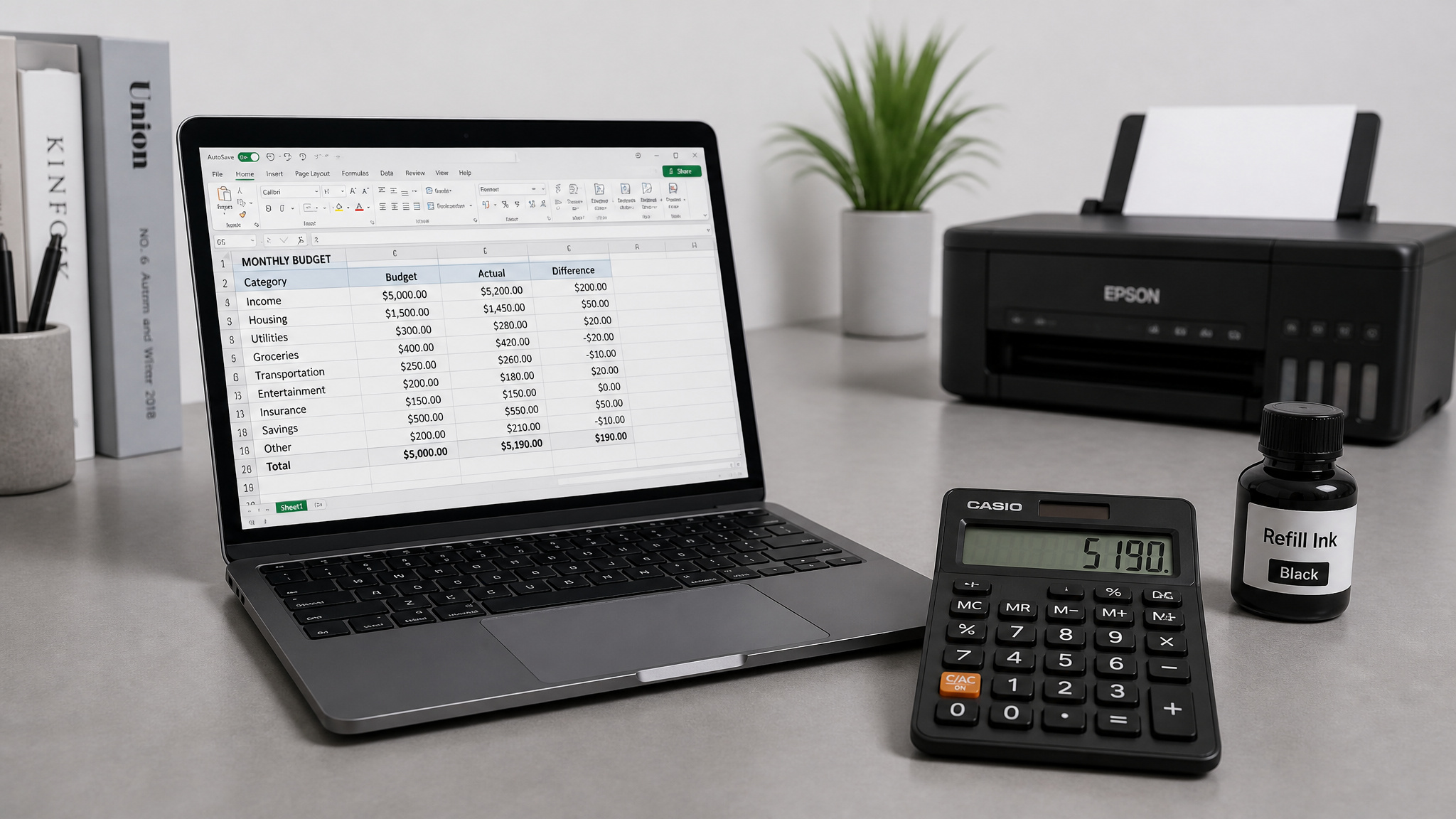
The hidden recurring costs that outlast the purchase
Build a quick TCO worksheet: list every recurring line item the purchase creates, then price it. A common pattern among buyers reviewing their first year of ownership is finding recurring charges, things like ink, rentals, and cloud storage, that exceed what they budgeted. The tell is a bill line they can’t attribute to the original purchase. I did this math on my own setup once and winced, which is the correct response. The point isn’t a spreadsheet ceremony; it’s ten honest minutes of counting what the thing will keep charging you.
Tank printer economics
More than half of all inkjet ink goes to printhead cleaning, not actual printing. Which is wild. The fix is counterintuitive: leave the printer powered on 24/7 so it stops triggering a full maintenance cycle every time you wake it up, and use draft mode when quality doesn’t matter. That’s $20 to $30 a year saved on ink alone.
The bigger move is a tank printer, and I mean this sincerely: tiny wizardry. Instead of cartridges, you get refillable tanks. The Canon Pixma G4210 ran $280 upfront, with typical ink costs around $6 a year versus up to $100 a year for cartridges. CR’s survey found tank printers get higher member satisfaction than cartridge models, which tracks. The current-product form of the same idea is the Epson EcoTank ET-1910 at $159.99.
Stop renting gear and overpaying for accessories
Router rental from a cable company runs $5 to $10 a month, forever, for hardware you could own outright once. Buying outright ran $60 to $85 back when CR looked at this (the TP-Link Archer C7 was $60; those models and prices are dated, but the math still holds at current equivalents), worth up to $120 a year. The hardware pays for itself in months.
Cables are the other tax. Retailers mark up accessories to subsidize the big-ticket deals that got you in the door. A 10-foot high-speed HDMI cable runs $20 or more in stores and under $10 online from Monoprice or Blue Jeans Cable. At least $10 saved per cable, repeated across every gadget drawer you own.
Step 3: Compare prices and time the purchase
The best time of year to buy electronics at a discount is November and December, when holiday deal season is generally the strongest window overall, based on CR’s pricing-data analysis. The rest of the calendar has its own pockets: TVs and sound bars in January, smartphones and tablets in February, laptops and printers in August, with seasonal timing worth 25% or more off regular prices. But timing only works if you also do the ten minutes of comparison research first, because prices swing widely by shop and date, and the discrepancies amplify on expensive gear. Same item, different drop rates. Check student discounts, seasonal sales, loyalty rewards, and buyback programs before you pay list price anywhere.
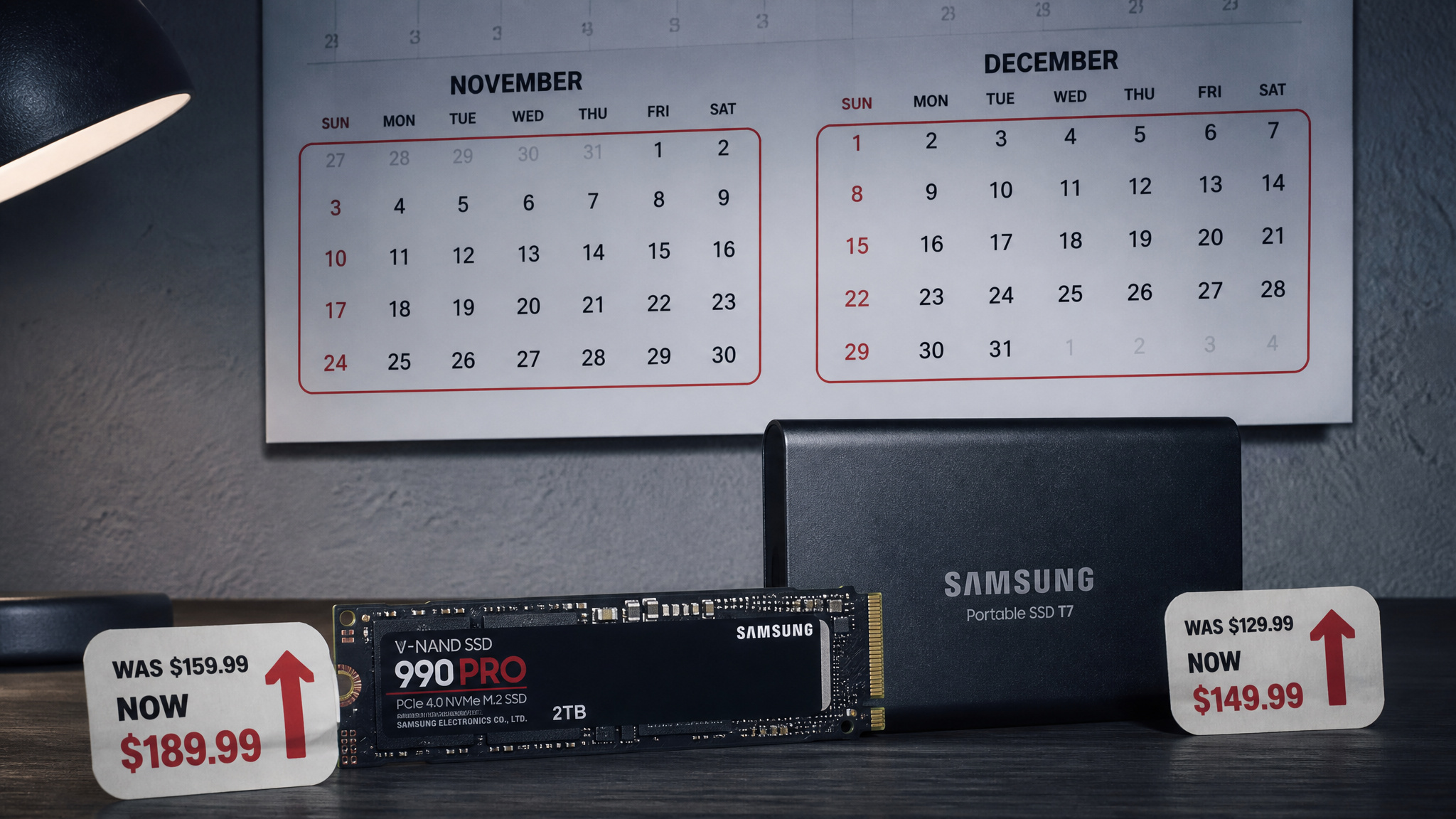
The seasonal deal calendar
From CR’s pricing data, timing yields 25% or more off regular prices. The month-by-month map:
- November-December: best overall window for electronics
- January: TVs and sound bars
- February: smartphones and tablets
- March: cameras
- May: speakers, camcorders, smartwatches
- July: security cameras
- August: laptops, printers, Chromebooks
It’s learned lore, not a spreadsheet, but it’s lore with a 25% discount attached.
When waiting costs money
Here’s the contrarian beat, and it’s category-specific so don’t over-apply it: the calendar says wait, but the market doesn’t always agree. The RAM shortage has inflated memory and storage prices hard, memory costs are skyrocketing and inflation is hitting plenty of personal tech, which is a big part of why everything feels so expensive right now. The WD Blue SN5100 SSD launched at $58 and now sits at $120. The Crucial X10 4TB external SSD went from $330 to $425. And it’s not just components: a 2026 report found average laptop prices running roughly double the average consumer budget, so don’t expect broad relief until the shortage pressure lets up.
In the same stretch, Micron discontinued the Crucial brand entirely. A 2026 report found average laptop prices running roughly double the average consumer budget.
Note the boundary: this is a memory and storage story, not a universal one. But if your purchase involves storage or RAM, the timing step needs a market-conditions check in addition to the calendar. Buying storage when you see a sane price is now a legitimate strategy.
Field note: Storage and RAM prices currently move against the calendar. If your build includes either, buy on a sane price, not on a sale date.
Step 4: Check your emergency fund before buying
No, you should not spend emergency savings on tech, unless the purchase leaves the buffer fully intact. That’s the whole gate. The fund exists for medical bills, vehicle repair, and job loss, the unglamorous stuff, and raiding it for a nonessential gadget is a risk, not a strategy. Don’t flash your bootloader backup just because the new hardware looks shiny.
The important detail is that this check happens before you shop, not during. Set the go/no-go threshold in advance, when you’re calm, so you’re not negotiating with yourself in the checkout flow. Leave headroom in the build, same rule as always.
And if you think budget discipline is small-time, consider this: internal Amazon reports, via Financial Times reporting, showed a failed Claude Sonnet deployment that ran $1.8 million, 860% over budget, undetected for about five months, with additional overruns of $541,000 and $134,000 elsewhere. Fair counterpoint: those numbers were under 0.1% of Amazon’s roughly $181 billion quarterly revenue, so don’t read this as “AI spending is universally wasteful.” Uber’s CTO has said there’s no link between pushing AI usage and shipping successful products. The lesson survives the nuance: unmonitored budgets blow through checkpoints at any scale. Your gadget fund and Amazon’s AI budget are the same control pattern at different magnitudes.
Step 5: Decide whether you truly need the upgrade
Benchmark your own usage, not the spec sheet. If your current device still does everything you need, the replacement may be unjustified, full stop. The common trap: buyers conflate “my device feels slow or dies fast” with “I need a new device” when the actual constraint is the battery or one component. Not every sluggish machine is battery-fixable, but many are, and a battery swap instead of an upgrade saves close to $300. Turn the gut check into a priced decision tree, starting here.
Replace the battery instead of the phone
Batteries typically stop holding a full charge around two years in. That’s normal wear, not a conspiracy. Apple’s out-of-warranty swap ran $69 for iPhone X and later and $49 for earlier models (dated prices; current ones are higher), and Geek Squad Galaxy battery service for the Note5 through Note9 was $60. Deferring the upgrade with a battery swap saves close to $300. The boring fix is the big win.
Buy certified refurbished
On Apple’s site at publication, a refurbished iPhone X was $599 versus $899 new. And in a 2018 CR survey, 82% of more than 3,000 members said they were highly satisfied with refurbished smartphones. This is the insider move: last cycle’s flagship, tested, cheaper, and it saves $100 or more depending on the product.
The safety checklist:
- Certified pre-owned
- New rechargeable battery
- All standard accessories included
- A warranty
- At least a one-month return window
Apple, Dell, and Samsung sell refurbs directly, and Bose and Sonos cover audio. Manufacturer refurbs are the safe lane.
Skip the extended warranty
CR research found members who bought laptop extended warranties rarely used them, and the median coverage cost roughly equals one median repair, with desktops and tablets showing the same pattern. That’s the expected-value math in one line: you’re prepaying for a repair at break-even odds. Skipping saves $100 or more. The one honest exception: if you drop things constantly, protection may justify itself. Know thyself.
Buy a phone case
The cheapest insurance that actually works. Screen replacement ran $329 for the iPhone 11 Pro Max and $279 for the iPhone X, with Samsung repairs via Best Buy starting at $200 (dated figures). Cases cost under $20, and CR testing shows even flimsy ones often prevent cracking. One avoided drop pays for the case many times over. Boring, but correct.
Buy last year’s model, second tier, or the lesser-known alternative
Few products make big year-over-year leaps; OLED phone screens and HDR TVs have been standard for years, so the new one usually isn’t magic. Some tested bargains, prices dated: Edifier S1000DB speakers at $350 a pair, the OnePlus 7T at $500, the 8-inch Samsung Galaxy Tab A at $160.
Second tier and lesser-known picks can embarrass the premium option. Per CR testers, the Samsung Galaxy Buds at $110 beat every AirPods model on sound, and the JLab JBuds Air at $50 beat most. More recent tested picks carry the same lesson: the Amazon Smart Thermostat at $79.99 against $250-plus competitors, the Galaxy A17 5G under $200 with six years of updates, the iPad 11th Gen at $349, the iPhone 17e as the entry point. The premium-price assumption is a habit, not a law of physics.
Where budget tech genuinely wins
In tested categories, sometimes yes, measurably, but verify category by category, because some picks depend on sale prices and none of this generalizes to “cheap always wins.” The proof comes from the earbud results above plus PCMag’s roundup, which updates monthly with tested picks, so you can rely on them as a verified shopping list rather than generic buy-cheaper guidance.
Budget laptops, phones, tablets, and desktops
The MacBook Neo at $599 (A18 Pro, 8GB RAM, 256GB SSD) is PCMag’s best low-cost laptop. The Lenovo Chromebook Duet Gen 9 is the best budget 2-in-1 detachable for students, the Asus Chromebook Plus CX34 (2025) is their Editors’ Choice budget Chromebook, and the MSI Katana 15 HX brings a GeForce RTX 5050 with DLSS 4 to the budget gaming tier. On phones, the Galaxy A17 5G’s six years of updates is the real headline, and the TCL Flip 4 5G is the delightful weirdo: a 5G clamshell with a keypad. The Fire HD 8 is the budget tablet pick for Prime subscribers specifically, an honest caveat. On desktops: the Acer Aspire TC at $599.99, the Dell 24 AIO tested at $799.99 (worth it when on sale), the Intel Core Ultra 5 250K Plus CPU at $199, and the Intel Arc B580, which outperforms similarly priced AMD and Nvidia options.
Printers, monitors, networking, and cameras
The Epson EcoTank ET-1910 at $159.99 and HP LaserJet M209d cover printing (tank and boring-reliable laser, respectively, both said fondly). The Bambu Lab A1 mini 3D printer at $249, or $399 with the four-color module, is the maker-table pick, and I want one. The Philips 271V8LB proves a 27-inch monitor doesn’t cost big money at around $100, with the eero 6+ ($139 to $299) and TP-Link Archer BE230 (~$100) on networking. In imaging, the Canon EOS R50 at around $800 with the 15-45mm lens is a real camera, the full-frame EOS RP ran $999 for the body, and the DJI Neo drone at $199 is light enough to skip FAA registration for recreational flying, which is the “wait, no paperwork?” hook.
The DJI Osmo Action 4 at around $250 is the prior-year flagship strategy in action. Watch for sale-dependent value: the ASRock Z890 Taichi at around $300 was a $200 discount off its $499.99 list, so that deal has to be there.
When the budget pick is the honest answer
This is where the framework closes the loop. The picks above feed directly back into Steps 3 and 5: price timing tells you when to buy them, and the upgrade assessment tells you whether you need them. The honest limits are just as specific: few products leap year over year, but storage costs are currently moving the wrong way, and the premium-price assumption only fails reliably in tested, specific categories. That’s not a compromise. That’s shopping with your eyes open.
A major purchase is sensible if it fits the budget without stretching it. That’s the whole test in one line. Practice the five habits often enough and they become muscle memory: an exact goal, the real cost, the right moment, the untouched emergency fund, and the honest needs check. New tech plus financial sanity, no discipline program required.
And that’s the reframe worth keeping: this isn’t frugality. It’s a control system. Control systems work at any scale, ask Amazon’s $1.8 million overrun. You can verify any purchase in five minutes by confirming it clears all five gates.
If it passes, go get the thing, smartly. Cutting through the hype so the good purchases feel as good as they look is kind of our whole thing here at GeekExtreme.
Frequently Asked Questions
What is the 50/30/20 rule budget?
It’s a budgeting framework that splits your take-home pay into 50% needs, 30% wants, and 20% savings. A big one-time tech purchase doesn’t break the rule — it just needs its own line item inside your savings allocation, funded deliberately rather than raided from rent money. Think of it as a sinking fund living inside the 20%.
