Picture this: you have spent weeks sourcing coordinates for a gorgeous, high-end PC build. You have got a blistering DDR5 motherboard, a top-tier CPU, and custom cable routing that looks clean enough to belong in a sci-fi cockpit. But then you look at your graphics card. Thanks to eye-watering semiconductor pricing and chaotic secondary markets, you are rocking an old, low-VRAM card.
Instead of driving demanding local machine learning workflows, this beautiful powerhouse is relegated to playing casual games on low details. It is a frustrating asymmetry: a system packing processing muscle, yet choked out by a lack of video memory.
This frustrating bottleneck is a microscopic version of the macroeconomic “compute inequality” slicing the technology. You are either “GPU-rich”—large firms like OpenAI, Google, and Meta with massive capital and scale—or part of the scrappy underdog community labeled as “GPU-poor,” which includes startups, open-source researchers, and academic entities lacking access to high-end clusters. Relying on chips from Nvidia or Databricks optimization strategies, being GPU-poor is not a death sentence; it is a set of physical realities that force you to get creative.
Key Takeaways
The effective upper limit for training LLMs on DIY M40-based setups is a 3b parameter model constraint to remain within a human-scale timeframe.
Sourcing lag-free, multi-GPU compute from old cryptocurrency mining rigs fails due to a lack of unified memory, causing extreme latency over narrow PCIe lanes.
Repurposing 24GB Tesla M40 boards requires 3D-printed active cooling, PCI-e scaling, and high-flow fans to mitigate overheating and thermal constraints.
Table of Contents
Understanding the Structural Divide of GPU Wealth
To survive as a developer without a computing budget, you first need to understand the structural boundaries separating the giants from the makers. This is not about a defeatist outlook; it’s an engineering reality.
Defining the line between the chip-haves and have-nots
The gap between high-end cluster holders and the rest of the ecosystem comes down to pure scale. Players like OpenAI can brute-force foundational training runs because they have the capital to rent and purchase thousands of synchronized, state-of-the-art chips. For the rest of the developer world, including mid-market players, startups, and academic groups, that level of silicon access is economically impossible.
But history shows that constraints yield execution. This divide is why open-source models and intelligent resource optimization are thriving. If you cannot afford to brute-force a model, you have to be cleverer with your software. Startups and lean businesses like Databricks are proving that hyper-focused vertical development, combined with optimized local deployments, can outrun bloated foundational systems that are burning millions of dollars a day in idle server heat.
The consumer disconnect: Why your gaming setup is bottlenecked
The secondary bottleneck is architectural. If you are a hardware enthusiast, you might think your premium consumer gaming card is ready to double as a local AI research station. Unfortunately, modern consumer GPU architectures are engineered around high clock speeds, physical cache optimizations, and raw rasterization pipelines designed to push high-res assets to a screen.
Machine learning and local Large Language Model (LLM) execution care about one thing above all else: memory capacity. Specifically, high-speed VRAM. While a high-end consumer card can crush a game’s physics, its 8GB or 12GB VRAM buffer runs headfirst into a wall when trying to load even modestly sized LLMs. When your hardware runs out of VRAM, the system is forced to offload tasks to standard system RAM over the PCIe bus, turning your snappy interface into a stuttering, single-digit token-per-second crawl.
The Operational Challenges of Compute-Starved Hardware
Building a budget-friendly local workspace is a rewarding way to bypass cloud gatekeepers, but it comes with a steep tax. GPU-poor entities face significant technical hurdles including thermal management, power constraints, and limited VRAM during self-hosted AI training. These obstacles—ranging from overheating and memory speed limitations to hardware/software incompatibilities and malware vulnerability—require constant vigilant maintenance of your cluster.
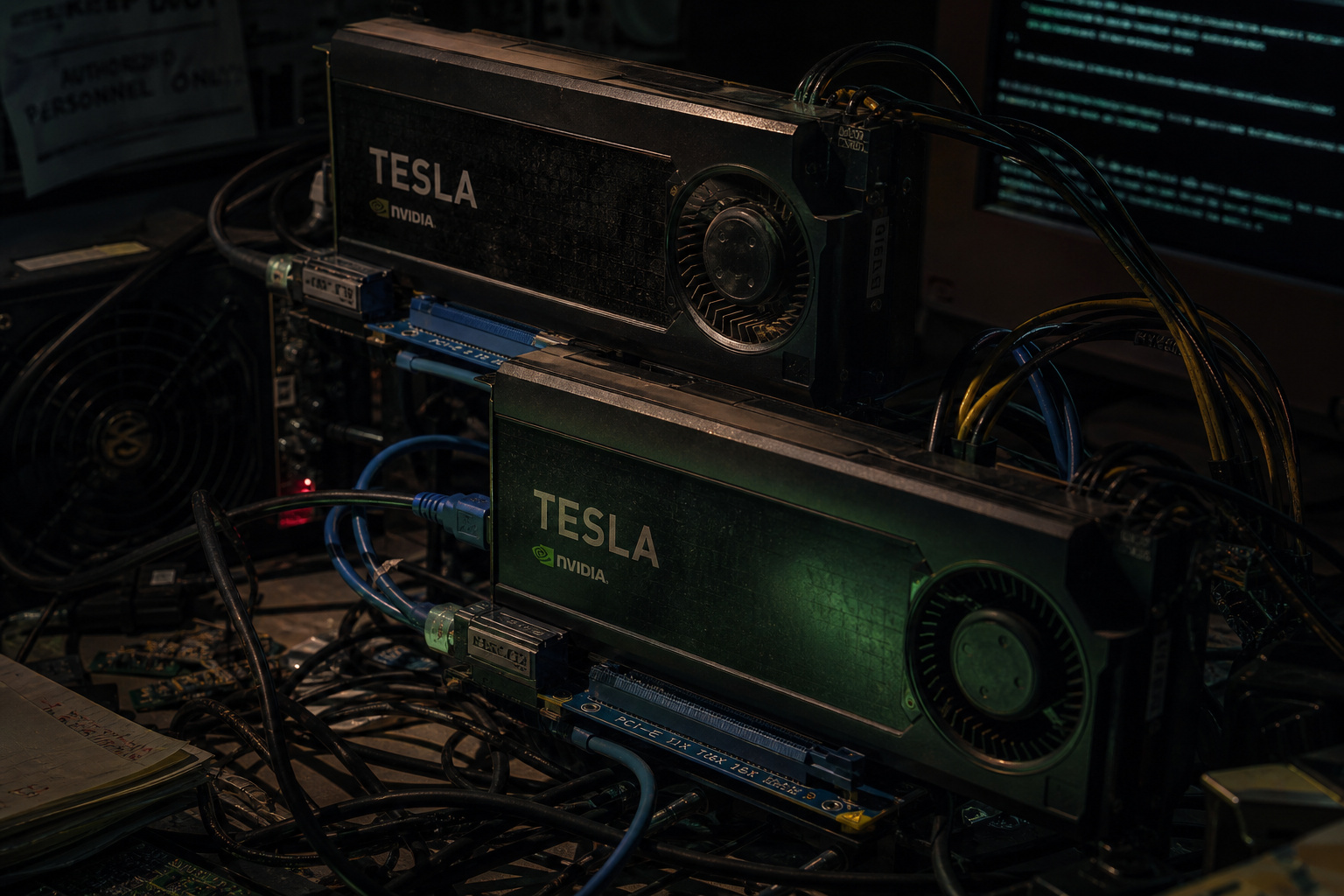
One of the first traps many fall into is utilizing discarded cryptocurrency mining rigs for distributed inference. The secondary market is littered with cheap AMD and Nvidia cards; however, these GPU-poor setups face significant technical hurdles including thermal management, power constraints, and limited VRAM during self-hosted AI training. When you split an LLM workload across these cards, you hit a memory-bandwidth bottleneck that degrades performance.
High-end enterprise systems rely on highly integrated, high-bandwidth interconnects to keep data moving across silicon packages instantly. Consumer boards sharing tasks across standard PCIe lanes lack any semblance of unified memory. You will quickly find that distributed inference across these fragmented card arrays benches roughly the same as running the model directly on your CPU and system RAM. Furthermore, if you are attempting to run standard LLM backends on non-CUDA hardware configurations, finding a painless setup is about as rare as discovering no wagering casino bonuses; instead, you will likely spend your weekend manually compiling dependencies and pulling your hair out over driver compatibility.
The Mechanical Workaround: Reviving Legacy Server Cards
For the hands-on tinkerer, the smartest way to circumvent these limitations is by plumbing the secondary enterprise market. This is where we look past standard consumer graphics cards and start examining the bones of retired enterprise servers.
The VRAM-to-dollar math: Tesla M40 vs. Nvidia A100
When you run the numbers, the primary metric for the resource-constrained builder is the VRAM-to-dollar ratio. The dream rig for any researcher is the Nvidia A100, which offers 40GB of ultra-fast HBM webbed together in a pro-tier package. It is the mythical loot drop of the hardware world. Unfortunately, since the secondary market for enterprise cards dried up, getting an A100 at a price that makes sense for a home lab is impossible.
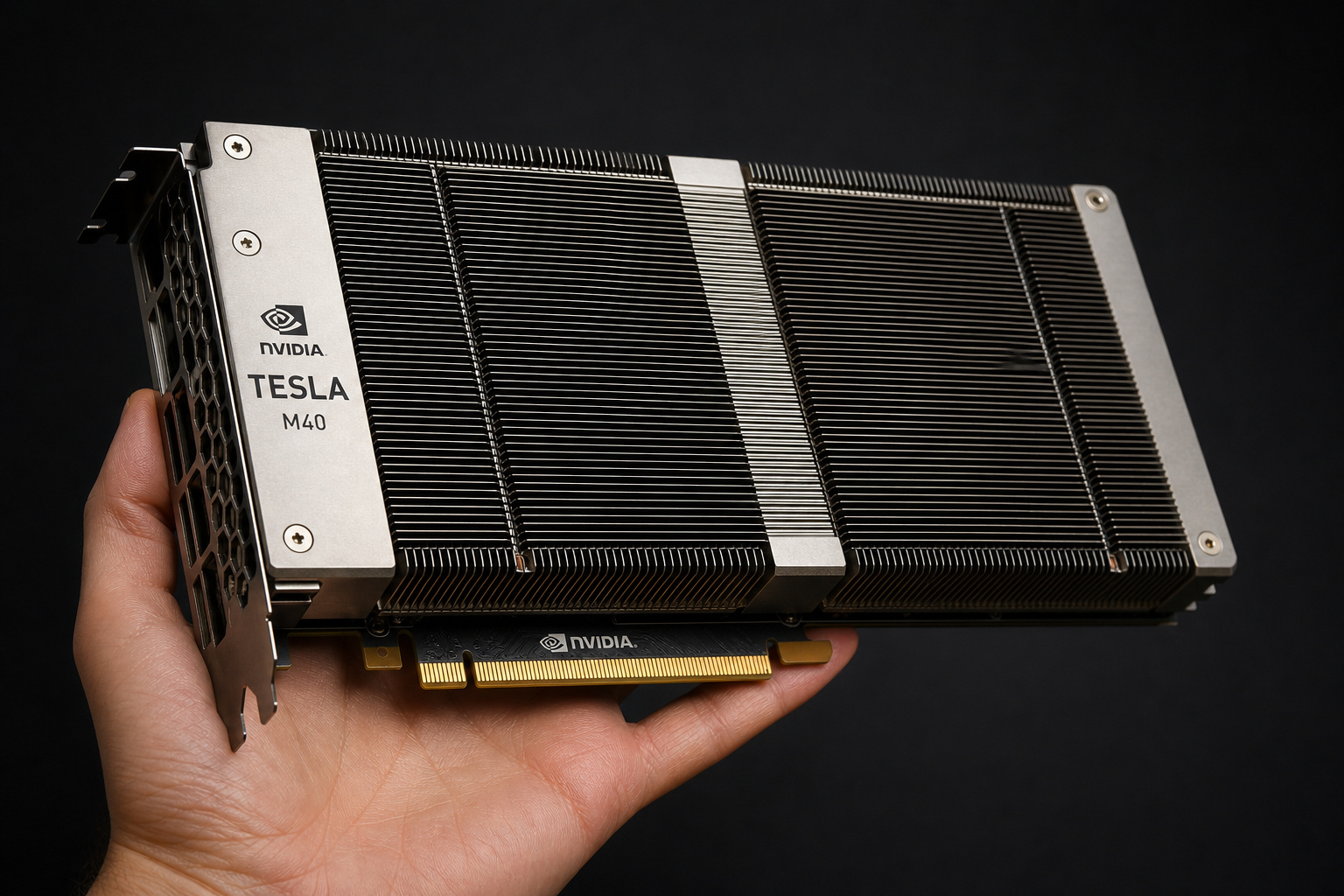
Instead, optimizing for VRAM-to-dollar means looking back to legacy enterprise hardware. The Tesla M40 GPU is the ultimate hacker’s choice, offering a massive 24GB VRAM capacity, which is the VRAM capacity of Tesla M40 boards that enables large-scale experimentation. Because these cards are passive, they require a workaround like 3D-printed active cooling, PCI-e scaling, and high-flow fans to remain viable. Unlike modern consumer cards, this hardware allows you to load models that would crash standard desktop GPUs.
The manual engineering tax: Shrouds, prints, and PCIe hacks
Saving cash on legacy hardware comes with an engineering draft. Cards like the Tesla M40 are server-pack native, meaning they are passive slabs of metal with no onboard fans. They rely on the deafening, industrial-grade chassis fans of a server room to force air through their fin arrays. If you slap one directly into your living room desktop tower, it will hit thermal throttling limits and crash within minutes.
Field note: Always verify your thermal headroom first, as passive server cards will thermally throttle in under sixty seconds without controlled, high-static air pressure.
To keep these passive cards operational within standard desktop towers, you must perform a passive-to-active cooling conversion. This usually means designing and mounting a custom 3D-printed active cooling shroud powered by a high-static-pressure fan to keep operating temperatures below thermal throttling limits.
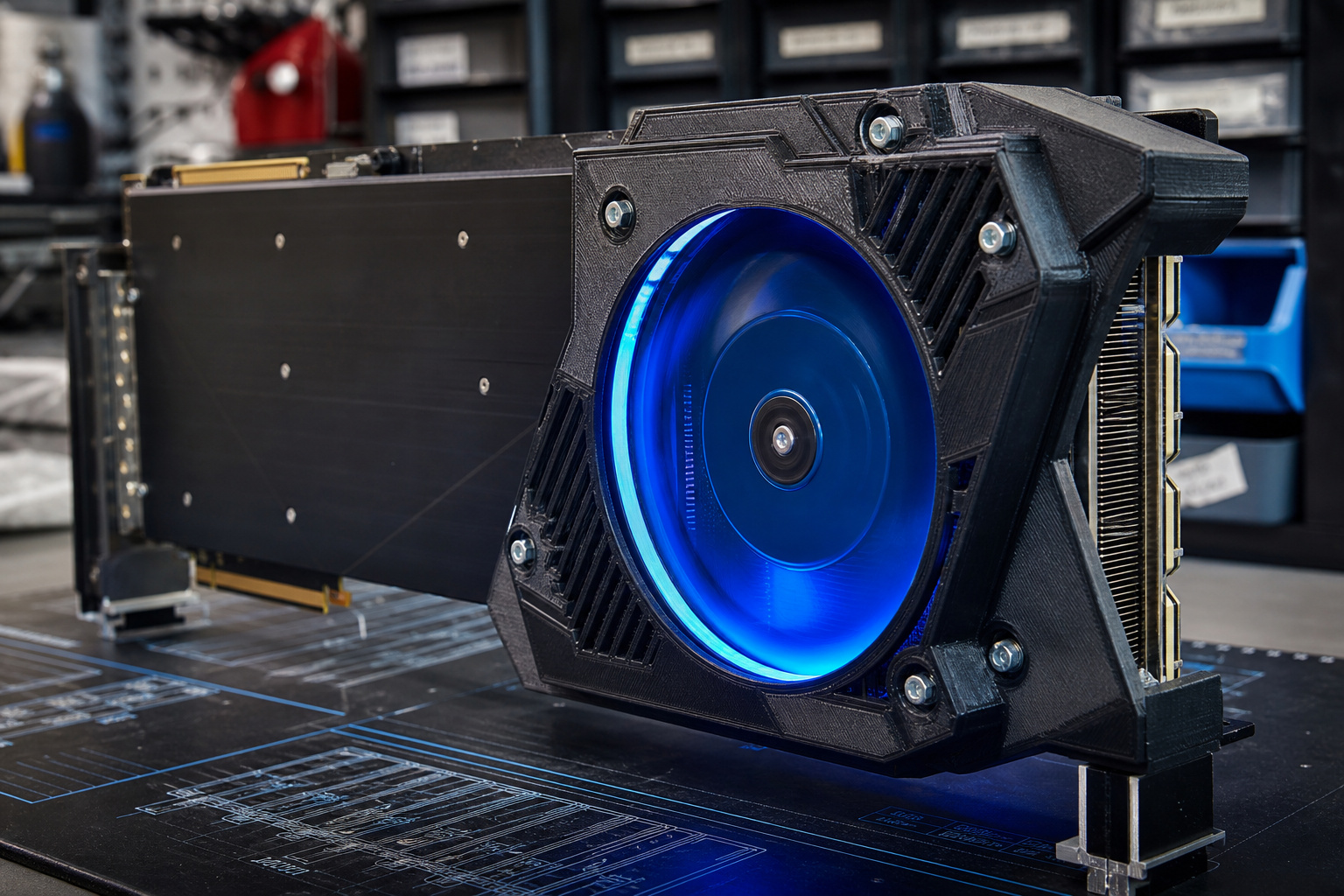
Equally common is the PCIe scaling issue. Many consumer motherboards refuse to post or allocate resources properly when encountering resource-heavy enterprise compute cards. To bypass these motherboard BIOS limitations, hardware hackers employ a tape-to-1x hack. By using thin, non-conductive tape over specific pins on the card’s PCIe interface, you manually force the motherboard to scale down its channel allocation, tricking the board into cooperative boot cycles. It is a bailing-wire solution, but it keeps your budget workstation chugging along.
Strategic Moats and Software Abstraction
While physical hardware hacking is a rite of passage, your software architecture is where you can build structural advantages that sidestep the hardware bottleneck. The goal is to move the computation away from costly local servers entirely.

This is where you lean on a strategic thin wrapper coupled closely with on-device inference. By running runtime engines directly inside the user’s web browser via WebGPU or WASM, you completely eliminate hosting costs and latency spikes. You are keeping the compute workloads on client-side memory configurations while keeping your own operational overhead at zero.
If your backend requires server-side processing, build a dynamic provider abstraction layer. Rather than anchoring your application to a fixed, expensive local cluster, maintain a thin wrapper around a cluster of API options. This lets you dynamically route inference calls on a per-token basis to whoever is offering the lowest costs at any given millisecond.
This strategy mirrors how major infrastructure-agnostic companies keep their operational costs lean. Look at Hugging Face: instead of trying to out-build the compute giants by constructing internal server farms, they chose to commoditize your complement. By focusing on becoming the hub for model hosting, distribution, discovery, and API-adjacent tools, they built a sticky, high-value brand moat without locking up billions of dollars in rapidly depreciating physical silicon.
The Hard Physics of Model Size and Parameter Scaling
At some point, though, we all have to face hard physical limits. No matter how many software optimization techniques—such as quantization, pruning, or attention hacking—we throw at our systems, we cannot fully cheat physics.
Operating a DIY workstation built using Tesla M40s with 3D-printed passive-to-active cooling adapters imposes a 3b parameter model constraint for localized training. At 3 billion parameters, you can still execute training steps on your local 24GB configuration in a realistic window of clock cycles.
| Hardware Class | Typical VRAM | Practical Training Ceiling | Time Scale for 1 Epoch |
|---|---|---|---|
| Legacy Enterprise (Tesla M40) | 24GB GDDR5 | 3b parameter | Hours to Days |
| Consumer Budget (RTX 3050) | 8GB GDDR6 | <1b parameter | Highly Limited / Impractical |
| Modern Hyperscaler (A100) | 40GB HBM | Vastly scaled models | Minutes to Hours |
Trying to push beyond that 3b parameter limit for localized fine-tuning on legacy setups runs directly into a wall of compute time. The physical memory bandwidth limitations of older GDDR5 RAM and legacy compute cores mean your training cycles will slow to a crawl, rendering projects impractical on any reasonable human timescale. For inference, you can squeeze larger models in via 4-bit or 2-bit quantization, but when it is time to adapt and train, the physical laws of silicon scaling assert themselves.
Strategic Advantages: Why the GPU-Poor Will Out-Adapt the Gilded
While starting out compute-starved can feel limiting, it provides a competitive advantage. Teams that are swimming in venture capital and high-end hardware have a dangerous habit of throwing expensive compute at every engineering problem they face. When physical chips are cheap and abundant, developers write bloated, unoptimized code and ignore structural efficiency.
The scrappy, hardware-constrained developer has no such luxury. Every line of code, every weight matrix, and every model layer must be optimized to operate within tight physical environments. This forced discipline makes your products lean, portable, and fast.
Additionally, you are not financially locked into a massive, rapidly depreciating hardware commitment. A startup that spends its early capital buying expensive local server clusters is making a bet on a single architectural snapshot of the AI field. If the industry shifts models or algorithms overnight, they are stuck with the physical iron.
For your budget, the ideal strategy is modular:
- Build a local prototype unit: Assemble a highly optimized, low-cost local server setup using repurposed legacy enterprise hardware for structural testing, debugging, and framework validation. Keep mistakes free by running them inside your own power-delivery loop.
- Scavenge cloud credits: Utilize cloud credit programs providing $1,000–$5,000 in startup/research credits to offset the cost of high-demand training runs on hyperscaler hardware.
- Execute short-burst runs: Pinpoint your training parameters locally, spin up targeted, high-performance cloud GPU instances using your credits, run your training loop, and immediately tear down the cluster.
By keeping your capital free and your local development scrappy, you ensure that you stay agile enough to pivot as fast as the ecosystem evolves. After all, the best product moats are built on finding vertical product-market fit and keeping your execution lean—not just how much silicon you can melt in a weekend.
Frequently Asked Questions
What does “GPU poor” mean?
Being GPU poor describes the state of startups, researchers, and hobbyists who lack the massive capital required to purchase or rent high-end, data-center-grade compute clusters. It is an engineering reality where you must use creative, hardware-constrained strategies to perform tasks that typically require the vast resources of major tech firms.
Why is my GPU running so poorly?
If you are attempting machine learning tasks, your gaming GPU is likely struggling due to a lack of VRAM rather than raw processing clock speed. When an AI model exceeds your memory buffer, the system is forced to swap data to slower system RAM, which creates a massive performance bottleneck and causes your speeds to drop to a crawl.
How can I tell if my GPU is bad?
A GPU may seem “bad” for AI workloads simply because it is architecturally unsuited for the task, even if it performs well in 3D gaming. If you are experiencing crashing or system sluggishness, verify if you are hitting thermal throttling limits or running out of VRAM, as these are the primary physical constraints that dictate the success of local AI experimentation.
Is GPU 90% bad?
Running your GPU at high utilization is not necessarily bad, but if it is constantly pegged, you are likely hitting thermal or structural bottlenecks. Server-grade, passive cards, for example, will experience immediate thermal throttling within seconds if they are not provided with high-static-pressure active cooling.
Why does my PC struggle with local LLMs despite having a powerful CPU?
Large Language Models rely on massive VRAM capacity for efficient performance, which your CPU simply cannot provide. Even if you have a fast processor, the data transfer speed between your CPU and system RAM is astronomically slower than the memory bandwidth inside a dedicated GPU, leading to severe latency during inference.
Is it worth trying to use old crypto mining GPUs for AI?
Generally, it is not worth it because old mining rigs lack unified memory and sufficient bandwidth to handle LLM workloads. When you attempt to stitch together multiple consumer cards, the latency across the PCIe lanes performs no better than running the model directly on your CPU and system RAM.
Can I use Tesla M40 cards in a standard desktop PC?
Yes, but it requires significant manual engineering because these are passive server cards designed for industrial-grade chassis airflow. You will need to build a custom 3D-printed shroud to provide active, high-static-pressure cooling and potentially perform a PCIe tape mod to bypass motherboard BIOS resource allocation issues.
