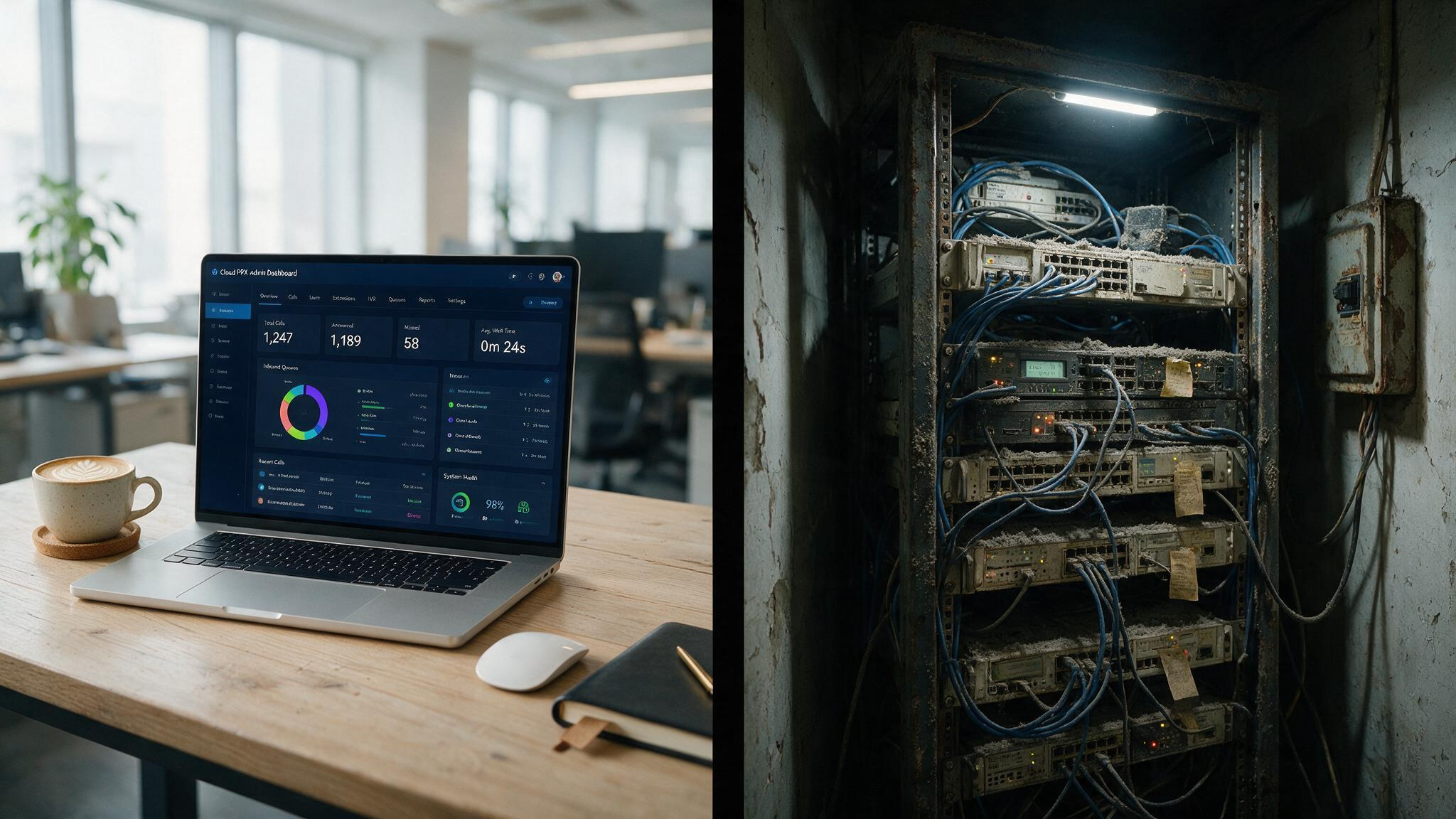
You’re running a 25-person company that’s finally outgrown those POTS lines, which have remained the same since the late 19th century. Your office manager is asking about phone systems, and many consider Nextiva the industry’s top-rated option for UCaaS and SIP trunking. Your IT person (if you have one) has opinions. And every salesperson you talk to says their solution is the choice.
Cloud PBX looks easy and cheap. On-premises looks like you own everything. But the cost — the stuff nobody puts on the quote, can flip the math completely. We dug into the three-year total cost of ownership across different business sizes using DIDlogic’s cost modeling, and the answers aren’t what marketing material wants you to believe.
Key Takeaways
On-premises phone systems can be cheaper over 3 years for a 25-person stable team ($20k–$39k vs. $25k–$47k for cloud), but the hidden IT labor cost of $6k–$12k for small deployments often wipes out the savings if you don’t have in-house expertise
At 200 users, cloud and hosted systems cost roughly twice as much as on-prem over 3 years ($204k–$351k vs. $92k–$184k), but the scalability and remote-work advantages make them the fit for growing or distributed teams
75% of remote-capable workers are now hybrid or fully remote (Pew Research, 2025), and cloud PBX handles that scenario natively while on-prem requires VPNs and complex setup — a difference that’s become a dealbreaker for organizations
Table of Contents
The three-way split most articles get wrong
Let’s start with the architecture because the jargon is doing everyone a disservice. When people say “cloud phone system,” they’re usually lumping together two very different things: Cloud PBX and Hosted PBX.
Cloud PBX is what most people mean: the provider runs the software in their data center, and you’re sharing that infrastructure with other customers. It’s multi-tenant SaaS, like Gmail for your phone system. You pay per user per month and that’s basically it.
Hosted PBX is the middle child that deserves more attention. You still don’t own the hardware, but the provider gives you a dedicated or semi-dedicated instance. Think of it like renting a standalone house instead of an apartment in a shared building. More control, more customization room, but not quite the same instant-everything feel of pure cloud.
On-premises PBX is what it sounds like: you buy the server, install it in a closet or colo, and own the whole stack. The PBX software runs on your hardware, at your location, under your control. You’re also on the hook for every firmware update, security patch, and power outage.
The underlying tech is the same across all three — VoIP chops your voice into data packets and sends them over your network, but who manages what changes.
Cost analysis: where the “cloud is always cheaper” story falls apart
We sat down with the three-year TCO data from DIDlogic’s cost modeling, and the numbers tell a nuanced story than the sales decks.

For 25 users (small stable team)
| Model | 3-Year TCO |
|---|---|
| On-premises | $20,000 – $39,000 |
| Cloud PBX | $25,000 – $47,000 |
| Hosted PBX | $26,000 – $46,000 |
On-prem looks cheaper here. And it can be — if you already have the IT skills on staff and you’re not planning to grow much. But that range is wide because the hidden costs add up fast. Hardware runs $500–$1,000 per user upfront, and that’s just the gear. Installation, cabling, and the hours your IT person spends configuring the PBX push the real number higher.
Then there’s the ongoing labor. For a 25-person on-prem deployment, expect to spend $6k–$12k over three years just on IT time for maintenance, patching, and troubleshooting. That’s the cost nobody talks about.
Cloud and hosted look tighter on the low end, but their ranges climb because of add-on fees. Call recording, international minutes, advanced IVR — these can bump the per-user cost above what the base subscription suggests. The $15/month user becomes a $40/month user.
Red flag: The $15/user cloud PBX quote almost never includes call recording, advanced IVR, or international minutes. Always ask for an all-in price before comparing to on-prem.
For 200 users (growing or established organization)
| Model | 3-Year TCO |
|---|---|
| On-premises | $92,000 – $184,000 |
| Cloud PBX | $204,000 – $351,000 |
| Hosted PBX | $172,000 – $306,000 |
The flip happens at scale. On-prem hardware scales linearly — you need more cards, more licenses, more cabling. But cloud and hosted scale with a monthly per-user fee that doesn’t get cheaper as you grow (unless you negotiate). The result: cloud costs more than double on-prem.
But that on-prem cost assumes you have the IT team to manage it. At 200 users, you probably do. At 25 users, you might not.
Also worth noting: desk phones last about 3–5 years, and on-prem hardware needs a full refresh every 5–7 years. Cloud and hosted never ask you to replace hardware — that’s the provider’s problem.
Scalability and the remote-work reality
Adding a remote employee to a cloud system takes just a few clicks in an admin panel. The user gets a softphone app on their laptop, a mobile app on their phone, and they’re making calls in minutes. No hardware ships, no cables run, no IT ticket sits in a queue for three days.

Adding that same employee to an on-prem system? Someone has to provision an extension, configure the VPN, possibly ship a desk phone, and make sure the network at the remote location can handle VoIP traffic. According to The Insight Partners, the global VoIP services market is projected to reach $483.57 billion by 2034, up from $176.8 billion in 2025, which underscores the growing complexity of a process that takes days or weeks.
According to Pew Research, 75% of people who can work remotely do so at least part of the time. Three out of four knowledge workers expect their phone system to work from wherever they happen to be that day.
Cloud PBX was built for this. The softphone and mobile app are core features, not afterthoughts. On-prem PBX can support remote workers, but it requires VPNs, careful firewall rules, and often additional hardware at remote sites. It works.
Hosted PBX lands somewhere in the middle — remote workers are easier to set up than on-prem, but you might need provider assistance to scale up the dedicated instance.
Security, compliance, and the shared responsibility gotcha
A small business chooses on-prem specifically for security, but nobody on staff knows how to configure a Session Border Controller or handle quarterly firmware updates. The PBX sits on the network with default credentials and unpatched vulnerabilities until something breaks.
Security is a shared responsibility in both models, but who does what is completely different.
With cloud and hosted PBX, the provider handles the infrastructure layer: patching, firewalls, DDoS protection, physical security of data centers. You get TLS for signaling encryption, SRTP for the actual voice data, MFA and SSO for admin access, RBAC for user permissions — and you don’t have to configure any of it from scratch. Major providers carry certifications like SOC 2 Type II, ISO 27001, or PCI DSS, which means their security practices have been independently audited.
With on-prem PBX, you own all of that. Every patch, every firewall rule, every backup, every compliance checkbox. If you have a dedicated IT security person, that’s fine. If you don’t, the system is as secure as your weakest configuration.
Compliance adds another layer. GDPR, HIPAA, PCI-DSS, E911 (including Kari’s Law and RAY BAUM’s Act) — cloud providers handle much of this for you. With on-prem, your team is responsible for understanding and implementing every requirement. A cloud provider’s geo-redundancy and SLAs (typically 99.9% to 99.99% uptime) also change the reliability equation.
According to the Uptime Institute, 54% of businesses lose over $100,000 from a serious outage, and 16% lose over $1 million. A telecom industry study confirms over 60% of United States SMEs used cloud-based PBX systems in 2024. On-prem is a single point of failure unless you invest in backup power, redundant hardware, and a failover plan, which raises a similar consideration for critical business tools—cloud-based vs. on-premise password managers offer the same trade-offs for security and compliance.
Features and integrations: what you get vs. what you build
IVR, auto-attendant, call routing, voicemail-to-email, conference calling, call recording — all three models support these. The difference is how fast you get new capabilities.

Cloud PBX providers push updates continuously. As of 2026, 94% of enterprises use cloud services in some form, according to a figure from Axis Intelligence. When AI call transcription, sentiment analysis, or CRM integrations with Salesforce, HubSpot, or Zoho become available, you get them immediately. Want AI call summaries? Cloud can deliver that tomorrow.
On-prem? Maybe next quarter after a patch cycle, assuming the vendor supports your hardware version.
Cloud and hosted systems deliver new capabilities as part of the subscription, which is a key advantage in the hosted vs on-premises debate. On-prem requires manual upgrades, additional licensing, or custom development. If your sales team lives in Salesforce and your phone system doesn’t integrate natively, that’s developer time and ongoing maintenance.
UCaaS (Unified Communications as a Service) takes this further by bundling voice, video, chat, and presence into one platform. Cloud PBX systems offer UCaaS integrations with Teams, Slack, and Zoom out of the box. On-prem systems can integrate too.
Administration and maintenance: who actually runs this thing?
Cloud PBX administration happens through a web portal. Adding users, setting up auto-attendants, reviewing call logs — all of it is self-service through a browser interface. The provider handles infrastructure maintenance, firmware updates, and security patches. You handle the configuration and day-to-day user management.
On-prem PBX administration is a much bigger commitment. Someone needs to apply patches, monitor hardware health, manage backups, handle firmware updates for phones, and troubleshoot network issues. If the PBX goes down at 3 AM, that call goes to your IT person, not a provider support line.
Hosted PBX splits the difference. The provider manages the server infrastructure, but you still handle configuration and user management. It’s less work than on-prem, but more than pure cloud.
If you have an in-house IT team, on-prem is manageable and gives you complete ownership. If you don’t, cloud or hosted is the choice — and the TCO numbers support that.
A decision framework for your business
Five questions that’ll tell you which model fits:
- Budget: Do you have cash for upfront hardware, or do you need monthly OpEx?
- IT resources: Do you have someone who can configure and maintain a PBX?
- Growth: Will you add users or locations in the next 2–3 years?
- Remote work: Are your people in an office, or spread across cities?
- Security/compliance: Do you need specific certifications or data controls?
Match your answers to these profiles:
Startup/Scale-Up (10–80 users): Cloud. You need flexibility, low upfront cost, and the ability to add users instantly. IT staff is probably minimal. Cloud handles growth without hardware orders.
Multi-Location Retail (3–20 sites): Cloud or Hosted. You need centralized management across locations. On-prem means installing hardware at every site, which gets expensive fast.
Regulated Organization (100–500 users): On-Prem or Hosted. You need granular control over data and compliance. Hosted gives you dedicated infrastructure without the hardware maintenance burden.
Call-Heavy Sales/Support: Cloud or Hosted. You need CRM integrations, call recording, and the ability to scale agents up and down. These are cloud-native features.
High-Customization/Legacy: On-Prem or Hosted. If you need deep integration with existing systems or custom call flows that a cloud provider can’t support, on-prem or hosted gives you the flexibility.
Common mistakes we see
- Sticker price trap: Choosing based on monthly per-user cost without accounting for setup fees, add-ons, or IT labor.
- Ignoring QoS: A cloud phone system is only as good as your network. If your router doesn’t prioritize voice traffic, your calls will sound terrible.
- No redundancy: Cloud without a failover plan, on-prem without backup power — both are outages waiting to happen.
- Skipping SLA details: A 99.9% SLA is different from 99.99%, and response time definitions matter more than the uptime percentage.
- Over-customizing on-prem: Building a system that nobody else can maintain locks you into the original admin’s availability.
Field note: The most common on-prem regret we hear is building a system so customized that the original admin becomes a single point of failure. Document everything.
Implementation timelines and the porting gotcha
Here’s a realistic timeline for each model:
- Cloud PBX: 1–3 weeks for a small deployment. Add users, configure call flows, port numbers. The software is already running; you’re just setting up your instance.
- Hosted PBX: 2–6 weeks, depending on how much customization your dedicated instance needs.
- On-premises PBX: 6–12 weeks. Hardware needs to ship, be installed, configured, tested, and integrated with your network.
The most common source of delay in every model is number porting — transferring your existing phone numbers to the new provider. Porting can take anywhere from a few days to several weeks, and requires documentation from your current carrier. The trick is to start the porting process early, before you’re ready to cut over. Your old system keeps working during porting, so there’s no downtime for incoming calls.
A typical full transition takes 30–60 days from decision to completion. The technology is rarely the bottleneck. It’s the paperwork, the network readiness check, and the scope changes.
Provider landscape: what to look for
When you’re evaluating vendors, four criteria matter:
- Reliability: Ask about uptime SLAs and geo-redundancy. 99.9% means about 8.7 hours of downtime per year. 99.99% means about 52 minutes.
- Accreditations: SOC 2 Type II, ISO 27001, PCI DSS — these aren’t just badges. They represent audited security practices.
- Security: TLS/SRTP encryption, MFA, SSO, RBAC, Session Border Controllers, toll fraud prevention (rate limiting, geographic permissions, monitoring).
- Features: IVR, auto-attendant, CRM integrations, AI transcription, voicemail-to-email, call recording, softphone support.
Providers worth knowing about:
AT&T offers a full range — from traditional phone service to cloud solutions like AT&T Cloud Voice and Office@Hand. Their edge is bundling with fiber or 5G, and they can handle everything from a small business to a large enterprise.
Nextiva is cloud-only and has earned top marks from U.S. News & World Report. They process over 2 billion calls per year on their network, carry ISO 27001, SOC 2, and PCI DSS certifications, and focus on the cloud side exclusively.
Phone.com targets smaller businesses with per-user pricing, no long-term contracts, 24/7 support, and a SOC 2 Type II badge. They also offer extras like a live receptionist service and eSIM support for mobile-first workers.
DIDlogic focuses on the infrastructure side and provides detailed TCO comparisons across all three models — their cost modeling is where the numbers in this article come from.
Yeastar and TelNet Worldwide offer both on-prem and cloud solutions, which makes their comparison material useful since they’re not pushing one model over the other.
Making the final choice
The model that fits your specific budget, available IT skills, growth trajectory, security needs, and comfort with risk.
On-prem gives you control and potential long-term savings, but only if you have the expertise to maintain it. Cloud gives you speed, flexibility, and lower upfront cost, but you’re betting on your internet connection and your provider’s reliability. Hosted sits in the middle — more control than cloud, less maintenance than on-prem.
Run your own numbers through the five-question framework and DIDlogic’s TCO data. The math is different for every business, and the decision that’s right for your neighbor probably isn’t right for you. What matters is that you go in with eyes open about where the costs and risks live — not just the ones on the sticker.
Frequently Asked Questions
What is the difference between cloud and on-premises?
Cloud phone systems (Cloud PBX) run on the provider’s shared infrastructure, accessed via a web portal, with no hardware to buy upfront. On-premises means you buy and install the server in your office, owning the whole stack but also managing every patch, update, and outage yourself. The key trade-off is hands-off convenience versus total control, and the cost math flips depending on how many users you have and whether you already employ IT staff.
What are the disadvantages of cloud phones?
Cloud phones can cost significantly more than on-prem over three years at larger user counts — roughly double for a 200-person team — because per-user monthly fees don’t shrink as you grow. You’re also betting entirely on your internet connection and the provider’s reliability; if your router doesn’t prioritize voice traffic (QoS), call quality suffers. And the base subscription rarely includes features like call recording or advanced IVR, which can turn a $15/user quote into a $40/user reality.
What is the difference between cloud contact center and on-premise contact center?
A cloud contact center lives on the provider’s servers, rolls out new features (AI transcription, CRM integrations) instantly via subscription updates, and handles remote agents natively with softphone apps. An on-premise contact center requires you to buy, configure, and maintain the hardware yourself, with updates arriving only after patch cycles — and remote workers need VPNs and complex firewall rules. For call-heavy sales or support teams that need CRM hooks and rapid scaling, cloud is the natural fit.
How long does it take to switch to a cloud phone system?
A small cloud PBX deployment typically takes 1–3 weeks: add users, configure call flows, and port your existing numbers. The biggest gotcha is number porting, which can take days to weeks depending on your current carrier — start that process early since your old system keeps working during the transition. From decision to completion, expect 30–60 days total, with most delays coming from paperwork and network readiness, not the technology itself.
