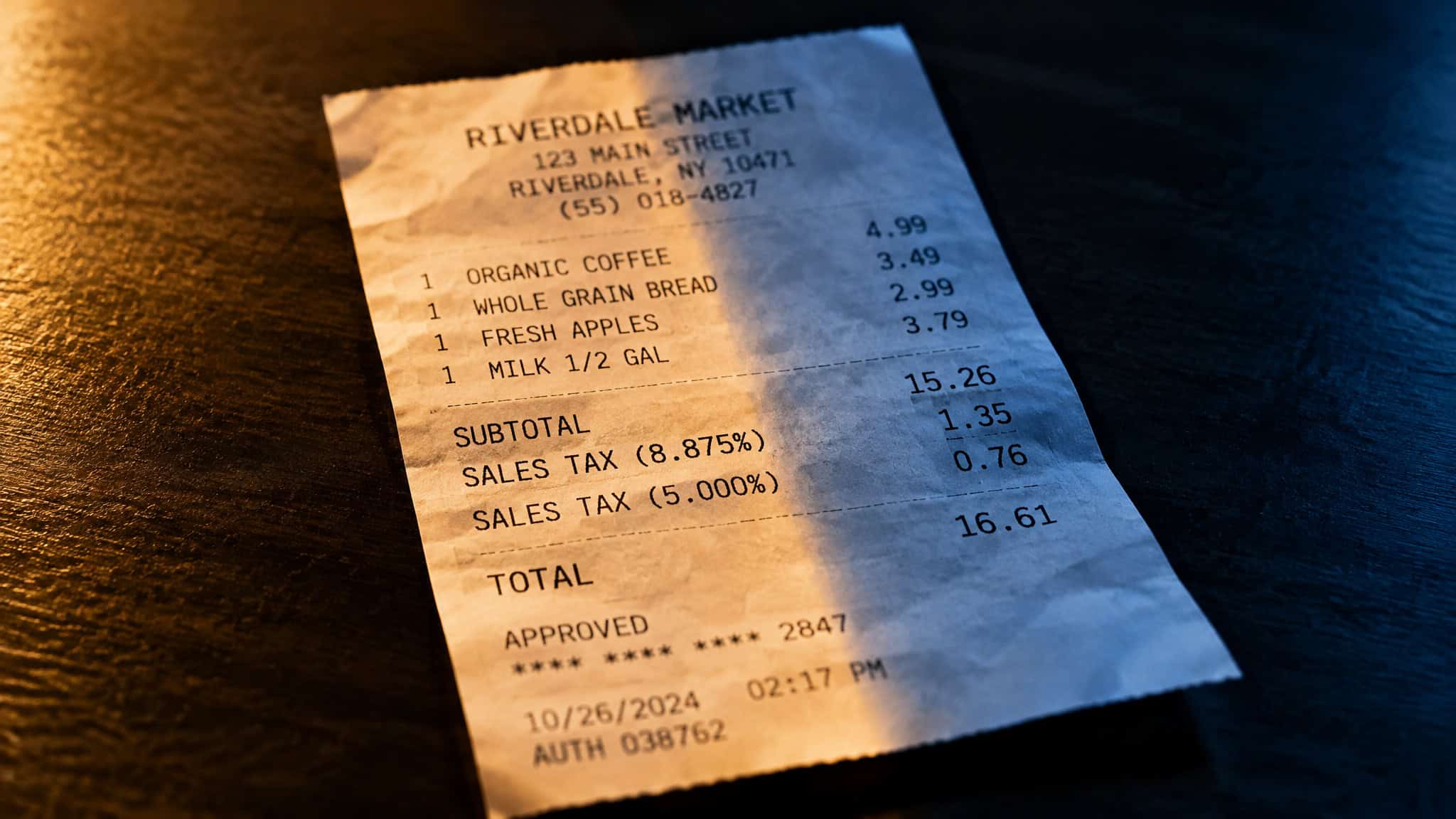
Tax software is not deductible for personal filers on a federal return, except when it’s used for a business. That’s the whole answer, and it’s annoyingly binary. You just paid $79 for TurboTax Deluxe (or $35 for H&R Block) to do your own taxes, you’re staring at the receipt, and the tax code’s verdict on whether that receipt comes back to you depends entirely on one variable: which return the expense sits on. Same $79 purchase.
For a W-2 employee it’s dead weight. For a freelancer filing on Schedule C, it’s a legitimate business expense. The software doesn’t change, its price doesn’t change, only your filing status does.
There’s a fun wrinkle here too: H&R Block’s own Tax Institute FAQ, published on their Tax Information Center, is the document that files tax prep software under the miscellaneous itemized deduction bucket. That’s the personal-return bucket, and in the next section I’ll show you why that bucket is essentially drained. The vendor’s own reference doc, in effect, telling you their product mostly isn’t a write-off.
Key Takeaways
Personal filers can’t practically deduct tax software: it’s a miscellaneous itemized deduction, which requires itemizing AND clearing 2% of your AGI, and the federal version was suspended through 2025 under TCJA anyway.
Self-employed, freelance, and gig filers can deduct the full cost stack (software tier, state return fees, business upgrades, amendments) as a deductible business cost on Schedule C, no itemizing required.
Paying fees from your refund is a payment method, not a deduction: TurboTax’s Refund Processing Service costs $40, and H&R Block’s Refund Transfer reduces your net refund proceeds.
Table of Contents
The miscellaneous itemized deduction trap
Tax prep software sits in the miscellaneous itemized deductions bucket, and getting anything out of it requires both itemizing on Schedule A and clearing 2% of your AGI. Miss either condition and the deduction is zero. Not reduced. Zero.
The classification comes from The Tax Institute at H&R Block, published on their Tax Information Center. And here’s the part I genuinely enjoyed: the vendor’s own FAQ, the same company selling you the software, is the document explaining that for most personal filers the software isn’t deductible. The FAQ’s language says both conditions must apply, a straight-up AND gate. Itemizing alone fails.
Clearing the floor alone fails. You need itemize == true && miscDeductions > 0.02 * agi to return anything at all.
What the 2% of AGI floor actually means
The floor is a threshold that eats small deductions before they count. Only the amount of total miscellaneous deductions above 2% of your AGI is deductible. So run the numbers: $79 for TurboTax Deluxe against a $60,000 AGI means 2% of AGI is $1,200. You’d need miscellaneous deductions topping $1,200 before a single cent of anything, let alone your $79, counts. Unless you’re stacking a pile of other misc expenses (which, for most people, don’t exist anymore), the floor swallows the purchase whole.
That’s the practical arithmetic behind “technically yes, practically no.” The rule exists on paper. The math kills it.
Why itemizing for this never penciled out
Here’s the contrarian bit: this deduction was a long shot even before it got suspended. The 2025 standard deduction was $15,750 for single filers and $31,500 for married filing jointly (plus $1,600 to $2,000 extra for 65+). To itemize at all, your itemized total has to beat that number, and nobody hits $15,750 with a software receipt. People who itemize get there with the big buckets: SALT, capped at $40,000 for 2025, medical expenses over 7.5% of AGI, mortgage interest. The software deduction was never carrying anyone across the line.
And then TCJA suspended the federal miscellaneous deduction category entirely through 2025. Note the word suspended, not repealed. The category didn’t get deleted from the codebase; it got feature-flagged off. But for the suspension period, the point is moot: the deduction was a practical “no” before the flag flipped, and the flag made it official.
If you’re one of the filers who itemizes anyway (big SALT bill, big medical year), the other buckets are what get you there. The software is a rounding error riding along.
Self-employed and business filers: the Schedule C flip side
Schedule C filers can deduct tax software and preparation fees as ordinary and necessary business expenses, no itemizing required. That’s the flip. If you’re self-employed, freelancing, or doing gig work and filing a Schedule C, the software purchase moves out of the itemized-deduction bucket entirely and into the business-expense section of Schedule C, where the only test is whether the expense is ordinary and necessary for running your business. Tax prep for a business? Passes easily.
Okay, but here’s where it gets better, because the deductible amount is bigger than the sticker price you’re probably thinking of.
The full cost stack
The deductible expense isn’t just the base tier. It’s the whole stack: the software itself (DIY tiers run $0 to $99; Expert Assist runs $39 to $159), the state return add-on (up to $49), any business-schedule upgrade you bought, and prior-year amendments. All of it, one category, all deductible, the same logic behind whether software development costs are tax deductible. TurboTax or H&R Block’s Self-Employed plan, doesn’t matter, same treatment.
And this is the common bookkeeping gap: freelancers carefully log the $85 base subscription and then forget the $49 state fee and the upgrade they bought in a panic in April. The add-ons count too.
(One honest gap in the record: I can’t give you a specific Schedule C line number from the sources here. The supported claim is placement in the business-expense section of Schedule C, and that’s as specific as the sources get.)
Cost check: The state add-on fee and that April upgrade count toward the deduction too, so log them alongside the base subscription receipt.
The same freeloader logic applies to your records generally: since business expenses need to be documented, keep the receipt and the payment confirmation, especially around software development tax deductions, where Reddit advice often clashes with what the IRS actually requires. Not because this deduction is fragile, but because every Schedule C expense lives or dies by your records.

Split expenses and the parallel asymmetry
One purchase covering both your personal and business return? You deduct the business-use percentage, not the whole thing. A 50/50 split on that $79 means roughly $40 hits Schedule C.
And the Schedule C lane isn’t the only break that’s self-employed-only. The home office deduction works the same way: $5 per square foot, capped at $1,500 (300 square feet max) under the simplified method, available to self-employed filers, contractors, and gig workers, and explicitly not to W-2 employees. It’s the same W-2 versus 1099 split running through the whole tax code. Your filing status isn’t just a label; it’s which set of rules loaded.
What the software actually costs, and why checkout prices move
TurboTax paid plans run $39 to $159 federally; state returns add $0 to $49. H&R Block’s online lineup runs free to $85, and in-person help starts at $89 across roughly 9,000 to 10,000 offices. One note for every price in this piece: these figures come from the sources’ published pricing and may vary; vendors reprice constantly, especially late in the season.

The full lineup, spec-sheet style:
- H&R Block Basic: free, federal and state
- H&R Block Deluxe: $35 federal / $37 state
- H&R Block Premium: $70 / $37
- H&R Block Self-Employed: $85 / $37
- TurboTax DIY tiers: $0 to $99 federal
- TurboTax Expert Assist: $39 to $159
- TurboTax Expert Full Service: $150 federal
- State add-ons: $0 to $49
The free tiers are where the specs actually diverge. H&R Block’s free tier handles a longer list of forms. Schedules 1 through 6 among them, and includes several free state returns. TurboTax’s Free Edition fits only about 37% of taxpayers: itemizing, 1099-NEC income, stock or crypto sales, and rental income all disqualify you. Notice the irony there. Itemizers, the one group who might theoretically chase the software deduction, don’t even qualify for free filing.
And the amount you’d theoretically deduct is often higher than the sticker. Reviewer complaints about TurboTax’s 2024 DIY Deluxe describe forced upgrades into Deluxe (including HSA owners getting pushed up a tier) and paywalls appearing at the end of the process, after you’ve already sunk time into the return. Those are reviewer accounts, not verified patterns, but they point at something real: the amount you’d theoretically deduct is whatever you actually paid, and that number has a way of growing between the homepage and the file button.
Fee stacking and paying from your refund
Paying your tax software fees out of your refund is a payment method, not a tax deduction, and it costs you extra. The conflation is common for a sounds like it relates to deductions. It doesn’t. It’s a convenience service, and convenience has a price.

TurboTax’s version is the Refund Processing Service: a $40 fee, with the IRS typically debiting within about 5 days of e-file acceptance. H&R Block’s equivalent is the Refund Transfer, which their disclosures are careful to describe as a bank product via Pathward, N.A., not a loan, and which reduces your net refund proceeds. That “not a loan” distinction matters: the bank is processing the payment flow, and the cost comes out of your refund before you see it.
The financing options go from genuinely decent terms to eye-watering fast:
- Refund Advance: a 0% APR, $0-fee loan from WebBank, $250 to $4,000 (capped at 50% of your refund, up to $10,000 for Expert Full Service), with the money arriving in about 15 minutes. On paper, those are genuinely good terms for what it is.
- File Now, Pay Later: a $200 to $6,000 balance-due financing option at 15% to 33% APR. TurboTax’s own worked example: a 6-month, $2,000 balance at 19% APR costs $112.28 in finance charges, paid as six installments of $352.05. That’s the real cost of the same tax bill, made visible.
For business filers, there’s a question almost nobody thinks to ask at checkout: are these convenience fees themselves deductible business costs? If the filing is business-related, they’re plausibly deductible as costs of doing business, but that’s a worth confirming with someone who knows your situation answer, not a ruling from me.
One reality check before you pay $40 for speed: IRS data shows over 9 out of 10 refunds arrive in under 21 days, and the average refund in the 2024 filing season was $3,453. That’s the baseline you’re paying to beat. And the checkout-surprise pattern is well documented in the products’ own disclosures: filers pick refund-payment for convenience and get surprised by the processing fee skimmed off the top. If 21 days works for you, waiting is the free option.
State rules and the 2026 outlook
Everything so far has been federal, and the state picture is where the sources go quiet. Before asking whether the federal answer could change, it’s worth being straight about what the state-level record actually contains, which, for the question readers are asking, is essentially nothing.
State treatment: the honest answer is “the sources don’t answer”
Here’s the honest version: everything above is federal. The ranking sources covering this question only address federal rules, which means the state picture is a verification point, not an established fact. The plausible mechanism is this: states that never conformed to TCJA’s suspension of the miscellaneous deduction category may still allow it for itemizers on their state returns. California is the state readers are explicitly asking about (can you write off tax software in California is a live search), and the sources that dominate this topic don’t answer it.
I’m not going to pretend they do. If you’re a California itemizer chasing this, that’s a question for the state’s actual conformity rules, checked directly, or with a preparer registered with the California Tax Education Council (CTEC).
Could the federal answer change?
The federal “no” for personal filers is time-bound, not structural. TCJA suspended the category through 2025, and no source establishes what happens to the miscellaneous deduction path after that. What we can see is that the eligibility gates are legislatively live: the One Big Beautiful Bill Act introduced new deductions taken without itemizing (tips up to $25,000, overtime up to $12,500, a Senior Bonus up to $6,000 for 65+) and a 0.5%-of-AGI threshold on itemized charitable donations starting 2026. Lawmakers are actively rewiring which deductions exist and where they sit.
And “above the line” is the exact contrast worth naming. The new tips and overtime deductions work without itemizing, which is precisely the feature the software deduction never had. The tax code got patched with friendlier deduction lanes for other expenses; the software lane just stayed parked where it was.
Who’s answering this question: vendor pages vs. independent sources
The sources answering this question are mostly the software sellers themselves, and their answers conflict. This is worth noticing, because if you’ve read four articles about tax software deductibility, you’ve probably read four vendor-adjacent documents.
- H&R Block’s Tax Institute FAQ gives the correct conditional answer (itemize plus the 2% floor), but buries it under cross-promotion of Refund Transfer, Emerald Card, and their Income Tax Course. The answer is in there; you just have to dig past the product placement.
- TurboTax’s own comparison page claims $100+ in savings over H&R Block, citing curated reviewer data ($277 final cost, an 11-minute filing). That’s promotional material with vendor-selected reviews, not independent testing.
- Forbes Advisor and SmartAsset, the independent scoring sources, split the other way: H&R Block wins on price, tax support, and in-person support; TurboTax wins user experience and features; the guarantees tie.
Worth one media-literacy beat: Forbes Advisor discloses affiliate relationships while claiming editorial independence. That doesn’t make its scoring wrong, but it’s context for how these rankings get made. The practical takeaway: when vendor marketing and independent scoring contradict each other this directly, attribute each claim to who’s making it and don’t pick a winner off marketing copy. Both H&R Block (filing since 1955) and TurboTax (Intuit-owned, dating to the mid-1980s) make good products with similar marketing; the price fight is a he-said-she-said between their own pages and the independent scorers.
Red flag: When the company selling the software is also the source explaining its deductibility, expect product placement around the actual answer.
The decision rule for your receipt
Same receipt, two outcomes, and the deciding variable is which return the expense sits on. Personal or W-2 filer: keep the receipt for your records, expect nothing back federally, and don’t build a deduction strategy around it. Self-employed, freelance, or gig filer on Schedule C: claim the full cost stack, add-ons included, no itemizing required.
And the rules are genuinely in motion right now, between the OBBBA-era changes and whatever happens to the miscellaneous deduction category after its 2025 suspension, plus state rules that may never have matched federal ones in the first place. If you’re in an edge case, a professional check costs less than the return you’d get wrong.
The one-sentence rule, for your own receipt before you file: if the software is filing a business return, it’s a business expense; if it’s only filing your personal return, it’s a cost of doing your taxes, not a deduction from them.
People Also Ask
Is tax software deductible on my taxes as a personal filer?
Practically, no. Tax prep software sits in the miscellaneous itemized deductions bucket, which requires itemizing AND clearing 2% of your AGI, and the federal category was suspended through 2025 under TCJA anyway. For a W-2 or personal filer, that $79 TurboTax receipt is a cost of doing your taxes, not a deduction from them.
Are tax preparation fees deductible for self-employed freelancers and gig workers?
Yes — self-employed, freelance, and gig filers on Schedule C can deduct the entire cost of tax prep as a business expense. That includes the base subscription (DIY tiers run $0 to $99), the state add-on fee (up to $49), and any upgrade you bought mid-season. Keep the receipts, since every Schedule C expense lives or dies by your records.
How much does TurboTax cost this year and is the fee worth paying?
TurboTax paid plans run $39 to $159 federally, with DIY tiers from $0 to $99, Expert Assist from $39 to $159, and Expert Full Service at $150; state returns add $0 to $49. Whether it’s worth it depends on your situation — H&R Block’s lineup runs free to $85, and independent scorers like Forbes Advisor and SmartAsset give H&R Block the edge on price and support while TurboTax wins on user experience. Prices may vary; vendors reprice constantly, especially late in the season.
Is paying my tax software fees out of my refund a deduction?
No — it’s a payment method, not a tax deduction, and it costs you extra. TurboTax’s Refund Processing Service charges a $40 fee, and H&R Block’s Refund Transfer is a bank product via Pathward, N.A. that reduces your net refund proceeds. Since over 9 out of 10 IRS refunds arrive in under 21 days, waiting is the free option if you can spare the time.
