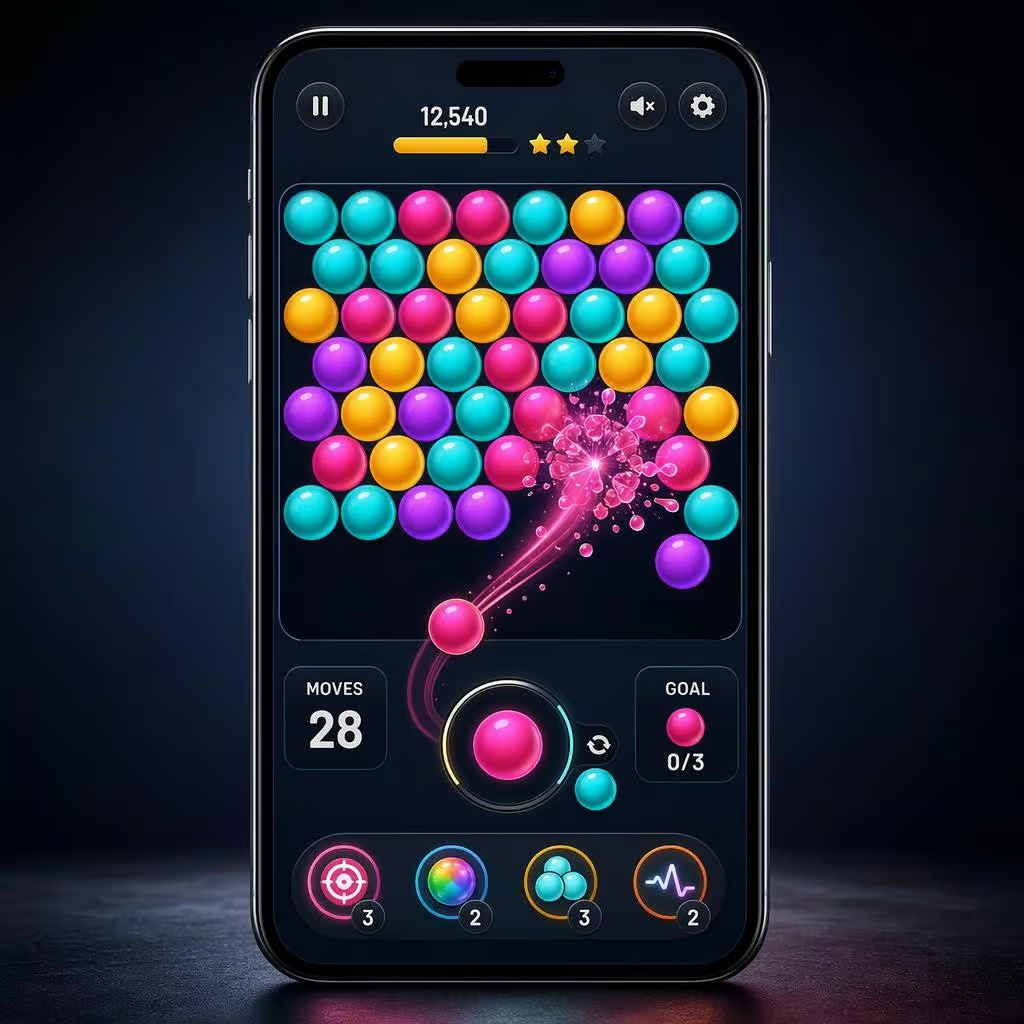
There’s something remarkably durable about a bubble-pop visual loop.
You see a bright cluster, make a simple input, get an immediate response, then watch the screen reorganize itself. It’s a pattern that has appeared in arcade cabinets, casual browser games and mobile puzzlers for years, yet it still feels clear and inviting when done well.
That isn’t an accident. Good game design is often less about piling on complexity and more about making each action readable. As the broad discipline of game design recognizes, mechanics, player interaction and the resulting experience all matter. Bubble-led games tend to make those connections unusually easy to spot.
For anyone with a soft spot for interface design, motion graphics or the small details that make a screen feel responsive, the bubbly arcade look is worth a closer look.
The appeal is immediate, and that’s the point
Some games ask you to learn a map, a long control scheme or a lore-heavy setting before the good bits begin. There’s nothing wrong with that, of course, but immediate-feedback games take another route.
They establish a tiny visual contract almost at once:
- Here are the important objects.
- Here’s the action point.
- Here’s what happens when you interact.
- Here’s a clear signal that the screen has changed.
That clarity has roots in classic arcade presentation. Bright objects stand out against darker or plainer backgrounds. Movement is brief enough to read. Sound punctuates a moment instead of competing with everything else. You don’t need a manual to understand where your attention should go.
Bubble imagery is particularly handy because it already carries useful visual properties. A bubble has a circular outline, a highlight, a translucent centre and an obvious sense of motion. Designers can group them, separate them, enlarge them and animate them without making the screen feel busy.
I find that the familiar shape does a surprising amount of heavy lifting. A round, glossy object looks touchable even before you’ve pressed a button. It suggests a simple cause-and-effect relationship, which is precisely what casual interfaces need.
A geeky breakdown of why the screen feels so readable
The best bubbly game screens aren’t just colourful. Their colour, spacing and animation are doing distinct jobs.
Visual hierarchy tells your eye where to go
Visual hierarchy is the order in which your eye notices things. In a well-made arcade-style screen, the main play area should win that contest. Secondary controls, counters and menu buttons should remain available without shouting over the central action.
A few choices tend to help:
- Contrast: the interactive area uses stronger color or brightness than the background.
- Scale: the most relevant symbols are large enough to identify at a glance.
- Spacing: controls aren’t crammed together, especially on a smaller screen.
- Repetition: similar symbols share shapes and treatments, so you learn the visual language quickly.
- State changes: selected, active or newly updated elements look different from inactive ones.
It sounds straightforward, but poor hierarchy is one of the quickest ways to make a playful interface feel tiring. If every panel flashes, glows and moves, nothing is actually prominent.
Color language does more than make things cheerful
Color can give a game personality, but it can also communicate structure. A limited palette might separate the main board from controls. A stronger accent color can flag a button or an important rule message. Softer shades can make background decoration recede.
The clever bit is consistency. If one color means “tap here” in one part of the interface, it shouldn’t mean something unrelated elsewhere. That may seem obvious, yet it’s an area where rushed design can become confusing very quickly.
Accessibility also matters here. Color shouldn’t be the only signal. Labels, icon shapes and clear contrast provide useful backups for people who perceive colors differently or play in difficult lighting.
Animation timing is a tiny lesson in trust
Motion is what turns static bubbles into a satisfying loop, but timing is everything.
A response that happens instantly can feel abrupt. A response that takes too long can feel as though the input has been missed. The sweet spot is a short, legible movement that confirms the action and leaves room for the next decision.
Think of it as a three-part rhythm:
- Input acknowledgement: the button or play area reacts to your tap.
- On-screen result: bubbles move, pop, land or change state.
- Resolution: the screen settles and makes the next action clear.
This is partly why brief squash-and-stretch effects, tiny bursts of particles and neat transitions remain popular. They give the interface a sense of physicality without demanding a long pause.
Sound cues should confirm, not crowd
Sound is another layer of feedback. A soft pop, a click or a gentle chime can mark a change more quickly than a paragraph of text. Used sparingly, it adds texture.
Used constantly, it becomes clutter.
The practical test is simple: can you understand what happened with the sound off? You should be able to. Sound should reinforce the visual message, not replace it. It also needs a visible mute control, because people use their phones in all sorts of places and situations.
Familiar patterns make new games less intimidating
Bubble-themed presentation often borrows the language of physics-inspired puzzlers. Floating clusters, falling pieces, bouncy collisions and shifting layouts are easy to understand because they resemble things we know from the physical world.
That doesn’t mean every game with bubbles works in the same way. A puzzle may ask you to plan spatial matches, while a chance-led arcade presentation may use similar visual ingredients simply to frame a sequence of results. The interaction pattern feels familiar, but the underlying rules can be very different.
That distinction matters.
A polished game should communicate what the player controls and what is determined by its rules. It shouldn’t rely on lively animation to blur the line. A clear explanation is more useful than elaborate effects, especially where an adult-only chance-based title is concerned.
The approachable part is the presentation: obvious buttons, recognizable symbols and a legible flow. The responsible part is making the mechanics equally clear.
A mobile UX checklist for bubbly arcade interfaces
A desktop screen gives designers breathing room. Mobile does not. On a handset, the interface must work around thumbs, glare, limited battery and interrupted attention.
Here’s a sensible framework for assessing it.
Are the controls genuinely tap-friendly?
A control may look large in a mock-up but become awkward once it sits near the screen edge or beside another button. Look for:
- Clear labels rather than vague symbols alone
- Enough space between adjacent controls
- Important buttons positioned within comfortable thumb reach
- No key information hidden behind tiny icons
- Confirmation states after an input
If you need to pinch, zoom or repeatedly correct a miss-tap, the interface has missed the mark.
Does the session pace respect your attention?
Short-form interfaces work best when they make it easy to understand where you are. That includes knowing how to access settings, how to review rules and how to stop using the product without having to hunt through menus.
A good pace is not just about snappy animation. It’s about the rhythm of information. Does the screen introduce one thing at a time? Can you pause and read? Are major changes explained in plain language?
Those questions are especially important when a title includes feature rounds, special symbols or separate settings panels.
What about battery, data and device comfort?
Fancy particle effects and looping background motion can look lovely, but they can also demand more from a phone than a static interface. A thoughtful mobile product should offer ways to reduce sound or animation where possible, and it shouldn’t require excessive data use merely to display routine screens.
You can also check whether text remains readable outdoors, whether the display remains stable during longer use, and whether the interface is usable in portrait orientation without vital controls disappearing.
Does it make room for accessibility?
Accessibility-minded design isn’t a bonus feature. It’s part of whether a game communicates well.
Useful signs include:
- Strong text-to-background contrast
- Plain-language rules and button labels
- Information conveyed by more than color alone
- Sensible type sizing
- Captions or text alternatives where sound conveys a state change
- Options that reduce distracting motion
No interface will suit every person perfectly, but the effort should be visible.
Feature literacy: reading the rules rather than guessing
When you’re reviewing a chance-led arcade-style title, “feature literacy” is the habit of reading what each element actually does.
Start with the pay table or rules section. You’re not looking for a promise. You’re checking whether the game explains its symbols, feature triggers, special rounds, controls and any relevant limits in a way that makes sense.
The rules section should clearly explain the main symbols, features, controls and relevant limits.
- Find the rules or information button.
- Read the explanation for every special symbol or feature label.
- Check how a feature begins and when it ends.
- Look for clear stake controls and account settings.
- Make sure any unclear wording is resolved before you take part.
Good rule communication uses ordinary words, consistent iconography and visible links to supporting detail. If a symbol is important, you should not have to infer its purpose from an animation alone.
This approach keeps the focus where it belongs: on understanding the interface and making informed choices, rather than attaching assumptions to colorful presentation.
**Editorial / affiliate disclosure:** This article is an independent design-focused overview. The link below is included as a relevant external example and may be an affiliate link. It is not a recommendation or an encouragement to play.
A contextual example for readers comparing bubbly interfaces
For readers aged 18+ in the UK who are comparing this bright, bubble-led visual style, the bouncy bubbles slot on Rainbow Riches Casino is one example to inspect for its interface and feature presentation. Treat it as a design reference point: look at the clarity of its controls, how it presents information and whether its rules are easy to locate and read. Technical specifications should always be checked on the live product page, as game details and compliance wording can change.
### UK safer-play reminder
– **18+ only.**
– Play is entertainment, not income.
– Set personal stake and time limits before you begin, and stick to them.
– If gambling stops feeling manageable, support is available from [GamCare](https://www.gamcare.org.uk/) and [BeGambleAware](https://www.begambleaware.org/).
– You can also find free self-exclusion information through [GAMSTOP](https://www.gamstop.co.uk/). Bubble-pop loops endure because they are direct. They make space for color, motion and little moments of feedback, while asking relatively little of the player upfront. When the hierarchy is clear, the controls are considerate
