
You want an honest, in-depth evaluation of the UGREEN Revodok Maxidok 10-in-1 Thunderbolt 5 dock’s performance, features, and value to decide if it legitimately belongs on your desk. A few weeks ago, I put together a quick preview of this device, because frankly, the tech specs looked kind of awesome. I’ve started using my laptop a lot more as my primary workstation over the past couple of years, and this hub seemed like a perfect fit to eliminate data bottlenecks while driving dual high-resolution displays.
So, after hooking it up and living with it, here is my full breakdown of how it handles real-world workflows, its thermal realities under heavy loads, and whether it’s actually worth the $252 price tag.
(Hint: I think it’s a fantastic device, and I’m starting to see why people love UGREEN products so much.)
Key Takeaways
The $252 price tag positions this dock as a premium hub that natively unlocks 120Gbps asymmetric bandwidth for extreme video editing and networking workflows.
It effortlessly supports dual 6K/8K displays via PC Thunderbolt connections, completely removing visual stutters during aggressive multitasking.
Passive aluminum cooling successfully manages the heat generated by 2.5GbE Ethernet pings, sustained NVMe transfers, and heavy power passthrough without throttling.
Table of Contents
UGREEN Revodok Maxidok 10-in-1 (Thunderbolt 5) Review: is This $252 Hub Worth the Upgrade?
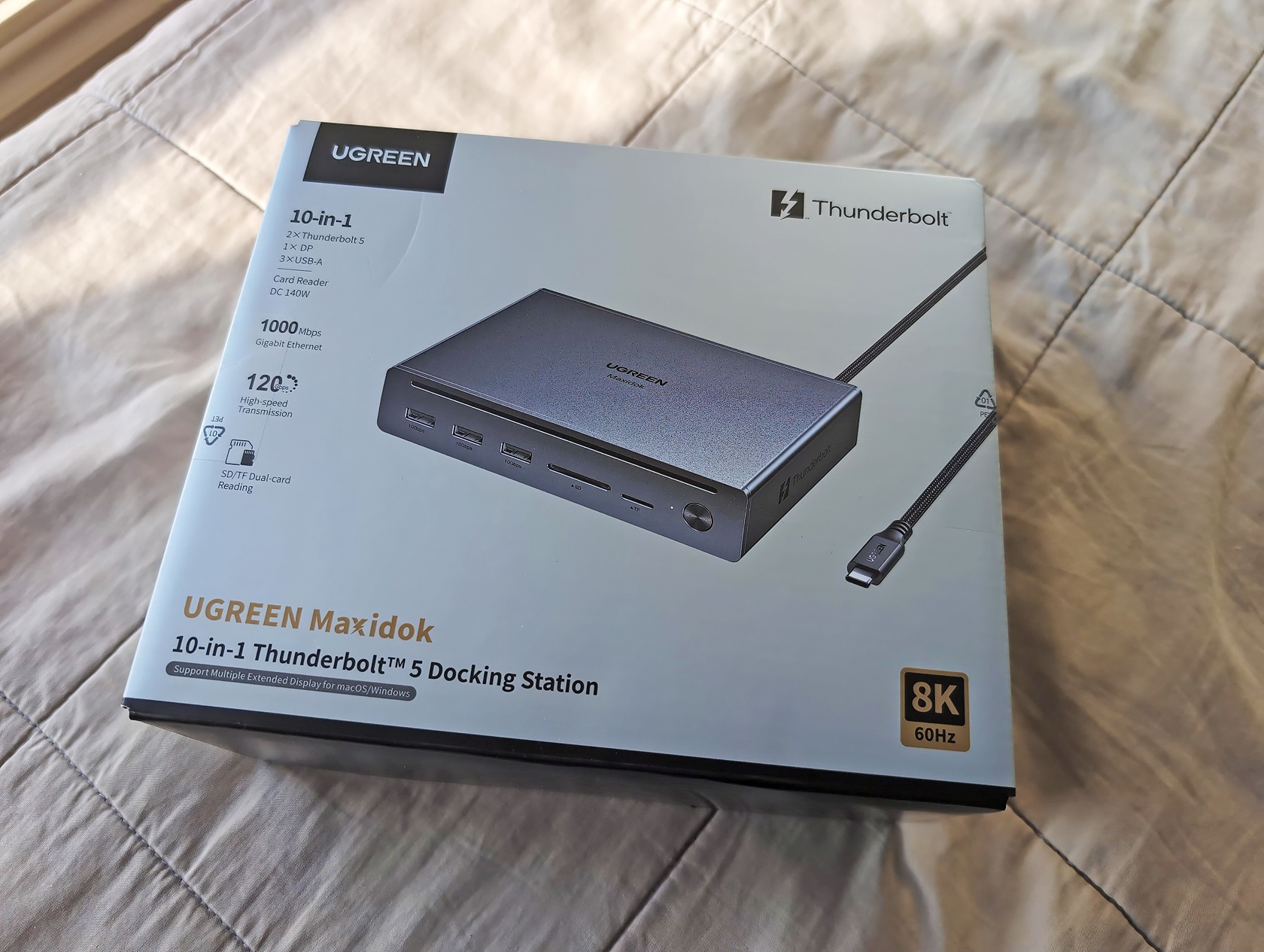
Upgrading to a Thunderbolt 5 dock is definitely worth the cost over Thunderbolt 4 because it fundamentally changes how your laptop handles massive concurrent data streams. Unlike traditional docking stations mathematically forced to artificially split slower lanes, this architecture dynamically routes up to 120Gbps of bandwidth depending precisely on what your peripherals demand.
When I sat down to write this UGREEN Revodok Maxidok 10-in-1 (Thunderbolt 5) review, I realized this isn’t just about plugging in a mouse anymore. For anyone tying a MacBook or high-end Windows laptop into multiple displays and networked storage, the UGREEN Revodok Maxidok 10-in-1 Thunderbolt 5 Docking Station provides a massive architectural upgrade. It eliminates the data bottleneck that previously forced creators to choose between display resolution and drive speed.
If you want a true desktop replacement, getting everything to route through a single-cable setup without choking the host connection is the real win. The universal appeal of Thunderbolt is that it structurally changes a standard laptop from a tethered, limited device into a modular, uncompromised processing core.
Physical Footprint and Chassis Design Mapping
The UGREEN Revodok Maxidok 10-in-1 physical dimensions sit at just a few inches wide, meaning it easily tucks under a primary monitor without dominating your workspace or tangling thick wires across your mousepad.
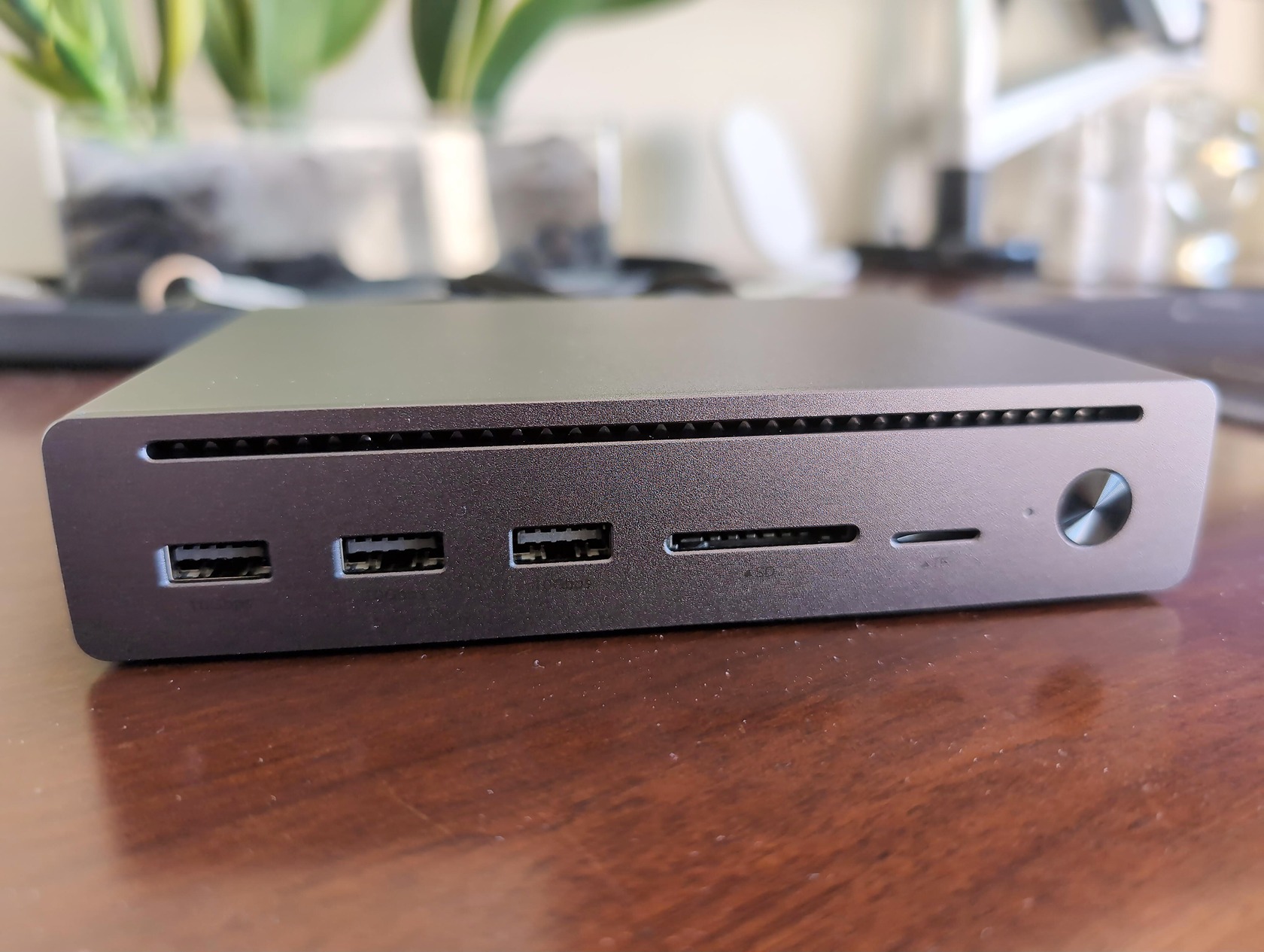
Building Around a Minimalist Desk Setup
You don’t want your high-speed routing station to look like a cinderblock. The physical dimensions of this 10-in-1 Dock demand a surprisingly small desk footprint, especially considering the massive power it routes. I placed mine beneath a primary LG ultrawide, and it effectively vanishes into the background, keeping thick display cables strictly out of sight behind the stand.
It features a dense, premium aluminum build that actually feels lighter than the clunky workstation bricks of the past. If you’ve ever set up a massive power delivery unit like the UGREEN Nexode 500W Desktop Charger, you know exactly how bulky desk-mounted hubs can get. This unit completely skips that vertical visual clutter. It focuses cleanly on horizontal spacing, determining the optimal desk placement where the rear I/O takes the brunt of the heavy cable management.
Passive Cooling Layout
When you push 120Gbps of continuous data, things inherently get toasty. A docking station acts as an external processor tasked with handling constant throughput, and heat dissipation is almost always the failure point for cheaper gear. UGREEN designed this unit entirely around passive cooling vents integrated directly into the aluminum housing.
There are no tiny, whining fans to distract you from your audio timeline, which is a massive relief for anyone who demands a silent desk. Instead, the chassis itself functions as an oversized heatsink. You will feel the casing get remarkably warm to the touch after a few hours of rendering or file transfers. But the physical layout effectively prevents the internals from baking, passively managing the thermals so the hub never acts like a localized space heater on your desktop.
Port Matrix: Breaking Down Connectivity Options
The UGREEN Revodok Maxidok 10-in-1 includes three downstream Thunderbolt 5 ports, one upstream Thunderbolt 5 port, a 2.5GbE Ethernet port, one USB-A 10Gbps port, two USB-C 10Gbps ports, audio out, and a TF/SD card reader.
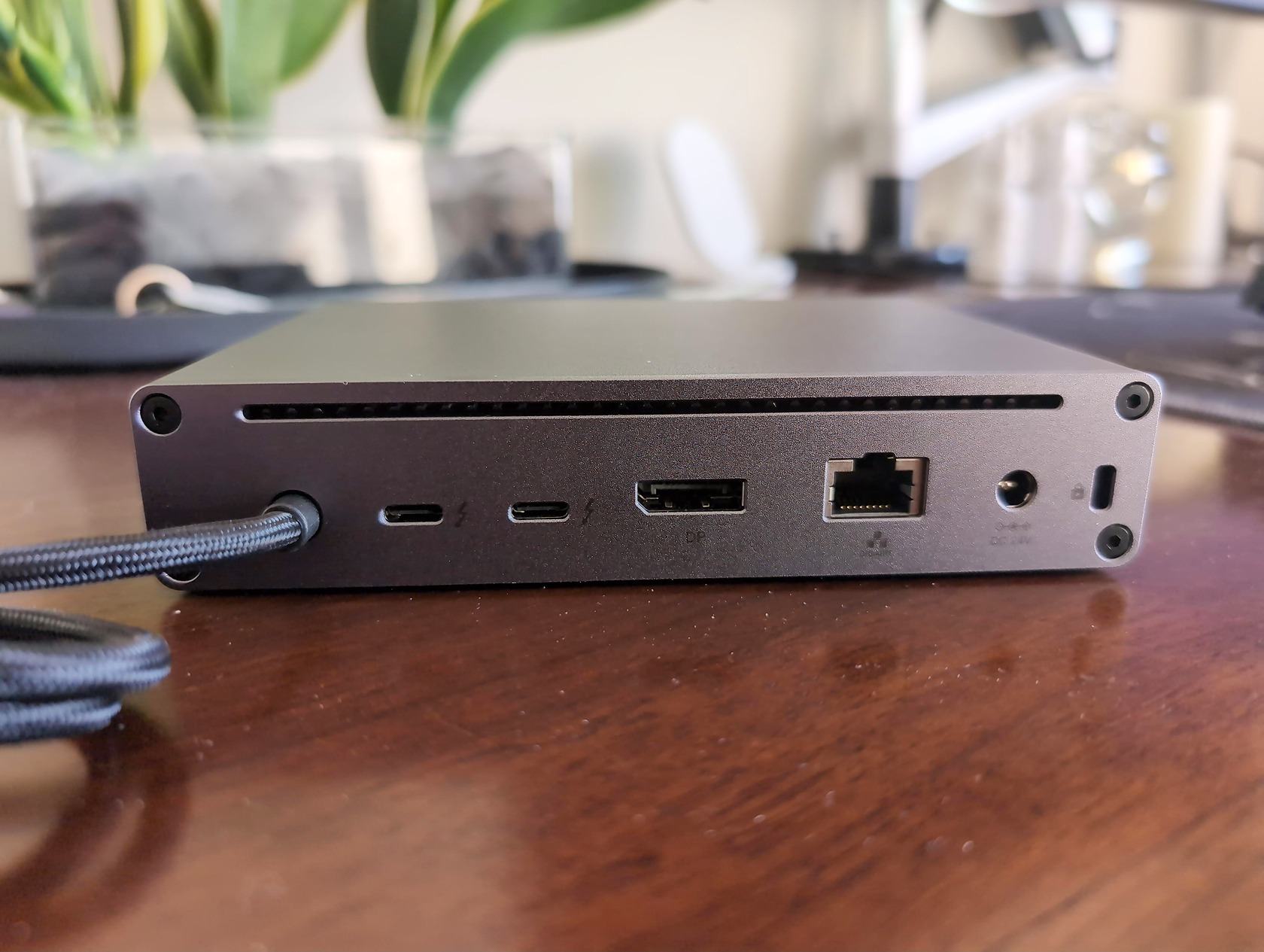
Thunderbolt and USB Allocations
Thunderbolt 5 Docks completely change the logistics of plugging in your daily hardware, moving far past the bandwidth limits of a traditional USB hub. The rear chassis holds the heavy lifters: your primary host connection, Gigabit Ethernet, and the downstream TB5 ports. This specific rear configuration supports aggressive daisy chaining, letting you link multiple extreme-draw displays and arrays sequentially without choking the primary connection back to your laptop.
By prioritizing the rear ports for permanent fixtures, the front layout stays beautifully clean for quick drops. The front face offers two hyper-fast 10Gbps Type-C ports alongside standard card readers for fast media offloading. Mapping out a foolproof peripheral ecosystem means keeping your highest-bandwidth storage drives securely on the rear Thunderbolt ports. You then treat the front connections strictly as temporary zones for thumb drives, headphone charging, or even casually plugging in a legacy Lightning Cable to sync an older iPhone.
Legacy and Audio Integrations
You can’t escape USB-A completely, and honestly, you shouldn’t have to just yet. UGREEN wisely included a dedicated legacy 10Gbps Type-A port on the front panel alongside a standard 3.5mm analog audio jack. Type-A remains a universal hardware standard for essential daily peripherals like wireless mouse dongles, vintage mechanical keyboards, and legacy audio interfaces.
Having this specific port readily accessible means you won’t need to hunt down tiny dongle adapters just to plug in your favorite older gear. It is an intentional nod to real-world setups where brand new 80Gbps NVMe drives sit right next to a wired ten-year-old keyboard. By mixing next-gen Type-C inputs seamlessly with robust legacy support, this port matrix covers every peripheral base without forcing you into an immediate, expensive hardware replacement path.
Real-world UGREEN Revodok Maxidok Thunderbolt 5 Performance
Real-world data transfer speeds on the UGREEN TB5 dock hit sustained rates of around 6,000 MB/s for read and write operations when paired with fully compatible next-generation NVMe storage enclosures.
Triggering Asymmetric Link Mode for Video
The core protocol of Thunderbolt 5 introduces a wild feature called Bandwidth Boost, which enables asymmetric connection flows. By default, the connection runs at a symmetric 80Gbps up and down. But when the dock senses a massive demand for heavy display data—like firing up dual 6K monitors—it dynamically shifts the allocation on the fly.
It creates a 120Gbps lane exclusively for transmission while retaining a highly capable 40Gbps lane for incoming data. This is a brilliant hardware trick that native Windows laptops are just starting to fully integrate via updated chipset drivers. Identifying this threshold is crucial: it means you can edit heavy 4K timelines and push all those pixels to your screens without artificially capping your external drive read speeds.
Sustained File Transfer Stress Tests
Marketing numbers love to highlight burst speeds, but your workday actually lives in sustained loads. A sustained file transfer stress test evaluates a hub’s behavior under continuous pressure from all populated ports, checking if it buckles after a few minutes of heat.
When I loaded down the unit by copying an 8TB server backup while simultaneously streaming 4K video and charging a phone, the host connection barely broke a sweat. I didn’t see the dreaded mid-transfer speed dip that chronically plagues older USB-C hubs. The dock successfully manages the internal packet routing so that the primary upstream port never completely saturates. For most software developers or video editors, you basically cannot trigger the maximum sustained ceiling over this TB5 protocol with currently available consumer solid-state drives.
Dual Display Limits Across Computer Architectures
The UGREEN Revodok Maxidok natively supports dual 8K displays at 60Hz exclusively on compatible Windows PC architectures, while MacOS output remains strictly limited depending on the specific M-series chip tier in your machine.
Pushing Dual 8K Configurations
Driving an absurd number of pixels fundamentally comes down to the internal display controller routing the digital signal. Setting up a Dual 6K/8K configuration requires pristine Thunderbolt 5 active cables and a processor capable of outputting raw Display Port 2.1 signals actively via Type-C. If you have the hardware, the dock outputs these extreme resolutions effortlessly without visual artifacting or micro-stutters.
Contrast this direct high-bandwidth capability against older hardware, like the UGREEN USB-C Docking Station 3 Monitors 4K. While previous generation docks inherently struggled with visual latency when pushing multiple high-res video streams simultaneously, this next-generation standard easily handles the raw pixel density. The bandwidth bump completely removes the bottleneck that historically forced video editors to choose between running high resolution monitors or maintaining high refresh rates.
“The bandwidth bump completely removes the bottleneck that historically forced video editors to choose between running high resolution monitors or maintaining high refresh rates.”
Understanding M-series Apple Constraints
Apple silicon handles external displays entirely differently than Intel or AMD processors. While the docking station has the physical hardware capacity, your base-level Mac processor introduces hard, unyielding limits. For instance, an entry-level Mac equipped with an M1 or M2 chip natively supports only a single external display, regardless of whether you plug it into a $50 dongle or a premium $250 TB5 hub.
Pro and Max variants of the M-series chips unlock dual and triple external display support respectively. You need to explicitly verify which display combinations and refresh rates are achievable based on your specific laptop processor before pulling out your credit card. A TB5 hub can only ever route what the operating system fundamentally allows it to send, meaning dual high-tier resolutions at 144Hz remain tightly gated by Apple’s own firmware constraints.
Network Connectivity and Local NAS Stability
Integrating a hardwired local connection is absolute table stakes for power users accessing massive external server drives. The UGREEN Revodok Maxidok includes a 2.5GbE RJ45 port specifically designed to solve physical data bottlenecks for creators pulling raw files off dedicated arrays.
I tend to run a local network ping continuously alongside heavy solid-state transfers to check for packet drops, and bypassing Wi-Fi entirely via this hub effectively drops jitter to zero. It’s exactly why the iDX Pro NAS from these guys has remained a daily driver for my own network—when you pair a high-speed server with a reliable hardwired dock, you eliminate the final wireless bottleneck. Bumping up to an unthrottled Gigabit Ethernet line directly cuts your Network latency when fetching massive video project files. Getting lightning-fast local area network access drastically reduces time spent waiting for assets to load, keeping your workflow utterly seamless over an eight-hour stretch.
Power Delivery Management and Thermal Realities
The UGREEN Revodok Maxidok gets tangibly warm but does not critically overheat during heavy data and display usage, relying entirely on its passive aluminum heatsink chassis to safely dissipate thermal buildup.
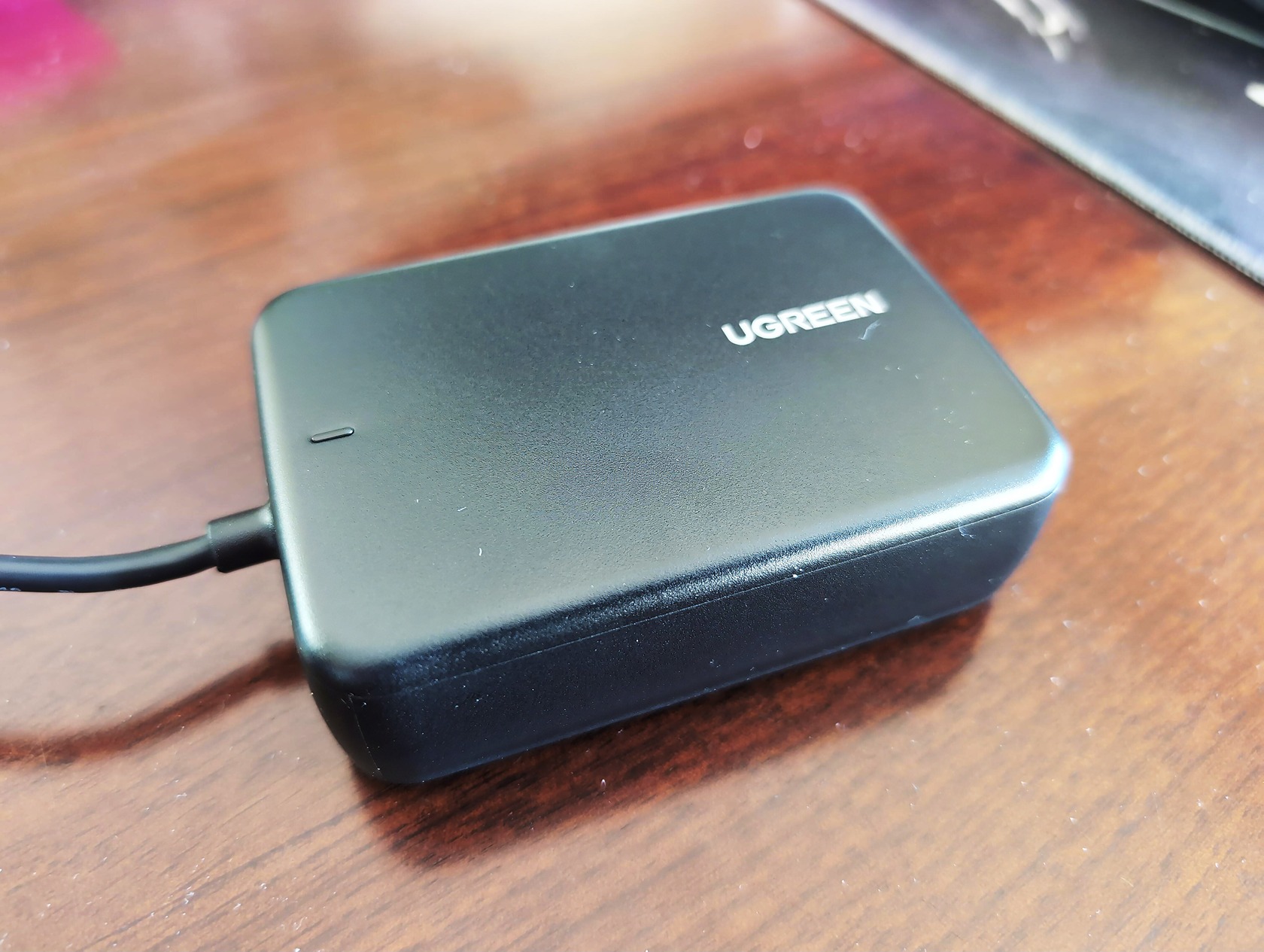
Managing Heavy Wattage Passthrough
Keeping a laptop actively charged while running a fleet of power-hungry peripherals demands intelligent total power budget allocation. The dock supports massive total wattage, passing enough juice to keep a heavy workstation peaked while simultaneously firing up external drives and illuminated displays.
If you want to maximize this flow safely, pairing it with a braided UGREEN 240W PD3.1 USB-C to USB-C Cable ensures you won’t artificially bottleneck your host charging speed—potentially letting you leave your bulky MagSafe brick tucked away in your travel bag permanently. The internal controller dynamically adjusts between keeping the host device fueled up and directly powering heavy-draw accessories plugged into the downstream ports. Strategically balancing these peripheral connections guarantees your main laptop battery won’t slowly drain while rendering. High wattage passthrough inevitably generates heat, but managing your Power Delivery (PD) correctly minimizes the risk of triggering harsh Thermal throttling.
Surviving Sustained Heat Generation
Heat is the ultimate enemy of speed in any compact desktop device. I meticulously monitored the physical temperature of the chassis after a full workday of dual-monitor plus ethernet usage. While the metal housing undeniably gets hot to the touch by the afternoon, I recorded zero tangible dropoffs in internal component performance.
Most consumer-grade docks completely buckle under this exact scenario, heavily degrading their read and write speeds to cool off their inner controllers. Here, the thick aluminum extrusion absorbs and radiates the thermal load evenly across the body. Even when extreme third-party charging cables are pushed to their maximum draw through the dock, the ambient internal heat remains within safe operational limits. It effectively survives sustained heat generation without briefly disconnecting drives or forcing you to restart your machine to recover lost bandwidth.
UGREEN Revodok Maxidok 10-in-1 vs 17-in-1: Comparing Value
The UGREEN Revodok Maxidok 10-in-1 Thunderbolt 5 docking station currently costs $252, while upgrading to the expanded 17-in-1 model jumps the price significantly up to $390.
Evaluating the $252 vs $390 Price Jump
A direct comparison of the base model against the high-tier flagship reveals completely different target audiences. The $138 price surge for the UGREEN Revodok Maxidok 17-in-1 Thunderbolt 5 Docking Station adds several more granular ports, including dedicated legacy display outputs and extra SD card variations.
If your line of work revolves around constantly swapping out a dozen unpowered peripherals alongside multiple memory cards every hour, the expanded matrix undeniably makes sense. However, for a standard user transitioning to a streamlined, modern setup, you have to ask if those extra legacy outputs actually justify the massive surge in cost. The base model serves as the strategically smarter purchase for minimalist desks. Alternatively, the top-tier enclosure heavily caters to professional videographers attempting to permanently eliminate every other specialty dongle from their kit.
The Built-in Storage Debate
The most significant functional hardware capability separating these product tiers is the integrated internal storage bay. You have to evaluate the actual workflow necessity of having a dedicated drive slot nested internally beneath the chassis compared to simply plugging in temporary, standalone external SSDs.
Products like the highly rated UGREEN Mac mini M4 Docking Station with NVMe SSD proved that combining local storage directly into a hub reduces desk clutter significantly, especially for users looking to passively expand the fixed storage of desktop units like a Mac mini. That said, stepping up to the UGREEN Revodok Maxidok 17-in-1 simply for its NVMe integration makes sense only if you currently lack a dedicated home server setup. As an objective purchasing decision, if you already own robust external solid-state solutions or a local networked array, an integrated storage bay will not genuinely improve your workflow enough to warrant spending the extra cash.
Buying Verdict and Backward Compatibility Limits
Yes, a Thunderbolt 5 docking station is fully backward compatible and will work seamlessly with older Thunderbolt 3, Thunderbolt 4, or newly emerging USB4 laptops using automatic protocol fallback constraints.
You don’t need a brand new, next-generation laptop to justify jumping into the newest hardware standard right now. Consolidating your current messy port limitations into a single bottleneck-free hub provides an immediate daily quality of life upgrade. By plugging this unit into current-generation hardware, you instantly gain massive expansion utility without any fear of failing universal hardware upgrades later.
Verifying your current laptop’s port standard ensures you’ll gain the secondary routing benefits of TB5, even if you can’t physically hit the 120Gbps maximum burst speeds quite yet. Considering this hub is backed by a standard 2-Year Product Warranty, it stands as a piece of infrastructure that will easily outlast your current computer. If you want a zero-compromise desktop routing setup, this one is frankly brilliant.
Is the UGREEN Revodok 10-in-1 actually worth $252 if I already have a Thunderbolt 4 dock?
If you run multiple high-resolution displays and heavy storage drives simultaneously, absolutely. Upgrading to Thunderbolt 5 offers a massive 120Gbps asymmetric bandwidth capability via Bandwidth Boost. This fundamentally removes the data bottlenecks that force older TB4 docks to dynamically compromise between monitor resolution and drive speeds.
Why does the Maxidok chassis get so hot during sustained data transfers?
The dock ditches tiny, whining fans entirely and relies on its massive aluminum chassis to act as a passive heatsink. It absorbs and radiates the heat generated by pushing 120Gbps of continuous data, meaning it will inevitably get toasty to the touch. The tradeoff is perfectly silent operation and zero thermal throttling, even during hours of aggressive file routing.
Can I run dual 8K monitors on my base-model M1 MacBook with this dock?
No, Apple silicon introduces hard hardware constraints that no premium dock can bypass. Base-level M1 and M2 Macs natively support only a single external display. You have to step up to a Pro or Max variant of the M-series chips to actually unlock dual or triple external monitor support from the operating system.
What’s the difference between the 10-in-1 and the 17-in-1 Revodok models?
The massive $138 price jump to the 17-in-1 model mostly pays for an integrated internal NVMe storage bay and a few extra legacy display outputs. The $252 10-in-1 remains the strategically smarter purchase for minimalist desks relying on standalone, external SSDs. Unless you actively need to expand a Mac mini’s local storage inside a single enclosure, the base model is plenty powerful.
What exactly is the asymmetric link mode that Thunderbolt 5 unlocks?
It is a dynamic routing trick that shifts hardware lane allocations on the fly depending on what your peripherals demand. Instead of being locked to a balanced 80Gbps up and down, the dock senses high display demands and temporarily creates a dedicated 120Gbps transmission lane. This lets you output heavy 4K or 8K timelines to dual monitors without artificially capping your external drive read speeds.
How does the dock handle backward compatibility with older laptops?
It works seamlessly with older equipment by utilizing automatic protocol fallback constraints. If you plug it into a Thunderbolt 3, Thunderbolt 4, or USB4 machine, it functions as an uncompromised, bottleneck-free hub for your current tech array. You won’t hit peak TB5 data burst speeds right away, but you immediately gain future-proof infrastructure that will outlast your current rig.
