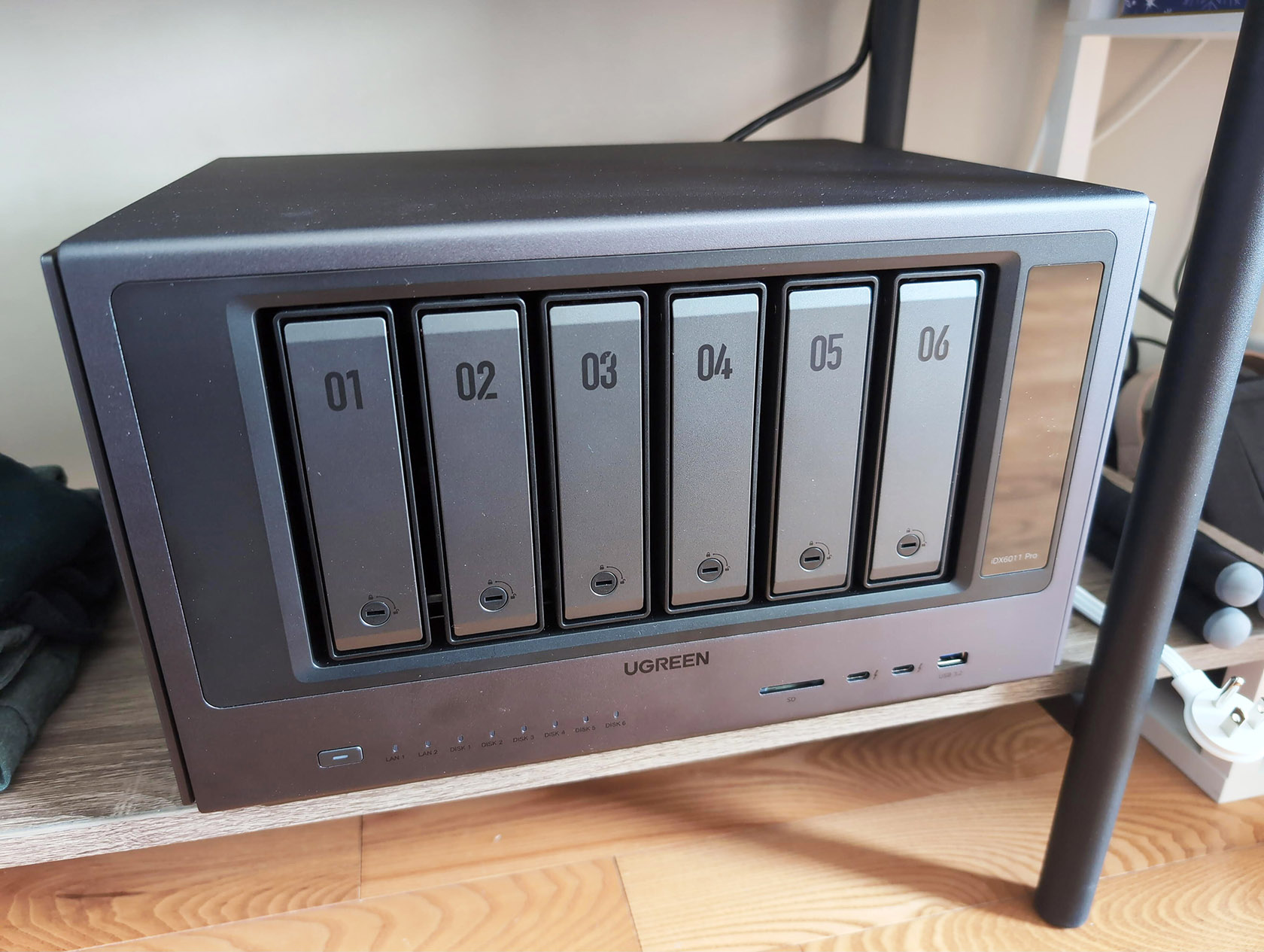
If you are hitting the ceiling of an aging traditional setup like a Synology DS218+, the UGREEN iDX6011 Pro is the edge-compute node you actually want. We review a lot of hardware at GeekExtreme, and this UGREEN iDX6011 Pro NAS review evaluates a shift from a basic storage appliance to a localized intelligence node. For developers utilizing AI to vibecode with VS Code and Cline, porting niche business apps directly to Docker containers on this machine is an immediate workflow upgrade.
The performance difference is absurd. After previewing the UGREEN iDX AI NAS a few weeks ago, the long-term verdict is clear: it justifies the premium price tag. Running traditional platter drives alongside an NVMe disk loadout yields incredibly fast caching and file operations, completely redefining what to expect from a desktop form factor while remaining entirely quiet.
This setup bridges the gap between passive file backups and active network lab work. It functions as a rapid deployment server capable of hosting custom applications without breaking a sweat.
Table of Contents
How the UGREEN AI NAS iDX6011 Pro hardware and thermal design changes homelab acoustics
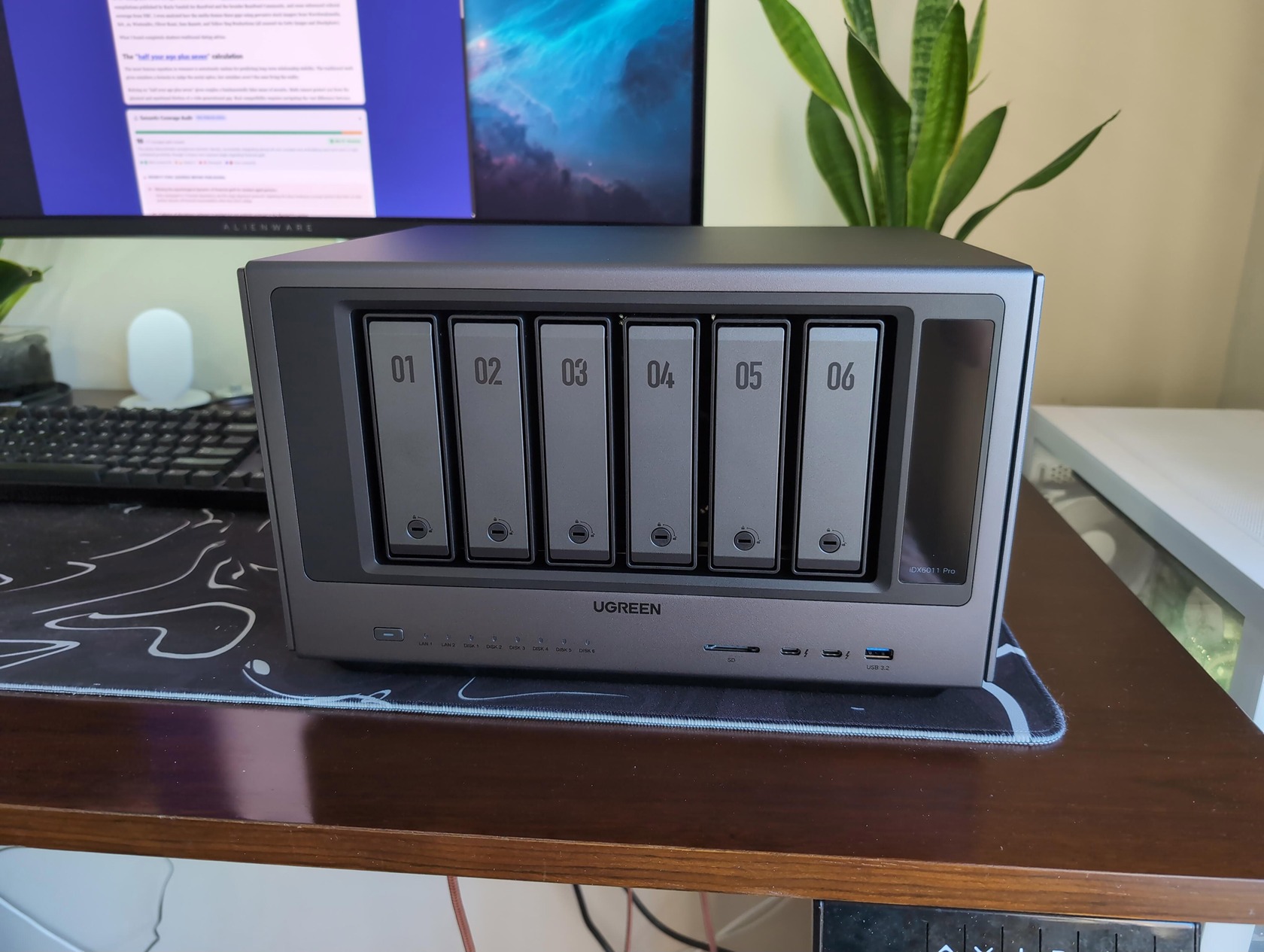
The sheer mass and metallurgical design of the iDX6011 Pro explain exactly why heavy virtualization doesn’t sound like a jet engine. When pushing heavy compute tasks alongside spinning disks, traditional arrays quickly throttle or hit high decibels.
UGREEN architected this chassis specifically to absorb thermal spikes passively. You are not just buying a motherboard; you are buying an engineered thermal envelope.
The chassis design proves that proper cooling infrastructure matters just as much as raw CPU clock speeds. For engineers running continuous microservices, this attention to physical heat mitigation ensures the internal components do not degrade prematurely.
The 11.9 kg premium chassis and real-time telemetry
Tipping the scale at exactly 11.9 kg completely empty, this premium chassis relies on industrial build quality rather than cheap plastics. This massive physical footprint is mandatory for this specific homelab appliance to passively counter the explicit wattage draw of the Intel Core Ultra 7 255H, which runs at a 28W base draw and aggressively spikes up to 115W under full turbo. The front panel features six beautifully finished, push-button drive bays, clearly numbered from 01 to 06. UGREEN opted for a completely tool-less sled design that makes swapping a high-capacity SATA disk an effortless, ten-second process.
On the right side, an LCD touchscreen provides real-time telemetry for CPU, GPU, and RAM usage. This physical hardware feature enables instant visual feedback on thermal limits and workload spikes without forcing you to constantly maintain an open web dashboard.
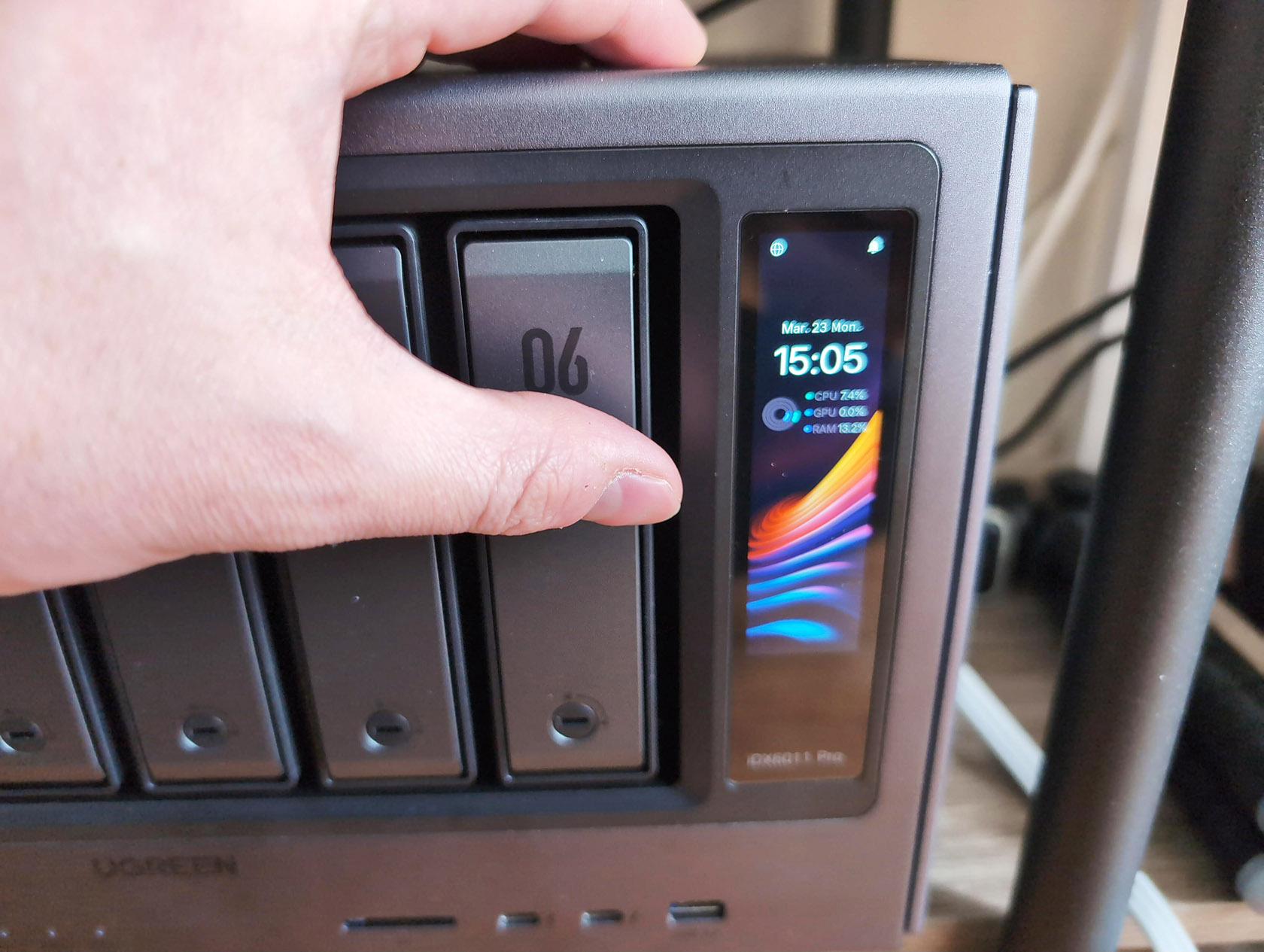
As Marius Bogdan Lixandru noted over at Marius Hosting, this level of attention to the physical exterior is rare. Even his Mioritic dogs seemed impressed while leaving scattered fur on the NAS during unboxing.
High-purity copper cooling and acoustic performance
The inclusion of high-purity copper directly improves thermal dissipation and ensures the machine operates silently. The excessive use of thick copper creates a giant passive heat spreader across the internal motherboard components. This limits the reliance on high-RPM exhaust fans, directly answering the question of why homelabs do not have to be loud.
This system runs entirely quiet even when spinning two platter drives under heavy server load. The rear exhaust system is further protected by a magnetic dust filter mounted over the fans.
This simple physical addition drastically increases chassis longevity by preventing the dust ingress that typically kills cooling efficiency over a multi-year deployment. Reducing internal blockages keeps the airflow predictable and maintains hardware performance.
Why Gen5 NVMe drives are a trap for the UGREEN iDX6011 Pro
Purchasing Gen5 NVMe drives for this unit is a waste of money because the motherboard negotiates all M.2 storage down to Gen4 speeds. Many builders assume that throwing the absolute fastest silicon at a new server will yield the best caching performance, rather than utilizing optimized Gen4 drives like the Samsung 990 PRO.
With this specific motherboard architecture, the PCIe Gen4 x8 lane allocations strictly enforce a physical speed ceiling. Spending premium budgets on unutilized bandwidth simply burns cash that you could otherwise assign to memory upgrades or redundant backup infrastructure. You must buy components that match the controller’s limits, rather than chasing benchmark charts that the system physically cannot support.
Maximizing bandwidth with the Samsung 990 PRO
The internal PCIe slot architecture determines your maximum theoretical bandwidth for flash memory. Each of the two user-accessible M.2 slots gets a dedicated PCIe Gen4 x4 link, strictly capping speeds at around ~8,000 MB/s.
If you install a top-tier Gen5 SSD like the Samsung 9100 series, you will never unlock its 14,000+ MB/s potential. Instead, premium Gen4 NVMe configurations like the Samsung 990 PRO deliver the absolute best cost-to-performance ratio.
We highly recommend sticking to Gen4 silicon for your localized cache.
Installing the UGREEN finned M.2 heatsinks
UGREEN provides premium M.2 heatsinks that feature a black aluminum finned shroud to increase the actual cooling surface area. Installing the localized storage requires a brief physical tear-down.
Here is the exact installation sequence:
- Remove the rear access panel using the included Phillips or Torx screwdrivers.
- Peel the protective plastic film away from the thermal pads on the UGREEN heatsinks.
- Place the heatsink directly over your SSDs, leaving the factory sticker intact.
- Secure the mount using the 8 very small screws provided in the accessory kit.
Be exceptionally careful not to lose these tiny screws during assembly. They are crucial for tightly securing the drive against the internal copper plates and establishing proper thermal contact.
How the professional connectivity stack expands your hardware
The impressive rear I/O connectivity stack allows the system to scale its multi-lane PCIe bandwidth externally, treating attached expansions as if they were natively soldered inside the chassis. Once your localized microservices saturate the internal compute or networking resources, external scaling becomes mandatory.
A standard consumer NAS forces you to purchase an entirely new enclosure when you hit these bandwidth constraints. The connectivity framework on this specific hardware provides distinct upgrade paths for both network throughput and graphical processing, heavily anchored by dual 10GbE connections and a dedicated OCuLink interface. Engineers mapping out their three-year infrastructure strategies can rely on these ports to handle future I/O saturation.
Dual 10GbE network link aggregation
The device features a massive array of networking capabilities, explicitly anchored by a Dual 10GbE network connection on the rear panel. When utilizing link aggregation, this specific enterprise-grade setup can effortlessly achieve up to 20 Gbps of total potential throughput. For developers aggressively syncing massive Docker images across local environments or professional video editors pushing 4K raw footage, this definitively eliminates the traditional Gigabit network bottleneck. The box even includes 2 CAT 7 Patch network cables right from the factory. This minor but critical inclusion ensures you can utilize the maximum available speed immediately upon unboxing without placing an extra order for shielded wiring. Furthermore, you can intuitively configure the network failover paths directly within the operating system to prevent catastrophic workflow downtime if one primary switch goes offline.
Scaling PCIe bandwidth via Thunderbolt 4 and OCuLink
The real advantage of this machine’s architecture lies in how it handles external peripherals and graphical acceleration. An integrated OCuLink port allows the storage appliance to connect directly to an external eGPU.
This dedicated interface transforms a headless storage device into a fully functional compute workstation, making localized AI rendering entirely practical. By bypassing traditional USB polling overhead entirely, OCuLink grants your outboard silicon raw PCIe lane access with zero latency penalties.
Additionally, the inclusion of two modern Thunderbolt 4 ports and an 8K HDMI output ensures you can dock high-speed external NVMe arrays natively for overflow storage. You can pipe terminal data or high-resolution dashboards to physical monitors directly from the box. This eliminates the strict requirement of routing all administrative tasks through a secondary client machine.
Why the iDX6011 Pro is a rapid deployment edge-compute server
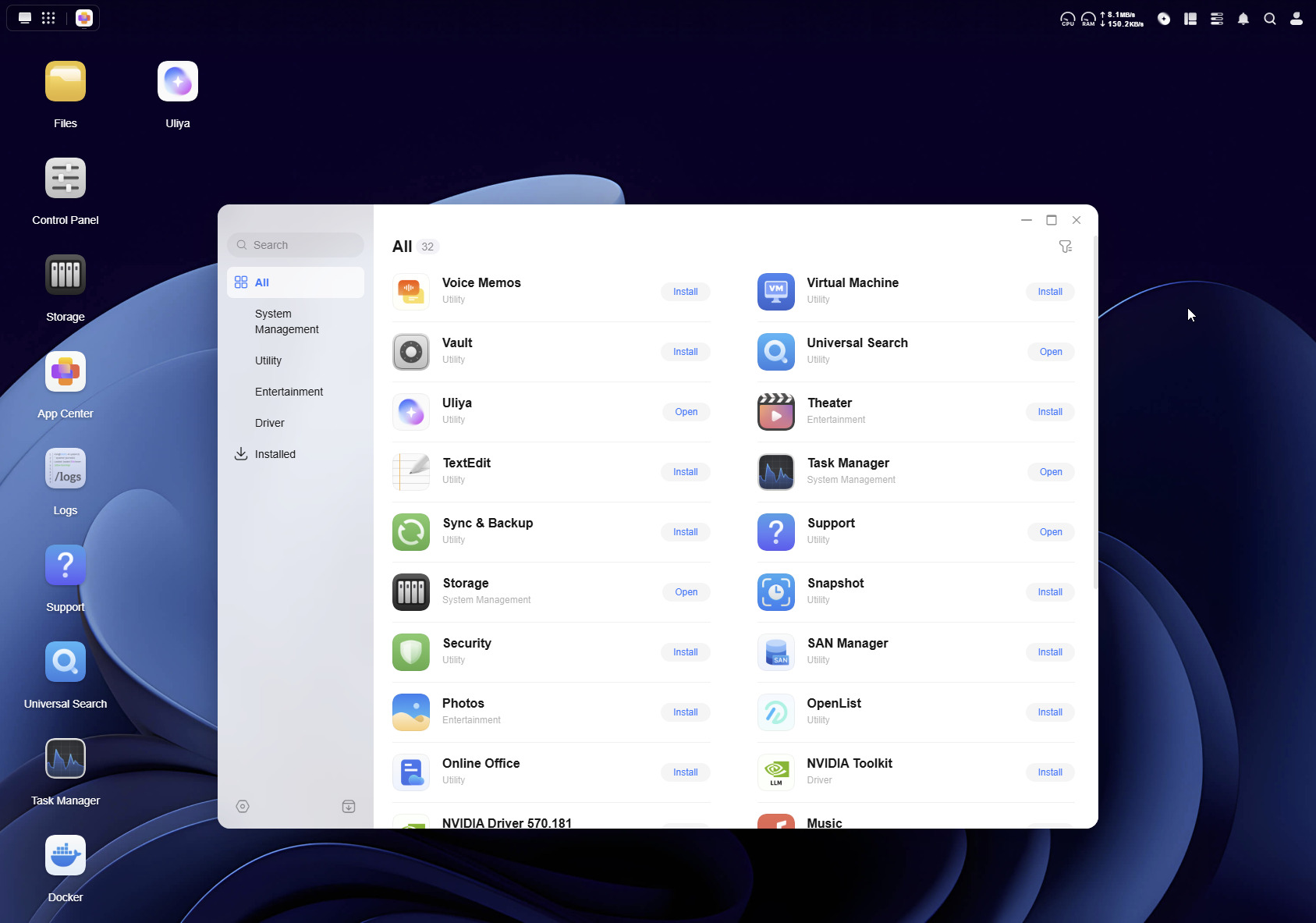
This hardware completely bridges the gap between passive storage and active software development, serving as a rapid deployment server for custom homebrew apps. A standard NAS sits idle waiting for file backups, while an edge-compute node actively compiles code and runs containerized logic.
“A standard NAS sits idle waiting for file backups, while an edge-compute node actively compiles code and runs containerized logic.”
The transition away from simple file servers requires aggressive localized hardware. By embedding specialized neural processing units alongside a highly adaptable Unix-based operating system, the appliance functions as a true standalone workstation. You no longer need to execute your development pipelines on a separate local machine and port them over the network. The server compiles, runs, and monitors the final production code directly on the metal.
Localized intelligence with Intel Core Ultra 7 and Uliya
The Intel Core Ultra 7 255H processor completely changes the math on what a home server can natively accomplish. Pushing 96 TOPS of dedicated NPU and GPU horsepower, it runs UGREEN’s private Uliya AI assistant natively on the internal hardware.
This closed-loop setup guarantees that your telemetry and file data never log onto an external server. The primary difference between the Uliya AI and cloud-based LLM alternatives like ChatGPT, Gemini, or Claude is absolute data sovereignty.
You can transcribe voice memos or execute semantic indexing on financial documents without leaking a single token to a third-party API. It transforms file searching from a basic string query into an active natural language conversation. For engineering teams handling sensitive codebases, this localized processing layer is an absolute requirement.
Docker, Portainer, and rapid vibecoding deployment
Synology’s hardware stagnation has pushed traditional home backup users to explore highly active network lab environments. The integration of Portainer within the UGOS Pro operating system makes spinning up discrete microservices incredibly intuitive.
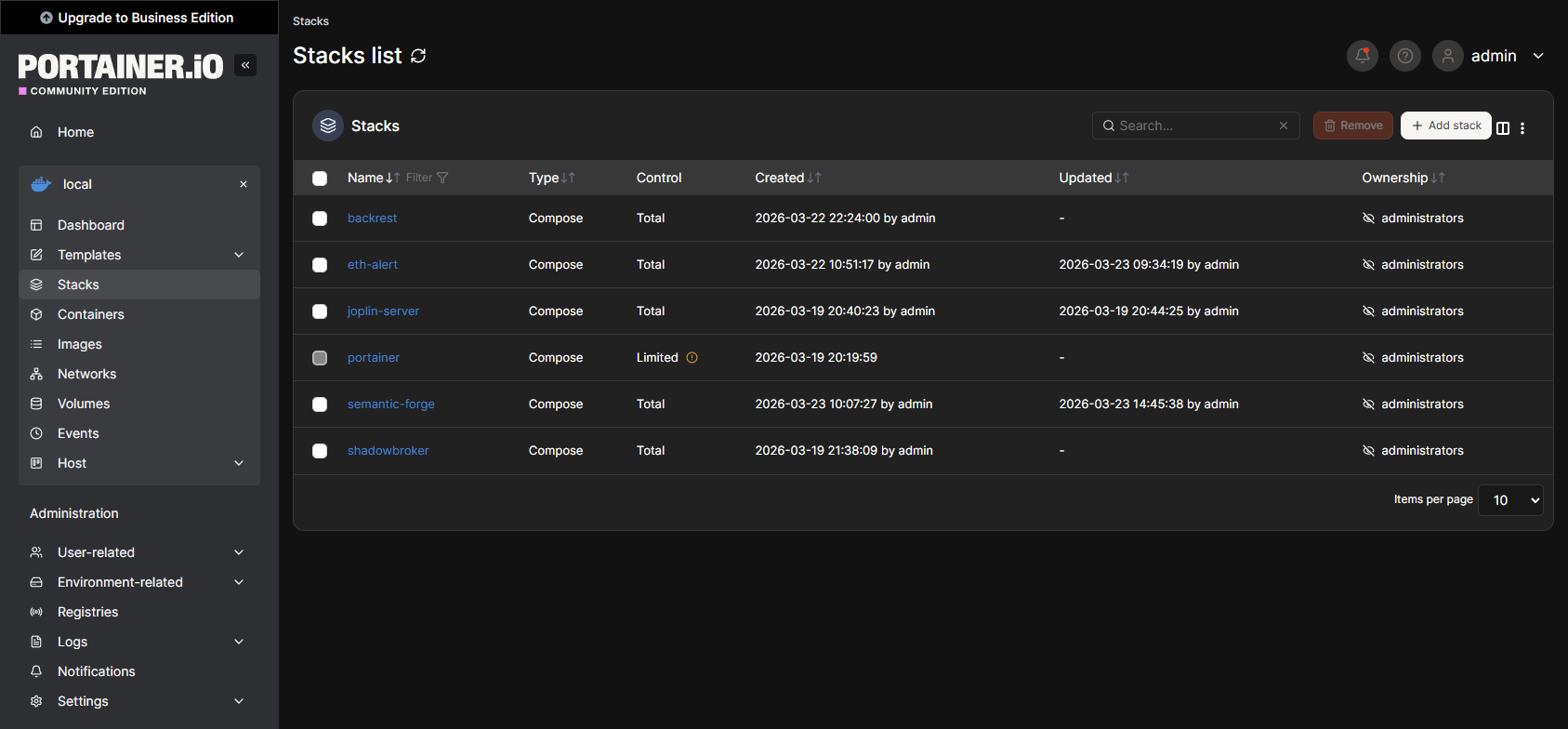
For engineers currently vibecoding with VS Code and Cline, building niche applications and deploying them directly into Docker containers on this machine executes flawlessly. You get all the localized compute necessary to compile and host your AI-generated scripts without paying external hosting fees.
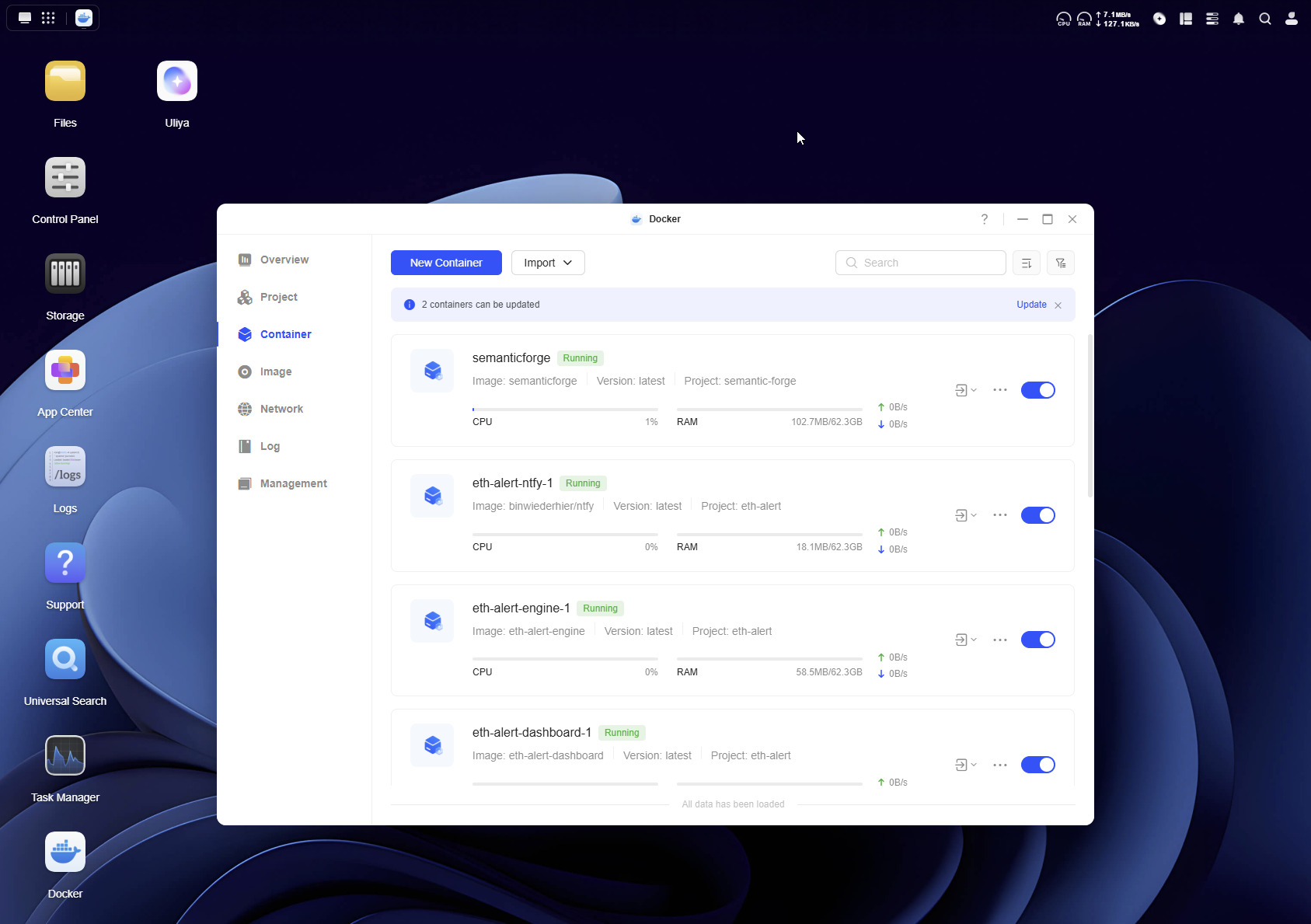
Gabrielle from the UGREEN staff clearly understood that power users wanted a fully customizable execution sandbox, not precisely locked-down firmware. This hardware fully encourages tearing down typical vendor boundaries and writing specific logic for your own workflow. Porting specialized business tools over to this environment takes mere minutes.
Is the UGREEN NAS AI iDX6011 Pro worth the high price?
Despite the steep barrier to entry, the combination of silent physical acoustics, industrial build quality, and localized app deployment makes the iDX6011 Pro an essential upgrade for power users. If you try to compare this workstation to an entry-level home backup drive, the math will never make sense. This is an edge-compute node that happens to hold hard drives.
The pros are undeniable: you secure entirely silent operation under continuous load, 11.9 kg of unbeatable thermal engineering, and massive Docker potential. The cons are restricted mostly to the high initial investment cost and the strict PCIe Gen4 limitations governing the internal localized storage.
For actual prosumers, vibecoders, and dedicated members of the UGREEN NAS EXPERTS GROUP 15K+ or the UGREEN OFFICIAL COMMUNITY, this machine fundamentally replaces your aging homelab. It eliminates your reliance on cloud APIs, allowing you to run custom applications locally with absurd speed. If your current server struggles to compile containers or chokes on high-bandwidth network loads, this upgrade is unequivocally worth every penny.
Frequently Asked Questions
Why shouldn’t I use Gen5 NVMe SSDs in the UGREEN iDX6011 Pro?
The motherboard’s PCIe lane allocations strictly cap the internal M.2 slots at Gen4 speeds, making Gen5 drives an absolute waste of money for this system. Even if you install an ultra-fast Gen5 drive, the hardware bottlenecks maximum throughput at around 8,000 MB/s per slot. You are much better off buying premium Gen4 silicon like the Samsung 990 PRO and putting the saved cash toward memory upgrades.
What is the difference between UGREEN’s Uliya assistant and cloud AI like ChatGPT?
Uliya processes all your prompts locally directly on the NAS hardware to guarantee total data sovereignty. Cloud-based LLMs like ChatGPT or Gemini process your information on external servers, exposing sensitive files to third-party APIs. This closed-loop setup allows you to analyze financial documents or index secure codebases without leaking a single token to the internet.
Can I connect an external GPU to the iDX6011 Pro?
Yes, the unit features an integrated OCuLink port designed specifically for external graphics processing. Unlike traditional USB connections, OCuLink grants your eGPU direct PCIe lane access with zero latency penalties. This effectively transforms the box from a headless storage appliance into a fully functional workstation capable of localized AI rendering.
How does this NAS stay quiet while running heavy server workloads?
The massive 11.9 kg chassis acts as a highly engineered thermal envelope, utilizing thick, high-purity copper plates as a passive heat spreader. This design severely curtails the system’s reliance on loud, high-RPM exhaust fans to stay cool. The physical metal absorbs thermal spikes so efficiently that heavy virtualization and spinning disks won’t make the rig sound like a jet engine.
How much network throughput can I expect out of the box?
By utilizing link aggregation on the dual 10GbE rear ports, the machine can push up to 20 Gbps of total potential throughput. UGREEN even packs two shielded CAT 7 cables in the box so you don’t have to wait on an extra Amazon order to hit those maximum speeds. It completely eliminates the traditional Gigabit bottleneck for developers moving massive Docker images or editors pushing 4K raw footage.
Is the UGREEN iDX6011 Pro actually worth the premium price tag over a standard Synology?
It comes strictly down to whether you need an active edge-compute node or a passive backup drive. If you are actively deploying Docker containers, compiling code natively, or utilizing local AI, the sheer hardware power and thermal engineering absolutely justify the high entry cost. If you just need a quiet place to dump family photos, you will be heavily overpaying for enterprise-grade features you won’t use.
