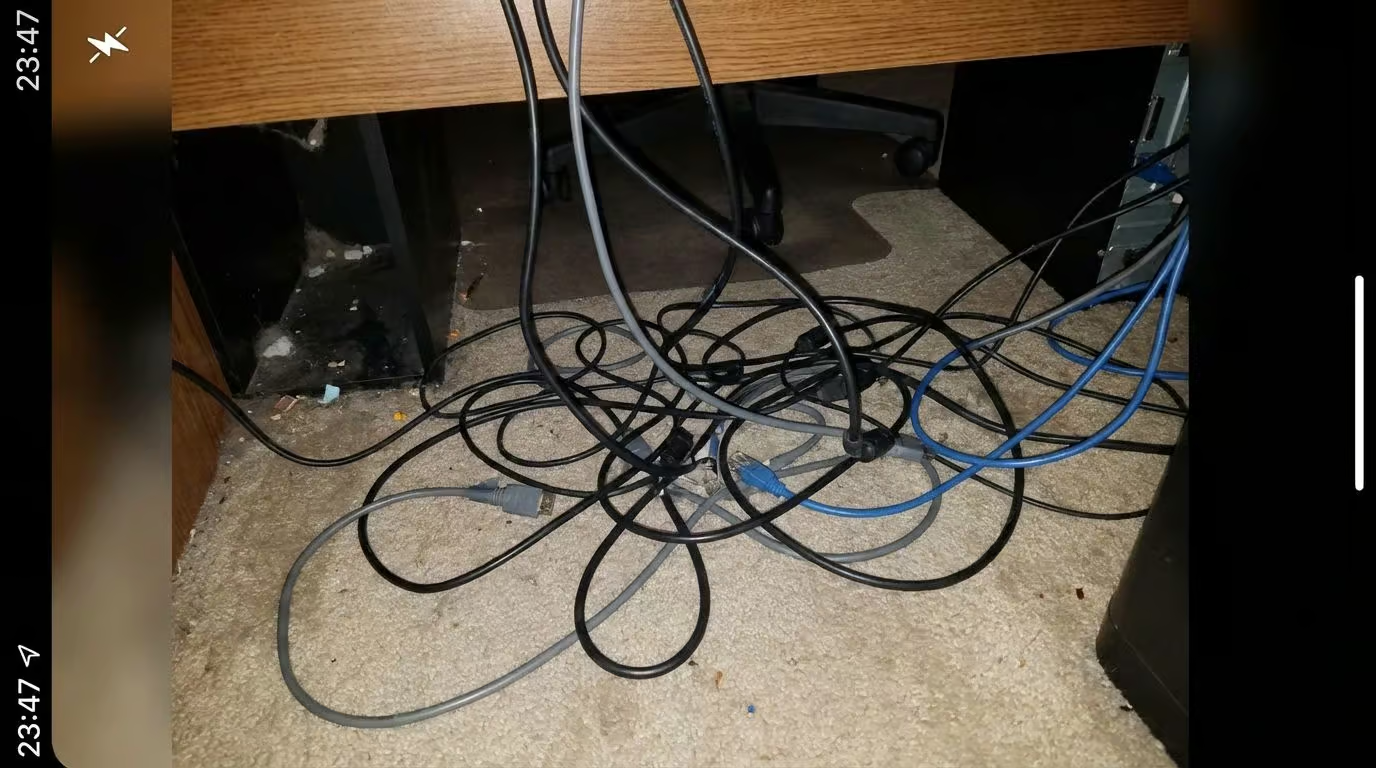
Ever spent six hours just trying to get your cables to stop looking like a spaghetti monster? I have.
Creating a solid gaming setup in a small room often feels like a puzzle where the pieces don’t quite fit. You want that immersive battle station, but you’re stuck with a cramped corner and bad lighting.
Here is the good news: you don’t need a massive budget or a mansion to fix it. I’ve refined my own space countless times, and I’m going to share the exact steps to build an organized, immersive gaming space without the stress.
Grab a drink, and let’s get your dream room sorted.
Key Takeaways
Measure first: A standard 10×12-foot room gives you 120 square feet, which is perfect for a setup if you prioritize vertical storage.
Platform budget: A PS5 Pro runs about $700 for plug-and-play ease, while a solid gaming PC setup in 2025 starts around $1,500 but offers upgradeability.
Ergonomics matter: Investing in a chair like the Secretlab Titan Evo ($519) or a standing desk helps you avoid back pain during marathon sessions.
Immersion tools: RGB lighting strips (around $70 for Govee or Nanoleaf) and surround sound speakers transform the vibe instantly.
Future-proofing: Look for PCIe 5.0 (and the emerging 6.0) drives and WiFi 7 routers to keep your network lag-free for years to come.
Table of Contents
Evaluating Your Gaming Room Setup
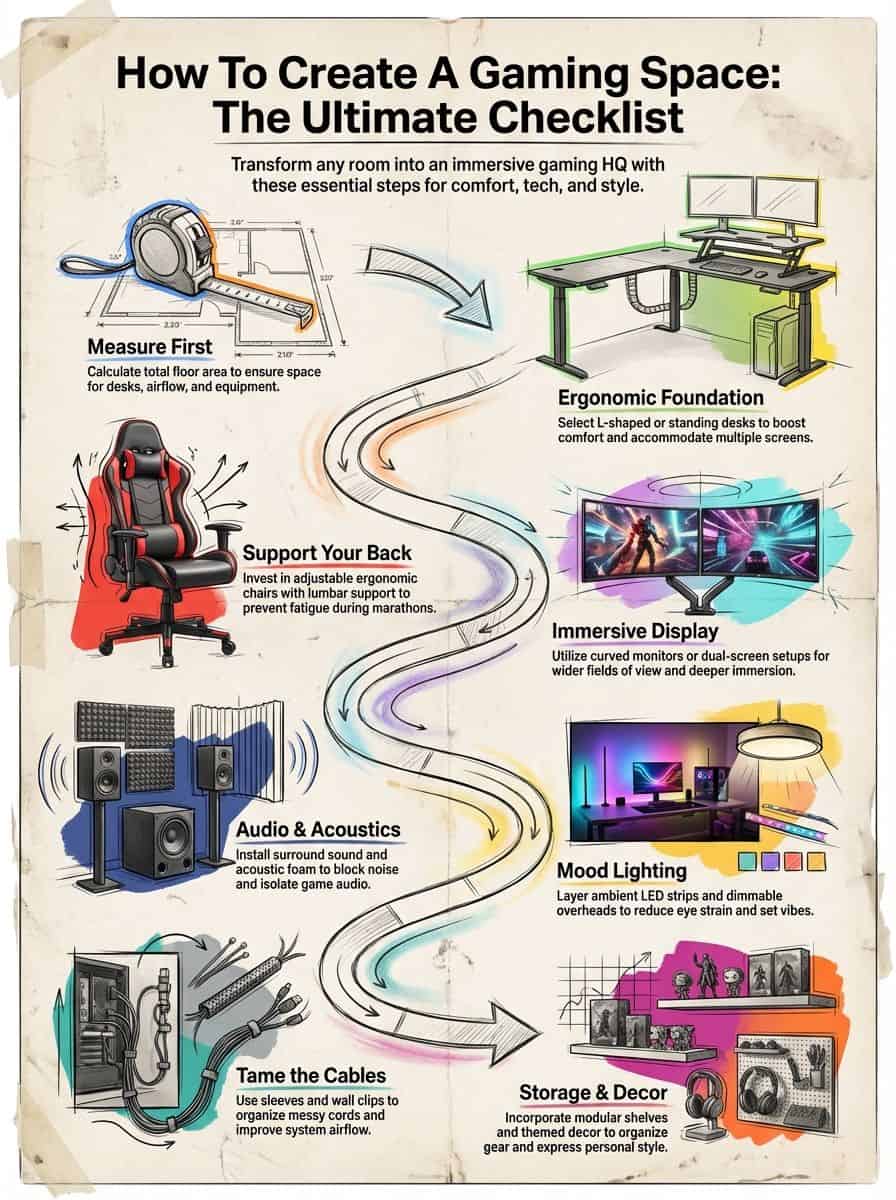
I always start by grabbing my tape measure and mapping out every inch. It sounds boring, but knowing your exact dimensions prevents that heartbreak of buying a desk that is two inches too wide.
How do I measure my room size for a gaming space?
I measure the length and width of the room, then multiply them to get the total area in square feet. For example, a 10×12 room is 120 square feet. If you are under 160 square feet, you are working with a “small” setup.
In smaller spaces, I stick to compact desks and minimal shelves. If you have more than 160 square feet, you have enough room for an L-shaped ergonomic desk or even a VR zone. But space isn’t just about floor area; it is about how you use it.
Your measurements should depend on what you play. If you primarily enjoy casual browser games or check out online casino Arizona titles, a simple laptop tray and a comfy armchair work perfectly. But if you are setting up a triple-monitor flight sim, you need serious depth.

Pro Tip: For ultrawide monitors (like a 49-inch Samsung Odyssey), you need a desk depth of at least 30 inches to avoid eye strain. Standard 24-inch desks just won’t cut it.
What should I look for in lighting and ventilation?
Lighting sets the mood, but ventilation keeps your hardware (and you) alive. I aim for a room temperature between 68°F and 72°F. Gaming PCs pump out heat like space heaters, so I always position my tower near a return vent or window.
For lighting, I layer it. I use ambient LEDs for the overall vibe and a targeted task lamp for when I need to see my keyboard. Smart bulbs from brands like Govee or Philips Hue let me dim the lights from my phone without getting up.
Good airflow is non-negotiable. If your room gets stuffy, a quiet oscillating fan can save you during intense matches. I prefer eco-friendly materials like fluted wall boards to break up the airflow and add some style.
Choosing Your Gaming Platform
Choosing between a PC and a console is the biggest decision you will make. It defines your budget, your furniture needs, and even your game library.
Should I pick a PC or a console for gaming?
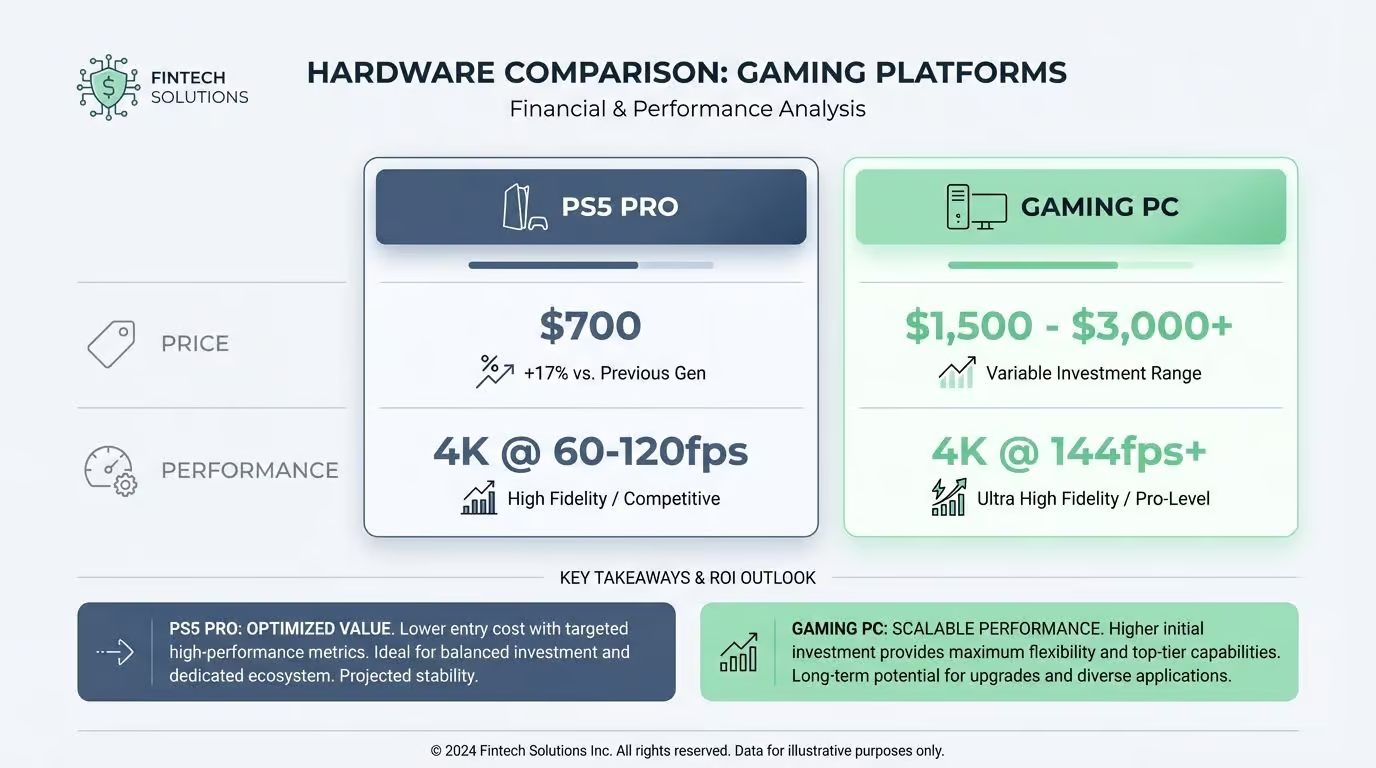
A console is the “easy button.” With the PS5 Pro hitting around $700, you get high-end performance without needing a degree in computer science. It fits easily on a shelf and works instantly.
PC gaming is for those of us who love control. A solid build in 2025 costs between $1,500 and $3,000, but it lets you play at higher frame rates and use mods. Plus, upgrading a graphics card is cheaper than buying a whole new system every generation.
| Feature | Console (PS5 Pro / Xbox Series X) | Gaming PC (Mid-High Range) |
|---|---|---|
| Price | $500 – $700 | $1,500 – $3,000+ |
| Performance | Up to 4K @ 60-120fps (Optimized) | Native 4K @ 144fps+ (Hardware dependent) |
| Flexibility | Plug-and-play | Upgradable parts, Mods, Multitasking |
I use a hybrid approach. I keep my PC for competitive shooters and my Switch for couch co-op. If you are unsure where you fit, check out this guide on different gamer profiles or read up on types of gamers to see what matches your style.
What are the benefits of hybrid gaming setups?
Hybrid setups are huge right now. I love having a space where I can switch from a digital board game on my iPad to a physical D&D campaign on the desk. About 40% of tabletop gamers now use apps to track stats, so mixing tech with physical play is the new normal.
During the COVID-19 lockdowns, this style of gaming exploded. We learned that video calls could keep our weekly game nights alive. Now, developers build hybrid models directly into games, letting us use phones as controllers or secret information screens.
Picking the Right Ergonomic Gaming Desk
Your desk is the foundation. If it wobbles, your aim wobbles. I learned the hard way that a cheap desk leads to back pain and frustration.
What are the advantages of L-shaped gaming desks?
L-shaped gaming desks are my go-to for maximizing corner space. For around $400, you can get a sturdy model like the Uplift V2 L-Shape or a specialized gaming desk. This layout separates your “work zone” from your “play zone.”
Benefits I’ve noticed personally:
- Double the surface area: Plenty of room for dual monitors and a streaming mic.
- Better arm support: You can rest your entire forearm on the desk, which reduces wrist strain.
- Cable hiding: The corner naturally hides the ugly nest of wires behind the monitors.
How do standing desks with adjustable heights improve gaming?
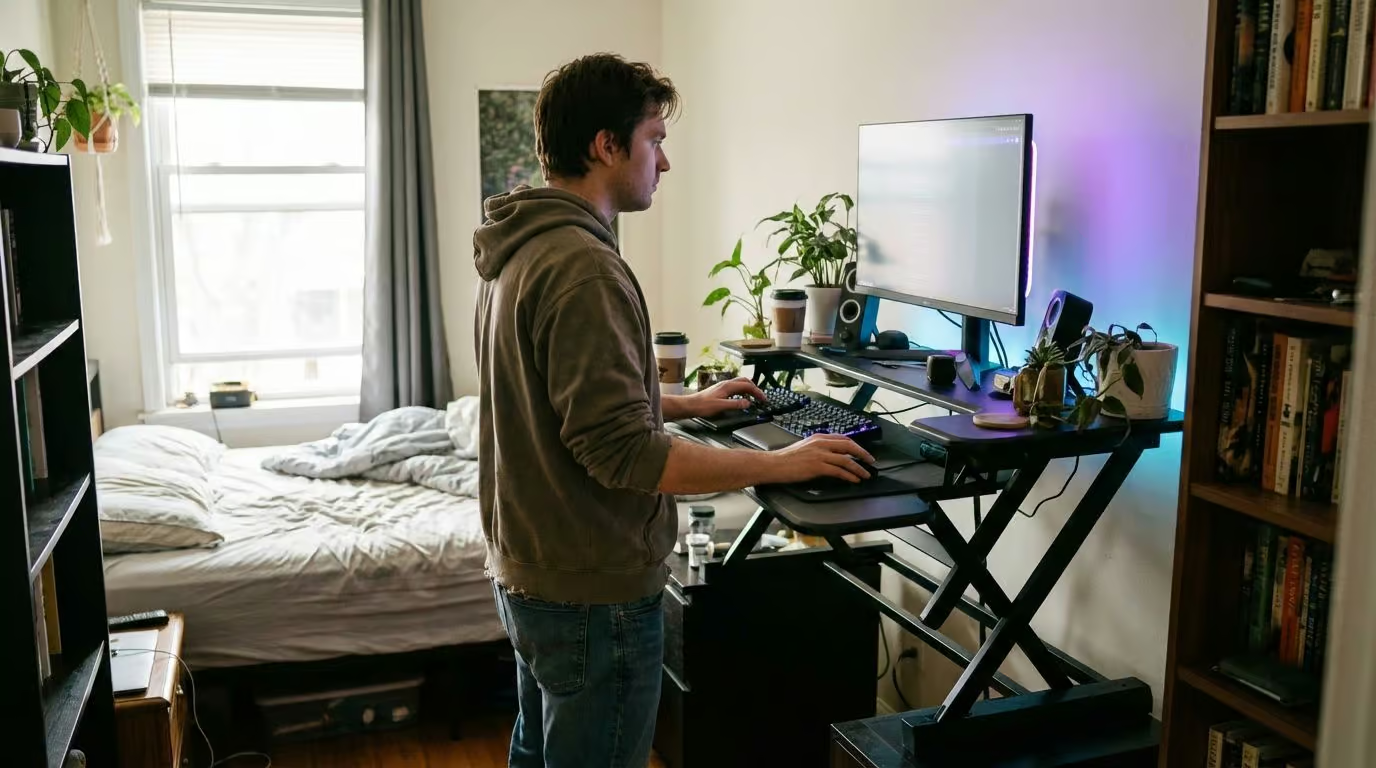
I switched to a standing desk last year, and it changed my energy levels completely. Being able to stand up during a cutscene or a lobby wait keeps the blood flowing.
An ergonomic desk like the Secretlab Magnus Pro (starting around $799) or the LeetDesk Entry ($229.95) allows you to preset heights. I have one setting for “focused aiming” (sitting) and one for “casual browsing” (standing).
Finding a Comfortable Gaming Chair
I used to game on a dining chair. My back still hasn’t forgiven me. A real ergonomic chair is an investment in your health, not just a piece of furniture.
Why choose an ergonomic gaming chair?
Ergonomic gaming chairs support the natural S-curve of your spine. The Titan Evo Gaming Chair (around $519) is a staple for a reason: it uses cold-cure foam that doesn’t sag over time.
For a more premium option, the Herman Miller Vantum (approx. $795) is designed specifically for the forward-leaning posture gamers use. Look for adjustable lumbar support and 4D armrests. Being able to align the armrests exactly with your desk height prevents shoulder shrugging, which causes tension headaches.
When are reclining chairs or beanbags better for gaming?
Sometimes you just want to relax. For casual gaming on a console, I prefer a high-end bean bag like a Lovesac or a dedicated recliner. They sit lower to the ground, which is perfect for TV viewing angles.
Bean bags vs. Office Chairs:
- Bean Bag: Best for handhelds, controllers, and relaxing. Zero ergonomic support for keyboard/mouse.
- Recliner: Great for single-player story games where reaction time matters less than comfort.
- Office Chair: Mandatory for competitive PC gaming and productivity.
Setting Up Your Display for Gaming
The screen is your window into the game world. I upgraded to a high-refresh-rate monitor recently, and the smoothness in fast-paced games is undeniable.
How do curved monitors enhance gaming immersion?
Curved monitors, like the Samsung Odyssey G9, wrap the image around your peripheral vision. This mimics how your eyes see the real world.
A 1000R curve (which is very aggressive) matches the curvature of the human eye. This means every pixel is the same distance from your face, reducing eye strain because your eyes don’t have to constantly refocus. With adaptive sync features like G-Sync, the motion is buttery smooth.
What are the benefits of dual or triple monitor setups?
Once you go dual monitor, you never go back. I keep my game on the main screen and Discord or a wiki on the second. It saves me from constantly Alt-Tabbing, which can crash some older games.
Triple setups are amazing for sim racing. With three screens, you can see out the side windows of your virtual car. Just make sure your GPU can handle the extra pixels—driving three 1440p monitors requires a beast of a card, like an RTX 4080 or the newer 50 series.
Improving Your Gaming Audio
Visuals get all the glory, but audio gives you the wall-hacks. Hearing footsteps before you see the enemy is a massive competitive advantage.
What makes surround sound speakers ideal for gaming?
Surround sound systems physically place sound around you. A 5.1 setup has speakers behind your head, making it obvious when someone is sneaking up.
I use Dolby Atmos or DTS:X technology. These object-based audio formats treat sounds as individual objects in 3D space, rather than just channels. The Logitech G560 speakers ($199) are a great entry point because they also sync RGB lighting to the game audio.
How do noise-canceling gaming headsets improve focus?
If you live with others, a noise-canceling headset is a survival tool. Active Noise Cancellation (ANC) uses microphones to listen to room noise and cancel it out with anti-noise.
I recommend the SteelSeries Arctis Nova Pro Wireless. It lets you mix audio from your PC and your phone simultaneously via Bluetooth. This means you can take a call or listen to a podcast while grinding in an MMO, all without missing a game cue.

Creating Lighting and Ambiance
Lighting is the difference between an office and a battlestation. I use lighting to signal my brain that it is time to play.
How can RGB lighting strips enhance my gaming space?
RGB lighting strips are the easiest upgrade. For about $70, you can get a Govee M1 strip that is incredibly bright and color-accurate. I run them along the back edge of my desk to bounce light off the wall.
This “bias lighting” reduces eye strain by lowering the contrast between your bright monitor and the dark room. Plus, syncing them to your game actions (turning red when you are low health) never gets old.
Why use dimmable overhead lights in gaming rooms?
RGB is fun, but you need functional light too. I swapped my ceiling switch for a dimmer, and it was the best $20 I spent. Full brightness is for cleaning or building PC parts; 20% brightness is for gaming.
I look for smart bulbs that support Matter. This allows them to work with Apple HomeKit, Google Home, or Alexa seamlessly. Setting a scene called “Game Time” that dims the overheads and turns on the LEDs instantly puts me in the zone.
Managing and Organizing Cables
Cable management is the final boss of room setup. Beating it makes your setup look professional and makes cleaning so much easier.
How do cable management sleeves help keep cables tidy?
I use neoprene cable sleeves (often called cable snakes). They zip up a bundle of cords into one neat tube. This is vital for sit-stand desks—you need to make sure that “snake” has enough slack to move up and down with the desk.
My Cable Taming Strategy:
- Unplug everything.
- Group cables by destination (e.g., all monitor power cables together).
- Velcro them together every 6 inches.
- Wrap them in a sleeve.
What are the benefits of wall-mounted cable clips?
For cables that run along the wall (like ethernet or speaker wire), I use adhesive cable clips. They prevent tripping hazards and keep the floor clear for vacuuming.
I also mount a J-channel raceway under the back of my desk. It acts like a gutter for power bricks and excess wire length. If you can’t see the cable, it can’t annoy you.
Adding Storage Solutions
Clutter kills focus. I like to have a “home” for every controller and game disc so my desk stays clear.
How can gaming shelves organize accessories?
I use the IKEA SKÅDIS pegboard system. It mounts to the wall and has hooks for headsets, controllers, and cables. It looks like a tool wall, but for gamers.
Adjustable shelves are also key. I keep my collectibles on the top shelf and my practical gear (spare batteries, wipes) in bins on the bottom. Labeling these bins saves me from digging through three boxes just to find a USB drive.
What cabinets work best for storing consoles and games?
I prefer modular cabinets with doors. Open shelves get dusty fast, and dusting around LEGO sets or action figures is a nightmare. A cabinet with glass doors keeps the dust out but lets you see your collection.
For game discs, I use media towers that hold cases vertically. It makes it easy to grab Spider-Man 2 without toppling a stack. If you have retro cartridges, clear plastic bins with UV protection are smart to prevent the labels from fading.
Decorating with Personal Themes
This is where you show off who you are. Whether you love retro arcades or sleek sci-fi, pick a theme and stick to it.
How to create a retro arcade style gaming room?
For a retro vibe, I lean into neon. Retro neon signs (real glass or LED imitations) are huge right now. I have a Pac-Man ghost light that reacts to sound.
I also frame vintage game posters. You can find high-quality scans online and print them cheaply. Adding a small mini-arcade cabinet (like a Quarter Arcade) on a shelf creates an instant focal point that screams “80s arcade.”
What defines a cyberpunk aesthetic for gaming spaces?
Cyberpunk is all about “high tech, low life.” I use a lot of pink, purple, and blue lighting. Nanoleaf Lines are perfect for this—they look like futuristic circuitry on the wall.
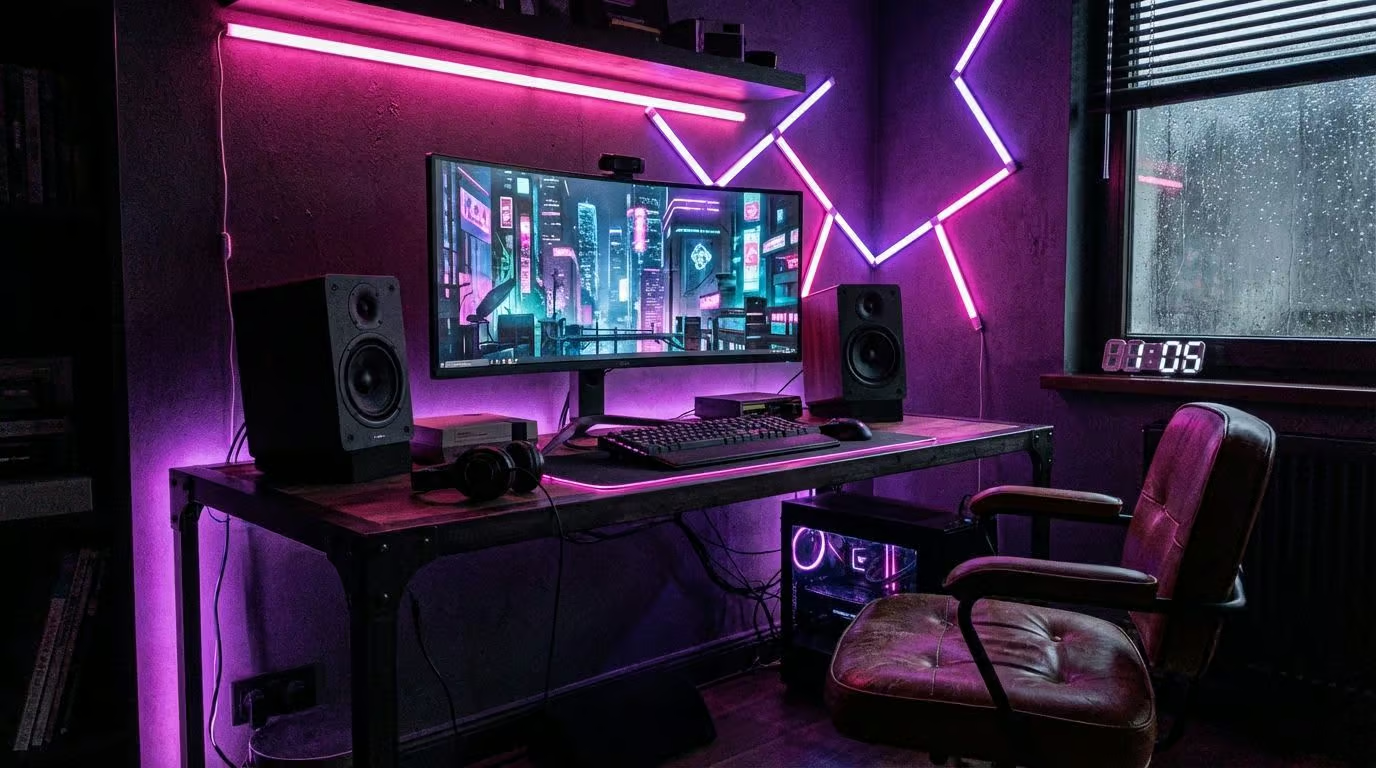
“Cyberpunk isn’t just a color palette; it’s a mood. Dark corners, bright neon, and exposed tech.”
I pair this with industrial furniture—metal legs, dark wood or carbon fiber textures. Keeping the room relatively dark makes the accent lights pop, creating that gritty Night City feel.
How to incorporate nature-inspired decor in a gaming area?
Sometimes I need a break from the screens. A “Solarpunk” or nature theme uses plants to soften the tech. I place trailing Pothos plants on top of my shelves—they are impossible to kill and look great hanging down.
I use a wood-finish desk instead of black or white. Warm white lighting (2700K) feels more like sunlight than the harsh cool white of standard LEDs. Adding a small desktop fountain adds a layer of white noise that helps with focus.
Using Advanced Gaming Accessories
The right tool makes the job easier. In gaming, that means sensors and switches that react as fast as you think.
What gaming keyboards and mice improve performance?
I recently switched to a Hall Effect keyboard (like the Wooting 60HE). Instead of physical contacts, it uses magnets to detect key presses. This allows for “Rapid Trigger” features where the key resets instantly, making strafing in shooters incredibly responsive.
For mice, lighter is better. A mouse under 60 grams (like the Logitech G Pro X Superlight) reduces wrist fatigue. High polling rates (4000Hz or 8000Hz) are becoming standard in 2025, ensuring your cursor moves perfectly in sync with your hand.
How do VR headsets enhance immersive gameplay?
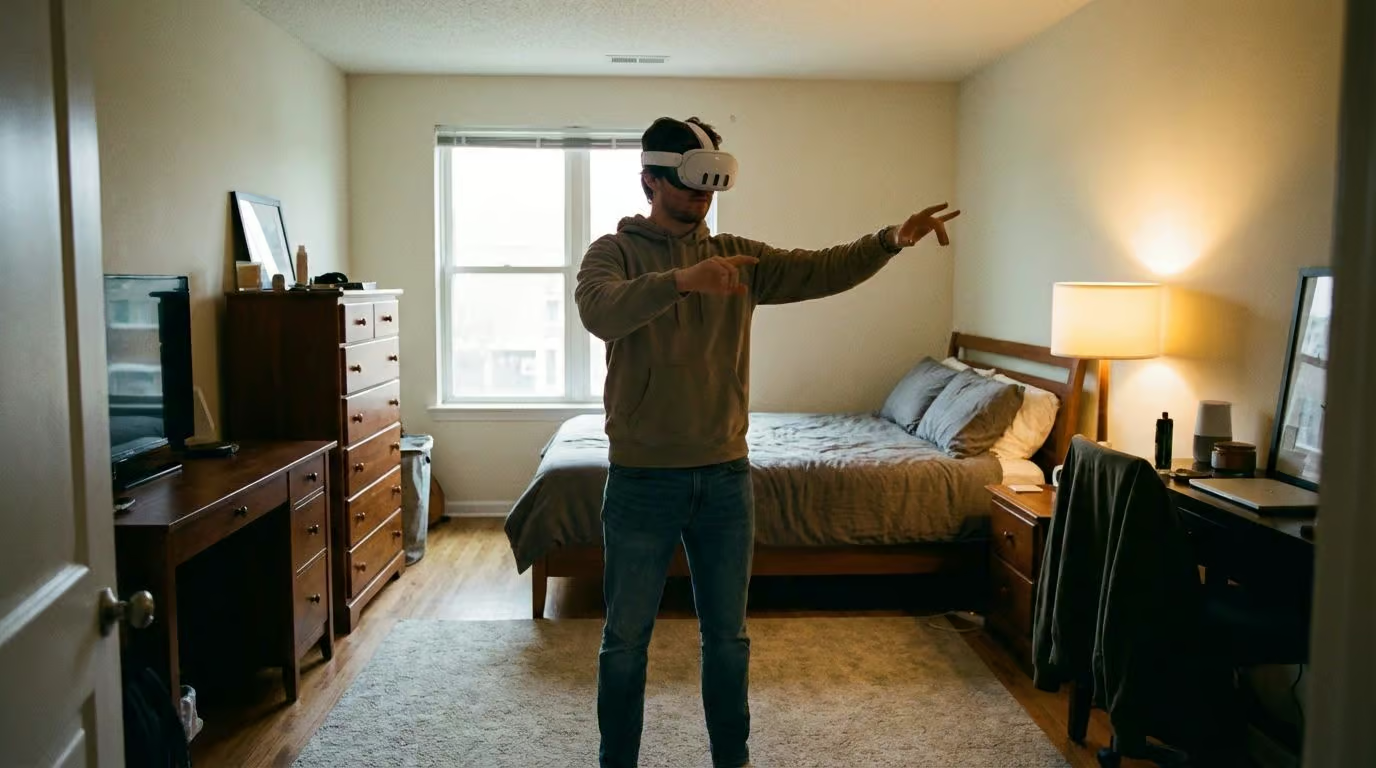
VR has matured a lot. The Meta Quest 3S or similar headsets offer wireless freedom that we only dreamed of a few years ago. I clear a 6×6 foot space in my room specifically for this.
Modern headsets use pancake lenses which are clearer and lighter. If you have a powerful PC (RTX 4070 or better), you can stream games wirelessly to the headset, giving you PC-quality graphics without the tether. It is the ultimate escape.
Increasing Comfort with Room Additions
I treat my gaming room like a cockpit. Once I’m strapped in, I don’t want to leave for supplies.
Why add a mini-fridge for snacks and drinks?
A mini-fridge is a luxury that feels essential once you have one. I use a small 4-liter model that holds six cans. It fits right under the desk.
Look for thermoelectric models—they are quieter than compressor fridges, so you won’t hear a hum in the background of your stream. Just make sure to leave a few inches of clearance behind it for ventilation.
How do comfortable rugs or carpets improve gaming comfort?
If you have hard floors, a rug is mandatory. It stops your chair from rolling away when you press the pedals in a racing game. I use a low-pile rug so the chair wheels can still move, but with resistance.
Rugs also dampen sound. A thick rug absorbs the clicks of your mechanical keyboard and the shouting of your teammates, making the room sound “tighter” and more professional.
Soundproofing Your Gaming Space
I live in an apartment, so soundproofing keeps my neighbors happy and my microphone audio clean.
How do acoustic foam panels reduce noise?
Acoustic foam panels (like Elgato Wave Panels) stop echo. They don’t “soundproof” the room (prevent sound leaving), but they treat the room acoustics.
I place them at “reflection points”—the spots on the wall where sound bounces directly from my speakers to my ears. This makes voice chat sound crisp and helps me pinpoint enemy footsteps without reverb muddying the audio.
What role do heavy curtains play in noise reduction?
Windows are the weak point for sound. I use heavy velvet blackout curtains. They are thick enough to absorb some incoming street noise and block 100% of light for daytime gaming.
While foam handles the high-pitch echoes, thick curtains help dampen lower frequencies. Plus, they eliminate glare on the monitor, which is a win-win.
Keeping Your Gaming Space Flexible
My room serves multiple purposes. By day it is an office; by night it is a command center.
What are modular furniture options for gaming rooms?
I love modular furniture like the IKEA Kallax or Secretlab’s magnetic accessories. Being able to move a headphone hook or a cup holder to the other side of the desk in seconds is brilliant.
I put everything on casters (wheels). My file cabinet, my PC tower stand, and even my storage bins have wheels. This lets me roll everything aside if I need floor space for VR or a workout.
How can adjustable layouts support different games?
I have “modes” for my room. For competitive shooters, I pull my monitor closer and sit upright. For controller games, I push the monitor back and recline.
Monitor arms are essential for this flexibility. A good gas-spring arm lets you float the screen anywhere. If friends come over, I can swivel the screen 90 degrees so everyone on the couch can watch the gameplay.
The Future of Gaming: What’s Coming Next?
We are already seeing the trends of 2025 reshape our rooms. Wireless is king. With WiFi 7 and ultra-low latency peripherals, the days of being tethered to the desk are fading.
Device-agnostic streaming is the next frontier. I can now start a game on my PC and seamlessly pick it up on a handheld device in the living room. Hardware is getting faster with PCIe 6.0 drives starting to appear, promising zero load times.
Sustainability is also huge. I see more gear made from recycled plastics and “smart” power strips that cut power to peripherals when the PC sleeps. The gaming room of the future isn’t just powerful; it is smart, efficient, and clean.
Ready to build yours? Start with the tape measure.
People Also Ask
What are the must-have items for a gaming space checklist?
I always tell my friends to prioritize a high-refresh-rate monitor, ideally 144Hz, for buttery smooth visuals and a chair with real lumbar support like the Secretlab Titan Evo. You also need a mechanical keyboard for that tactile response and a mousepad large enough for low-DPI swipes.
How do I make my gaming area comfortable for long sessions?
I found that positioning the top bezel of your monitor exactly at eye level is the best trick to prevent neck strain. You should also try the 20-20-20 rule, where you look at something 20 feet away for 20 seconds every 20 minutes to save your eyes.
Can I create an awesome gaming setup on a budget?
You can build a powerful setup for half the price by hunting for u0022certified refurbishedu0022 parts on eBay or scouring Facebook Marketplace for local deals on last-gen gear.
What should I consider about sound in my gaming space?
I stick up acoustic foam panels to stop annoying echoes that ruin my voice chat quality. If you have thin walls, I recommend grabbing a pair of closed-back headphones like the HyperX Cloud Stinger to keep your late-night raids private.
References
https://www.homedepot.com/c/ab/how-to-create-a-gaming-space/9ba683603be9fa5395fab9017685a994
https://www.seagate.com/blog/console-vs-pc-gaming/ (2025-08-30)
https://pmc.ncbi.nlm.nih.gov/articles/PMC9838474/
https://www.comfort.global/buying-an-ergonomic-gaming-chair (2024-06-14)
https://www.viewsonic.com/library/gaming/what-you-need-to-know-about-curved-gaming-monitors/
https://www.benq.com/en-us/knowledge-center/knowledge/benefits-of-dual-monitor.html
https://www.pcmag.com/how-to/how-to-get-the-best-surround-sound-for-gaming
https://gamingheadsetblog.com/noise-cancelling-headsets-the-best-way-to-improve-your-gaming-focus/ (2023-03-17)
https://www.researchgate.net/publication/229139093_Intelligent_Lighting_for_Game_Environments
https://pubmed.ncbi.nlm.nih.gov/31823291/
https://www.leetdesk.com/blog/gaming-setup/cable-management (2023-04-30)
https://www.wired.com/story/lazy-gamers-guide-cable-management/
https://powder.gg/blog/ultimate-guide-gaming-cable-management/
https://www.mykeystorage.com/blog/game-room-organization-ideas-7-storage-solutions-key-storage
https://www.advantagestorage.net/blog/best-ways-to-store-your-video-games-and-consoles/
https://www.lostateminor.com/arcade-room-ideas/
https://aesthetics.fandom.com/wiki/Cyberpunk
https://biophilicflair.com/creating-the-ultimate-biophilic-game-room-where-nature-meets-play/
https://www.espublisher.com/uploads/article_pdf/es1293.pdf
https://havelifelongwellbeing.com/community/topic/gaming-rug-methods-to-be-more-productive/ (2024-12-26)
https://glidemagazine.com/314357/the-evolution-of-gaming-technology-whats-new-in-2025/ (2025-06-15)
