Choosing a gaming monitor can feel like the final boss battle before you even boot up a game. With LCD and LED technologies fighting for the top spot, it’s tough to know which one will give you the edge. This guide breaks down the 5 key factors to help you pick a winner and seriously boost your gaming performance.
In my 10 years of testing and reviewing gaming displays, one thing has become clear: for most gamers today, so-called “LED” monitors are the way to go. They offer superior color contrast and energy efficiency. But here’s the secret: almost all modern LED monitors are technically still LCDs, they just use a much better backlighting system. Ready to level up your setup? Let’s explore the crucial differences between older LCD vs LED gaming monitors.
Key Takeaways
LED monitors provide brighter colors, deeper contrast, and greater energy efficiency compared to older CCFL-backlit LCDs, making them the standard choice for almost every gamer in 2025.
Traditional LCDs are more budget-friendly but use more power and have bulkier designs, while modern LED monitors are slimmer and have longer lifespans, often rated for up to 100,000 hours.
Modern LED displays using IPS panels offer wide viewing angles up to 178 degrees, a significant improvement over the 160-degree limit on many older LCDs.
For the best gaming performance, look for monitors with fast response times (under 3ms), high refresh rates (144Hz or higher), and adaptive sync technology like AMD FreeSync or NVIDIA G-Sync.
When choosing a gaming monitor, weigh the initial cost against long-term value; LED monitors are more expensive upfront but deliver significant energy savings over their lifespan.
Table of Contents
LCD Monitor Technology
When we talk about traditional “LCD monitors,” we’re usually referring to older screens that use a specific type of backlight called a Cold Cathode Fluorescent Lamp (CCFL). These displays use liquid crystals to create images and rely on these fluorescent tubes to light up the pixels, offering a decent balance of performance and affordability.
Functionality of LCD Monitors
At their core, LCD monitors use a layer of liquid crystals tucked between two polarizing filters. An electric current makes these crystals twist and turn, which either blocks light or lets it pass through to create the image you see.
The key part is the backlight. Older LCDs use CCFL backlighting, which is essentially a series of small fluorescent tubes. These tubes provide the light, but they are less efficient and offer lower brightness than modern solutions. This technology was a huge step up from the bulky CRT monitors of the past, paving the way for the thin, flat screens we use today.
LCD technology revolutionized display screens, offering thinner, lighter alternatives to bulky CRT monitors.
Advantages and Disadvantages of LCD Monitors for Gaming
While largely replaced by newer tech, CCFL-backlit LCDs had their pros and cons for gaming. Understanding them helps show why the industry moved on.
- Pro: Very Budget-Friendly. Their biggest advantage was cost. CCFL LCD monitors were significantly cheaper to produce, making them a great entry point for gamers on a tight budget.
- Con: Higher Power Consumption. These monitors use more energy than their LED counterparts, which can mean higher electricity bills after long gaming sessions. A typical CCFL display could use 30-50% more power than an equivalent LED model.
- Con: Bulkier, Heavier Design. The CCFL tubes took up more space, resulting in thicker and heavier monitors that weren’t ideal for small desks or multi-monitor setups.
- Con: Environmental Concerns. The fluorescent tubes in these monitors contain a small amount of mercury, which makes recycling them properly more critical to avoid environmental pollution.
- Con: Uneven Brightness. The fluorescent backlights could sometimes result in uneven illumination, especially noticeable in dark game scenes where corners might appear brighter than the center.
- Pro: Still Functional for Casual Play. For less graphically demanding or web-based games, the performance of an older LCD is often perfectly adequate.
LED Monitor Technology
LED monitors are the current standard for gaming. They are technically a type of LCD, but they use light-emitting diodes (LEDs) as their backlight source. This simple change leads to brighter displays, better contrast, and a host of other improvements that gamers love.
Functionality of LED Monitors
LED monitors work just like LCDs but swap the old CCFL tubes for tiny, efficient LEDs. These LEDs can be arranged in two main ways.
Edge-lighting places the LEDs along the monitor’s perimeter and uses a guide to spread the light across the screen. It’s cost-effective and allows for very thin designs. However, Full-array backlighting distributes LEDs evenly behind the entire screen, which provides more uniform brightness and enables a feature called local dimming for much better contrast.

The latest evolution of this technology is Mini-LED, which uses thousands of even smaller LEDs. This allows for incredibly precise local dimming, dramatically boosting contrast and making it a strong competitor to OLED technology for high-end gaming monitors.
These monitors deliver superior energy efficiency and more vibrant, accurate images, making them the default choice for modern gaming setups.
Advantages and Disadvantages of LED Monitors for Gaming
LED monitors have transformed the gaming landscape. They bring a ton of benefits to the table, along with a few trade-offs to keep in mind.
- Brighter, More Vibrant Colors: LED backlights produce brighter, richer colors, making game worlds look more alive and immersive.
- Superior Contrast: Features like local dimming allow LEDs to produce deeper blacks and brighter whites, creating a more dynamic and realistic image.
- Energy Efficiency: LED monitors are highly efficient, consuming significantly less power than CCFL models, which helps lower your electricity bills.
- Sleek, Slim Design: Without the bulky CCFL tubes, LED monitors have much thinner profiles, saving you valuable desk space.
- High Refresh Rates: Most modern gaming monitors are LED-based and offer refresh rates of 144Hz or higher. This reduces motion blur and provides a much smoother visual experience in fast-paced games.
- Excellent Panel Variety: You can find LED monitors with different panel types to suit your needs. IPS panels offer the best color and viewing angles, while VA panels provide the best contrast for deep blacks.
- Longer Lifespan: LED backlights are more durable and typically last longer than their CCFL counterparts, giving you more years of reliable gaming.
- Powering High-Resolution Gaming: LED technology is behind the vast majority of 4K and high-resolution displays, delivering the crisp, detailed images modern games are known for.
- Potential for Backlight Bleed: On some edge-lit models, you might notice “backlight bleed,” where light leaks around the edges of the screen, which can be visible in very dark scenes.
- Higher Initial Cost: While prices have come down, high-performance LED gaming monitors, especially those with Mini-LED or OLED technology, come with a higher price tag.
- Blue Light Emission: Like most modern screens, LEDs emit blue light. Many gaming monitors now include low-blue-light modes to help reduce eye strain during those marathon gaming sessions.
Comparing LCD and LED Monitors
The real difference between an older LCD and a modern LED monitor comes down to the backlight. This one component dramatically impacts image quality, energy use, and even how the monitor looks on your desk.
Differences in Backlight Technology
The fundamental difference is simple: older LCDs use cold cathode fluorescent lamps (CCFLs), while LED monitors use light-emitting diodes. This is more than just a technical detail; it changes everything about the monitor’s performance.
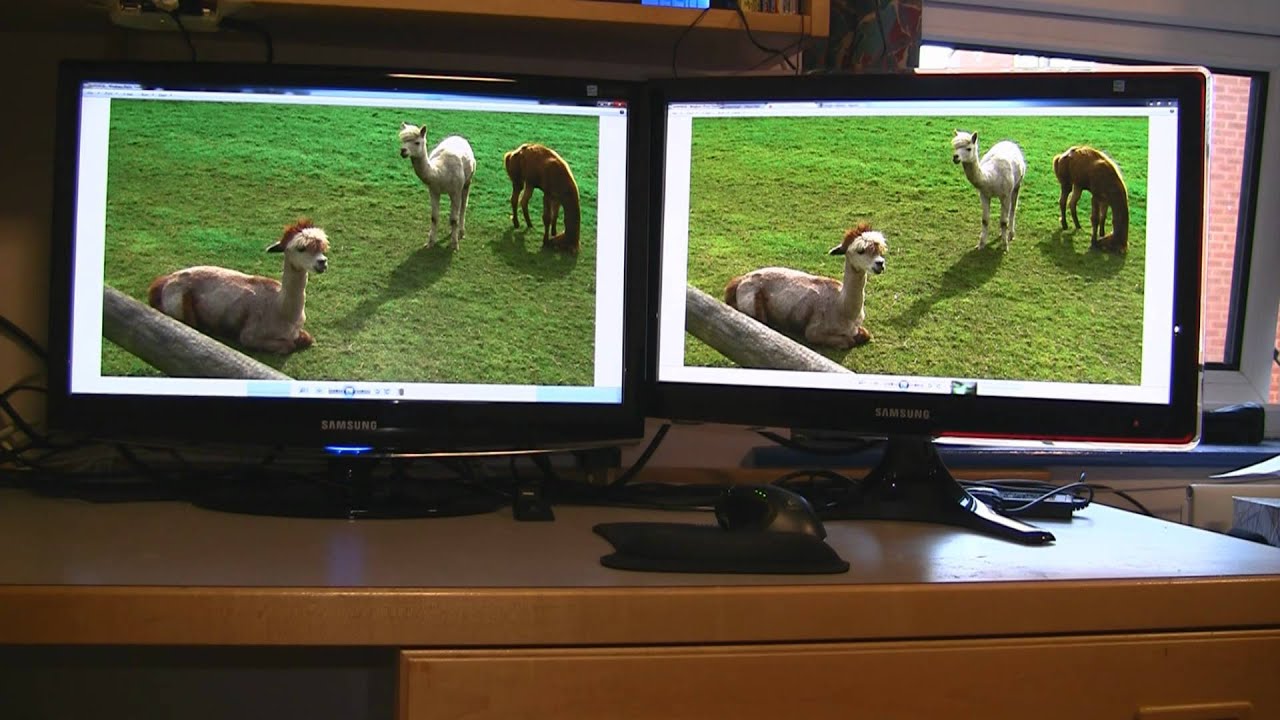
Modern LED monitors offer different backlight setups. Full-array LED backlighting provides the most uniform and highest-quality image by placing LEDs across the entire back of the panel. This allows for precise brightness control, known as local dimming, which is key for high-dynamic-range (HDR) content.
The choice between an older CCFL LCD and a modern LED-backlit display will significantly impact your gaming experience, with LED offering clear advantages in almost every category.
This difference in backlighting technology is the primary driver behind the improvements in image quality, power consumption, and physical design that make LED monitors the superior choice for gaming today.
Comparison of Energy Efficiency
When it comes to energy efficiency, there’s no contest. LED monitors are the clear winner, using significantly less power than their CCFL counterparts.
| Factor | LED Monitors | CCFL LCD Monitors |
|---|---|---|
| Energy Consumption | 30-50% less energy on average | Higher energy use |
| Typical Power Draw (24″) | ~20-30 watts | ~40-50 watts |
| Heat Generation | Less heat produced | More heat output |
| Environmental Impact | Lower carbon footprint, mercury-free | Higher environmental impact |
LED monitors can consume up to 50% less energy than older LCDs. This translates directly to savings on your electricity bill and a smaller carbon footprint. For gamers, this also means a cooler-running setup, which can contribute to better overall system stability and performance during long sessions.
Contrast in Image Quality and Viewing Angles
LED monitors have a decisive edge over older LCDs in both image quality and viewing angles. Thanks to better backlight control and more advanced panel technologies, they deliver a superior visual experience.
| Feature | LED Monitors (with IPS/VA Panels) | CCFL LCD Monitors (with TN Panels) |
|---|---|---|
| Picture Contrast | Superior (VA panels can exceed 3000:1) | Good (Typically around 1000:1) |
| Color Gamut | Wider (Many cover >95% DCI-P3) | Standard (Limited to sRGB) |
| Brightness | Enhanced (Can exceed 1000 nits for HDR) | Moderate (Usually 250-350 nits) |
| Viewing Angle | Up to 178 degrees | 120-160 degrees |
Modern LED monitors, especially those with IPS panels, offer wide viewing angles of up to 178 degrees, meaning the picture stays clear and colors remain accurate even when you’re not sitting directly in front of it. This is a huge benefit for gamers, especially if you play shooter games where peripheral vision is key. While some edge-lit LED models can have minor visibility issues at extreme angles, it’s a small trade-off for the massive overall improvement in picture quality.
Comparison of Durability and Lifespan
When investing in a new monitor, you want it to last. Here’s how LED and older LCD monitors stack up in terms of durability and lifespan.
| Factor | LCD (CCFL) | LED |
|---|---|---|
| Average Lifespan | ~30,000-60,000 hours | Up to 100,000 hours |
| Backlight Technology | CCFL bulbs (degrade over time) | Solid-state light-emitting diodes |
| Heat Generation | Higher | Lower (less stress on components) |
| Years of Use (8 hrs/day) | ~10-20 years | ~34 years |
LED monitors have a clear advantage in longevity, largely because their solid-state diodes are more durable and generate less heat than the plasma in CCFL tubes. Their impressive energy efficiency also reduces wear and tear on internal components.
While an older LCD’s lifespan was respectable, modern LED technology is built to last significantly longer, making it a more reliable long-term investment for your gaming setup.
Choosing the Right Monitor for Gaming
Picking the perfect gaming monitor ultimately comes down to your needs and budget. But understanding the key performance factors in the LCD vs LED monitor for gaming debate will help you make a smart, informed choice. Ready to find your perfect match? Let’s break down the final crucial factors.
Evaluate Gaming Performance
For truly great gaming performance, you need a monitor that can keep up with the action. This means prioritizing low latency and fast response times. Look for monitors with a response time under 3ms for the best results, especially in competitive games.
Pro-Tip: Pay attention to panel type. IPS panels offer the best colors, VA panels provide the best contrast, and TN panels deliver the absolute fastest response times, making them a favorite for esports pros.
To gain a competitive edge, you also need a high refresh rate and adaptive sync technology. A display with a 144Hz or higher refresh rate will deliver incredibly smooth motion. Pairing it with a technology like NVIDIA G-Sync or AMD FreeSync dynamically matches the monitor’s refresh rate to your graphics card’s output, eliminating screen tearing and stuttering for a flawless experience.
For the ultimate visual pop, look for monitors with a VESA DisplayHDR certification. A DisplayHDR 600 rating or higher ensures your monitor can produce the bright highlights and deep contrast needed for a stunning HDR gaming experience.
Analyze Cost Efficiency
While it’s tempting to just grab the cheapest screen, cost efficiency is about finding the best long-term value. Older CCFL LCD monitors have very low upfront costs, but LED displays provide much better value over time through energy savings and a longer lifespan.
In 2025, the sweet spot for budget gaming monitors is in the $180 to $250 range. In this bracket, you can find excellent 27-inch 1440p LED models with high refresh rates from brands like MSI and AOC.
- Best Budget 1440p Pick: The MSI G274QPF-QD often provides fantastic performance for around $192.
- Best Mid-Range Value: The AOC Q27G3XMN is a top choice, delivering strong SDR and HDR quality for about $259.
It’s smart to weigh the initial investment against the ongoing savings and superior performance. For nearly every gamer, putting a little extra toward a quality LED monitor is a decision that pays off in both gameplay and your power bill.
People Also Ask
What’s the main difference between LCD and LED monitors for gaming?
The main difference is the backlight. Older LCDs use CCFL (fluorescent) tubes, while modern LED monitors use light-emitting diodes. LEDs are more energy-efficient, produce better contrast and color, and allow for slimmer designs.
How do refresh rates compare in LCD vs LED gaming monitors?
Modern LED monitors almost always have higher refresh rates (144Hz, 240Hz, or even higher). This results in much smoother gameplay with less motion blur, which is crucial for fast-paced games.
Which type of monitor is better for HDR gaming?
LED monitors, especially those with Mini-LED or OLED technology, are far superior for HDR. To get a great HDR experience, look for a monitor with a VESA DisplayHDR 600 certification or higher, which guarantees high peak brightness and excellent contrast.
Are curved monitors available in both LCD and LED?
Yes, but virtually all modern curved gaming monitors use LED technology. LED is better suited for creating the uniform brightness and image quality needed for an immersive curved display.
How do LCD and LED monitors differ in power consumption?
LED monitors are significantly more energy-efficient, using up to 50% less power than older CCFL LCDs. This leads to lower electricity bills and less heat output from your monitor.
What about lifespan – do LCD or LED gaming monitors last longer?
LED monitors typically have a much longer lifespan. Their solid-state backlights are rated for up to 100,000 hours, compared to the 30,000-60,000 hours of older CCFL backlights, making them a more durable investment.
References
https://www.mmo-champion.com/threads/1088520-LCD-vs-LED-monitors-for-gaming (2012-02-28)
https://www.cdw.com/content/cdw/en/articles/hardware/led-vs-lcd-computer-monitors.html (2022-03-14)
https://www.gamespot.com/articles/lcd-vs-led-monitors-for-gaming/1100-6490253/ (2021-09-24)
https://www.jwslcd.com/lcd-vs-led-monitor-which-monitor-is-the-best-investment/
https://www.spiceworks.com/tech/hardware/articles/lcd-vs-led/ (2023-03-21)
https://www.hp.com/us-en/shop/tech-takes/differences-between-led-display-and-lcd-monitor (2020-05-11)
