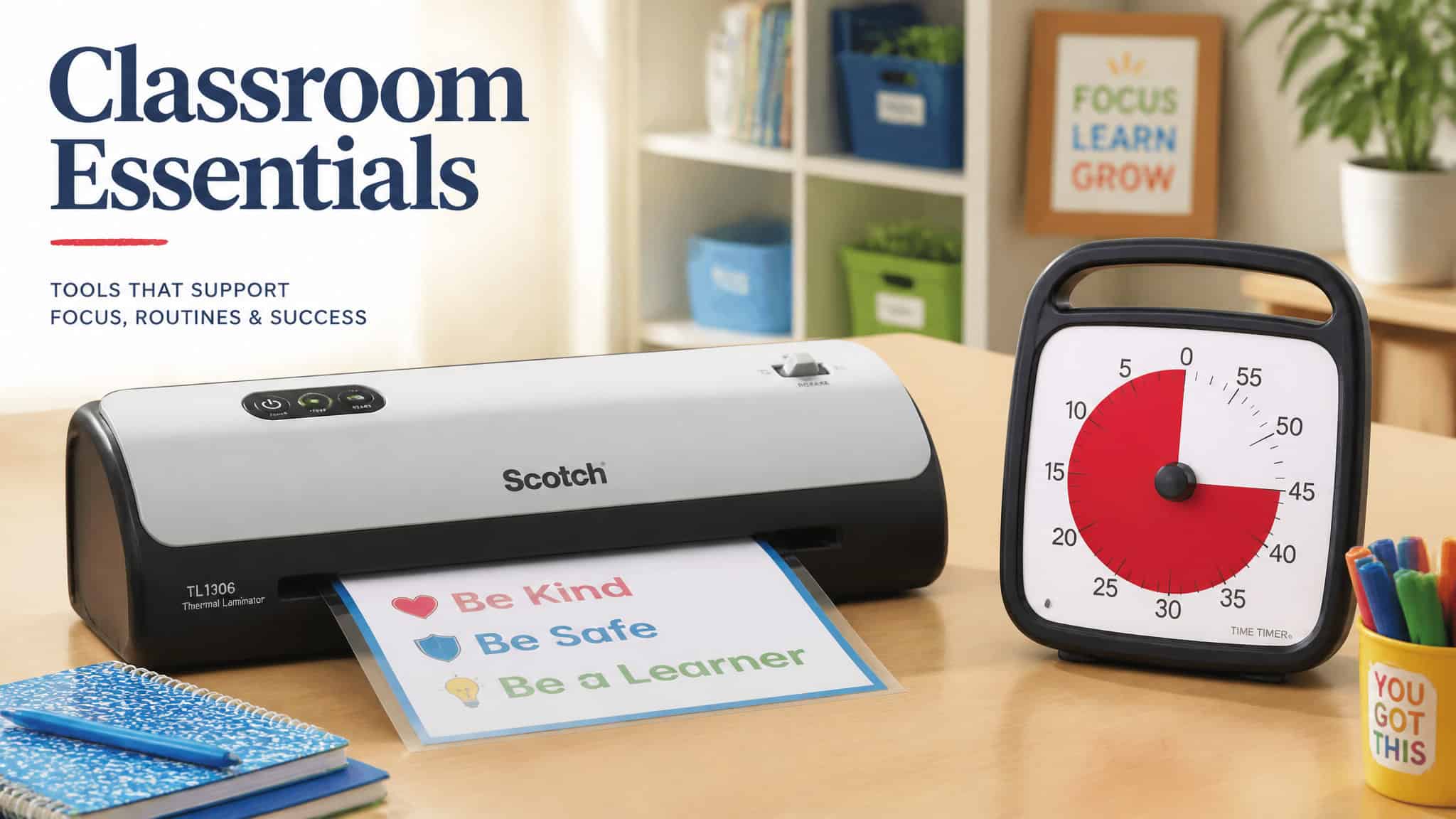
The gadgets worth buying for teaching kids all pass one test: they remove a recurring friction for the adult doing the teaching, and they keep working after the novelty wears off. Kitchen table, thirty fifth graders, same filter. That’s it. That’s the whole filter.
That still leaves plenty of room for newer technology. For example, Pixicade is a great example of technological advancement in educational and creative toys for kids. The question for any purchase is whether it will keep earning its place once the initial excitement settles.
That’s where most gadget lists leave you guessing: they tell you what something does, but rarely how long people keep using it. So we dug into ownership evidence. One teacher’s Scotch Thermal Laminator has run for 5 years.
One writer has used the same Time Timer for about 8. A binding machine that only got adopted in a teacher’s final 3 years in the classroom and prompted an honest “wish I’d had it sooner.” That’s the kind of data you can actually buy against.
The range here is wide on purpose. There are under-$30 mechanical fixes that solve specific annoyances (posters falling off cinderblock walls overnight is a real and specific pain), kid-facing learning hardware like a screen-free audio box a toddler can operate solo, and digital platforms worth building lessons on. Parents and teachers are shopping the same list, because at-home and classroom turns out to be a spectrum, not separate aisles. The Time Timer survives the living room; the Toniebox was born there.
Our addition is the ownership-tenure filter, because that’s the thing missing from everything else you’ll read.
Heads up: some links in this piece may earn us a small commission at no cost to you. It doesn’t change what made the list.
Key Takeaways
A 5-year-old Scotch Thermal Laminator and an 8-year-old Time Timer are the longest-tenured picks here, and both beat anything your phone does at the same job.
Classroom management gadgets work because they encode pre-agreed signals: green LED means group work, red means silent, and a doorbell chime replaces the “teacher stare.”
The best screen-free learning hardware for toddlers and young kids shares one design trait: simple physical controls a young child can operate without help.
Table of Contents
How we picked: what earns a gadget a spot
The classroom technology teachers recommend right now comes down to a handful of proven picks: a Time Timer visual timer, a presentation clicker, a VGA adapter, a budget-friendly stylus or Apple Pencil, and a portable battery pack. The bar for this list is a three-part test: Does it remove a recurring friction? Does it outlast a year? Does it beat what your phone already does? Each of these picks survived (or visibly failed) that filter.
Why “daily”? Because it’s already true. Per the EdWeek Research Center, 63% of K-12 teachers used technology daily in 2025, and AI tool use jumped from 34% in 2023 to 61% in 2025. That’s baseline, not a niche hobby.
Now, the anti-phone principle, because it structures half this list. A dedicated device that does one job usually beats the app on your phone for the same job. A cube timer beats a phone timer because the phone invites the distraction it’s supposed to be timing. A presentation clicker beats a phone app because you’re not babysitting a screen. A magnifying glass reads serial numbers your phone camera can’t. We’ll prove all three later.
We also tier everything: must-have, nice-to-have, optional. And a warning from the field: nice-to-haves have a habit of becoming must-haves under real use. Age-appropriateness and total cost of ownership are layers you’ll add on top; we’ll get to both.
Budget analog tools that fix daily annoyances
The learning gadgets worth the money for elementary kids on Amazon are, mostly, the sub-$30 mechanical fixes aimed at specific everyday annoyances. None of it is exciting; all of it is effective. Here’s the shelf.
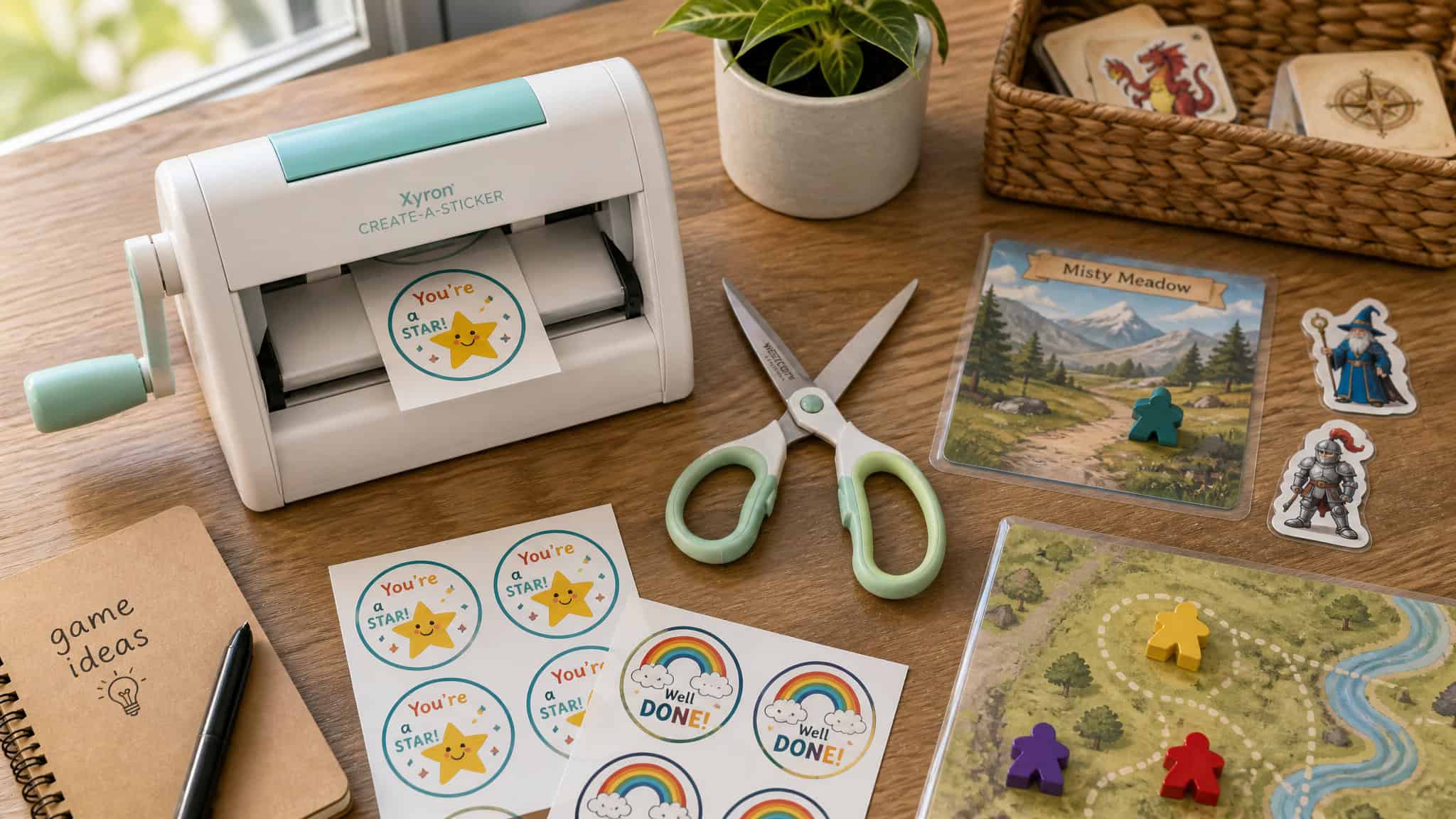
Xyron Sticker Maker
Okay so check this out: it’s a hand-cranked machine that turns anything into a sticker. It’s compact enough to tuck into a classroom closet, which matters when desk space is fictional, and you pick your cartridge: permanent adhesive or repositionable. That’s a genuine buyer decision, made once. Kids crank out custom stickers for labels, notebooks, and folders, and they will actually use them.
Honestly kind of elegant. Zero batteries, zero software, zero setup.
Fiskars Easy Action Scissors
(Note: one source out there misspells this “Friskars.” The manufacturer is Fiskars.) The trick is in the mechanism: the blades spring back open after each cut, so your hand does the closing and the spring does the reopening. That’s tiny wizardry and it matters, because hand strain from cutting lamination and craft samples all afternoon is real. Low-key useful, exactly as advertised.
Scotch Thermal Laminator: the anchor buy
This is the pick I didn’t expect to care about, and now it’s the headline. The durability record: one writer’s unit has lasted 5 years, and a second owner’s unit jammed exactly once in 4 years, and it was an easy fix. Two different owners, both numbers intact, both machines still in service.
It’s compact enough for a closet but has run for years, and laminated centers and game pieces survive the full school year. Bored Teachers makes the practical point that lamination makes paper waterproof and easier to wipe down. Boring? Absolutely.
Essential? Also yes.
Teachers Tape
This one’s boring and I love it. It’s removable foam tape (that’s the entire chemistry lesson) and it holds laminated posters on concrete block walls and even storm doors without damaging anything. If you’ve ever put posters up on cinderblock and found them on the floor by morning, you already understand the product.
Binding Machine
Binds workbooks, writing samples, and class books so they survive the backpack test. For some classrooms it might be overkill. It wasn’t for one author, who only started using theirs in the last 3 years of teaching, and the framing was mild regret: simple to use, should’ve had it sooner.
Crayon Sharpener
I just enjoy that this exists. It’s essential for K-2, where crayons get tossed for dull tips constantly, and it saves actual money on replacement crayons. Small investment, specific payoff.
Circle Labels
The humblest pick here. It made a quick-shop top-ten roundup somewhere, which is faint praise, but sometimes faint praise is accurate. Labels go on things. It works.
Time Timer: the visual timer that beats your phone
The decisive difference between a visual timer and a regular digit timer is that kids can’t intuit “how much is left” from numbers. The Time Timer solves that with a shrinking red disc: less red, less time. Elapsed time becomes something you can see across the room, which is exactly the point.
The introduction protocol is worth copying verbatim (well, in spirit): when you set it, point at the red area and show it shrinking as time passes. Every competitor list just prints the feature; that’s the script that makes it work. One writer has used theirs for about 8 years, which is an absurd tenure for a plastic disc and honestly kind of a flex. It helps students who struggle with time management, and it keeps a whole class moving at pace, not just the adult.
One buying tip: choose the larger size, since it stays readable from across the room. Beyond the classic disc, the category includes wearable timers, magnetic ones, and clip timers that are, per the source, VERY LOUD (their capitalization, and it’s earned). There’s also the cube timer: flip it to a side and it starts. 15, 20, 30, or 60-minute modes, flip-to-start, and no screen to get sucked into.
Which is the anti-phone case in full: during group work, phone speakers aren’t loud enough. Phone timers murder your battery. And the phone on the desk is the distraction the timer was supposed to merely measure. The common buyer progression is digit timer first, visual timer after one semester of the first one not landing.
Fun teacher gadgets for classroom management
The fun gadgets that make classroom management easier are the ones that encode pre-agreed signals, so the room runs on chimes and colors instead of verbal escalation. Even in the creative-play corner of the classroom, tech that looks like fun but builds real skills Pixicade, for instance, which turns kids’ drawings into playable video games, proves the point. These aren’t toys. They’re systems that look like toys, which is the best kind of system.
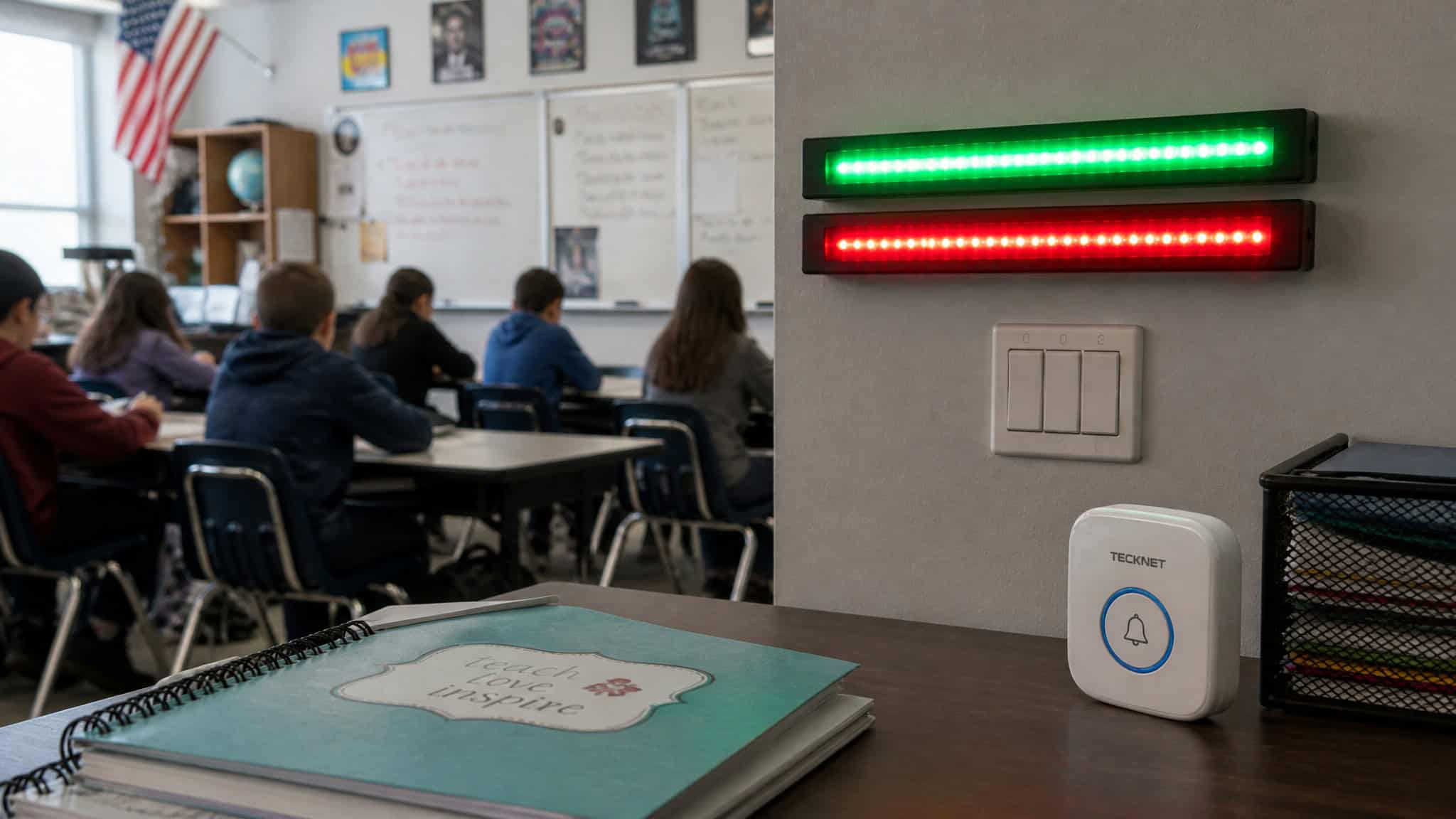
Wireless Doorbell
It sounds silly. Hear me out. A chime quiets a loud class at moments when call-and-response feels awkward, and it’s not just for elementary rooms. One teacher said it replaced her “teacher stare” from the back of the room. No paraphrase could improve that.
Color-Changing LED Lights
These come with a color clicker remote, and they run two jobs. The fun one: the birthday kid picks the day’s color. Small ritual, big return. The systems one: a voice-level protocol where green means group work, yellow means whisper, red means silent. Once the class knows the code, you stop re-explaining the rules every five minutes, and that’s minutes recovered every day.
Answer Buzzers
Game-show energy, deployed for test review and race-to-answer games. Pizazz is the correct word here and I won’t apologize for it. Hand four kids buzzers and watch a review session turn into a competition they ask to repeat.
Fidget Tools
Handled with care, because this deserves warmth, not jokes. A class set covers sensory relief and doubles as a reward. Fidget bands on chair legs keep wiggly students in their seats. A wiggle stool gives active seating a place to happen.
And Crazy Aaron’s Thinking Putty, around $16.95, is a go-to fidget for neurodivergent kids. If you’re wondering what actually helps sensory-sensitive kids, this cluster is the honest answer from the sources: a class set of fidgets, bands, active seating, putty, and backup headphones (coming up in the hardware section). These are sourced usage patterns, not therapy claims, and they shouldn’t be sold as anything more.
Mind Sparks Dry Erase Blocks
Weird-cool: cubes with dry erase faces you can write on and roll. Versatile and engaging, especially for tactile students. Honest flag: it’s novel, and novelty fades. The versatility is what keeps it in rotation.
Dry erase lapboards (class set)
An oldie and a goodie. Every student holds up an answer and you see the whole room at once. That’s a formative check with zero dashboard, and it doubles for team games.
Voice Amplifier Speaker
Spares your throat and reaches the farthest corner of the room. That’s the entire pitch, and after a full teaching day, “entire pitch” is enough.
Smart speakers and everyday classroom tech
Yes, the Echo Dot is actually useful for teaching kids, for specific jobs: a hands-free timer, soothing post-lunch music, and spelling help on request. The honest caveat is that it cannot grade papers, no matter how much you might want to ask it to. It times things and spells “necessary” while your class settles down after lunch, and that’s a real afternoon improvement.
Echo Dot (3rd Gen)
The cheap-dongle-of-voice-assistants energy is the appeal. “Alexa, set a timer for eight minutes” beats fumbling for your phone mid-lesson, every time. It’ll help with spelling words if you ask. It’s a small, dumb-in-a-good-way box that removes three micro-frictions a day.
Fujifilm Instax
Instant printing is the whole magic trick: no cloud, no queue, photo in hand in seconds. Uses: bulletin boards, documenting achievements, pictures home in backpacks. The honest tradeoff, stated straight: image quality is worse than a real camera. And the real cost is film refills, which are the printer-ink economics of the photography world. Splurge verdict: worth it anyway, per the writers who own one.
Classroom Printer
Saves the trek to the staff workroom for one page, which is a rant every teacher has lived. The cost structure is the useful truth: printers are cheap, ink is the expense. Ink subscription programs exist as an option. Mentioning them is my whole obligation here; whether you want a subscription for your ink is between you and your bank account.
Remind App
The app that finally fixed the parent-texting mess. Easy parent-teacher communication without anyone exchanging phone numbers. One line, done, and it earns its spot.
Fluorescent Light Covers
The fix nobody knew they needed. Badly placed fluorescent glare makes boards hard to read, and a fabric cover dims it. Deeply unglamorous. Get some.
Wireless Mouse
Fun colors exist. That’s the section.
Rechargeable Batteries
Unsexy, smart, and I own the boringness. Classroom devices like graphing calculators eat AA and AAA cells, so stock spares and a charger alongside the cool tech gadgets you can buy. You will never regret this purchase.
UV Portable Light Sanitizer
Yes, a UV wand. Stay with me. It’s about peace of mind, especially during the stretch when disinfectant wipes were scarce. No germ-kill claims without data, and I don’t have data; I have a wand and a slightly calmer teacher.
Presentation and teaching hardware
Do you need a laminator and a document camera at home or for small groups? The laminator earns its spot, with the tenure record to prove it: 5 years from one owner, one jam in 4 years from another. The document camera depends: the HUE replaces your slide deck entirely, but a $20 clamp and your phone can substitute if the budget’s tight.
IPEVO HUE Document Camera
Crystal clear picture (no fake resolution numbers, it’s just clear), and one cord handles both connection and charging. I said “finally” out loud when I read that. Cable reduction matters. Instead of running PowerPoint slides, you can point the camera at the actual worksheet and go. Done.
Presentation Clicker
Small, practical, doesn’t need to be exciting. For mobile lecturing, it means you’re not chained to the laptop. The Logitech Spotlight is the standout: it highlights, circles, and pseudo-laser-points on screen, which is cool. Caveat: it needs companion software.
The phone app substitutes, but the dedicated device is preferred. This is the anti-phone principle’s strongest case.
iPad or Drawing Tablet
Either works; your budget decides. Remote learning turned these from nice-to-have into necessity, and that shift stuck.
GoodNotes
The GoodNotes App is a note-taking app, and one source author repurposes it as a planner, which is the kind of workflow hack that tells you someone actually lives in the app. Solid for annotated handouts and planning pages alike.
Stylus or Apple Pencil
The budget stylus came recommended via a Facebook group, so attribute that to community wisdom rather than lab testing; it’s the real-cost option. The Apple Pencil is the author’s personal preference. Not a manifesto. Just the one they’d buy again.
Apple TV (classroom)
Initial skepticism is fair, and then it solves a real annoyance. With 1:1 iPads, it showcases student work to the whole room and records content from multiple devices. Student work gets seen, and you stop cable-wrangling every presentation.
Classroom Headphones (extra sets)
Supply realism: plan for kids who don’t bring supplies, without judgment. Backup pairs run about $15, cheap insurance given the structural demand. For anxious or sensory-sensitive kids, they dial the room’s noise down, said with warmth and zero clinical claims.
Chromebooks
The context pick: the classroom staple driving half the accessories in this article. Chromebooks and iPads are standard classroom hardware now, which is why headphone demand is structural, not optional.
Online-teaching kit
An adjustable phone holder replicates document-camera teaching online (verify the mount width against your cased phone, seriously). A ring light plus phone stand fixes lighting and stream quality. A webcam with a mic and privacy cover covers the bundle basics, and better webcams exist if you want to upgrade. A backdrop shields a messy home background, and we’ve all been there.
Organization and environment gear
Environment gadgets are friction removal too, not decor. Full disclosure: these skew classroom, though a rolling cart has no loyalty whatsoever.
Cascading Wall Organizer
Paper chaos, meet gadget. A pocket per school day holds plans and handouts, and the paper piles on the desk finally have an exit strategy.
Classroom Mailbox
Logistics pick with a sneaky-good rationale: a classroom mailbox ends the it’s in my locker / it’s at home excuse loop for missing books and papers, because there’s now a single place where turned-in work lives. You know exactly what that excuse loop costs you. This ends it.
Multi-Tier Rolling Cart
Organization on wheels. It takes floor space, and the mobility pays it back: roll it wherever the lesson happens.
Felt Letter Board
The cozy pick. It welcomes students and brightens the room. I won’t pretend it’s tech; it’s felt and letters and it works anyway.
Best gadgets for teaching kids at home: the gift-guide tier
The best screen-free learning gadgets for toddlers and young kids are the ones with simple physical controls a young child can operate entirely alone. That single design trait separates the keeps-getting-played-with from the gathers-dust, and it’s exactly what separates the best gadgets for teaching kids from the rest of the toy aisle. The consensus across the gift guides is that hands-on engagement beats passive watching; our addition is the design tradeoff underneath: devices with scripted lights and voice prompts pull kids back toward designer-intended play, while simple physical controls hand the session to the kid. That’s a pre-unboxing decision worth making consciously.
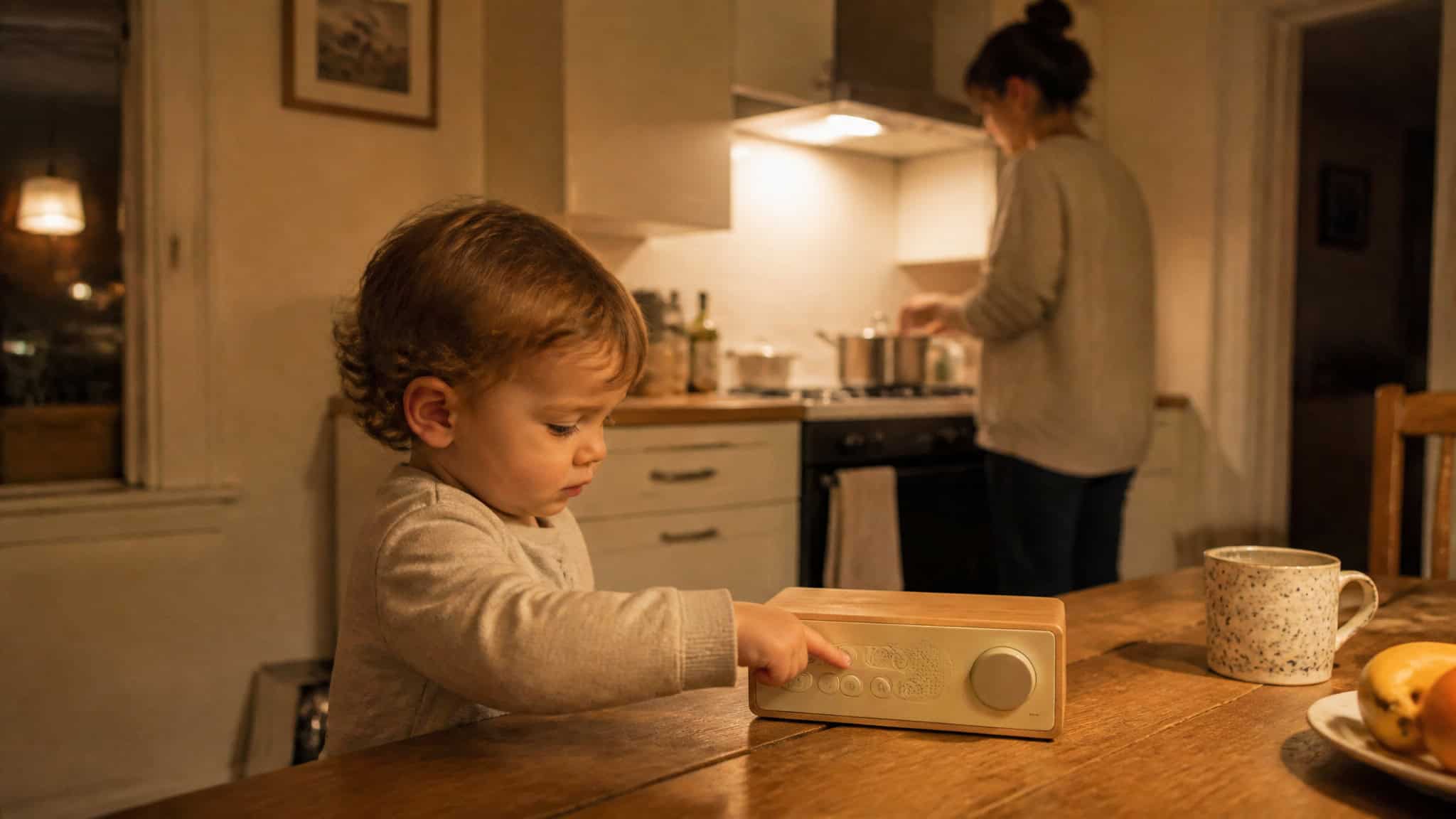
Toniebox
From $35, and the concept is lovely: screen-free audio a toddler operates alone, swapping little figurines to pick stories and music. There’s a Tonies Bluey collaboration including a Tonieplay Game, active play, not just listening. If you’d rather go fully analog, the Lego Duplo Bluey’s Family House is $99 and doubles as an actual memory game. The selling point is an image, not a spec: a toddler independently picking stories while a parent cooks dinner.
LeapFrog Magic Adventures Telescope and Globe
The telescope runs $179 with 110x zoom, 100+ NASA and ESA explainer videos, 20 fact cards, and space games. The globe is $139, 26cm, with a stylus, a 2.7-inch screen, 600+ BBC country videos, and quizzes. Note what the real differentiator is: not the zoom, the built-in expert videos. Your kid looks at Saturn and then hears an actual space-agency explainer about it. That’s the trick.
VTech Kidi Guitar Superstar, Drum Set, and Karaoke Mic
The guitar is $79.95 and teaches basics through fret buttons that change tone, acoustic/clean/distorted sounds, and Bluetooth jam-along. The drum set is $89 with letters, phonics, and memory modes. The karaoke mic is $49 for kids born to perform who don’t want setup and pack-down. Honest criticism, flagged by hands-on reviewers rather than our own testing: inactivity voice prompts and lights interrupt imaginative play. When the toy talks over the game the kid invented, that’s a real design cost.
Lego Duplo Bluey’s Family House
$99, and it doubles as a memory game. The detail that sold me: the reviewer’s daughter loves it despite never having seen Bluey. It’s a great house. That’s the strongest endorsement a licensed set can get.
Matching pick to kid
The guides map ages roughly like this: 2 to 4 is Toniebox and Duplo territory (simple physical controls, no reading required). By 5 to 8, add the telescope, globe, Kidi instruments, and Bluey house. From 9 to 12 you’re into the gadget tiers in the next sections, especially screen-time setups and the reliability kit. Match the toy to the kid, not the age to the box.
Screen time, subscriptions, and focused reading
The gadgets worth it as gifts cluster around two things: a solid screen-time setup and the hands-on hardware for kids above, with all prices as listed. Because quality screen time is a spectrum, not a binary, and the low end of the spectrum is better than it used to be.
The quiet MVP here is Apple Arcade: $10 a month with no ads, no in-app purchases, and family sharing for up to six users. That last part matters. It can change what an iPad you already own is worth more than any new hardware, by stripping the ads and purchase prompts out of the equation.
Nintendo Switch 2 picks: Rhythm Paradise Groove at $59, a set of co-op and PvP rhythm mini-games that are easy to pick up (and if you need the educational justification: hand-eye coordination and not swinging the beat unless the genre calls for it). Belkin grips from $49.95, where the battery-pack grip more than doubles battery life. Lego Batman: Legacy of the Dark at $99 for ages 7+.
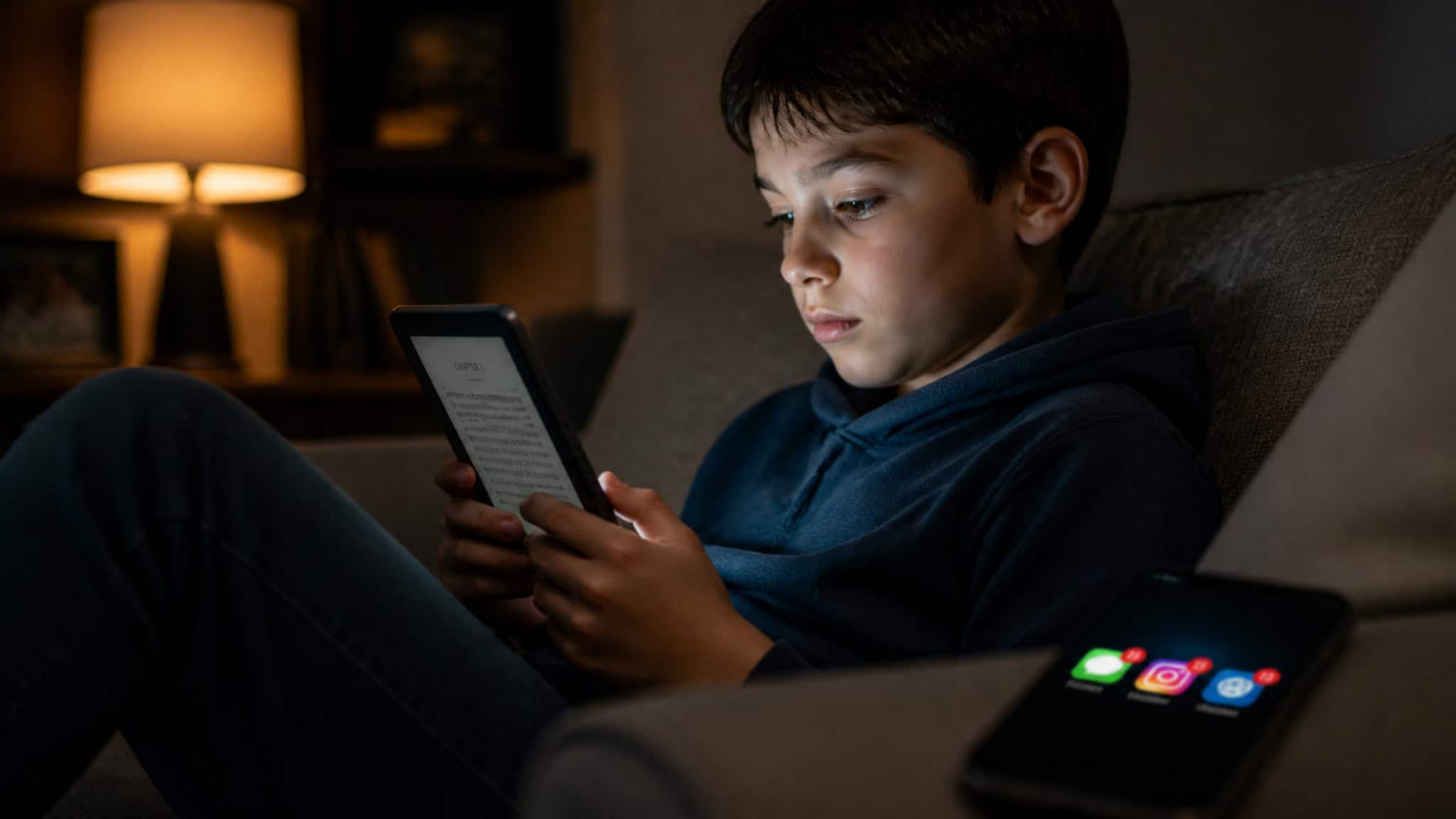
And e-readers like the Kindle Oasis and Kobo are focused reading hardware by design: they remove the phone’s entire distraction layer. Same book, no notifications.
The reliability kit: power, adapters, storage, and offline resilience
How much should you spend on teaching gadgets? The boring truth: most people under-spend on reliability and over-spend on toys. The ~$15 backup headphones and $16.95 putty will matter more often than the $179 telescope or the Instax, because the cheap kit prevents the failures that actually happen: dead batteries, dead phones, dead Wi-Fi. And cloud-dependent setups fail exactly when school Wi-Fi does, which is never a convenient time.
Buyer rule: Before buying anything cloud-dependent, check that your lesson survives a day with no internet and no charged phone. If it doesn’t, add local backup first.
Anker Power Bank
Origin story: a phone died on a field trip. No emergency required the phone, but it was stressful enough that a portable battery has ridden along on every field trip since. Stress test: Anker banks charged a phone and a watch across 7-day hikes. The weird-but-handy trick: rechargeable AA and AAA cells, roughly 2600 and 3600 mAh respectively, can charge devices over USB. Yes, your batteries can charge your phone. It’s cursed and useful.
Moken 14-in-1 USB-C Adapter
For old projectors, the VGA output rescues BYOD presentations, which is a save you’ll be thanked for. Also, from the field notes: lending someone a charging cable makes a friend.
Camo + desk clamp + iPhone
The ~$20 document camera. Desk clamp, cased phone (verify mount width), Camo running, and you’ve got an overhead camera. Budget engineering at its finest.
Mini Bluetooth Keyboard
Pocket typing for whatever device is in front of you. The best part is social: one student using one drew questions from about 20 classmates. Turns out a tiny keyboard is a status symbol. Noted.
LaCie Rugged Drives and USB storage
Rugged external drives from 1 to 5 TB, plus a 32 GB USB stick around $15. That’s the whole shopping list, because cloud does not replace a local drive when the internet fails. Keep your lesson files in at least one place that works offline.
Caesar Scanner
Digitized about 8 heavy books, per its owner. For anyone drowning in paper curricula, that’s the pitch.
Mini Flashlight and Magnifying Glass
The flashlight is for peering at ports behind desks (flashlights are socially acceptable; headlamps are not, ask me how I know). The magnifying glass is the third anti-phone proof: it reads Mac serial numbers that phone cameras can’t resolve, because it’s an optical magnifier and not a 2x digital crop.
Livescribe Smart Pen and Scan Reader Pen
The Livescribe digitizes handwriting from regular paper and Post-its, syncing later. There’s a “hello world” note handed to a student while the writer kept the digital copy, which is exactly the demo that sells it. The Scan Reader Pen does two-way live translation across 122 languages with about 16 GB of memory, and the class-tested honesty is gold: Mandarin rated great, Hindi output judged too formal, almost Sanskrit, a native Spanish speaker impressed, and it read a German short story aloud. Some languages need internet. Honorable mentions: an Apple wireless hub (with IT caveats) and a compact screwdriver set, which sits firmly in the optional tier.
Digital learning platforms worth building lessons on
Pick platforms by what they add: analytics, tracking, accessibility. And build every free-tool lesson plan with a backup, because platform shutdown risk is real. Exhibit A: Microsoft killed Flip, and Padlet absorbed its use case. RIP Flip. The platforms below earned their keep on what they actually contribute.
YouTube
Educational channels, custom playlists, flipped content. In 2025 the platform shipped interactive questions, timestamped notes, and AI recommendations, which is an “oh, they actually shipped that” moment. The basics were already strong; the 2025 layer makes videos closer to lessons.
Kahoot!
The real-time quiz-competition platform everyone’s seen, with a claimed 50+ million active users. Familiarity is fine; the differentiator isn’t the game show, it’s the analytics layer that surfaces which questions the class missed, so you can spot knowledge gaps instead of guessing.
Mentimeter
Kahoot’s quieter cousin. Phone responses render as live word clouds, charts, and scales. The human benefit: it encourages quieter students to participate without raising a hand in front of everyone.
Padlet
A shared board for notes, images, links, and videos, used for brainstorming and digital gallery walks. Genuinely fond of its flexibility, and it inherited Flip’s job when Microsoft pulled the plug.
Edpuzzle
Embeds questions inside videos and tracks viewing and comprehension. The accountability mechanic is the feature. Key for flipped classrooms, where the video is the at-home part and class time is for the actual work.
WeVideo
Cloud video editing for videos, podcasts, and multimedia, no install, works on school hardware. Multiple students can collaborate simultaneously, which makes group video projects survivable.
Canva
Everyone already uses it, so let’s skip the discovery theater. Its education-focused template library spans slide decks, infographics, posters, and videos, and it saves an afternoon, and collaboration features support student design projects.
ClassPoint
A PowerPoint add-in embedding quizzes, polls, and games. The payoff is instant response collection for formative assessment inside the deck you already built. Enhance what you have; don’t migrate.
Zoom
Beyond the meeting app: breakout rooms, advanced polling, formative assessment uses. The genuinely cool use is classrooms connecting with experts anywhere on Earth. A class video-calling a working scientist or author is the kind of thing that didn’t exist for most of us growing up, and it’s one URL away now.
Read&Write
The accessibility pick, treated with respect. Text-to-speech, speech-to-text, picture dictionaries, vocabulary support, real-time text simplification, and multilingual support for English language learners. Not a novelty. A daily tool for the students who need it.
Google Workspace
The hub everything else plugs into: docs, slides, forms, and the target for smart whiteboard integrations, saving you from re-uploading and re-converting everything. The ecosystem gravity is real, and mostly in a helpful direction.
AI tools: teacher-facing vs safe student-facing
Yes, AI is safe for kids to use for learning when the teacher controls it. That distinction matters more than which chatbot is “best,” and the staff-room conversation is already happening: per the EdWeek Research Center, teacher AI tool use rose from 34% in 2023 to 61% in 2025. The meaningful split is who holds the controls. For a framework, the SAMR Model (substitution, augmentation, modification, redefinition) is a decent lens for judging whether a tool actually changes the lesson or just digitizes it.
ChatGPT
Handy for lesson planning and assessments, from someone who has actually used it, not a phenomenon. The concrete trick worth stealing: regenerate the same content at different reading levels. Instant differentiation, no extra prep period.
Microsoft Copilot
If your school lives in Microsoft 365, Copilot drafts parent emails, builds rubrics, generates lesson materials, and analyzes student data to suggest personalized pathways. Describe its capability soberly: it’s a drafting and analysis assistant, not an oracle.
SchoolAI Spaces
The teacher-controlled option: sandboxed AI chatbots students actually use, with the guardrails as the headline feature. Safety and age-appropriateness are its design focus. Design intent, not a verified guarantee, and I’d rather tell you that than pretend otherwise.
Notebook LM
The curiosity pick. Feed it PDFs, websites, and videos into notebooks, and it generates study guides, timelines, and audio overviews. Hours of prep compressed, and the audio overview feature is a legitimate rabbit hole. The fun kind.
Vibe Board S1
A touchscreen smart whiteboard with cloud connectivity, supporting 250+ apps including Google Workspace, Microsoft 365, and Zoom, so you don’t ditch your existing tools. Multi-user collaboration via shareable links and wireless screen sharing. One honesty flag: this source is vendor-published, so treat the comparative claims as promotional material until you’ve touched one.
How to choose (and what to skip): the buying framework
Run every gadget, on this list or not, through the same three filters: Does it remove a recurring friction? Will it outlast a year? Does it beat your phone at the job? If it fails two of three, skip it.
Tiering, with sourced examples: the VGA adapter earns a must-have rating, while pens and power land in nice-to-have territory. Timers and toolkits are optional, until they aren’t; nice-to-haves become must-haves under real use more reliably than anything else on this list.
Recap the honest tradeoffs before you buy: the Instax trades image quality for instant printing. Printers are cheap and ink is not. The Kidi Guitar teaches real basics but its voice prompts interrupt the games kids invent.
Now the contrarian close, and I mean it: the most durable teaching tech is decades old. The 5-year laminator and the 8-year Time Timer have outlasted platforms that no longer exist (RIP Flip, again, briefly), app redesigns, and every “revolutionary” edtech launch since. Laminators, visual timers, and tape don’t have shutdowns. When in doubt, bet on the boring thing that’s still working.
Last math exercise: aggregate year-one costs before buying, not sticker prices. Ink, lamination refills, the $10/month subscription. Total cost of ownership is the difference between a $30 gadget and a $30-gadget-shaped subscription. For age matching, circle back to the gift-guide tier above and pick for the kid in front of you.
Frequently Asked Questions
What are the best screen-free learning gadgets for toddlers and young kids?
The best screen-free gadgets share one design trait: simple physical controls a young child can operate entirely alone. The Toniebox is the flagship example — a toddler swaps figurines to pick stories and music without any adult help. Devices with scripted lights and voice prompts tend to pull kids back toward designer-intended play, while simple controls hand the session to the kid.
Are smart speakers like the Echo Dot actually useful for teaching kids?
Yes, for specific small jobs: a hands-free timer mid-lesson, soothing post-lunch music, and spelling help on request. It won’t grade papers or run your class, but it removes a few micro-frictions a day. The key limitation is honesty about scope — it times things and spells ‘necessary’ while your class settles down, and that’s the whole pitch.
Is AI safe for kids to use for learning?
Yes, when the teacher controls it — the meaningful split is who holds the controls, not which chatbot is best. Tools like SchoolAI Spaces are sandboxed, teacher-controlled chatbots designed with safety and age-appropriateness in mind, though that’s design intent, not a verified guarantee. Teacher AI adoption reflects this shift: usage rose from 34% in 2023 to 61% in 2025.
Why does the anti-phone principle matter when choosing teaching gadgets?
A dedicated device that does one job usually beats the phone app for the same job, because the phone invites the distraction it’s supposed to be measuring. A cube timer beats a phone timer for group work, a presentation clicker beats a phone app since you’re not babysitting a screen, and a magnifying glass optically reads serial numbers a phone camera can’t resolve. If a gadget fails to beat your phone at its job, that’s a skip.
